 ProMapRanker
Best Software for Vendor Spend Management in 2026

Key takeaways
- Vendor spend control starts before payment: approvals, purchase orders, and budgets matter more than invoice speed alone.
- Small teams often do best with Ramp or Precoro, while large companies with many vendors need Coupa, SAP Ariba, or a similar suite.
- Only Ramp on this list offers a free core plan, so compare the paid tiers on approval depth, not on the headline price.
- Check the accounting link first, since a tool that cannot post cleanly to your ledger will create work for finance every month.
Quick comparison
| Pick | Great for | Pricing starts at | Free tier | |
|---|---|---|---|---|
 Coupa | Large enterprises with complex spend | See website | No | Visit |
 Procurify | Mid-size teams wanting live budget control | See website | No | Visit |
 Precoro | Mid-market teams wanting clear published pricing | $499 per month | No | Visit |
 Ramp | Small and mid-size teams wanting card-led control | Free | Yes | Visit |
 SAP Ariba | Enterprises already running SAP | See website | No | Visit |
 Zip | Teams whose bottleneck is intake and approvals | See website | No | Visit |
 Airbase | Mid-market teams wanting purchasing plus payables | See website | No | Visit |
 Tipalti | Companies paying many global suppliers | See website | No | Visit |
 Spendesk | European and mid-size teams wanting cards and expenses | See website | No | Visit |
The best software for vendor spend management
We compared tools that control what a company buys from vendors, not only tools that pay invoices after the fact. Each entry notes where it fits by company size and where it falls short.
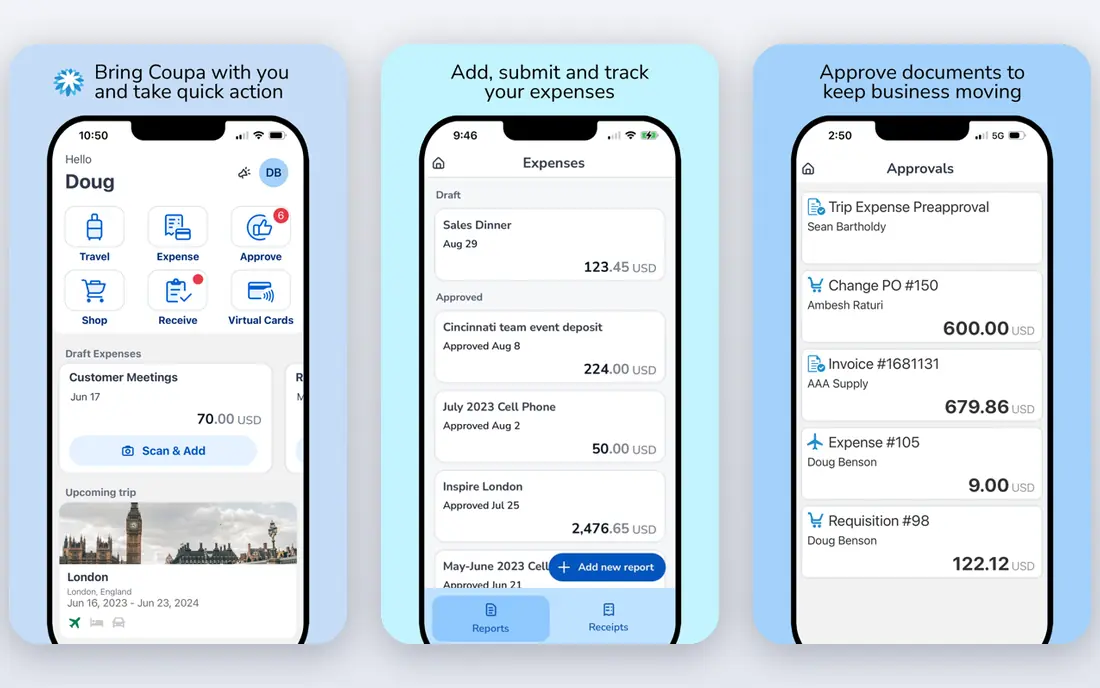
Coupa is the suite to consider when procurement is a strategic function with many business units, categories, and suppliers. It covers sourcing, contracts, purchasing, invoicing, and expenses, with analytics that compare your spend with patterns across its customer base. Large teams can enforce policy, track supplier performance, and manage thousands of vendors from one place.
The cost is enterprise in every sense: custom pricing, partner-led implementation, and rollouts measured in months. Mid-size teams will pay for scope they never use. Buy Coupa when spend under management justifies a dedicated procurement team, and when the business needs governance across many units.
- Full source-to-pay coverage
- Supplier network and collaboration tools
- Spend benchmarking across customers
- Enterprise pricing and long rollouts
- More scope than mid-size teams need
- Setup needs dedicated staff
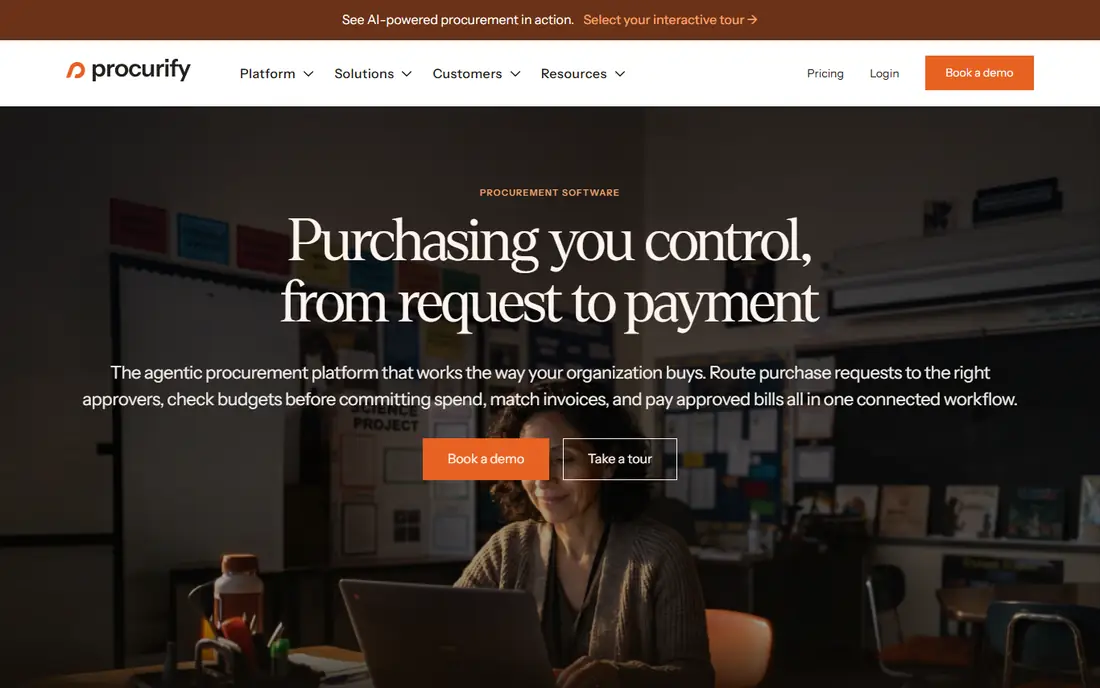
Procurify fits mid-size companies that need to control spend before it reaches accounts payable. Requests, approvals, purchase orders, and receipts sit in one workflow, and finance can see remaining budget as spending happens rather than at month end. PunchOut catalogs and mobile approvals help teams that buy often and approve on the move.
It is less suited to a global enterprise that needs deep sourcing, contract lifecycle tools, and complex supplier networks. It also prices by quote, so the total depends on size and modules. For a team of roughly 100 to 2,000 staff that wants live budget visibility without enterprise weight, it is a strong shortlist pick.
- Real-time spend against budgets
- Structured approvals and purchase orders
- Mobile approvals for managers
- Pricing is quote-based
- Enterprise depth is lighter than Coupa
- Some advanced modules cost extra
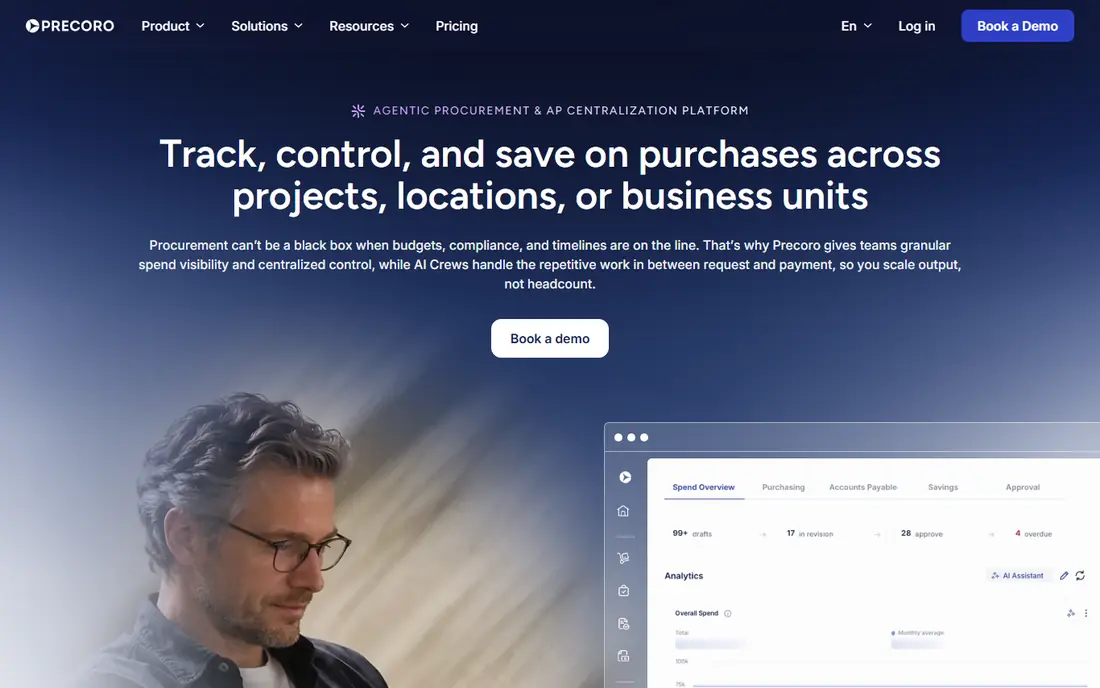
Precoro stands out in this category by publishing prices, which makes comparison far easier. The Core plan starts at $499 per month, with an Automation tier above it, and the workflow covers requisitions, approvals, purchase orders, receiving, and invoices. Teams that want tight purchase order control without a long sales process often like that clarity.
The limit is scale and depth. It is not a full enterprise sourcing suite, and very large companies with complex contracts may need more. It also offers no free plan, only a demo or trial route. For mid-market buyers who value a clear price and a structured workflow, that trade is easy to accept.
- Published pricing from $499 per month
- Structured procure-to-pay workflow
- Fast setup for its category
- No free plan
- Higher tiers cost more
- Enterprise sourcing depth is limited
Ramp takes a different route to vendor spend control: it starts with corporate cards, expense rules, and approvals, then adds travel and payables. The free core plan gives small teams cards, expense tracking, and basic payables without a monthly fee, which is rare in this list. Paid tiers add deeper automation and controls as the team grows.
Card-led control suits teams that spend through cards and subscriptions, but it is less natural for heavy purchase order buying or complex supplier contracts. Some features on the free plan are limited, and international coverage should be checked for teams outside the US. For a startup or small team that wants control fast, Ramp is the easiest starting point.
- Free core plan with cards and expenses
- Real-time card controls and limits
- Travel and payables in one place
- Free tier limits some features
- Best suited to US teams
- Advanced payables sit on paid tiers
SAP Ariba fits global enterprises that already run SAP and need the largest supplier network in this category. Sourcing, contracts, purchasing, and invoicing connect with SAP enterprise resource planning, which helps finance keep one set of records across many countries and units. Governance and audit trails are built for large, regulated buyers.
The trade-offs are cost, time, and complexity. Rollouts can take months, training matters, and small or mid-size teams will find the system heavy. If your company does not run SAP, the integration value drops sharply. Buy it when the SAP link and the supplier network justify the enterprise effort.
- Very large supplier network
- Deep sourcing, contract, and invoice tools
- Prebuilt SAP ERP links
- Enterprise pricing and long rollouts
- Steep learning curve
- Heavy for teams outside SAP
Zip focuses on the messy start of spending: a request comes in, and it must pass finance, legal, security, or procurement checks before anyone buys. Zip routes that intake, tracks each approval, and keeps the request history in one place. Teams with fragmented approvals across departments often find this fixes the real problem, which is not invoice speed but lost requests.
Zip is not a full source-to-pay suite, so teams that need deep sourcing or supplier management will pair it with other tools. Pricing is quoted, and the value depends on how painful approvals are today. If requests get stuck in email and chat, Zip deserves a demo. If buying is already simple, a broader tool may fit better.
- Strong intake and approval workflows
- Connects purchasing, legal, and finance reviews
- Clear request tracking
- Pricing is quote-based
- Not a full sourcing suite
- Value depends on approval complexity
Airbase combines guided purchasing, corporate cards, expense reports, and accounts payable in one mid-market system. A request can move from approval to purchase order to payment without switching tools, and finance gets a clearer view of committed spend. Accounting links to common ledgers help close the month with less manual entry.
It is aimed at mid-market teams, not global enterprises with complex sourcing needs. Pricing is quoted, so buyers should ask what sits on each tier. For a company that wants purchasing and payables together, without buying a full enterprise suite, Airbase is a practical middle ground.
- Purchasing, cards, expenses, and payables in one system
- Approval workflows
- Accounting integrations
- Pricing is quote-based
- Enterprise depth is lighter than Coupa
- Some features sit on higher tiers
Tipalti fits companies whose main pain is paying suppliers, especially across borders. It handles supplier onboarding, invoice processing, tax form collection, and payments in many currencies and methods, which cuts the manual work that grows with supplier count. Finance teams get audit trails and controls around who gets paid and when.
The focus is downstream: paying and onboarding suppliers, rather than controlling the purchase request itself. Teams that need strict purchase order control before buying may want a tool like Procurify or Precoro beside it. For a business with hundreds of suppliers and global payments, Tipalti solves the hardest part first.
- Strong global supplier payments and tax forms
- Supplier onboarding and invoice handling
- Payment controls
- Pricing is quote-based
- Purchase order depth is lighter than Procurify
- Setup needs care for global tax rules
Spendesk gives mid-size teams cards, expense claims, invoice handling, and budget tracking in one system, with approvals that keep spending visible before payment. It is well known in Europe, where its card and invoice features fit local payment and tax routines. Managers can set limits by team or budget, and finance can track spend as it happens.
US teams should confirm coverage and card terms before choosing, since the product history is European. It is also not a full enterprise sourcing suite. For a mid-size company, especially one with European operations, that wants card-led control with invoice handling, Spendesk is a solid option.
- Cards, expenses, invoices, and budgets in one place
- Approval workflows
- Strong fit for European teams
- Pricing is quote-based
- US coverage should be checked
- Enterprise sourcing depth is limited
How we picked these
We compared official feature and pricing pages, plus public comparisons of spend management tools, and kept tools live in October 2026 that control vendor spending through approvals, purchase orders, cards, or supplier payments. We left out generic expense-only apps and tools with no vendor or supplier workflow. Where a vendor does not publish a price, we wrote See website rather than guessing.
What to check before you buy
Start by mapping one real purchase from request to payment, and note where it stalls today. If approvals stall, favor Zip or Procurify. If cards and subscriptions drive spend, favor Ramp or Spendesk. If supplier payments across countries drive pain, favor Tipalti. If the whole cycle needs governance, favor Coupa or SAP Ariba. That one workflow will narrow the list faster than a feature checklist.
Then check the accounting link, user limits, and approval depth on the tier you would actually buy, since entry tiers often limit approvers or integrations. Ask for the total cost, including implementation and per-user fees, and run a trial with a real vendor, a real budget, and a real approver. If finance still has to retype data at month end, the tool has not solved the problem.
Frequently asked questions
What is vendor spend management software?
It is software that controls what a company spends with suppliers, from the first request and approval through purchase orders, invoices, and payment. Good tools show committed spend against budgets before money leaves the company. That early visibility is the main difference from a simple invoice tool.
How is it different from procurement software?
The terms overlap, and many tools cover both. Vendor spend management stresses budgets, approvals, and supplier payments, while procurement stresses sourcing, contracts, and supplier selection. In practice, buyers should compare the workflow they need, not the label on the product page.
Which tool is best for a small business?
Ramp is the easiest start because its core plan is free and card controls work at once. Precoro is a good next step when a team needs structured purchase orders and published pricing. A very small team with few vendors may still manage with a ledger and cards, and should only buy software when approvals or budgets start to slip.
Do these tools replace an accounting system?
No, they sit beside it. They control and record spending, then post invoices, payments, and expenses to the ledger. Check the integration with your accounting tool before buying, and confirm how taxes, currencies, and approval history are carried over.
How long does setup take?
Small card-led tools can run in days, mid-market tools often take two to six weeks, and enterprise suites can take months with partner help. Setup time depends on approval rules, supplier count, accounting links, and training. Ask the vendor for a timeline based on your workflow, not a generic estimate.
Sources
See where you really rank - block by block
ProMapRanker scans Google Maps across a grid of your service area. Simple monthly plans from $19, white-label on every plan.
Start freeKeep reading
 zoro.to alternatives
Best Zoro.to Alternatives in 2026
We compare the best zoro.to alternatives in 2026, listing only legal licensed anime streaming services, from Crunchyroll to free options for fans today.
Read → zip alternatives
Best Zip Alternatives in 2026
We compare the best zip alternatives for buy now, pay later in 2026, covering pay-in-4 plans, fees, spending limits, and credit reporting options today.
Read → yesware alternatives
Best Yesware Alternatives in 2026
Compare the best yesware alternatives for sales email tracking, templates, and sequences, with current pricing and honest tradeoffs for small sales teams.
Read →