 ProMapRanker
Best Software for Running a Small Business in 2026


Small business accounting · Pricing starts at: See website
Key takeaways
- QuickBooks Online and Xero cover the money side best for most small firms, with invoicing, expenses, payroll add-ons and accountant access.
- Zoho One and Odoo suit owners who want many business tools under one account, rather than paying for separate apps.
- HubSpot is the strongest free starting point for customer records, deals and basic marketing, with paid growth when the team grows.
- Monday.com and Asana cover the best software for task management, while Notion suits teams that also need docs and wikis.
- Start with the job that causes the most daily pain, usually money or customer follow-up, and add other tools only when that job is stable.
Quick comparison
| Pick | Great for | Pricing starts at | Free tier | |
|---|---|---|---|---|
| QuickBooks Online | Small business accounting | See website | Free trial | Visit |
 Xero | Clean cloud accounting | See website | Free trial | Visit |
 Zoho One | Many tools under one account | See website | Free trial | Visit |
 Odoo | Custom all-in-one business suite | Free | Yes | Visit |
 HubSpot | Free CRM and customer growth | Free | Yes | Visit |
 Monday.com | Team work and project tracking | See website | Free trial | Visit |
 Asana | Task management for small teams | Free | Yes | Visit |
 Notion | Docs, tasks and team wikis | Free | Yes | Visit |
 FreshBooks | Simple invoicing for service firms | See website | Free trial | Visit |
The best software for running a small business
We compared top business software on accounting, customer management, task tracking, ease of use and price. The best software for running a small business is rarely one app for every job, so this list mixes strong single-purpose tools with all-in-one suites, and notes where each one fits best.

QuickBooks Online is the default accounting choice for many US small businesses, and that familiarity is a practical benefit. Accountants know it, banks connect to it, and payroll, payments and time tracking can be added without moving to a new system. Invoicing, expense tracking, sales tax help and profit reports cover the daily money work for service firms, retailers and contractors.
The cost structure needs care. Plans differ on users, bill management, inventory and reporting, and payroll is a separate paid add-on. A solo freelancer may find a simpler invoicing tool cheaper, while a firm with staff and inventory will use more of QuickBooks. For a growing small business that wants an accountant-friendly system, it is our pick for most owners.
- Wide accountant support in the US
- Invoicing, expenses and payroll add-ons
- Bank feeds and reports
- Price rises with plan tiers
- Some features need higher plans or add-ons
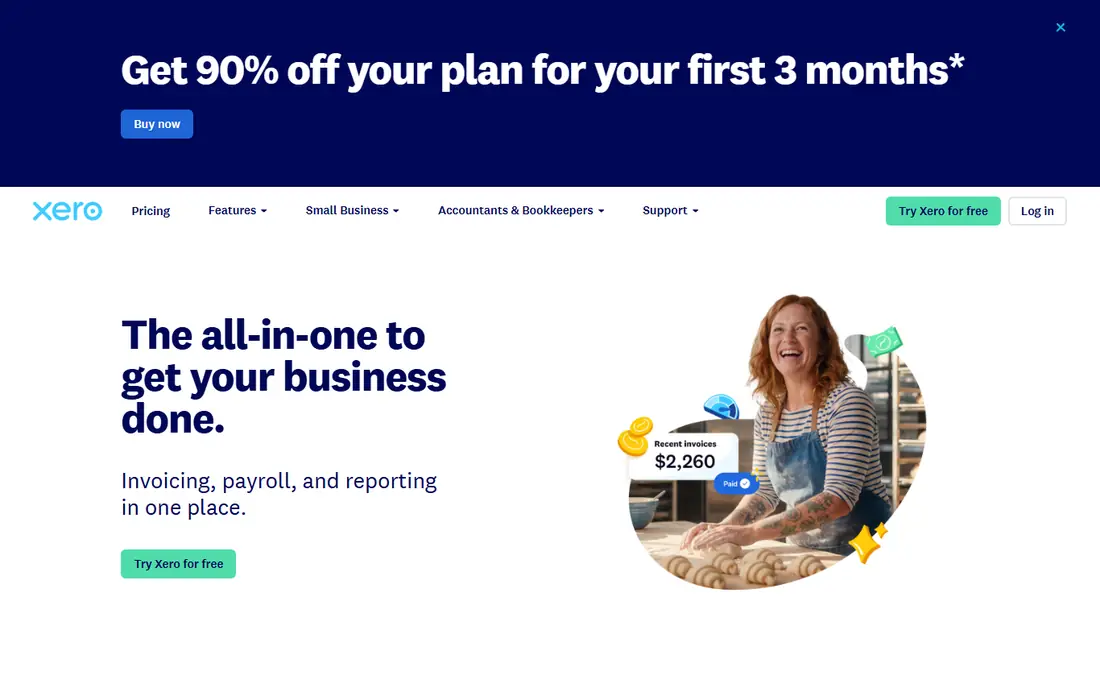
Xero gives small businesses a clean accounting system that is easy to learn and pleasant to use each week. Bank feeds, reconciliation, invoicing and expense claims are straightforward, and the dashboard shows cash, bills and invoices without clutter. Its app marketplace adds payroll, inventory, time and industry tools for firms that need them.
US firms should check payroll carefully, since Xero payroll support differs from QuickBooks and may need a partner app in some states. Multi-currency and project tracking also sit on higher plans. For owners who value a simple layout and a strong global app ecosystem, Xero is a strong alternative to QuickBooks.
- Clear, simple layout
- Strong bank reconciliation
- Wide app marketplace
- US payroll support is more limited than QuickBooks
- Higher plans needed for multi-currency and projects
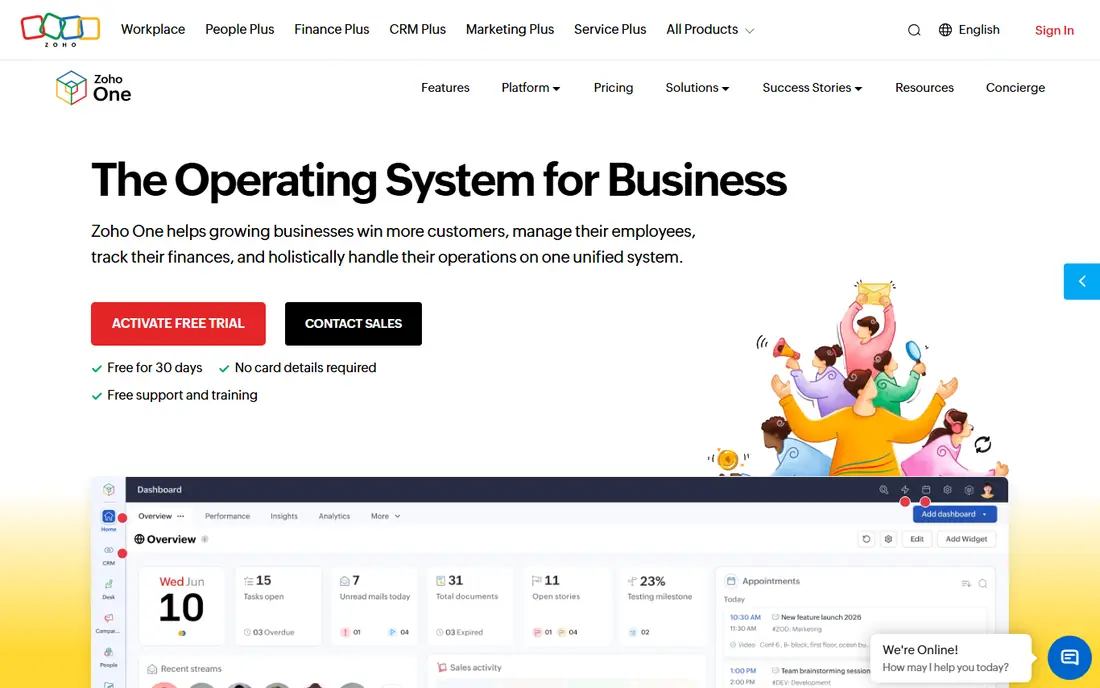
Zoho One bundles a large set of Zoho apps, including CRM, Books, Projects, Mail, People and Desk, under one per-employee price. That bundle can replace several separate subscriptions for a small firm, and shared data means a customer record, invoice and project can link without manual copying. For a team that already uses one or two Zoho apps, the bundle is often cheaper than buying each tool alone.
The breadth is also the challenge. Not every Zoho app is best in its class, and setting up the suite, permissions and workflows takes time. Owners should list the apps they will actually use and compare that bundle price with their current subscriptions. For a small firm that wants one vendor for most office work, Zoho One is good value.
- Dozens of apps for CRM, books, mail, HR and projects
- One login and one bill
- Per-employee pricing
- App quality varies
- Setup and admin take time for a large suite
Odoo is a modular business suite where a firm picks apps for CRM, sales, inventory, accounting, projects, HR and more. The free option for one app lets a small firm start with, for example, CRM or inventory, then add modules as it grows. That modular path suits firms with unusual workflows that do not fit a fixed all-in-one product.
Customisation is both the strength and the cost. A complex Odoo setup, especially with manufacturing or multi-warehouse stock, often needs an implementation partner and ongoing admin. Simpler firms may find Zoho One or separate best-in-class tools faster to run. For owners who want a system shaped around their process, Odoo is a flexible, low-cost start.
- Free starting app option
- Modules for sales, stock, accounting and manufacturing
- Open and customisable
- Full setup needs care and often expert help
- Module quality varies
HubSpot gives small teams a free CRM that covers contacts, companies, deals, tasks, email tracking and forms without a monthly fee. That free core is enough for many small firms to replace spreadsheets and scattered notes, and it scales into paid Marketing, Sales and Service Hubs when the team needs automation, sequences and deeper reporting. The shared customer record also helps sales, marketing and support see the same history.
Paid pricing is the caution. Starter plans are modest, but Professional and Enterprise tiers cost far more and are aimed at larger teams. Small firms should stay on free or Starter until they truly need automation and reporting depth. For customer management on a tight budget, HubSpot is our pick for most small teams.
- Generous free CRM
- Contacts, deals, email and forms in one place
- Paid hubs for marketing and sales growth
- Paid plans rise steeply at higher tiers
- Advanced reporting needs paid hubs
Monday.com, often called Monday Work Management, turns team work into visual boards with tasks, owners, dates and status columns. Templates cover project tracking, CRM-style pipelines, marketing work and operations, so a small team can start from a ready board rather than a blank page. Automations and dashboards on paid plans reduce status updates and give managers a clear view of progress.
Pricing depends on seats, with minimum seat counts that can raise the bill for a two-person team. The system is also broad, so teams should agree on one board structure before adding many boards. For a small team that wants visible, shared work tracking across departments, Monday.com is a strong, flexible choice.
- Visual boards for projects, sales and operations
- Templates for many workflows
- Automations on paid plans
- Minimum seat counts on some plans
- Cost grows with team size and add-ons
Asana is one of the clearest answers to the best software for task management. Teams can track work as lists, boards or timelines, assign owners and due dates, and link tasks to projects and goals. The free plan covers core task work for small teams, while paid plans add timelines, portfolios, reporting and workflow automation for larger operations.
The main limit is scope. Asana is a work management tool, not accounting or CRM software, so a firm still needs separate money and customer tools. Teams with only a short daily checklist may also find it more than they need. For a small team that lives by tasks and deadlines, Asana keeps work visible without a steep learning curve.
- Clear task lists, boards and timelines
- Free plan for small teams
- Good goal and project views
- Advanced reporting and portfolios need paid plans
- Can feel busy for very simple task lists
Notion combines notes, docs, wikis, databases and task lists in one flexible workspace. A small business can keep standard procedures, meeting notes, project trackers and a client wiki in the same place, and templates speed up common setups. The free plan suits individuals and small teams, with paid plans adding collaboration, permissions and admin controls.
Flexibility needs discipline. Without agreed templates and ownership, a Notion workspace can grow messy and hard to search. It also lacks the strict project controls and reporting of Asana or Monday.com for larger operations. For a small team that wants docs and light task tracking together, Notion is a practical, low-cost hub.
- Docs, wikis, databases and tasks in one workspace
- Free plan for individuals and small teams
- Many templates
- Less structured for strict project control
- Setup freedom can lead to messy workspaces
FreshBooks suits service firms, freelancers and consultants who bill by hour or project and want invoicing to take minutes, not hours. It covers estimates, invoices, payment reminders, time tracking and basic expenses, with a clean layout that suits owners without accounting training. Clients can pay online, which helps cash flow for small service businesses.
The limit is accounting depth. FreshBooks is not a full replacement for QuickBooks or Xero for firms with inventory, complex reporting or multi-entity accounts. Plan limits on billable clients also matter for growing firms. For a service business where invoicing and time are the main money jobs, FreshBooks is simple and effective.
- Fast invoicing and payment reminders
- Time tracking for billable work
- Simple expense handling
- Less depth for inventory or complex accounting
- Higher plans needed for more clients and features
How we picked these
We compared official feature pages, pricing pages and trial terms for accounting, CRM, work management and all-in-one suites, and we checked that each product is still offered in October 2026. We favoured tools with a free plan or trial, clear small-business pricing, and a track record with small teams, rather than enterprise-only platforms. Where a price could not be verified on the vendor site at the time of writing, we wrote See website rather than guessing.
We also kept the list practical: a tool made the list only if it covers a core job in running a small business, such as money, customers, tasks or docs, and if a small team can run it without a large IT department.
How to build your small business software stack
Start with the biggest pain point, not the longest feature list. If invoices are late and cash is unclear, fix accounting first with QuickBooks, Xero or FreshBooks. If leads and follow-ups are being lost, start with HubSpot or another CRM. If missed deadlines are the problem, start with Asana or Monday.com.
Keep the stack small
A common mistake is buying six tools at once and using none of them well. Pick one tool per core job, give the team two weeks on each new tool, and check that data flows between tools, for example from CRM to invoice, before adding more. Export options matter too: confirm you can take your customer, financial and task data with you if you switch.
Check cost per team, not per user alone
Multiply the per-user price by your real team size, add payroll or payment add-ons, and check minimum seat rules. A tool that looks cheap per user can be costly for a five-person team on a higher tier. Review subscriptions every six months and drop tools the team no longer uses.
Frequently asked questions
What is the best software for running a small business overall?
There is no single winner, because money, customers and tasks are different jobs. For most owners, a good stack is QuickBooks Online or Xero for money, HubSpot for customers, and Asana or Monday.com for tasks, with Notion for docs if needed.
What is the best software for task management?
Asana is a strong choice for small teams that want clear lists, boards and timelines with a free plan. Monday.com suits teams that want visual boards across departments, while Notion suits teams that also need docs and wikis in the same workspace.
Is there free software for running a small business?
Yes. HubSpot, Asana, Notion and Odoo all offer free starting options, and QuickBooks, Xero and FreshBooks offer trials. Free plans usually limit users, features or clients, so check those limits before relying on a free plan for the whole business.
Should a small business use an all-in-one suite or separate tools?
An all-in-one suite such as Zoho One or Odoo can save money and reduce logins, but separate best-in-class tools often work better for a specific job. Choose a suite if simplicity matters most, and choose separate tools if one job, such as accounting, needs extra depth.
How much does small business software cost per month?
Costs vary widely, from free starting plans to paid plans that rise with users and features. Always price the full team, including add-ons for payroll, payments or reporting, and confirm the current price on the vendor site before budgeting.
Sources
See where you really rank - block by block
ProMapRanker scans Google Maps across a grid of your service area. Simple monthly plans from $19, white-label on every plan.
Start freeKeep reading
 zscaler alternatives
Best Zscaler Alternatives in 2026
Looking for zscaler alternatives? We compare 9 SASE and zero trust platforms on architecture, data protection, pricing, and fit for your network and team.
Read → zapier alternatives free
Best Zapier Alternatives Free in 2026
Nine automation tools for zapier alternatives free in 2026, all with genuinely free tiers, plus free plan limits, starting prices and upgrade paths explained.
Read → which platform is best for online reputation
Which Platform Is Best for Online Reputation in 2026
Wondering which platform is best for online reputation? We compare 8 review, listing, and response tools for small and multi-location businesses and agencies.
Read →