 ProMapRanker
8 Best Software for MOV to MP4 Conversion Options for 2026

Direct answer
VLC is the first pick on this list for fast one-off conversions without new software. Shutter Encoder fits editors and creators wanting pro codecs free; Movavi Video Converter fits beginners wanting quick drag-and-drop conversion. Details, prices and limits for the rest of the 8 tools are below.
Key takeaways
- VLC sits first on this list: fast one-off conversions without new software.
- VideoProc Converter AI fits camera and drone footage workflows.
- Shutter Encoder comes with a trade-off: the dense interface overwhelms casual users.
- Starting prices begin at $19.95/month with Movavi Video Converter.
- A free plan is available from 4 of the 8 tools: VLC, Shutter Encoder, HandBrake, Freemake Video Converter.
Quick comparison
| Pick | Great for | Pricing starts at | Free tier | |
|---|---|---|---|---|
 VLC | Fast one-off conversions without new software | Free | Yes | Visit |
 Shutter Encoder | Editors and creators wanting pro codecs free | Free | Yes | Visit |
 Movavi Video Converter | Beginners wanting quick drag-and-drop conversion | From $19.95/month (1-month plan) | Free trial | Visit |
 Wondershare UniConverter | Heavy users wanting an all-in-one suite | From $49.99/year | Free trial | Visit |
 HandBrake | Regular converters who want control | Free | Yes | Visit |
 Freemake Video Converter | Windows users doing straightforward conversions | See website | Yes | Visit |
 Adobe Media Encoder | Video pros already in Adobe's ecosystem | From $22.99/month (via single-app plan, not sold separately) | Free trial (7 days) | Visit |
 VideoProc Converter AI | Camera and drone footage workflows | From $34.95/year (Premium 365) | Free trial | Visit |
Software for MOV to MP4 Conversion compared in detail
If you are comparing software for MOV to MP4 conversion, this page covers 8 tools in one place: what each is best for, what it costs to start, whether it has a free plan, and the main limit to know about.

For fast one-off conversions without new software, VLC is a natural candidate. Open your MOV, go to Media and then Convert / Stream, choose a profile like Video H.264 + MP3 (MP4), pick a destination and start.
In practice, for anything recurring, install HandBrake instead. VLC pricing: Free. VLC includes a free tier.
Downsides: Fewer encoding choices than dedicated tools.
- Convert / Stream with no additional download
- You may already have it installed
- Not aimed at batch jobs
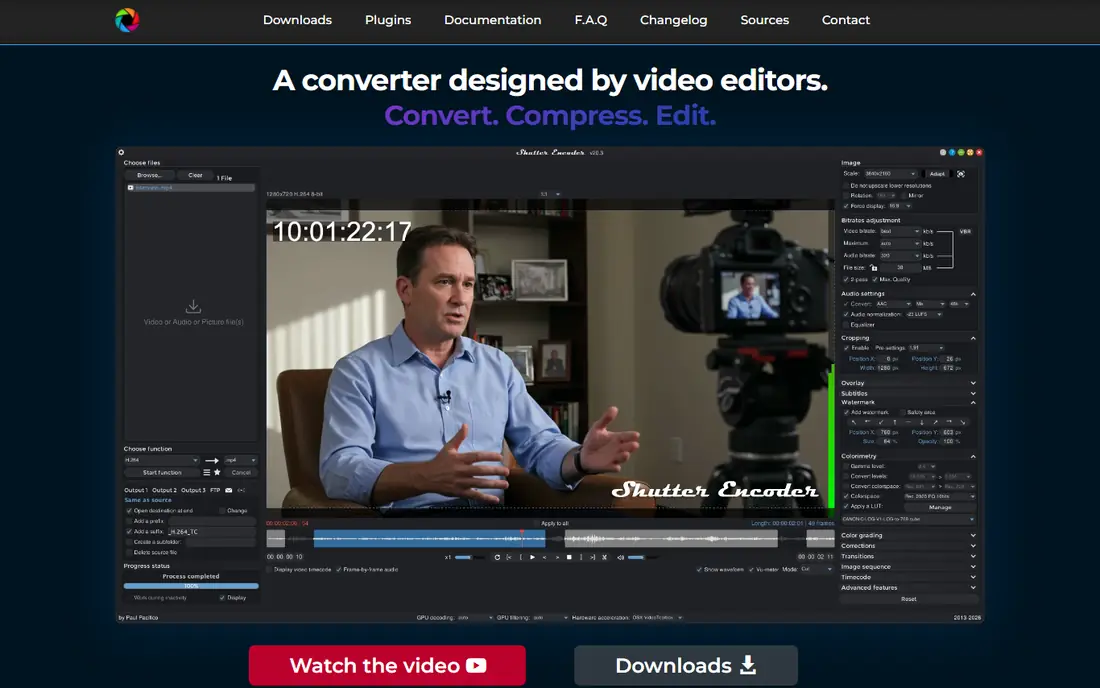
Shutter Encoder makes the most sense for editors and creators wanting pro codecs free. Built on FFmpeg, it converts between an enormous range of formats and codecs, including professional editing codecs like Apple ProRes and DNxHR that most consumer converters skip. It also does clever things like cutting sections out of a video without re-encoding, which is instant and lossless.
Watch-outs: The dense interface overwhelms casual users.
This is a tool for people who know what a codec is, or want to learn. But the price is right (free, donation-supported), and for creators moving footage between editing apps, it fills a gap nothing else free quite includes. Shutter Encoder is what video editors install when HandBrake is not quite enough. Shutter Encoder cost at the entry level: Free. Shutter Encoder includes a free tier.
- Free and open source with no restrictions
- DNxHR and H.265
- Overkill for converting a single phone clip
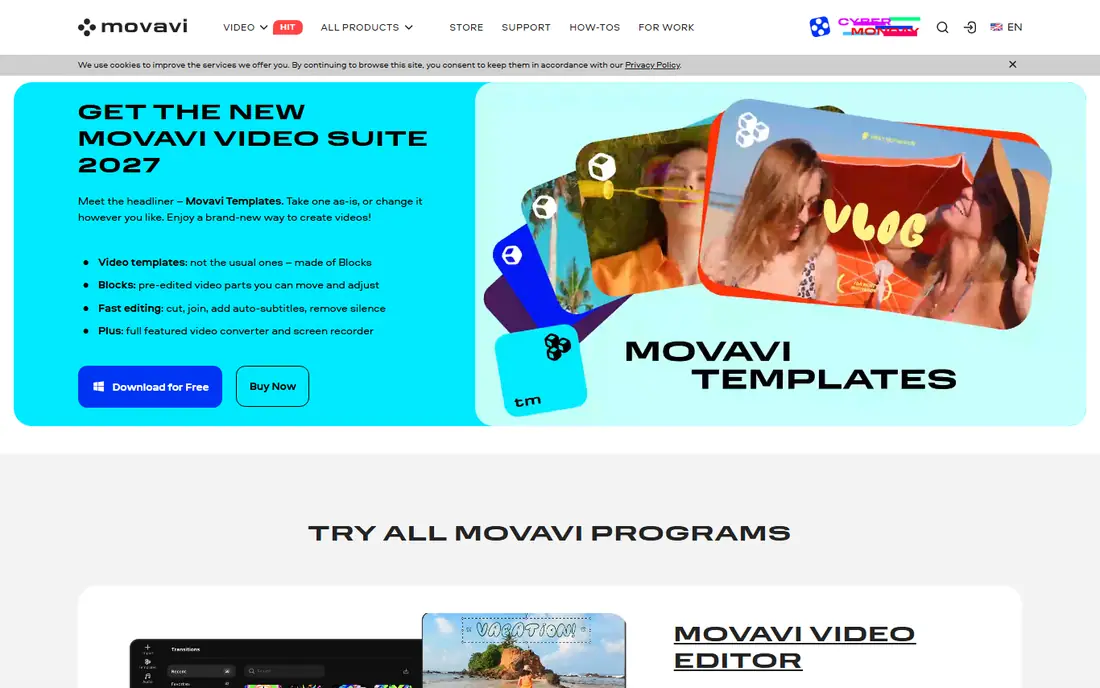
Movavi Video Converter is built with beginners wanting quick drag-and-drop conversion in mind. Movavi's entire pitch is that video conversion should not need a manual. You drop in a MOV, pick MP4 or a device preset.
Trade-offs to know: The trial watermarks output and limits features.
It converts, with a SuperSpeed mode that skips re-encoding when the codec already matches. As for the details, pricing is tiered by term: $19.95 for per month, around $79.95 for per year (frequently discounted), or $99.95 lifetime, with a 7-day free trial. The starting price for Movavi Video Converter: From $19.95/month. Free access: Free trial.
- Very straightforward to use with drag-and-drop workflow
- SuperSpeed mode converts without re-encoding where possible
- The 1-year price is higher than some rivals
Wondershare UniConverter
Great for: Heavy users wanting an all-in-one suite
Wondershare UniConverter is designed for heavy users wanting an all-in-one suite. Plans start around $49.99 per year, with two-year and perpetual licenses available, and Wondershare runs frequent promotions that change the numbers. Also, try the trial on your actual files before buying, and decide if you need the AI extras or just the converter.
What users get: Extras like compression.
The free trial also limits conversions to a fraction of each file's length. On top of that, there is no monthly plan, so this is a commitment. Wondershare UniConverter cost at the entry level: From $49.99/year. Free options: Free trial. Limits to weigh: The free trial limits how much of each file converts.
- Batch conversion with device presets
- Very quick conversion with GPU acceleration across 1,000+ formats
- The installer and app push upsells
For regular converters who want control, HandBrake is a natural candidate. Drag in your MOV, pick a preset like Fast 1080p, and the result plays everywhere. HandBrake exposes real encoding settings, which is excellent once you learn what a constant quality value does and intimidating before that.
Reasons to shortlist it: no watermarks or limits.
In practice, here is the blunt version: most people asking how to convert MOV to MP4 should just install HandBrake and be done with it. From a buyer's view, no account, no upload, no watermark. Price to start with HandBrake: Free. HandBrake offers a free plan.
Honest limits: The interface looks dated.
- Precise control over codecs
- Fully free and open source
- Codec settings have a learning curve
Freemake Video Converter
Great for: Windows users doing straightforward conversions
Freemake Video Converter serves Windows users doing straightforward conversions. The free version includes limits that push toward the premium Mega Pack, and the program is Windows-only, which rules out Mac users entirely. It also gives you far less control than the free open-source tools: no fine codec tuning, no batch power features.
It still has an audience, namely people who want the simplest possible path and do not care about the details. For everyday use, everyone else will outgrow it fast. Freemake Video Converter shows no starting price here, so confirm the cost on the vendor site. Freemake Video Converter includes a free tier.
Watch-outs: Windows only. Highlights: Very straightforward interface targeted at beginners.
- Entry-level trim
- Free version includes entry-level conversion
- Far fewer codec controls than HandBrake or Shutter Encoder
Choose Adobe Media Encoder for Video pros already in Adobe's ecosystem. If you edit in Premiere Pro, sending sequences straight to the encoder queue and continuing to work is a workflow nothing else here matches. The main limit is access.
Honest limits: Heavyweight for converting a single file.
Adobe does not sell Media Encoder on its own. It includes a Premiere Pro or After Effects single-app plan (from about $22.99 per month on an annual plan) or a full Creative Cloud subscription. Beyond that, nobody should subscribe just to convert MOV files. But if you already pay for Creative Cloud, Media Encoder is sitting in your app list. It is the most capable converter you own. The starting price for Adobe Media Encoder: From $22.99/month. Free access: Free trial (7 days).
- Deep preset control and watch folders that automate conversions
- Background encoding while you keep working
- Users report occasional bugs and performance quirks
VideoProc Converter AI works best for camera and drone footage workflows. VideoProc comes from Digiarty and targets people with demanding footage: GoPro, DJI drones, DSLRs and phones shooting 4K HEVC. It manages 370 input codecs and 420+ output formats, with full GPU acceleration and a standout auto-copy mode that can remux formats like MKV to MP4 at over 1,000 FPS without re-encoding.
Highlights: Auto-copy mode for lossless passthrough; Very good handling of 4K.
Pricing begins at $34.95 per year for Premium 365 (three computers), with a $54.95 lifetime license for one machine and a family license for more. If your source material is a phone recording, this is more than you need. If it is 4K drone footage, it is one of the best suits here. The interface tries to do a lot and displays it. VideoProc Converter AI starts at: From $34.95/year. As for free access: Free trial.
The main drawbacks: AI tools demand a solid GPU.
- Lifetime license available
- AI tools for upscaling
- The interface is crowded with features
Selection criteria
We compared the tools on published pricing, free plan or trial availability, feature coverage for software for MOV to MP4 conversion, and the limits each vendor documents. Where a vendor does not publish a price, the entry says quote. Where a price depends on seats or billing term, the entry says so. Order on the page follows fit for the typical buyer first, then price transparency and free access. Your own requirements should decide the final pick.
Questions to settle before buying
- Get a written quote from Freemake Video Converter; the list shows no starting price for them.
- Look at free plan limits closely: VLC, Shutter Encoder, HandBrake and Freemake Video Converter have one, and the caps decide whether it is usable for real work.
- Run a trial of Movavi Video Converter, Wondershare UniConverter, Adobe Media Encoder and VideoProc Converter AI with real work before paying for a year; your own workflow is the best test.
- Before choosing VLC, weigh its main limit: the conversion dialog is clunky.
- Confirm minimum seats and billing terms with Adobe Media Encoder before you commit to an annual plan.
- Find out what support VideoProc Converter AI includes on your plan, and whether onboarding help costs extra.
Frequently asked questions
What is the cheapest option for software for MOV to MP4 conversion in this list?
On published monthly entry prices, Movavi Video Converter is the lowest here at $19.95/month. Entry price is only part of the cost, because seats, add-ons and billing terms can change the total.
Will converting MOV to MP4 cut quality?
If the video stream is already H.264, plenty of tools can rewrap it into a MP4 container with zero quality loss. Convert from the original file once instead of re-converting an already converted file.
Can I convert MOV to MP4 on a Mac without additional software?
macOS does not contain a one-click MOV to MP4 converter, though some workflows through iMovie or QuickTime exports can produce MP4-compatible output.
Can I try these tools before paying?
Often, yes. VLC, Shutter Encoder, HandBrake and Freemake Video Converter have a free plan and Movavi Video Converter, Wondershare UniConverter, Adobe Media Encoder and VideoProc Converter AI offer a free trial. Use your own data and a real task during the test, and check what the free tier or trial limits before you rely on it.
How are the tools for software for MOV to MP4 conversion ordered?
The order follows typical fit for software for MOV to MP4 conversion, with VLC first and VideoProc Converter AI last, then price clarity and free access. It is editorial judgement, not a score, so another team could rank the tools differently.
Is VLC the right pick for everyone comparing software for MOV to MP4 conversion?
No single tool suits every team. VLC comes first because it fits quick one-off conversions without new software, while Shutter Encoder suits editors and creators wanting pro codecs free and Movavi Video Converter suits beginners wanting fast drag-and-drop conversion. Match the tool to your own size, budget and workflow before deciding.
Sources
See where you really rank - block by block
ProMapRanker scans Google Maps across a grid of your service area. Simple monthly plans from $19, white-label on every plan.
Start freeKeep reading
 zscaler alternatives
Best Zscaler Alternatives in 2026
Looking for zscaler alternatives? We compare 9 SASE and zero trust platforms on architecture, data protection, pricing, and fit for your network and team.
Read → zapier alternatives free
Best Zapier Alternatives Free in 2026
Nine automation tools for zapier alternatives free in 2026, all with genuinely free tiers, plus free plan limits, starting prices and upgrade paths explained.
Read → which platform is best for online reputation
Which Platform Is Best for Online Reputation in 2026
Wondering which platform is best for online reputation? We compare 8 review, listing, and response tools for small and multi-location businesses and agencies.
Read →