 ProMapRanker
Best Software for Managing Legal Notifications in 2026


Process servers and service tracking · Pricing starts at: See website
Key takeaways
- The best tools combine deadline tracking, service records and client communication, not only a calendar reminder.
- Service-of-process tools and practice-management tools solve different parts of the problem, so many firms need both views.
- Deadlines vary by jurisdiction and matter type, so no software replaces lawyer review of rules and dates.
- Audit trails, role-based access and secure client portals matter more than a long feature list.
- This article is general information only, not legal advice, and firms should confirm deadline rules with qualified counsel.
Quick comparison
| Pick | Great for | Pricing starts at | Free tier | |
|---|---|---|---|---|
| ServeManager | Process servers and service tracking | See website | Free trial | Visit |
 ABC Legal Services | Firms ordering service of process | See website | No | Visit |
 Proof | Modern service of process ordering | See website | No | Visit |
 Clio Manage | Firms needing practice management plus deadlines | $39 per user per month | Free trial | Visit |
 Filevine | Customisable case and deadline workflows | See website | Free trial | Visit |
 MyCase | Small firms wanting simple case and client updates | See website | Free trial | Visit |
 Smokeball | Firms wanting automatic time and deadline capture | See website | Free trial | Visit |
 Lawmatics | Intake and client notification automation | See website | Free trial | Visit |
The best software for managing legal notifications
Legal notifications cover several different jobs: serving papers, tracking court and filing deadlines, sending client updates, and recording proof that a notice was sent and received. No single tool covers every jurisdiction perfectly, so this list mixes service-of-process platforms with practice-management tools that manage deadlines and client notices. This is general information only, not legal advice, and deadlines vary by jurisdiction, so lawyer review remains essential.
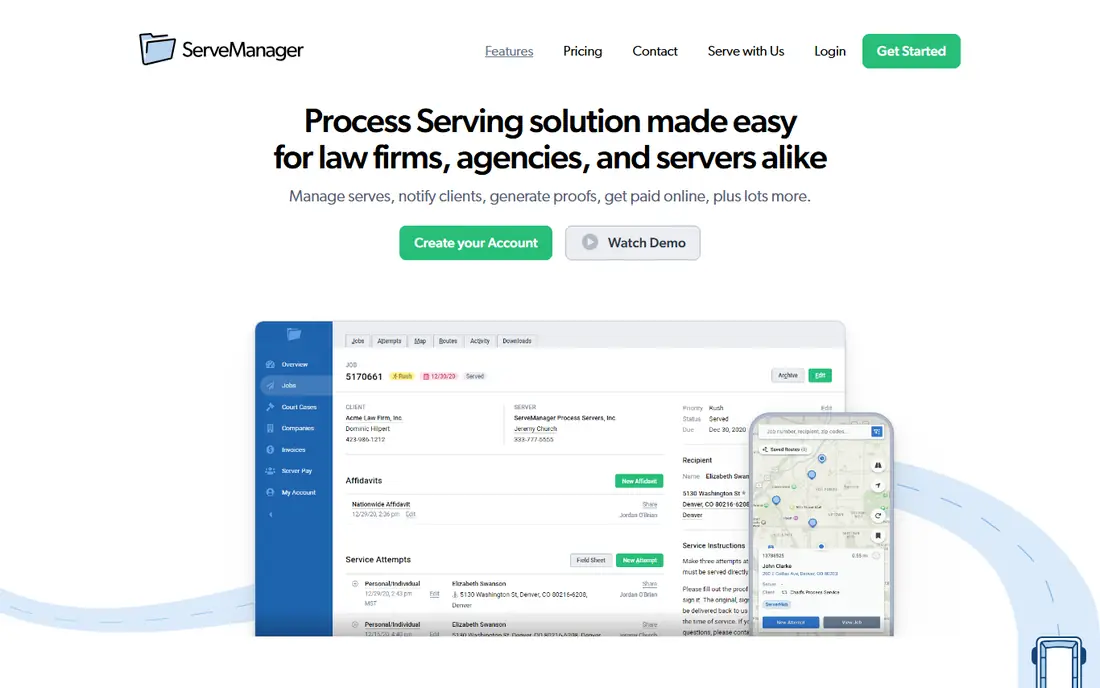
ServeManager is designed for the service-of-process side of legal notifications. Process serving firms and legal support teams can track jobs, assign servers, record attempts, manage documents and share status updates with clients. That focus makes it easier to answer the question clients ask most often: what happened with service, and what proof exists.
It does not replace a full case-management system for deadlines, billing and documents. Firms that need both should check how ServeManager records can be linked to a case file, and confirm whether clients need a separate login to see updates.
- Built for process serving workflows
- Job tracking, affidavits and client updates
- Mobile tools for servers
- It is a serving tool, not a full practice-management system
- Pricing is quoted

ABC Legal Services helps law firms order and track service of process through a network of process servers. Firms can place orders online, follow status updates and receive proof of service documents, which reduces phone chasing and manual status checks. That ordering model suits firms that need service in many locations without managing individual servers.
The cost depends on the type of service, location and urgency, so budget by matter rather than by a flat subscription. It also does not manage your internal court deadlines, so pair it with a practice-management tool that tracks filing dates and rules.
- Nationwide service network
- Online ordering and status tracking
- Court filing support in many areas
- Pricing depends on service type and location
- Not a deadline-management system on its own
Proof offers a modern platform for ordering service of process, tracking attempts and receiving proof documents. Its interface suits firms that want clear status visibility without managing server relationships directly. Real-time updates help staff respond quickly when an address fails or a recipient cannot be located.
As with other service platforms, pricing varies by job and location, and service rules vary by jurisdiction. Confirm coverage for the counties you serve most, and keep a lawyer involved in decisions about alternative service or deadline consequences when service fails.
- Modern ordering and tracking interface
- Real-time status updates
- Proof documents in one place
- Pricing varies by job
- Coverage and rules vary by location
Clio Manage is the broadest practice-management pick on this list for managing legal notifications inside case work. It covers matters, contacts, calendar events, tasks, documents, billing and a client portal, so deadline reminders and client updates can sit in the same system as the case file. That single view reduces the risk of a deadline living only in one person's inbox.
Entry pricing is listed at $39 per user per month in recent comparisons, with higher tiers at $59, $99 and $129, although vendor pricing should be confirmed at purchase. The entry tier will not include every advanced automation, so check deadline rules, task templates and reporting on the exact plan you need.
- Wide practice-management coverage
- Calendar, tasks and client portal
- Large integration ecosystem
- Starting price is for the entry tier
- Advanced features need higher plans
Filevine suits firms that want to build deadline and notification workflows around their own practice areas. Teams can customise case phases, tasks, deadlines, documents and reports, which helps personal injury, family and immigration practices with repeatable processes. Its reporting helps managers see which deadlines are approaching and which cases need attention.
That flexibility comes with setup effort. Filevine does not publish a simple price list, so get a written quote that covers licences, implementation and training. Smaller firms should trial a real matter type end to end, rather than judging Filevine on a generic demo.
- Highly customisable case workflows
- Strong reporting and document handling
- AI-assisted document tools
- No public price list
- Setup can take time and training
MyCase is a practical pick for small firms that want case management and client notifications without a heavy enterprise setup. It covers matters, calendar and tasks, billing, documents and a client portal where clients can see updates and share documents. That portal alone can cut the volume of status emails and calls.
Its reporting and customisation depth is more limited than Filevine or Clio at higher tiers. If your firm runs complex multi-stage litigation with detailed deadline rules, check task templates and reporting carefully. For many small firms, simplicity and adoption will outweigh that gap.
- Simple case, billing and client communication
- Client portal for updates
- Easier learning curve
- Reporting depth is more limited than larger platforms
- Pricing varies by plan
Smokeball stands out for automatic activity capture. It can track time spent in documents and related work, which helps firms that lose billable time to manual entry. It also covers matter management, document automation, calendar and tasks, so deadline and client-notification work can sit alongside billing.
Pricing is quoted, so ask for a written total that includes the features you need. Also check how its deadline and task tools handle your specific matter types, because automatic capture helps only if the underlying workflow matches how your firm actually works.
- Automatic time tracking from documents and emails
- Matter workflows
- Document automation
- Pricing is quoted
- Best fit is mainly small to mid-sized firms
Lawmatics focuses on the front end of a legal matter: intake, follow-up and client communication automation. Firms can automate welcome messages, document requests, appointment reminders and status updates, which reduces missed follow-ups during intake. That strength matters because many notification failures happen before a case is even opened.
It is not a full replacement for case management, billing and deadline tracking. Use Lawmatics alongside a practice-management tool, and check how intake data flows into the case file without duplicate entry. For firms with high intake volume, that automation can still be the highest-value part of the stack.
- Strong intake, CRM and automation for client communications
- Email and text workflows
- Reporting on pipeline
- It is intake and marketing focused, not a full case-management replacement
How we picked these
We compared official product pages and public documentation for service-of-process platforms and legal practice-management tools that help firms track service, deadlines and client notices. We favoured tools in active use in 2026 and wrote See website where pricing was not published. This article is general information only, not legal advice, and it does not replace lawyer review of jurisdiction-specific rules.
What to check before you buy
Start by listing every notification type your firm handles: service of process, court deadlines, filing reminders, client status updates and intake follow-ups. Then check whether one tool covers all of them, or whether you need a service platform plus a practice-management system. Confirm audit trails, access controls, client-portal security and data export, because legal records need a clear chain of custody.
Also test deadline handling with a real matter. Check how rules are set, who can change a date, what happens when a date moves, and how reminders escalate if nobody acts. Deadlines vary by jurisdiction and matter type, so keep a lawyer responsible for final date checks, even when automation looks reliable.
Frequently asked questions
What is software for managing legal notifications?
It is software that tracks service of process, court and filing deadlines, client updates and proof of notice, helping firms reduce missed dates and manual follow-up.
Can software replace a lawyer for deadline decisions?
No. Software can track and remind, but deadline rules vary by jurisdiction and matter type. A qualified lawyer should review rules, dates and any consequences of missed service or filing.
Do I need both a service platform and practice-management software?
Many firms do. Service platforms handle ordering and proof of service, while practice-management tools handle case deadlines, tasks and client communication. Check how the two records link together.
How much does this software cost?
Service platforms usually price by job and location, while practice-management tools price per user per month. Clio entry pricing is listed at $39 per user per month in recent comparisons, while other tools in this list are quoted.
What security features matter most?
Role-based access, audit trails, secure client portals, encryption and clear data export matter most. Limit who can change deadlines, and keep a record of every change.
Can clients see notification status themselves?
Yes, with tools that offer a client portal, such as Clio and MyCase. Portals reduce status calls, but firms should still control what clients see and when sensitive updates are shared.
Sources
See where you really rank - block by block
ProMapRanker scans Google Maps across a grid of your service area. Simple monthly plans from $19, white-label on every plan.
Start freeKeep reading
 what’s the best risk software for enterprises
What Is the Best Risk Software for Enterprises in 2026
We compared what’s the best risk software for enterprises on risk registers, controls, third-party risk, and reporting, with pricing notes for large teams.
Read → what's the best pam software for enterprises
What is the Best PAM Software for Enterprises in 2026
Find what's the best pam software for enterprises, with vaulting, session recording, just in time access and pricing compared for large enterprise IT teams.
Read → what’s the best grc software
What Is the Best GRC Software in 2026
We compared what’s the best grc software on risk, compliance, audit and vendor risk, so teams can pick a platform that fits their frameworks and budget.
Read →