 ProMapRanker
Best Software for Bookkeeping Business in 2026


Most US small businesses · Pricing starts at: $35 per month
Key takeaways
- QuickBooks Online remains the safest default for US small businesses, because most accountants already know it.
- Wave and Zoho Books offer genuine free tiers for businesses with simple books and tight budgets.
- Xero stands out for teams, since it does not charge per user on its plans.
- FreshBooks fits service businesses that live on invoices and time tracking rather than complex inventory.
- Bench suits owners who would rather hand the books to a bookkeeper than learn accounting software at all.
Quick comparison
| Pick | Great for | Pricing starts at | Free tier | |
|---|---|---|---|---|
| QuickBooks Online | Most US small businesses | $35 per month | Free trial | Visit |
 Xero | Growing teams | $25 per month | Free trial | Visit |
 FreshBooks | Service businesses and invoicing | $19 per month | Free trial | Visit |
 Wave | Simple books on a zero budget | Free | Yes | Visit |
 Zoho Books | Value and Zoho users | Free | Yes | Visit |
 Sage Accounting | Inventory and larger small businesses | See website | Free trial | Visit |
 Bench | Done for you bookkeeping | $199 per month | Free trial | Visit |
 FreeAgent | Small businesses and freelancers | See website | Free trial | Visit |
 Patriot Accounting | Very small businesses wanting simplicity | $20 per month | Free trial | Visit |
The best software for bookkeeping business use
We compared official pricing pages, feature lists, and plan limits for each tool, and focused on what a small business owner actually needs: invoicing, expense tracking, bank reconciliation, reports, and a clean handoff to an accountant. Here are nine tools that cover that range.
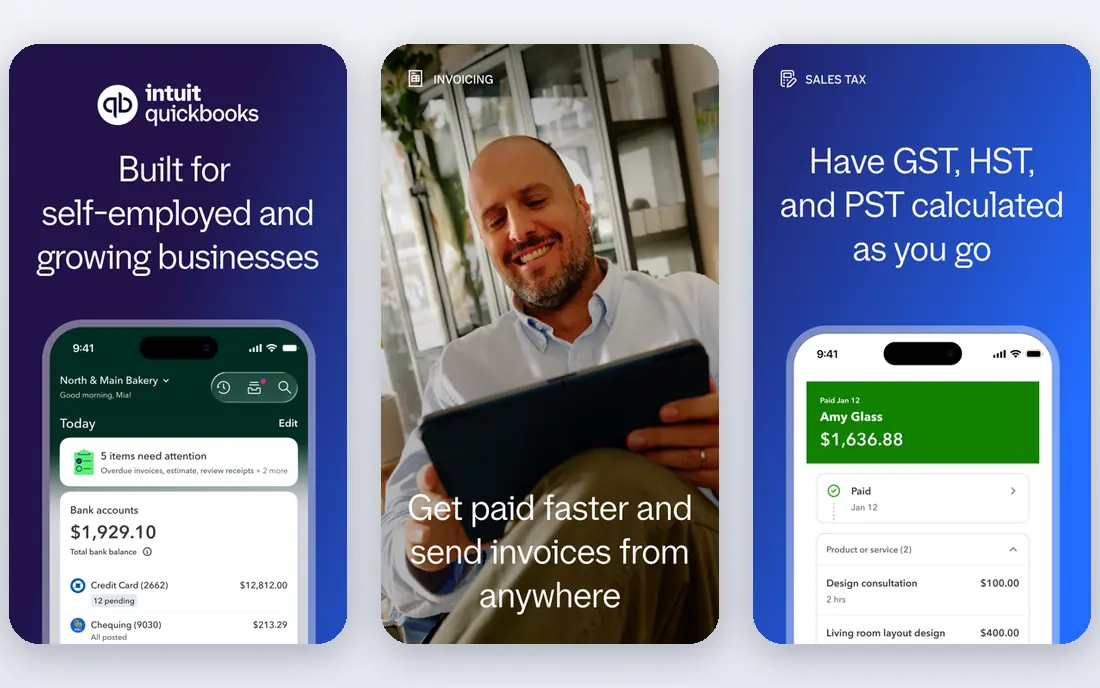
QuickBooks Online is the industry standard for US small business bookkeeping, and that matters at tax time. Most accountants and bookkeepers already know the software, which makes handoffs smoother and reduces the chance of a messy year end file. Bank feeds, invoicing, expense sorting, payroll add ons, and reporting all sit in one system, and hundreds of third party apps connect to it.
The price is the main drawback. The entry Simple Start plan is listed at 35 dollars per month, and costs rise with users and features. New owners may also find the settings and chart of accounts more complex than a simpler tool. Even so, if you plan to grow, hire staff, or work closely with an accountant, QuickBooks Online is the pick that causes the fewest problems later.
- Largest US accountant network
- Wide integration library
- Plans that scale from solo to mid sized firms
- Higher price than rivals
- Learning curve for owners new to accounting
Xero appeals to businesses that add team members, because plans do not charge per seat. A bookkeeper, an office manager, and the owner can all work in the same file without a rising per user bill. The interface is clean, bank reconciliation is straightforward, and multi currency handling suits businesses that buy or sell across borders.
Watch the entry plan limits. The Early plan, listed from 25 dollars per month in recent vendor pricing, caps monthly invoices and bills, so a busy business may need to move up a tier sooner than expected. US payroll is available through partners rather than as a fully native strength. For a growing team that values collaboration over the largest accountant network, Xero is a strong choice.
- Unlimited users on plans
- Clean modern interface
- Strong multi currency support
- Entry plan caps invoices and bills
- US payroll support is thinner than QuickBooks
FreshBooks is built around getting paid. Invoices look professional, clients can pay online, reminders go out automatically, and time tracked on a project flows into the invoice without retyping. For consultants, designers, agencies, and other service businesses, that workflow saves real time each week. Expense tracking and basic reports cover the day to day bookkeeping most service firms need.
Pure accounting depth is lighter than QuickBooks or Xero, and businesses with inventory, complex job costing, or many balance sheet accounts may outgrow it. The Lite plan is listed at 19 dollars per month. If your business sells time and services and your main pain is late payment, FreshBooks is the most pleasant tool on this list to use every day.
- Excellent invoicing and payment reminders
- Time tracking built in
- Easy client view
- Lighter pure accounting depth than QuickBooks or Xero
- Inventory features are limited
Wave offers free accounting and invoicing for small businesses, which makes it the honest pick for a side business, a freelancer, or a new company with simple books. You can send invoices, record expenses, and produce basic reports without a monthly subscription. Unlike some free tools that are really just spreadsheets, Wave uses double entry bookkeeping, so the numbers hold up better at tax time.
The catch is bank automation. Automatic bank feeds sit in the paid Pro plan, listed at 19 dollars per month, so free users import or enter transactions by hand. Payroll is a paid add on where available. If your transaction volume is low and your budget is zero, Wave is the best free business bookkeeping app available. If volume grows, budget for Pro or move to Xero or QuickBooks before manual entry becomes a burden.
- Free core accounting and invoicing
- Real double entry bookkeeping
- Simple setup
- Automatic bank import requires the paid Pro plan
- Fewer integrations than QuickBooks
Zoho Books offers a free plan for businesses with annual revenue under 50,000 dollars, which covers many new and part time businesses. Paid plans start at low monthly prices and add automation for recurring invoices, payment reminders, and bank feeds. If you already use Zoho CRM, Zoho Inventory, or Zoho Mail, the connections between apps are a genuine advantage.
The US accountant network is smaller than QuickBooks, so your accountant may need time to learn the file, or you may need to export reports at year end. The free plan also limits invoice volume. For a cost conscious owner who wants real accounting features without a high monthly bill, Zoho Books is the best value pick on this list, especially inside the Zoho ecosystem.
- Free plan for businesses under the revenue limit
- Strong automation
- Connects with other Zoho apps
- Smaller US accountant network than QuickBooks
- Full value needs the Zoho ecosystem
Sage Accounting, part of the Sage Business Cloud range, suits businesses that need more than simple income and expense tracking. Inventory management, project costing, and detailed reporting are stronger here than in lighter tools, which helps product businesses and firms with stock to manage. Sage has served businesses for decades, and its desktop heritage shows in the depth of its accounting features.
That depth comes with complexity. New owners may find setup and settings heavier than Wave or FreshBooks, and pricing varies by product and region, so the vendor website is the right place to confirm the current plan. Sage fits a business that has outgrown a simple tool and needs inventory or reporting power without moving to a full enterprise system.
- Strong inventory and reporting depth
- Long history in business accounting
- Scales to larger firms
- Steeper learning curve
- Pricing varies by product and region, so check the current page
Bench is a service rather than software alone. A dedicated bookkeeping team records transactions, reconciles accounts, and prepares monthly financial statements, while the owner reviews reports in a simple app. Pricing starts at 199 dollars per month for the core service, with a first month trial offer shown on the Bench website. That price buys time back, which is the whole point for owners who dislike bookkeeping.
Owners who enjoy control, or who need daily access to detailed transaction coding, may find Bench less flexible than doing the books in QuickBooks or Xero themselves. Bench also works best for US businesses with standard bookkeeping needs. If bookkeeping is the task you keep putting off, Bench is the pick that actually gets it done each month.
- Real bookkeepers handle the monthly books
- Clean reports and tax ready year end package
- Simple app for owners
- Service price, not just software
- Less hands on control for owners who like doing their own books
FreeAgent is popular with freelancers and small companies, particularly in the UK, and it is available to US users as well. The dashboard shows cash flow, upcoming tax, and outstanding invoices in plain language, which helps owners who are not accountants. Invoicing, expense capture, bank feeds, and time tracking sit together, so a solo owner can run the books without juggling several tools.
The US footprint is smaller than QuickBooks or Xero, so accountant familiarity and local bank coverage deserve a check before you commit. Pricing is shown on the FreeAgent website and varies by plan. For a small business that wants a friendly, all in one view of money in and money out, FreeAgent is worth a trial alongside Wave and Zoho Books.
- Clear dashboard for cash flow and tax
- Invoicing and expense capture in one place
- Friendly for non accountants
- Smaller US presence than rivals
- Pricing and bank feed coverage vary by region
Patriot Accounting keeps things simple on purpose. Setup is quick, the interface avoids accounting jargon where possible, and a payroll add on is available for businesses that need it. The entry accounting plan is listed at 20 dollars per month, which makes Patriot one of the lowest cost paid options here. For a very small business with straightforward income and expenses, that simplicity is enough.
Reporting depth and third party integrations are limited compared with QuickBooks, Xero, or Sage. A business with inventory, multiple locations, or complex reporting needs will outgrow Patriot quickly. If you want the cheapest paid tool that still handles real bookkeeping without a steep learning curve, Patriot is a sensible shortlist pick.
- Very easy setup
- Clear basic accounting and payroll add on
- Low entry price
- Limited reporting and integrations
- Less suited to complex or growing businesses
How we picked these
We compared official pricing pages, plan limits, and feature lists, and we favoured tools that serve US small businesses in October 2026. We included free, low cost, and done for you options, because a solo freelancer and a growing product business do not need the same tool. For each product we noted user limits, invoice caps, bank feed rules, and payroll handling, since those limits often force an upgrade sooner than the headline price suggests. Prices change with promotions, so confirm the current plan on the vendor website before buying.
How to choose the right bookkeeping tool
Start with three questions. First, who will do the books: you, a bookkeeper, or a service such as Bench. Second, how many people need access, since Xero's unlimited users beat per seat pricing once a team grows. Third, what do you sell: time and services point to FreshBooks, products and stock point to Sage or QuickBooks, and simple income and expenses point to Wave or Zoho Books. Answer those three questions and most of this list falls away.
Next, trial your top two picks with real transactions, not demo data. Link a bank account if the plan allows it, send a test invoice, reconcile a month, and export a profit and loss report. Check that your accountant can open the file or at least use the reports. Finally, read the plan limits carefully. Invoice caps, user caps, and bank feed rules are the usual reasons a cheap plan becomes expensive, and they are easier to spot before you enter a full year of data.
Frequently asked questions
What is the best business bookkeeping app for a small business?
QuickBooks Online is the safest default for most US small businesses, because accountants know it and it scales well. Xero is the better pick for teams that want unlimited users, while Wave is the better pick for a business with simple books and a zero budget. Match the tool to your team size and accountant, not only to price.
Is there a free bookkeeping app for a business?
Yes. Wave offers free core accounting and invoicing, and Zoho Books offers a free plan for businesses under its revenue limit. Both handle real double entry bookkeeping. Free plans have limits, such as manual bank entry on Wave and invoice caps on Zoho Books, so check those limits before you rely on them for a full year.
Do I need an accountant if I use bookkeeping software?
Software records and organises transactions, but it does not replace professional advice on tax, payroll, or business structure. Many owners handle daily books in software and use an accountant for year end review and tax filing. If you choose QuickBooks or Xero, ask your accountant which one they prefer before you start, since that choice makes the handoff easier.
What is the difference between bookkeeping software and a bookkeeping service?
Software gives you the tool to record transactions yourself, while a service such as Bench pairs software with people who do the recording for you. Software costs less per month but needs your time. A service costs more but saves that time and reduces the risk of neglected books. Owners who fall behind on bookkeeping often do better with a service.
Can bookkeeping software handle payroll and tax?
Many tools offer payroll as an add on, including QuickBooks Online and Patriot Accounting, and most produce reports that help with tax filing. Payroll rules and tax deadlines vary by state and business type, so confirm coverage for your location and keep an accountant or payroll provider in the loop for compliance questions.
Sources
See where you really rank - block by block
ProMapRanker scans Google Maps across a grid of your service area. Simple monthly plans from $19, white-label on every plan.
Start freeKeep reading
 zscaler alternatives
Best Zscaler Alternatives in 2026
Looking for zscaler alternatives? We compare 9 SASE and zero trust platforms on architecture, data protection, pricing, and fit for your network and team.
Read → zapier alternatives free
Best Zapier Alternatives Free in 2026
Nine automation tools for zapier alternatives free in 2026, all with genuinely free tiers, plus free plan limits, starting prices and upgrade paths explained.
Read → which platform is best for online reputation
Which Platform Is Best for Online Reputation in 2026
Wondering which platform is best for online reputation? We compare 8 review, listing, and response tools for small and multi-location businesses and agencies.
Read →