 ProMapRanker
Best Software for Anime Video Editing in 2026

Key takeaways
- Hand-drawn anime favors raster tools such as TVPaint and OpenToonz, while rigged, cut-out anime favors vector and bone tools such as Toon Boom Harmony and Moho.
- Free tools cover a full anime workflow: OpenToonz, Blender, Krita, and Synfig Studio cost nothing and handle drawing, animation, and compositing at a basic to advanced level.
- Toon Boom Harmony remains the studio pipeline pick, but its subscription and learning curve make it a poor first tool for a casual creator.
- Editing and finishing matter as much as drawing: Adobe After Effects, Clip Studio Paint, and Blender help with effects, camera moves, and final video export.
Quick comparison
| Pick | Great for | Pricing starts at | Free tier | |
|---|---|---|---|---|
 Toon Boom Harmony | Studio anime pipelines | See website | Free trial | Visit |
 OpenToonz | Free professional 2D animation | Free | Yes | Visit |
 TVPaint Animation | Hand-drawn, paper-like animation | See website | Free trial | Visit |
 Moho Pro | Rigged character animation | $399.99 one-time | Free trial | Visit |
 Adobe Animate | Vector animation for web and video | $22.99 per month | Free trial | Visit |
 Adobe After Effects | Effects, compositing, and finishing | See website | Free trial | Visit |
 Clip Studio Paint | Drawing and frame-by-frame animation | See website | Free trial | Visit |
 Blender | 2D animation plus 3D and video editing | Free | Yes | Visit |
 Krita | Free hand-drawn animation | Free | Yes | Visit |
 Synfig Studio | Free vector animation | Free | Yes | Visit |
The best software for anime video editing
Anime video editing covers two jobs at once: drawing and animating the footage, then cutting, compositing, and exporting it as finished video. Some tools here do the whole job, while others shine at one stage and pair with a video editor. The list below mixes studio tools with free options so creators at any budget can find a fit.
Toon Boom Harmony is the tool most professional 2D studios reach for when an episode needs rigs, camera moves, and compositing in one place. It handles paperless and cut-out animation, supports bitmap and vector drawing, and offers node-based compositing, deformers, and master controllers for complex character movement.
For a solo creator, Harmony can feel like hiring a studio to make a short clip. Pricing is subscription-based across Essentials, Advanced, and Premium tiers, with a 14-day trial, and the higher tiers run well above hobby budgets. Beginners also face a long ramp, since rigging and node compositing need study before they pay off. Harmony is our pick if you plan to work in studios, take on client episodes, or build a reusable character library.
- Vector and bitmap drawing in one pipeline
- Advanced rigging and deformers
- Camera and compositing tools for full episodes
- Subscription cost climbs on higher tiers
- Steep learning curve for beginners
- Interface can feel dense on small projects
OpenToonz is the free tool with the most serious anime pedigree, since it descends from software used on Studio Ghibli productions. It offers raster and vector drawing, a GTS scanning tool for paper drawings, a wide brush range, effects, and node-based compositing. For an independent animator, that means a complete hand-drawn workflow without a license fee, and the open-source license allows commercial use.
The trade-off is support and polish. There is no vendor help desk, occasional bugs appear, and the interface assumes you already understand traditional animation terms. Beginners who want guided onboarding will struggle at first, and video import has limits that matter if you mix live footage with animation. Still, if you draw frame by frame and want studio-grade tools for free, OpenToonz is hard to beat.
- Free and open source for commercial use
- Strong hand-drawn and scanning tools
- Effects and compositing included
- Steep learning curve
- No vendor support line
- Interface feels dated next to paid rivals
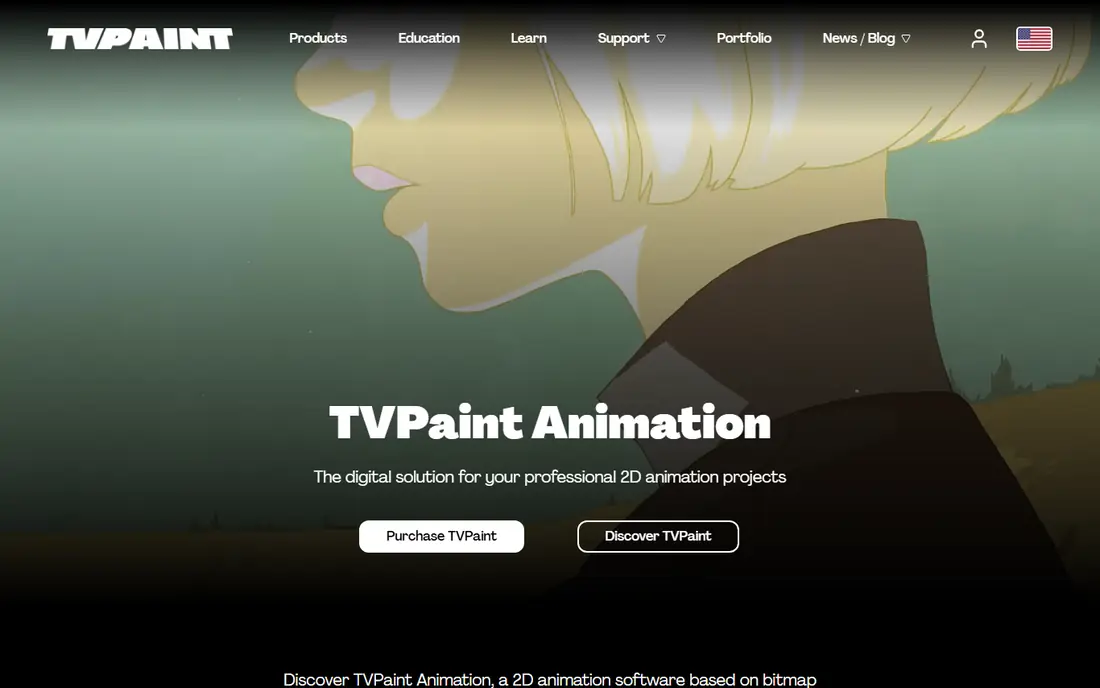
TVPaint Animation is built for animators who draw every frame by hand and want the screen to feel like paper. Its raster brush engine is widely praised for natural pencil and paint behavior, and the timeline, layer system, and effects cover storyboards, shorts, and independent films.
That focus is also its limit. If you want bone rigs, reusable puppets, and fast turnaround on dialogue-heavy episodes, a rig tool will move faster. TVPaint is sold as a one-time purchase in Standard and Professional editions, with published prices that have varied by edition and region, so check the current store page before budgeting. It suits art-led animators, film students, and independents who care most about line and movement.
- Raster drawing that feels like paper
- Powerful brush engine
- Timeline, layers, and effects for full shorts
- One-time price is high for hobbyists
- No vector rigging focus
- Smaller community than larger rivals
Moho Pro, formerly Anime Studio, is the classic pick for rigged anime-style characters. You draw a character once, build a bone rig, and then pose, walk, and talk that character across scenes without redrawing every frame. Smart Bones, mesh deformation, and layered rigs handle turns, expressions, and secondary motion, while scripting can automate repetitive steps. The one-time Pro license, listed at $399.
Moho has two honest limits. The trial cannot import or export, so judge it on work made inside the program, and the cheaper Debut edition caps smart bones, meshes, and Photoshop import, which pushes serious rig work toward Pro. Pure hand-drawn animators may also find the vector workflow less expressive than TVPaint or OpenToonz. Moho suits YouTube creators, small studios, and educators who need repeatable characters and fast episode turnaround.
- Bone rigging with smart bones
- Vector drawing and animation in one tool
- One-time license rather than a subscription
- Trial cannot import or export files
- Debut edition limits advanced rigging
- Less suited to pure frame-by-frame drawing
Adobe Animate is a solid middle ground for creators who already live in Adobe apps. It offers vector drawing, bone rigging, timeline animation, and export for video, web, and interactive projects, and it pairs naturally with Photoshop, Illustrator, and After Effects. For anime-style shorts, explainers, and social video, Animate is fast to learn, especially if you already know Adobe shortcuts and panels. The single-app subscription is listed at $22.
Animate is not a full studio episode pipeline on its own. Long-form shows with complex compositing, camera work, and asset management will outgrow it, and hand-drawn raster animation feels less natural here than in TVPaint or Krita. Animate suits creators who make short anime videos, motion graphics with anime styling, and web animation, and who want Adobe integration more than a dedicated anime studio tool.
- Clean vector drawing and rigging
- Timeline animation for video and interactive work
- Works with other Adobe apps
- Subscription cost adds up over time
- Less depth for long-form episode pipelines
- Raster drawing is not its strength
After Effects is not where you draw anime, but it is where many anime videos get finished. It composites animated layers, adds camera moves, lighting, particles, glow, and transitions, and handles color and export for final video. Creators often animate characters in Harmony, Moho, or Animate, then bring the footage into After Effects for backgrounds, effects, and polish.
The catch is that After Effects assumes you already have animated footage. Drawing characters frame by frame inside it is possible but clumsy, and the subscription adds to the cost of your animation tool. Performance also matters: layered composites with effects demand memory and a capable processor. After Effects suits creators who already animate elsewhere and want a professional finish, and studios that need consistent effects across episodes.
- Deep compositing and motion graphics
- Camera moves, lighting, and effects
- Huge plugin and tutorial base
- Not a drawing tool on its own
- Subscription pricing
- Heavy projects need a strong computer
Clip Studio Paint is best known for manga and illustration, but its EX edition includes a frame-by-frame animation timeline that many anime creators use for shorts, loops, and animatics. The brush engine suits anime linework, screentones, and coloring, and the asset store offers brushes, materials, and 3D reference models.
Clip Studio is not a full video editor, so final cutting, sound, and complex compositing still need another tool. Animation in the lower Pro edition is limited, which pushes serious animators toward EX, and pricing varies by version, device, and update plan, so check the current store page. Clip Studio suits illustrators moving into animation, manga artists making animated shorts, and small teams that draw first and edit second.
- Excellent manga and illustration brushes
- Animation timeline in EX edition
- Large asset and brush community
- Animation features sit mainly in the higher EX edition
- Video editing is limited
- Plan and version pricing varies
Blender is the free all-rounder that covers almost every stage of an anime video. Its Grease Pencil toolset lets you draw 2D animation inside a 3D scene, which enables camera moves, depth, and mixed 2D and 3D shots that pure 2D tools handle less easily. Blender also includes a video sequence editor, compositor, and sound tools, so you can cut, composite, and export a finished video without leaving the app.
Breadth is also the drawback. Blender is a large 3D suite first, and its 2D workflow needs setup, shortcuts, and study before it feels natural. Pure hand-drawn animators may prefer a focused tool such as OpenToonz or Krita for drawing, then use Blender only for camera and finishing. Blender suits creators who want 2D and 3D in one project, students learning a full pipeline for free, and teams that need video editing without another subscription.
- Free and open source
- Grease Pencil for 2D animation in 3D space
- Built-in video editor and compositor
- Huge app with a steep learning curve
- 2D workflow needs setup
- Interface can overwhelm pure 2D animators
Krita is a free digital painting app with a capable animation mode, and it is a friendly first step into anime video. Its brushes suit anime coloring, shading, and linework, and the animation timeline supports onion skinning, frame management, and export to video. Because Krita is also a painting tool, character art, backgrounds, and animation can live in one project without switching apps.
Krita does not match dedicated animation tools for rigging, camera work, or long episode management. Large, high-resolution projects can slow down, and video export settings need attention to avoid codec surprises. Krita suits beginners, illustrators, and hobbyists making shorts, loops, and animatics, and it pairs well with a video editor for final cutting.
- Free and open source
- Strong raster brushes for anime art
- Animation timeline with onion skinning
- Animation is simpler than dedicated tools
- Large files can slow down
- Video export needs care with codecs
Synfig Studio is a free, open-source vector animation tool built around tweening: you set key poses and the software calculates the frames between them. That approach saves time on smooth movement, morphing, and cut-out character animation, and its bone system supports rigged characters without a license fee.
Synfig feels less polished than paid tools, and its parameter-heavy workflow takes study before it clicks. Tutorial coverage is thinner than for Blender or Toon Boom, so beginners may need patience and community forums. Synfig suits budget creators who like vector animation, Linux users, and small teams making cut-out anime without paying for Moho or Harmony.
- Free and open source
- Vector tweening reduces frame-by-frame work
- Bone system for cut-out animation
- Interface feels dated
- Learning curve for its bone and parameter system
- Smaller tutorial base than big rivals
How we picked these
We compared official product pages, pricing pages, and published comparisons checked in October 2026, and we kept only tools that are available and maintained now, and that truly support anime-style 2D animation or anime video finishing. We favored a mix of hand-drawn, rigged, and finishing tools, and we included free options at each stage so budget is not a barrier to starting. We left out discontinued tools, tools that only edit live-action video, and tools that only generate images without an animation timeline. Prices change, so confirm the current plan on the vendor site before you buy.
How to choose for your anime style
Start with how you draw. Hand-drawn creators should test TVPaint, OpenToonz, or Krita first, since line quality and timing control matter most there. Rigged creators should test Moho and Harmony, since reusable characters and fast dialogue scenes matter most there. Vector creators who want crisp, scalable art should test Animate or Synfig. Next, decide how much video finishing you need: if your short needs camera moves, glow, and polished effects, plan for After Effects or Blender as a finishing step, even if you animate elsewhere.
Frequently asked questions
What software do anime studios use?
Studios use a mix, and Toon Boom Harmony is a common pipeline tool for television and film, while OpenToonz has roots in Studio Ghibli work and TVPaint serves hand-drawn productions. Smaller studios and independents also use Moho, Clip Studio Paint, and Blender, often with After Effects for finishing. The studio pick depends on whether the show is hand-drawn, rigged, or mixed.
Is there free software for anime video editing?
Yes. OpenToonz, Blender, Krita, and Synfig Studio are free and cover drawing, animation, compositing, and video editing between them. A free workflow might draw in Krita or OpenToonz, composite in Blender, and export from Blender, with no license fee at any stage.
Which tool is best for beginners making anime?
Krita is the gentlest start for hand-drawn anime, since it pairs familiar painting tools with a simple animation timeline. Moho Debut suits beginners who want rigged characters without drawing every frame, though its limits push serious rig work to Pro.
Can I edit anime video in a normal video editor?
You can cut and finish anime video in a normal editor, but you still need an animation tool to create the movement. A common workflow animates in Harmony, Moho, or OpenToonz, then cuts, adds sound, and exports in a video editor or in After Effects.
Do I need a drawing tablet for anime software?
A tablet helps a great deal for hand-drawn anime, since pressure sensitivity controls line weight and brush behavior in tools such as TVPaint, Krita, and Clip Studio Paint. Rigged and vector animation can work with a mouse, since you pose and adjust points rather than draw each frame.
What computer do I need for anime animation?
Most tools here run on a mid-range Windows or macOS computer, but compositing in After Effects or Blender benefits from more memory and a capable processor. Large raster projects, 4K exports, and layered effects raise the demand fastest.
Sources
- https://www.toonboom.com
- https://opentoonz.github.io
- https://www.tvpaint.com
- https://www.moho.lostmarble.com
- https://www.adobe.com/products/animate.html
- https://www.adobe.com/products/aftereffects.html
- https://www.clipstudio.net
- https://www.blender.org
- https://krita.org
- https://www.synfig.org
- https://shop.toonboom.com/en?tab=individual
- https://www.selecthub.com/animation-software/opentoonz-vs-toon-boom-harmony/
See where you really rank - block by block
ProMapRanker scans Google Maps across a grid of your service area. Simple monthly plans from $19, white-label on every plan.
Start freeKeep reading
 zoho inventory alternatives
6 Alternatives to Zoho Inventory, Compared on Price and Fit
Zoho Inventory alternatives: 6 tools compared on price, free plans and fit. Katana leads the list for manufacturers. Fit and flaws are laid out for each entry.
Read → zoho crm alternatives
Best Zoho CRM Alternatives (2026)
Need Zoho CRM alternatives? We compare 7 tools on cost, free access and who each suits. Every pick gets a straight assessment. Built for quick decisions.
Read → zelle alternatives
Best Zelle Alternatives in 2026
Compare the best Zelle alternatives for sending money to friends, paying sellers and moving funds abroad, with honest notes on fees, speed and safety in 2026.
Read →