 ProMapRanker
Best software development tools in 2026

Key takeaways
- Visual Studio Code remains the default editor for most teams because it is free and has a very large extension library.
- GitHub and GitLab cover code hosting and review, while Cursor adds AI-assisted editing for teams that want it built into the editor.
- Docker, Postman and Sentry solve different problems, so a good stack usually mixes an editor, a host, a container tool and an error tracker.
- Paid tools are worth judging on per-seat cost and limits, not only on the headline monthly price.
Quick comparison
| Pick | Great for | Pricing starts at | Free tier | |
|---|---|---|---|---|
 Visual Studio Code Visual Studio Code | Everyday coding | Free | Yes | Visit |
 GitHub GitHub | Code hosting and review | Free | Yes | Visit |
 GitLab GitLab | End-to-end DevOps platform | Free | Yes | Visit |
 Cursor Cursor | AI-assisted coding | Free | Yes | Visit |
 Docker Docker | Reproducible environments | Free | Yes | Visit |
 Postman Postman | API building and testing | Free | Yes | Visit |
 JetBrains IntelliJ IDEA JetBrains IntelliJ IDEA | Deep Java and Kotlin tooling | $16.90 per month | Free trial | Visit |
 Sentry Sentry | Production error tracking | $26 per month | Yes | Visit |
 Replit Replit | Browser-based coding and learning | Free | Yes | Visit |
The best software development tools
We compared editors, hosting platforms and supporting tools on pricing, free tiers, collaboration features and how well each tool fits a real team workflow. The best software for app development is rarely one tool, so this list covers the pieces most teams actually combine.
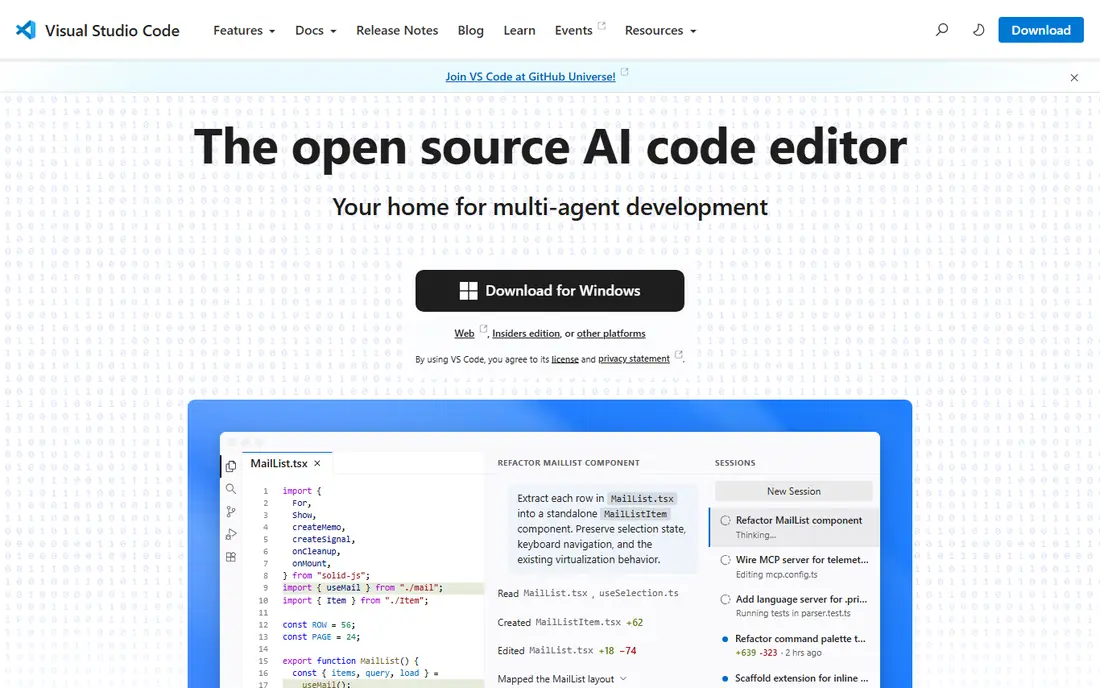
Visual Studio Code earns its place at the top because it does the common work well without charging for it. It opens fast, supports JavaScript, TypeScript, Python, PHP and many other languages, and its extension marketplace adds debuggers, linters, formatters and language support. Teams can standardise on one editor across a mixed codebase, which makes onboarding and pair programming simpler. The catch is that flexibility needs discipline. Two developers can build very different setups from the same editor, so agree on a shared set of extensions and settings for a project. Once that is settled, Visual Studio Code is hard to beat for general work, and it pairs well with GitHub Copilot or another AI assistant if your team wants that layer.
- Free and open source
- Huge extension library
- Strong support for many languages and frameworks
- Heavy extension setups need care
- Some advanced IDE features require extensions
GitHub is where most code review happens, and that network effect matters. Pull requests, issue tracking, actions for automation and a huge public repository library make it the default host for open source and for many private teams. The free tier covers unlimited public and private repositories for individuals, with paid Team access adding more controls. Teams should check what sits behind the paywall before they commit. Code owners, required reviewers and some security features need a paid plan, and the Team tier starts at $4 per user per month. For most small teams, the free tier plus Actions is enough to start, and the upgrade path is clear when review rules and permissions become more important.
- Free tier for individuals and teams
- Pull requests and code review
- Large open-source community
- Advanced security and management features sit on paid tiers
- Team plan costs $4 per user per month
GitLab appeals to teams that want fewer separate tools. Code hosting, merge requests, issue boards, pipelines and releases live in one product, so a team can trace a change from issue to deployment without switching systems. That single-platform approach also helps smaller teams that do not want to stitch together five subscriptions. The trade-off is complexity. GitLab has many settings, and new users can feel lost in menus that cover security scanning, compliance and deployment options. Start with repositories, merge requests and pipelines, and adopt the wider DevOps features only as the team needs them. For the best application development platforms that cover the full lifecycle, GitLab is the strongest single-vendor option here.
- Single platform for code, pipelines, issues and releases
- Free tier
- Built-in CI/CD
- Interface can feel dense
- Paid tiers are priced per user and add up for larger teams
Cursor is a Visual Studio Code fork with AI assistance built into the core, rather than added as an extension. It can suggest changes across several files, explain code in context, and help with refactors that touch more than one module. Developers who already use Visual Studio Code will find the layout familiar, which keeps the learning curve short. The honest catch applies to every AI coding tool. Generated code can look correct while missing an edge case, so teams need a review checklist and a full test run before merging AI-authored changes. The free tier lets you try the workflow, and Pro costs $20 per month. Use Cursor to speed up routine work, not to skip review.
- AI editing built into the editor
- Multi-file changes
- Familiar Visual Studio Code base
- Pro plan costs $20 per month
- AI output still needs careful review
Docker solves the familiar problem of code that works on one machine and fails on another. Containers package an app with its dependencies, so a developer, a tester and a server can run the same environment. Docker Desktop, Docker Hub and the command-line tools form a practical base for local development and for building deployment images. Beginners should expect a learning curve around images, volumes and networking. The concepts pay off once a team uses them consistently, especially for services with several dependencies. Docker is free for personal use and for many small teams, with Pro at $9 per user per month adding more Hub features and support. Check the current Docker subscription terms for your company size before you roll it out widely.
- Free for personal use
- Containers keep development and production closer
- Large image library
- Pro plan costs $9 per user per month
- Learning containers takes time for beginners
Postman is the best software to develop apps that depend on APIs, because it covers design, testing and documentation in one place. You can send requests, save them in collections, write tests for responses, and share a workspace with teammates or clients. Mock servers let front-end work continue before a back-end endpoint is ready, which saves time on app projects. The free tier suits solo developers and small trials, but team features, higher limits and admin controls sit on paid plans from $14 per user per month. Keep collections organised from the start, with clear names and environments for development and production. A tidy Postman workspace becomes documentation that new developers can actually use.
- Free tier for individuals
- Collections, tests and mock servers
- Good team sharing
- Paid plans start at $14 per user per month
- Larger teams need to manage workspace permissions
JetBrains IDEs are built for depth rather than breadth. IntelliJ IDEA understands Java and Kotlin code at a level that general editors rarely match, with refactoring, navigation and debugging that save time on large codebases. The Ultimate edition adds framework and database tools that enterprise teams rely on, and JetBrains offers other IDEs with the same approach for Python, web and mobile work. That depth comes with cost and weight. A single IDE licence starts at about $16.90 per user per month, and a team using several JetBrains products should look at the all-products pack instead of buying each tool separately. For large, long-lived codebases, the licence often pays for itself in fewer manual refactors. For small scripts and quick edits, Visual Studio Code remains faster.
- Strong refactoring and debugging
- Deep language intelligence
- Good framework support
- Paid licence required after trial for the Ultimate edition
- Heavier than a light editor
Sentry tells you what broke in production, with the stack trace, release version and user context needed to fix it. Errors are grouped so one bug does not flood your inbox with hundreds of identical reports, and alerts can go to the channel your team already watches. That short feedback loop matters most for mobile app development software, where users rarely report a crash in detail. Pricing needs attention on busy apps. The free tier suits a side project, while the Team plan starts at $26 per month and event limits vary by plan. Set up sampling, ignore known noisy errors, and link Sentry to your release process so a new version can be compared with the last one. Used well, it turns vague user reports into a fixable issue in minutes.
- Free tier for small projects
- Clear error grouping and context
- Alerts for new issues
- Team plan starts at $26 per month
- Event limits need monitoring on busy apps
Replit is the easiest way to start coding without installing anything. Open a browser, pick a language, and you have an editor, a terminal and a running app in one tab. That makes it useful for teaching, for quick prototypes, and for sharing a working example with a teammate or a client. Collaboration features let several people work in the same workspace. Replit is not the best choice for every production project. Large codebases, complex local tooling and strict deployment needs still favour a local editor plus a proper host and pipeline. Treat Replit as a fast starting point and a learning tool, and move a serious project to Visual Studio Code, GitHub and Docker when it grows. For beginners and for the best mobile app development software trials, that low-friction start is valuable.
- No setup in the browser
- Easy sharing and collaboration
- Good for learning and prototypes
- Paid features vary by plan
- Not a replacement for a full local setup on large projects
How we picked these
We compared official feature pages, pricing pages and app store listings, and we read public reviews to check free tiers, per-seat pricing and the workflows each tool supports. We favoured tools that are actively maintained, widely used, and useful for a distinct stage of development, from writing code to hosting, testing APIs, shipping containers and tracking errors. We did not claim hands-on testing, and pricing can change, so confirm the current plan limits on the vendor site before you buy.
How to choose a development stack
Start with the editor and the host, since every developer touches those daily. Visual Studio Code plus GitHub is a safe default for most teams, and GitLab is a strong alternative if you want pipelines and issue tracking in the same product. Add Cursor only if your team has agreed how AI-generated code will be reviewed, since speed without review creates rework. Then add tools for the gaps in your workflow. Postman belongs on any team building an API, Docker belongs on teams that struggle with environment differences, and Sentry belongs on any team shipping to real users. Judge each paid tool by its per-seat cost at your actual team size, and by the limits that matter to you, such as events, seats or projects. A stack that your team will actually maintain beats a longer list of tools that no one owns.
Frequently asked questions
What is the best software development tool for beginners?
Visual Studio Code is the best starting point for most beginners because it is free, supports many languages, and has extensions for almost every common task. Replit is a good alternative if you want to code in a browser without installing software. Start with one editor, learn Git basics, and add specialised tools only when a project needs them.
What is the best app development software for mobile apps?
The best mobile app development software depends on the platform you target. For native work, Android Studio and Xcode are the official tools, while cross-platform teams often use Visual Studio Code with Flutter or React Native. This list focuses on general tools that support app work, including GitHub for hosting, Postman for APIs and Sentry for crash tracking, which matter for any mobile project.
What is the best software for app development teams?
For teams, GitHub or GitLab plus Visual Studio Code is a strong base, with Postman for APIs and Docker for consistent environments. The best application development platforms are the ones that match your review process, deployment pipeline and budget. Larger teams should weigh per-seat pricing and permission controls more heavily than a single developer would.
Do I need paid development tools?
Many developers work well with free tools alone, especially Visual Studio Code, GitHub free tier, Docker for personal use and Postman free tier. Paid tools earn their price when they save time on large codebases, add team controls, or provide support and higher limits. Start free, measure where time is lost, and pay for the tool that fixes that specific problem.
Is Cursor better than Visual Studio Code with Copilot?
Cursor and Visual Studio Code with Copilot both add AI assistance, but Cursor builds multi-file editing into the editor itself, while Copilot works as an extension inside Visual Studio Code. The better choice depends on how your team reviews AI output and which pricing model fits. Try both on a real task, review the diffs carefully, and keep human review as a required step either way.
What tools do I need besides an editor?
Beyond an editor, most teams need version control hosting, an API client, a way to run consistent environments, and error tracking for production. GitHub or GitLab covers hosting and review, Postman covers APIs, Docker covers environments, and Sentry covers errors. Add a CI service and a test runner as the project grows, rather than adopting every tool at once.
Sources
See where you really rank - block by block
ProMapRanker scans Google Maps across a grid of your service area. Simple monthly plans from $19, white-label on every plan.
Start freeKeep reading
 youtube alternatives
Best YouTube Alternatives in 2026
Looking for youtube alternatives in 2026? We compare Vimeo, Dailymotion, Twitch, Rumble, and more on price, audience, monetization, control and privacy.
Read → what's the best ai tool for photo editing
What Is the Best AI Tool for Photo Editing in 2026
What is the best AI tool for photo editing? We compare ten tools for 2026, from Photoshop and Lightroom to Luminar, Topaz, Canva and mobile editors today.
Read → twitter alternatives
Best Twitter Alternatives in 2026
Compare the best twitter alternatives for 2026, from Bluesky, Threads, and Mastodon to Reddit, Tumblr, and Micro.blog, with free plans and audience notes.
Read →