 ProMapRanker
Best Software Development Practices in 2026


Iterative delivery and feedback · Pricing starts at: See website
Key takeaways
- These are practices, methods, and frameworks, not apps to buy, so there is no single price or free plan for most items on this list.
- Agile development, Scrum, and Kanban give teams different ways to plan and limit work, and the right choice depends on whether work arrives in sprints or as a steady flow.
- Test-driven development, code review, and CI/CD form the quality core, because they catch problems early, share knowledge, and make releases repeatable.
- Version control with Git, pair programming, and refactoring support the rest, by making change safe, reviewable, and easier to maintain over time.
Quick comparison
| Pick | Great for | Pricing starts at | Free tier | |
|---|---|---|---|---|
| Agile Software Development | Iterative delivery and feedback | See website | See website | Visit |
 Scrum Scrum | Sprint-based team delivery | See website | See website | Visit |
 Kanban Kanban | Visual flow and limiting work in progress | See website | See website | Visit |
 Test-Driven Development Test-Driven Development | Test-first quality | See website | See website | Visit |
 Code Review Code Review | Catching defects and sharing knowledge | See website | See website | Visit |
 CI/CD CI/CD | Automated testing and releases | See website | See website | Visit |
 Version Control with Git Version Control with Git | Safe collaboration and history | See website | See website | Visit |
 Pair Programming Pair Programming | Shared problem solving | See website | See website | Visit |
 Refactoring Refactoring | Improving code without changing behavior | See website | See website | Visit |
The best software development practices
This list covers practices, not products, so each entry links to the best official or vendor-neutral reference we could identify, and pricing is listed as See website where a practice itself has no price.
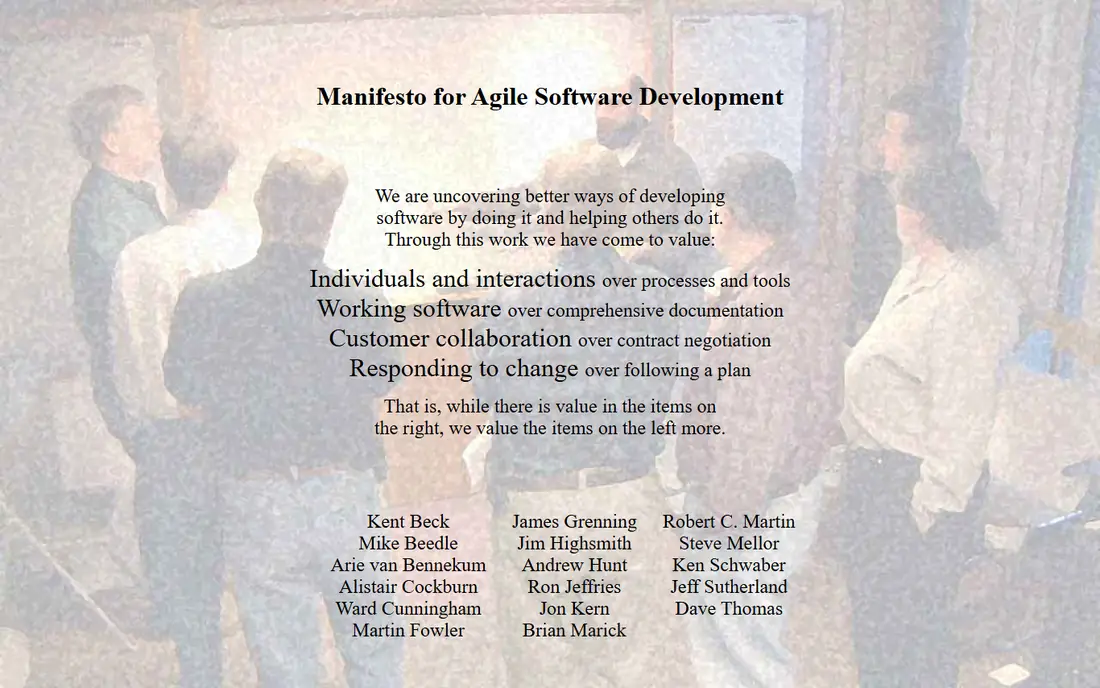
Agile software development is an approach built on short cycles, frequent feedback, and working software as the main measure of progress. The Agile Manifesto values individuals and interactions, working software, customer collaboration, and responding to change, and teams put those values into practice through planning, demos, and retrospectives.
Agile is not a license to skip planning. Teams still need a backlog, clear priorities, and a definition of done, or short cycles become busy work with no direction. It works best when customers or product owners can give regular feedback, and when the team can release in small increments. If releases are rare or feedback is slow, the benefits shrink fast.
- Delivers working software early and often
- Welcomes changing requirements
- Keeps customers close to the team
- Needs disciplined planning to avoid scope drift
- Weak documentation habits can hurt long-lived projects
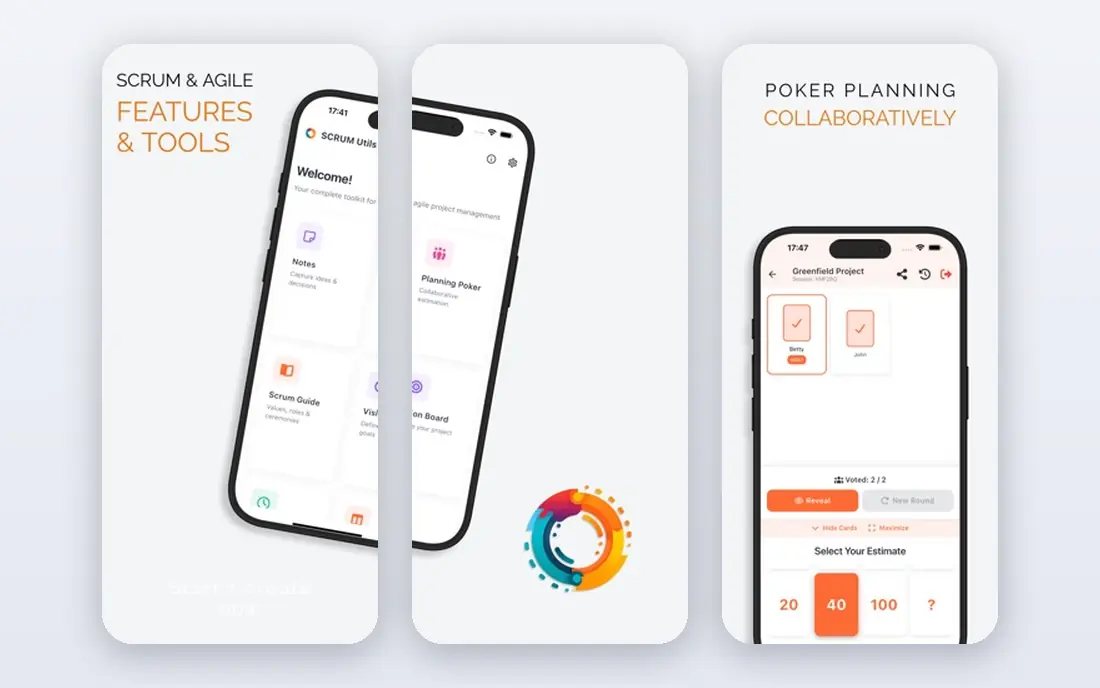
Scrum organizes agile work into sprints, usually one to four weeks long, with a product backlog, a sprint backlog, and a sprint goal that the team commits to. Roles include a product owner who owns priorities, a scrum master who supports the process, and developers who build the increment. Sprint planning, daily scrums, sprint reviews, and retrospectives give the team repeated chances to inspect progress and adapt.
The structure helps teams that need rhythm and accountability, especially product teams with a steady backlog. It can feel heavy for very small teams or for support work that arrives unpredictably, where a flow-based method may fit better. Scrum also fails quietly when sprint reviews become demos without decisions, or when retrospectives produce no action, so teams should protect those events as working sessions, not ceremonies.
- Clear roles, events, and artifacts
- Regular inspection through reviews and retrospectives
- Good for product teams with a backlog
- Daily meetings and planning take time
- Can become rigid if events turn into status reports
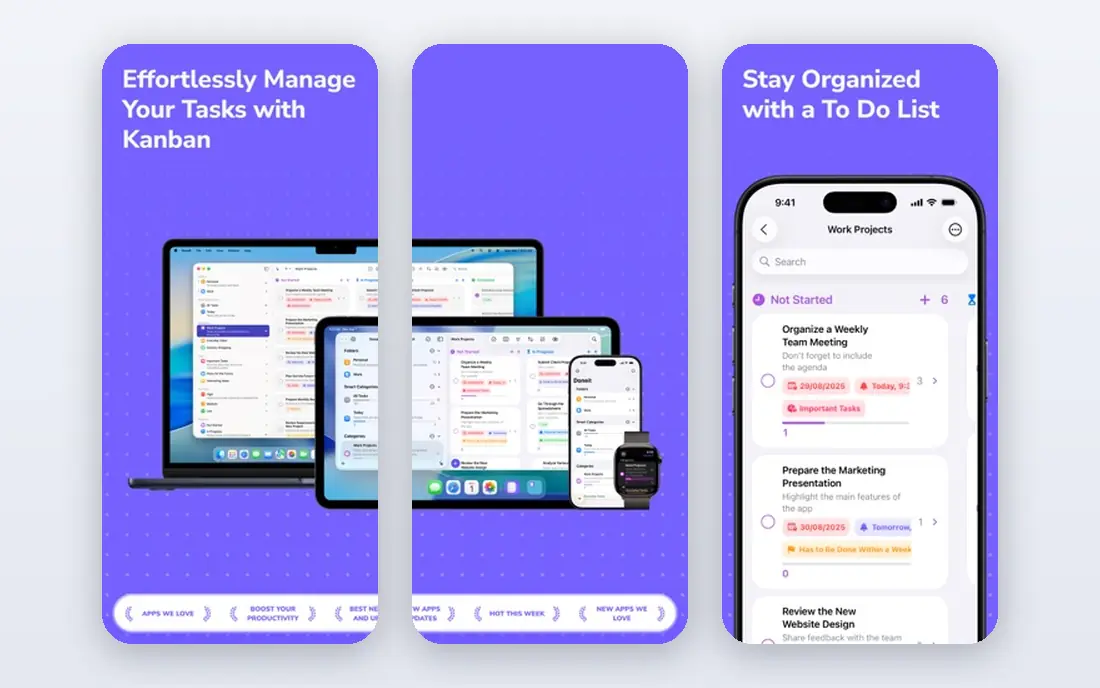
Kanban starts with a board that shows work moving from request to done, and it adds one powerful rule: limit how much work is in progress at once. When a column fills up, the team finishes work before starting more, which exposes bottlenecks instead of hiding them behind new tasks. That visibility helps support teams, operations teams, and product teams with a steady stream of requests.
Kanban does not impose sprints, roles, or release dates, so teams must add their own planning and review habits. Without limits that are actually enforced, a Kanban board becomes a to-do list with extra columns. Used well, it is one of the simplest practices to start, because a team can map its current workflow, set initial limits, and improve from what the board reveals.
- Makes work and bottlenecks visible
- Limits work in progress
- Fits continuous support and operations work
- No built-in planning cadence
- Needs discipline to keep board rules honest
Test-driven development, often called TDD, reverses the usual order: write a failing test first, write just enough code to pass it, then refactor. That red, green, refactor cycle forces developers to state what a feature should do before they build it, and it leaves behind tests that document behavior. Over time, that test suite makes change safer, because a broken assumption shows up as a failing test rather than a production bug.
The early cost is real. Teams new to TDD write slower code, struggle to test code tied to databases or external services, and sometimes write brittle tests that break on harmless changes. Start with small, well-defined units, use test doubles for external systems, and review test code with the same care as production code. For safety-critical features, payment logic, and long-lived code, that upfront effort usually pays back in fewer regressions.
- Catches defects before code is written
- Produces a living set of examples
- Makes refactoring safer
- Slower at first, especially for new teams
- Poor tests can lock in bad design
Code review is peer review of a change before it merges, and it remains one of the most reliable software best practices for teams of three or more. Reviewers check logic, edge cases, security, tests, and readability, and they also learn how other parts of the system work.
Reviews fail when pull requests are huge, when reviewers take days to respond, or when comments turn personal. Keep changes small, review within a working day where possible, and comment on code, not people. Automated checks for formatting, linting, and tests should run before human review, so reviewers spend time on design and logic instead of style nits.
- Catches bugs and security issues early
- Shares knowledge across the team
- Enforces consistent style
- Can become a bottleneck without size and time limits
- Harsh reviews hurt morale
Continuous integration and continuous delivery, known as CI/CD, automate the path from a code commit to a tested, releasable build. Continuous integration merges changes often and runs automated tests on each merge, catching conflicts early. Continuous delivery keeps every tested change ready to release, while continuous deployment goes further and releases automatically when tests pass.
The benefit is speed with safety: small, tested changes replace large, risky releases, and rollbacks become routine. The cost is pipeline care. Teams must maintain test suites, fix flaky tests quickly, protect secrets, and keep staging close to production, or the pipeline becomes a source of false alarms. Start with build and unit tests on every commit, add integration tests next, and automate deployment only when the test suite earns that trust.
- Tests every change automatically
- Makes releases frequent and repeatable
- Reduces manual deployment errors
- Pipeline setup and maintenance take effort
- Flaky tests erode trust in the pipeline
Version control with Git is the foundation that makes most other practices on this list possible. Every change is recorded with an author, a message, and a full history, so teams can review, revert, and compare work without losing earlier versions. Branches let developers work on features in parallel, and pull requests turn that branch work into the code review process described above.
Git rewards good habits. Small, focused commits with clear messages make history useful, while huge commits with vague messages make it hard to find when a bug appeared. Teams should agree on a branching model, protect main branches with required reviews and passing tests, and learn basic conflict resolution early. Hosting services add collaboration features, but the core practice is Git itself, and it costs nothing to start.
- Full history and safe rollbacks
- Branches let teams work in parallel
- Works with most hosting and CI tools
- Branching and merge conflicts need training
- Large binary files need extra handling
Pair programming puts two developers at one task, with one driving and the other reviewing, questioning, and thinking ahead, swapping roles regularly. It catches mistakes as they happen, surfaces design choices early, and spreads knowledge about tricky code far faster than a later review can. It is especially useful for onboarding, for complex or risky changes, and for work where a second perspective prevents a costly wrong turn.
Pairing all day, every day, is rarely the right answer. It costs more developer time per task in the short term, and it tires people if sessions run too long without breaks. Use pairing for hard problems, new team members, and high-risk changes, and use solo work with code review for routine tasks. Remote teams can pair with screen sharing and shared editors, but they should still agree on session length and rotation.
- Catches mistakes in real time
- Spreads knowledge fast
- Helps onboarding and hard problems
- Uses two developers for one task
- Needs rotation and breaks to avoid fatigue
Refactoring means improving the internal structure of code without changing what it does for users. Renaming for clarity, extracting a repeated block into a function, and simplifying a tangled condition are all refactoring, and each small step makes the next feature easier to build. Teams that refactor regularly avoid the slow buildup of technical debt that makes every change feel risky.
Refactoring without tests is gambling, because there is no easy way to prove behavior stayed the same. Keep steps small, run tests after each step, and stop when the code is clear enough, rather than chasing a perfect design. Refactoring also needs a place in planning: if it is always deferred for new features, debt grows until features slow down anyway. A small, regular allowance for cleanup beats a large, disruptive rewrite.
- Reduces technical debt over time
- Makes code easier to read and change
- Safer when tests exist
- Can grow into unplanned rewrites
- Needs test cover to prove behavior did not change
How we picked these
We compared official reference pages, vendor-neutral guides, and public reviews of agile software development best practices, and we kept only practices with clear definitions, real adoption, and concrete guidance a team can follow. We favored practices that work together, so a team can combine Git, code review, TDD, and CI/CD into one workflow, rather than picking isolated tips. We did not invent prices, adoption figures, or success rates, and we linked each practice to a reference page readers can check.
We did not claim hands-on testing we did not do, because these are methods, not apps. The right set depends on team size, release cadence, and risk. A solo developer needs Git and tests more than Scrum roles. A product team with a backlog needs Scrum or Kanban plus review and CI/CD.
How to adopt these practices without slowing your team
Adopt one practice at a time, and measure whether it helps. Start with Git and code review if you do not have them, because they make every other practice safer and more visible. Add automated tests and a CI pipeline next, so changes are checked before they reach users. Only then add a planning framework like Scrum or Kanban, since planning improvements matter less when quality and delivery are still manual and risky.
Make the new habit small and visible
Pick a narrow scope, such as code review for one repository, TDD for one new feature, or a Kanban limit for one column. Agree on the rule in writing, put it where the team works, and review it after two weeks. Small, visible habits survive better than a full process overhaul announced in one meeting.
Protect time for quality work
Refactoring, test writing, and review all take time that feature pressure can squeeze out. Reserve a share of each cycle for those jobs, and treat a broken CI pipeline or a skipped review as a blocked task, not a shortcut. Teams that protect quality time ship more steadily over months, even if the first few weeks feel slower.
Review the process itself
Use retrospectives to ask what helped, what slowed work down, and what to stop. Drop a practice that does not fit, keep the parts that do, and record the decision so new members understand why the team works this way. Software best practices are tools, not rules, and the best teams adjust them as the product and the team change.
Frequently asked questions
What are software development best practices?
Software development best practices are proven ways of planning, writing, testing, and releasing code, such as version control, code review, automated testing, and iterative delivery. They reduce defects, make code easier to maintain, and help teams deliver in smaller, safer steps. No single list fits every team, so pick practices that match your team size, product risk, and release cadence.
What are the best practices for app development?
For app development, the strongest set is Git version control, small code reviews, automated tests including TDD for critical logic, and CI/CD for builds and releases. Add agile planning with Scrum or Kanban, plus regular refactoring, to keep the codebase healthy as features grow. For mobile apps, also plan for app store review times, device testing, and staged rollouts.
What are agile software development best practices?
Agile best practices include short iterations, a prioritized backlog, regular demos for feedback, daily coordination, and retrospectives that lead to action. They also include a clear definition of done, limited work in progress, and working software as the main progress measure. Agile works best when customers can give feedback often and the team can release in small increments.
Is test-driven development worth it for small teams?
Test-driven development is worth it for small teams on critical or long-lived code, where regressions are costly and refactoring is frequent. It feels slower at first, and it may be overkill for throwaway prototypes or simple scripts. Small teams can start with TDD for payment, security, and core logic, while using lighter testing for less risky parts.
How do code review and CI/CD work together?
Code review checks design, logic, and readability by a human, while CI/CD checks builds and tests automatically on every change. Together they catch different kinds of problems: automation catches broken builds and regressions fast, and reviewers catch design flaws, missing edge cases, and unclear code. Require passing automated checks before human review, and require review before merging to a protected branch.
What is the best software development method for a new project?
For a new project, start with Git, code review, and automated tests, then choose Scrum if work fits planned sprints, or Kanban if work arrives as a steady flow. Add CI/CD early, while the pipeline is still simple, and refactor regularly as the codebase grows. Revisit the choice after a few cycles, since the best method for a prototype may not suit a mature product.
Sources
- https://agilemanifesto.org
- https://www.scrum.org
- https://www.atlassian.com/agile/kanban
- https://martinfowler.com/bliki/TestDrivenDevelopment.html
- https://google.github.io/eng-practices/review/
- https://www.redhat.com/en/topics/devops/what-is-ci-cd
- https://git-scm.com
- https://martinfowler.com/articles/on-pair-programming.html
- https://refactoring.com
See where you really rank - block by block
ProMapRanker scans Google Maps across a grid of your service area. Simple monthly plans from $19, white-label on every plan.
Start freeKeep reading
 zendesk alternatives
Best Zendesk Alternatives in 2026
Compare the best Zendesk alternatives in 2026, from budget help desks to AI-first support tools, with current pricing, free plans, and honest trade-offs.
Read → wordpress alternatives
Best WordPress Alternatives in 2026
Looking for the best WordPress alternatives? We compare 8 free and paid options for blogs, business sites, stores, and developer-led projects in 2026.
Read → which real estate company has the best training
Best Real Estate Company Training in 2026
Compare which real estate company has the best training, from Keller Williams and eXp to Compass and Coldwell Banker, by program, mentor, and fit in 2026.
Read →