 ProMapRanker
Best Social Media Scraping Tools (2026)


Developers extracting structured data at scale · Pricing starts at: See website
Key takeaways
- Diffbot is the opening pick, best for developers extracting structured data at scale.
- 2 of 6 tools offer a free plan: PhantomBuster, ParseHub.
- Before buying TexAu, weigh this: credit spend climbs quick on big lists.
- Starting prices begin at $56 per month with PhantomBuster.
- For Exporting LinkedIn Sales Navigator searches to clean CSVs, Evaboot is worth a look.
Direct answer
This list puts Diffbot first for developers extracting structured data at scale. Look at TexAu for prospecting from a spreadsheet-like table, and at PhantomBuster for running prebuilt social automations 24/7. The full list of 6 tools follows, with prices and free plan facts.
Quick comparison
| Pick | Great for | Pricing starts at | Free tier | |
|---|---|---|---|---|
| Diffbot | Developers extracting structured data at scale | See website | Not stated | Visit |
 TexAu | Prospecting from a spreadsheet-like table | $99 a month | Free trial (14 days) | Visit |
 PhantomBuster | Running prebuilt social automations 24/7 | $56 a month (billed yearly) | Yes | Visit |
 Clay | Enriching lead lists from 200+ data vendors | See website | Not stated | Visit |
 ParseHub | Point-and-click scraping without writing code | See website | Yes | Visit |
 Evaboot | Exporting LinkedIn Sales Navigator searches to clean CSVs | See website | Not stated | Visit |
The full social media scraping tools list
ProMapRanker put together this guide to social media scraping tools for readers who want a clear shortlist without reading every vendor page. It compares 6 tools on starting price, free plans, who each one suits and where each one falls short.

Pick Diffbot if this describes you: developers extracting structured data at scale. Diffbot is infrastructure, not an app. The current positioning leans into grounding AI agents on verified facts instead of scraped markdown.
That power includes a gate: you need a developer to use it. Beyond that, there is no point-and-click interface and no prebuilt LinkedIn workflow. Pricing for Diffbot is not stated here, so ask the vendor for current figures. On free options: Not stated.
Downsides: API-only, so non-developers cannot use it straight.
- Knowledge Graph spans firms
- Designed for AI grounding
- Overkill for one-off social pulls
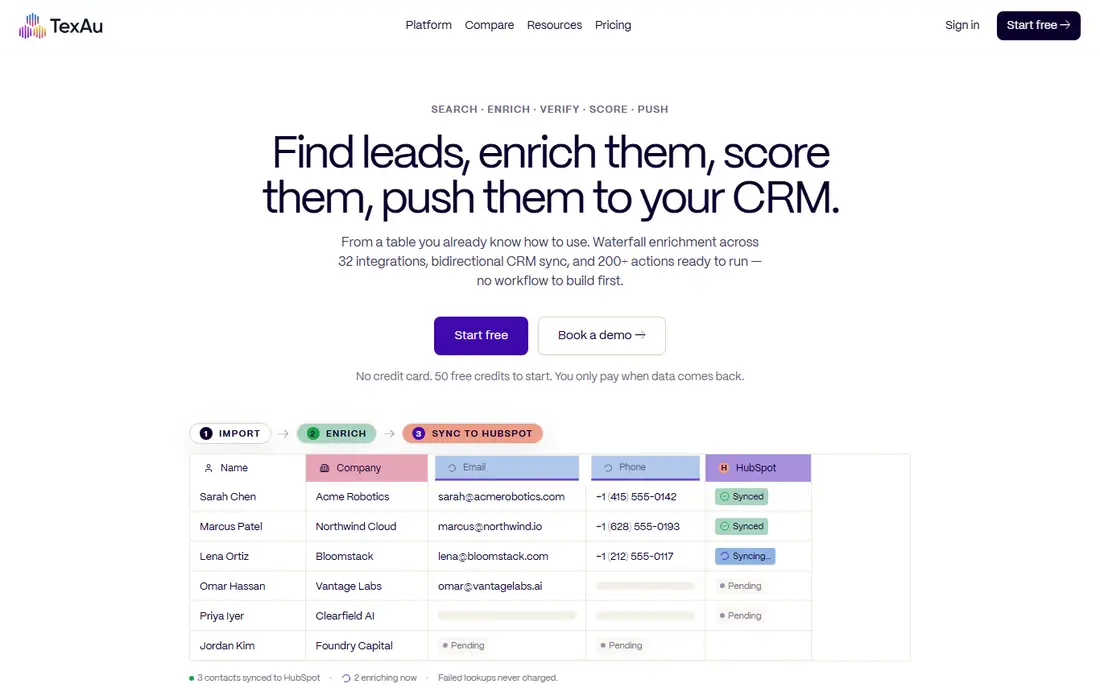
TexAu is a good fit for prospecting from a spreadsheet-like table. TexAu can chain 200+ actions across 32 integrations, but it cannot change how LinkedIn or Instagram treat automation. Plans start at $99 a month for the Solo level with 2,500 credits, and signup includes 50 free credits with no card for a 14-day trial.
Drawbacks to consider: Still bound by each system's automation limits.
Beyond that, budget for credits, start small, and watch the first runs before scheduling anything recurring. Paste a list or pull from LinkedIn, right-click a column to enrich, verify or score, and push the result to HubSpot, Smartlead or your sender. More specifically, what stands out is the pricing honesty: one credit equals one successful action, and failed lookups are never charged. TexAu cost at the entry level: $99 per month. On free options: Free trial (14 days).
- No workflow builder to learn
- Pay-on-match credits so failed lookups cost nothing
- Credit spend climbs quick on big lists
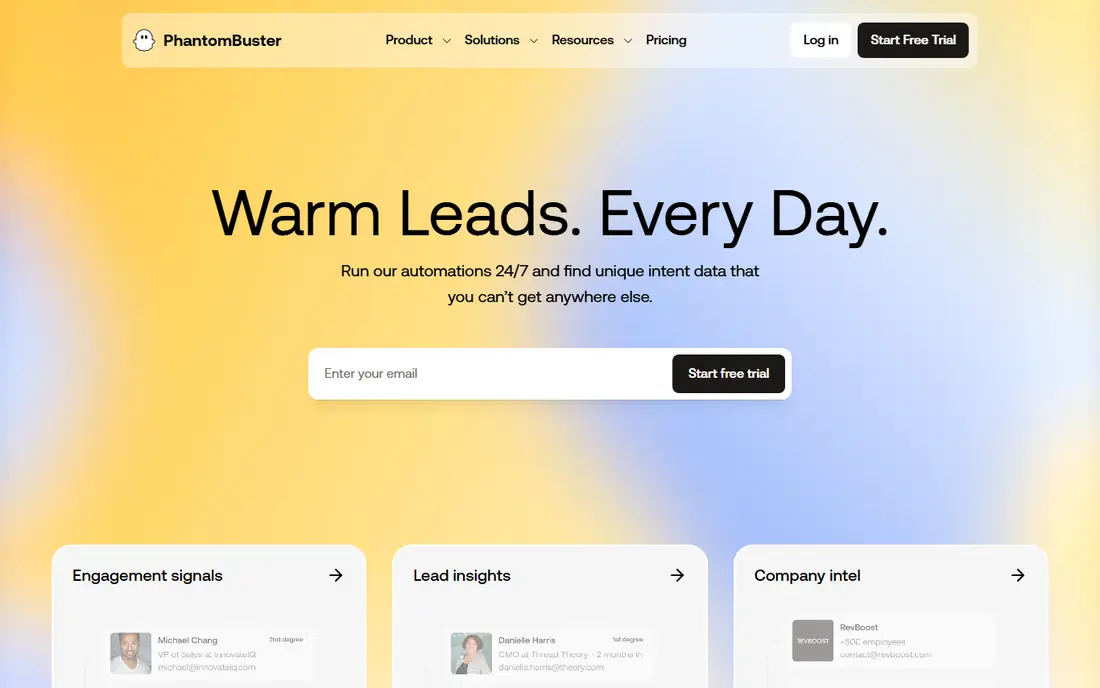
PhantomBuster serves running prebuilt social automations 24/7. PhantomBuster sells momentum. You pick a "Phantom" (their name for a prebuilt automation), link your account.
It starts pulling profile data, post engagement or follower lists from LinkedIn, Twitter, Instagram, Facebook and more. The honest catch is the one PhantomBuster states itself: automations run through your own accounts. That keeps the data legitimate, but it means LinkedIn or Instagram rate limits apply to you, not to them. For everyday use, a free plan exists with exports capped at 10 rows, which is enough to test a workflow end to end. Also, the Start plan runs $56 a month when billed yearly ($672), with Grow at $128 and Scale at $352, each step adding execution hours, automation slots and email credits. On cost, PhantomBuster starts like this: $56 per month. A free plan is available with PhantomBuster.
Honest limits: Execution-time caps on lower levels.
- Live data rather than stale databases
- Unlimited users on every plan
- Tied to your own social accounts, so aggressive use carries ban risk
Think of Clay for enriching lead lists from 200+ data vendors. Clay flipped the script on this category.
The main drawbacks: Complexity and cost exceed straightforward scraping needs.
Rather than scraping social systems yourself, you bring a list and Clay's marketplace of 200+ data vendors enriches it: emails, phones, firmographics, intent signals, AI research. Be clear about what you are buying. Pricing for Clay is not stated here, so ask the vendor for current figures. Free options: Not stated.
- One contract handles 200+ data and AI providers
- Capable GTM workflow automation
- It enriches more than it scrapes, so raw social extraction is restricted
ParseHub works best for point-and-click scraping without writing code. Data comes out as JSON or Excel, or through the REST API into Google Sheets and Tableau.
In daily use, pricing is refreshingly straightforward to start: all users begin on the free plan with no credit card, and premium Standard and Professional levels add projects, speed and private runs. Check the vendor site for ParseHub pricing; none is listed in this comparison. ParseHub has a free plan.
Drawbacks to consider: Complicated sites take practice.
What ParseHub does well: Takes care of JavaScript.
- Infinite scroll
- Logins and dropdowns
- Free level has speed and project limits
Evaboot was built for Exporting LinkedIn Sales Navigator searches to clean CSVs. From a Chrome extension, it exports your LinkedIn Sales Navigator search, cleans first names, job titles and company names, finds and verifies professional emails, and hands you a CSV with 39 columns of profile and company data. Worth adding: for SDR teams whose whole pipeline starts with a saved search, that specialization is exactly the point.
In daily use, the trade-off is focus. If your prospecting lives anywhere besides LinkedIn, Evaboot has nothing for you. Evaboot shows no starting price here, so confirm the cost on the vendor site. Free options: Not stated.
Trade-offs to know: Needs a Sales Navigator subscription on top.
- One-click export with 39 data columns
- CRM and outreach tool sync
- LinkedIn-only, so it solves one product deeply rather than plenty
Worth knowing about social media scraping tools
A sales rep needs 500 fresh LinkedIn profiles by Friday. As for the details, a marketer wants every Instagram comment on a competitor's launch post. Beyond that, a recruiter is tired of copy-pasting.
These are the jobs social media scraping tools exist for. The seven below include the realistic ways to do them in 2026: dedicated social automations, browser extensions, visual scrapers and data products.
How we compared the tools
The comparison looks at four things: starting price, free access, how well the feature set matches social media scraping tools, and the main limit of each tool. Seat minimums, billing terms and add-ons can move the real cost, so the starting prices here are a guide and not a quote. The sequence is a judgement call: typical use case first, then pricing transparency, then free access. Use the profiles to check fit.
What to check before you buy
- Ask Diffbot, Clay, ParseHub and Evaboot for a written quote, since no starting price is shown.
- Read the fine print on the free plans from PhantomBuster and ParseHub; seat, project and feature caps differ.
- Take the trial from TexAu and push a live task through it before you pay.
- Before choosing Diffbot, weigh its main limit: API-only, so non-developers cannot use it straight.
- Pick one real project and run it in Evaboot first; a small pilot shows fit faster than a checklist.
- Total up the real monthly cost of Clay, including add-ons, extra users and usage-based fees.
Frequently asked questions
Is Diffbot the right pick for everyone comparing social media scraping tools?
No single tool suits every team. Diffbot comes first because it fits developers extracting structured data at scale, while TexAu suits prospecting from a spreadsheet-like table and PhantomBuster suits running prebuilt social automations 24/7. Match the tool to your own size, budget and workflow before deciding.
What is the cheapest option for social media scraping tools in this list?
On published monthly entry prices, PhantomBuster is the lowest here at $56 per month. Entry price is only part of the cost, because seats, add-ons and billing terms can change the total.
PhantomBuster vs TexAu: which should I pick?
Pick TexAu if you prefer working in a spreadsheet-like table with no workflow builder and pay-on-match credits, beginning at $99/month. Both run through your own accounts, so the same safety habits apply.
How are the tools for social media scraping tools ordered?
The order follows typical fit for social media scraping tools, with Diffbot first and Evaboot last, then price clarity and free access. It is editorial judgement, not a score, so another team could rank the tools differently.
What is the best free social media scraping tool?
Diffbot is the pick this page puts first, mainly for developers extracting structured data at scale. If your situation differs, TexAu suits prospecting from a spreadsheet-like table, and PhantomBuster suits running prebuilt social automations 24/7. Compare price and limits before you decide.
Can these tools scrape Instagram and TikTok?
PhantomBuster and ParseHub support Instagram extraction for public profiles and posts; TikTok is harder across the industry due to aggressive anti-bot measures. Success varies by target and changes as systems update their defenses, so test your specific use case on a free plan or trial before paying.
Sources
See where you really rank - block by block
ProMapRanker scans Google Maps across a grid of your service area. Simple monthly plans from $19, white-label on every plan.
Start freeKeep reading
 zscaler alternatives
Best Zscaler Alternatives in 2026
Looking for zscaler alternatives? We compare 9 SASE and zero trust platforms on architecture, data protection, pricing, and fit for your network and team.
Read → zapier alternatives free
Best Zapier Alternatives Free in 2026
Nine automation tools for zapier alternatives free in 2026, all with genuinely free tiers, plus free plan limits, starting prices and upgrade paths explained.
Read → which platform is best for online reputation
Which Platform Is Best for Online Reputation in 2026
Wondering which platform is best for online reputation? We compare 8 review, listing, and response tools for small and multi-location businesses and agencies.
Read →