 ProMapRanker
8 Best Social Media Posting Platforms for 2026


Mid-sized businesses where social is a team job with reporting needs · Pricing starts at: See website (custom quote on the current pricing page)
Direct answer
Start with Sprout Social if you need mid-sized firms where social is a team job with reporting needs. Later is the stronger choice for visual-first brands on Instagram, TikTok and Pinterest, while SocialBee suits small teams wanting category-based evergreen posting. The other 5 tools in the list cover narrower or pricier cases.
Key takeaways
- Sprout Social is the opening pick, best for mid-sized companies where social is a team job with reporting needs.
- Hootsuite suits teams managing multiple brands or plenty of accounts from one dashboard.
- Check the limits for Later before you commit: weaker on X and LinkedIn workflows.
- The cheapest monthly starting price in the list is $9.60/month, offered by Publer.
- Publer stands alone as the one tool in this list with a free plan.
Quick comparison
| Pick | Great for | Pricing starts at | Free tier | |
|---|---|---|---|---|
| Sprout Social | Mid-sized businesses where social is a team job with reporting needs | See website (custom quote on the current pricing page) | Free trial (30 days) | Visit |
 Later | Visual-first brands on Instagram, TikTok and Pinterest | See website (pricing page not readable at research time) | See website (plan details not published at research time) | Visit |
 SocialBee | Small teams wanting category-based evergreen posting | $29/month (Bootstrap plan, per the vendor's own FAQ) | Free trial (14 days) | Visit |
 Publer | Budget buyers who still want bulk posting and content recycling | $9.60/month (Professional plan, per the vendor's own blog) | Yes | Visit |
 Loomly | Small agencies and teams with approval needs and tight budgets | $65/month ($49/month billed yearly on the Starter plan; Beyond at $249/month billed annually) | Free trial (7 days) | Visit |
 Buffer | Small companies and creators wanting straightforward queue-based scheduling | See website (no public prices on the current pricing page) | See website (plan details not published at research time) | Visit |
 Planable | Teams that require client or stakeholder approvals before anything publishes | $33/workspace/month billed yearly (per the vendor's own blog) | 50 free posts (per the vendor's own blog) | Visit |
 Hootsuite | Teams managing several brands or plenty of accounts from one dashboard | See website (custom quote on the current pricing page) | See website (plan details not published at research time) | Visit |
Our 8 social media posting platforms
This ProMapRanker guide covers 8 social media posting platforms. Each profile lists a starting price, free plan details, strengths and drawbacks, so you can drop poor fits quickly.
Sprout Social
Great for: Mid-sized businesses where social is a team job with reporting needs
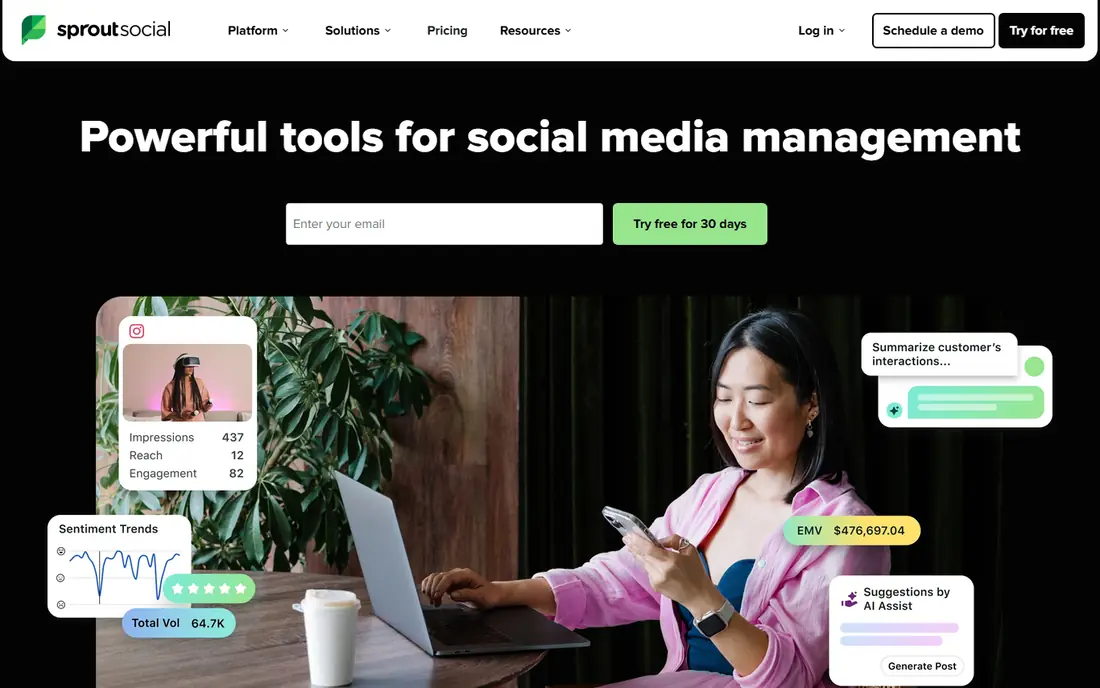
Sprout Social is designed for mid-sized firms where social is a team job with reporting needs. Sprout Social sits one level above the scheduling tools: it is a social media management system that happens to schedule well.
Downsides: Costs more than pure schedulers at entry.
It makes sense when social drives real revenue and two or more people touch the accounts. This comparison lists no price for Sprout Social; ask the vendor. Trial and free access: Free trial (30 days).
- Approval workflows with task assignment for bigger teams
- Unified smart inbox that merges messages across networks
- Smaller teams may find the feature set heavier than they need

Later is built with visual-first brands on Instagram, TikTok and Pinterest in mind. Later started as an Instagram scheduler and never lost that identity. From a buyer's view, the link-in-bio page turns profile traffic into a shoppable landing page, and suggested posting times are based on your own audience data.
On top of that, reporting answers "how did this post do" instead of "how is the account expanding." Later is the right pick when Instagram or TikTok is the primary channel. As for the details, the Instagram-first design displays on other networks. Check the vendor site for Later pricing; none is listed in this comparison. Free options: See website (plan details not published at research time).
What to check first: Weaker on X and LinkedIn workflows.
- Link-in-bio tool included
- Hashtag and best-time-to-post suggestions
- Analytics stay entry-level on entry plans
Think of Publer for budget buyers who still want bulk posting and content recycling. For the price, though, Publer is hard to argue against.
More specifically, solo operators and side firms get a working scheduler for less than two coffees per month. Starting cost for Publer: $9.60/month. A free plan is available with Publer.
What users get: The lowest credible entry price on this list.
Honest limits: Smaller support team.
- Bulk scheduling via CSV upload
- Watermark and link-in-bio tools included
- Brand mentions and some integrations are restricted on the free plan
Think of Loomly for small agencies and teams with approval needs and tight budgets. Loomly is the pragmatic middle ground between a bare scheduler and a full management suite. The calendar displays every scheduled post across networks at a glance, and the system recommends post ideas and optimization tips when the content calendar has gaps.
Trade-offs to know: No free plan beyond the trial.
Where Loomly stands out: Client approval workflows.
In daily use, the 7-day trial is short, so test the approval workflow with a real client before committing. Approval workflows deal with client sign-off without Planable's per-workspace math: pricing is per plan, with Starter at $49 a month billed yearly including the basics. As for the details, Loomly fits the small agency that outgrew an entry-level scheduler but cannot justify Sprout's quote. On cost, Loomly starts like this: $65/month. As for free access: Free trial (7 days).
- Post ideas and optimization tips built in
- Straightforward per-plan account limits
- Analytics are serviceable instead of deep
Buffer
Great for: Small companies and creators wanting straightforward queue-based scheduling
Buffer is built with small companies and creators wanting straightforward queue-based scheduling in mind. There is no streams dashboard to configure, no listening setup to maintain. Worth adding: Buffer suits buyers who want scheduling that stays out of the way.
You fill a queue, set posting times, and Buffer sends the content out. The tradeoff is depth. Team workflows and approval chains exist but are thinner than Planable or Loomly. No starting price is listed for Buffer here; confirm pricing on the vendor site. Free access: See website (plan details not published at research time).
Honest limits: Engagement features lag behind Sprout and Hootsuite.
- Publishes to all major networks
- Browser extension and mobile apps included
- Analytics depth is restricted on entry plans
Planable
Great for: Teams that require client or stakeholder approvals before anything publishes
Planable was built for teams that require client or stakeholder approvals before anything publishes. Version history means nobody argues about which caption was approved.
Where it falls short: Per-workspace pricing brings up with many clients.
On top of that, Planable earns its spot for approval-heavy teams; everyone else should compare Loomly or Buffer. Pricing at $33 per workspace a month billed yearly is reasonable per client, but ten clients means ten workspaces. Planable pricing: $33/workspace/month billed annually. Trial and free access: 50 free posts (per the vendor's own blog).
- Structured approval workflows with comments and versions
- Unlimited workspaces on premium plans
- Analytics are an add-on instead of built in
Hootsuite
Great for: Teams managing several brands or plenty of accounts from one dashboard
Hootsuite makes the most sense for teams managing several brands or plenty of accounts from one dashboard. The product assumes you have a social team with roles and permissions, which is overhead for a solo marketer. And with public pricing removed, the first step is a quote request, which slows down comparison shopping.
Beyond scheduling, you get social listening, team assignments, and a shared inbox for comments and DMs. For everyday use, Hootsuite earns its place for coordinated teams, notably ones doing listening and engagement alongside publishing. Agencies running ten client accounts get the multi-brand management that straightforward queues cannot supply. That history cuts both ways. Hootsuite does not show a starting price in this comparison, so check the vendor site for current pricing. As for free access: See website (plan details not published at research time).
What users get: Assign posts and messages to team members. Points against: Published prices are gone, so buyers start with a sales conversation.
- Streams dashboard for monitoring keywords
- Bulk composer for scheduling plenty of posts at once
- Entry plans can feel costly for solo users
How we chose
We compared the tools on published pricing, free plan or trial availability, feature coverage for social media posting platforms, and the limits each vendor documents. Seat minimums, billing terms and add-ons can move the real cost, so the starting prices here are a guide and not a quote. We ordered the tools by general fit, then by how clearly pricing is shown, then by free access. A buyer with unusual needs may reorder them.
Things to verify first
- Confirm the entry price on the vendor page. For Sprout Social, Later, Buffer and Hootsuite that means a quote rather than a fixed price.
- Test the free plan from Publer against your real workload before relying on it.
- Run a trial of Sprout Social, SocialBee and Loomly with real work before paying for a year; your own workflow is the best test.
- Before choosing Sprout Social, weigh its main limit: costs more than pure schedulers at entry.
- Get the contract term, renewal terms and any onboarding fees from Later in writing.
- Work out what Buffer costs with your real seat count, add-ons and usage, not just the entry price.
Frequently asked questions
How are the tools for social media posting platforms ordered?
Sprout Social sits first and Hootsuite last because the order follows typical fit for social media posting platforms, then price clarity and free access. It is a judgement call, so read each profile for fit and limits.
Do these tools publish their prices?
Not all of them. Sprout Social, Later, Buffer and Hootsuite publish no starting price, so expect a quote request for those. The rest, SocialBee included, show a starting price, though seats and billing terms still change the final cost.
Is Sprout Social the right pick for everyone comparing social media posting platforms?
No single tool suits every team. Sprout Social comes first because it fits mid-size companies where social is a team job with reporting needs, while Later suits visual-first brands on Instagram, TikTok and Pinterest and SocialBee suits small teams wanting category-based evergreen posting. Match the tool to your own size, budget and workflow before deciding.
Can I try these options before paying?
Often, yes. Publer has a free plan and Sprout Social, SocialBee and Loomly offer a free trial. Use your own data and a real task during the test, and check what the free tier or trial limits before you rely on it.
Which system has the best analytics?
Sprout Social is the pick this page puts first, mainly for mid-size businesses where social is a team job with reporting needs. If your situation differs, Later suits visual-first brands on Instagram, TikTok and Pinterest, and SocialBee suits small teams wanting category-based evergreen posting. Compare price and limits before you decide.
Sources
See where you really rank - block by block
ProMapRanker scans Google Maps across a grid of your service area. Simple monthly plans from $19, white-label on every plan.
Start freeKeep reading
 zscaler alternatives
Best Zscaler Alternatives in 2026
Looking for zscaler alternatives? We compare 9 SASE and zero trust platforms on architecture, data protection, pricing, and fit for your network and team.
Read → zapier alternatives free
Best Zapier Alternatives Free in 2026
Nine automation tools for zapier alternatives free in 2026, all with genuinely free tiers, plus free plan limits, starting prices and upgrade paths explained.
Read → which platform is best for online reputation
Which Platform Is Best for Online Reputation in 2026
Wondering which platform is best for online reputation? We compare 8 review, listing, and response tools for small and multi-location businesses and agencies.
Read →
SocialBee
Great for: Small teams wanting category-based evergreen posting
In short, SocialBee is for small teams wanting category-based evergreen posting. SocialBee's defining idea is content categories. Rather than one queue, you sort posts into buckets like promotions, tips and questions.
The system rotates through them so the feed never becomes a wall of ads. For teams that post the same kinds of content on repeat, the category approach saves real weekly effort. As for the details, pricing is published and straightforward: Bootstrap at $29 a month, then Accelerate, Pro and bigger levels up to $449. As for the details, buyers who want a straightforward queue will find Buffer simpler. In daily use, evergreen posts recycle automatically, which fits firms with a library of how-to content that stays relevant for months. On cost, SocialBee starts like this: $29/month. Trial and free access: Free trial (14 days).
Where it is weaker: RSS and content curation extras cost more.