 ProMapRanker
Best Social Media Management Tools in 2026


Large teams and enterprises · Pricing starts at: $99 per user per month
Key takeaways
- Hootsuite and Sprout Social suit larger teams that need listening, approvals, and reporting in one place, but per seat pricing adds up fast.
- Buffer and Metricool suit small teams and creators who want simple scheduling and clear pricing without a heavy setup.
- Later suits visual planning for Instagram and TikTok, while Agorapulse suits teams that spend most of their day in the inbox.
- Check how each tool charges, per seat, per channel, or per profile, because the same team can cost very different amounts on different plans.
- Start with a trial on your real accounts, and test scheduling, approvals, and reporting before you migrate your full calendar.
Quick comparison
| Pick | Great for | Pricing starts at | Free tier | |
|---|---|---|---|---|
| Hootsuite | Large teams and enterprises | $99 per user per month | No, 30 day trial | Visit |
 Sprout Social Sprout Social | Analytics and listening teams | $199 per seat per month | No, 30 day trial | Visit |
 Buffer Buffer | Small teams and creators | $6 per channel per month | Yes | Visit |
 Later Later | Visual Instagram and TikTok planning | $25 per month | No, trial available | Visit |
 Agorapulse Agorapulse | Inbox first engagement | $79 per user per month | Yes | Visit |
 Sendible Sendible | Agencies and white label reporting | $29 per month | No, 14 day trial | Visit |
 SocialPilot SocialPilot | Budget agency scheduling | $30 per month | No, 14 day trial | Visit |
 Metricool Metricool | Budget analytics and scheduling | $20 per month | Yes | Visit |
The best social media management tools
We compared official feature pages, pricing pages, app store listings, privacy policies, and public reviews, with attention to publishing, inbox, analytics, and how pricing scales with team size.
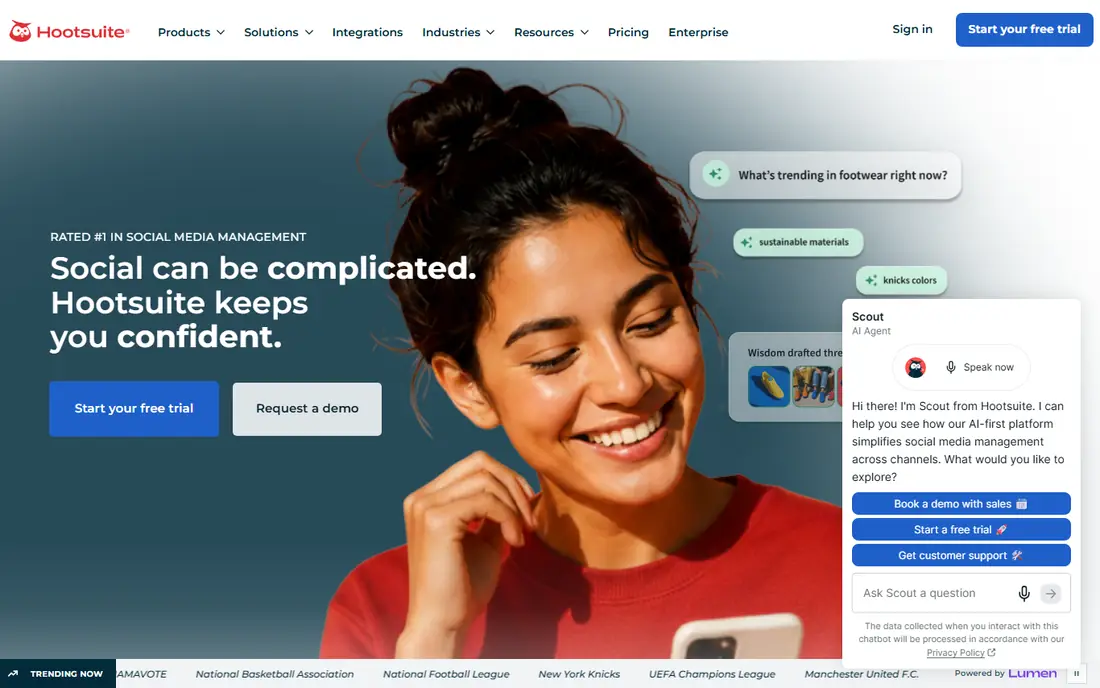
Hootsuite remains the broadest all in one option for teams that manage many networks from one dashboard. Publishing, inbox, analytics, and listening sit together, and newer AI features help draft and repurpose posts from your own social data. That breadth suits a mid market or enterprise team that wants one vendor for planning, engagement, and reporting. The cost model is the main caution. At $99 per user per month on annual billing, a team of five pays five times the headline price, so budget for seats, not just the plan name. It fits teams that will use listening and reporting daily, and it is more than most solo creators need.
- Broad network coverage, listening, AI drafting, approval workflows
- Per user pricing is costly for larger teams, no free plan
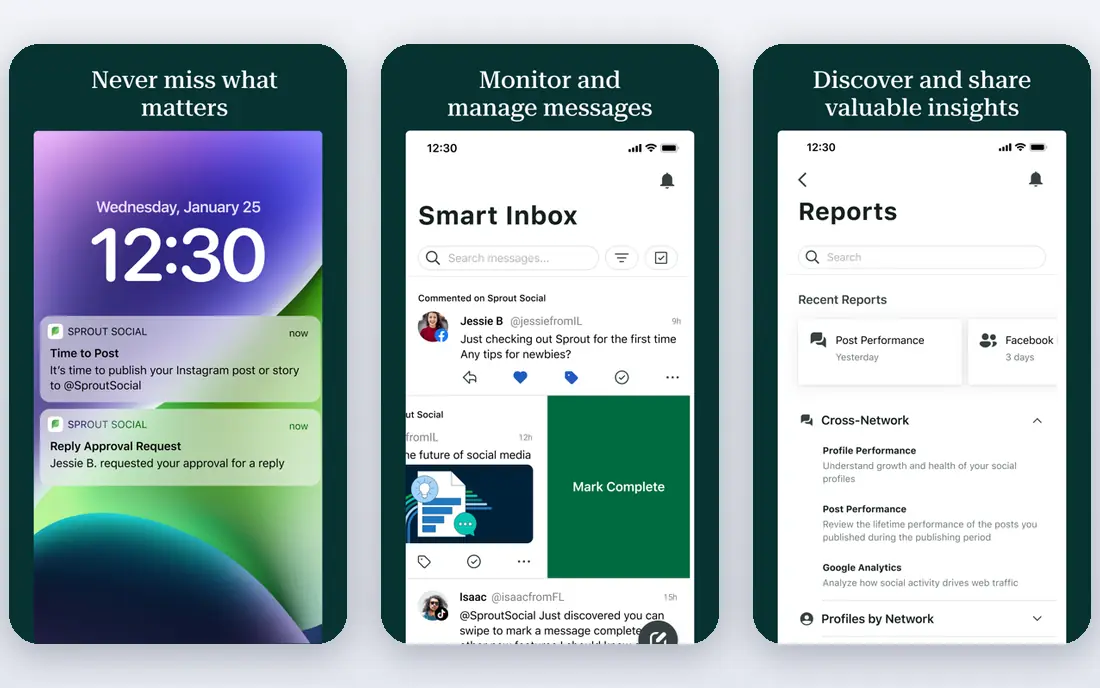
Sprout Social appeals to teams that need to defend results with clear reports. Its dashboards, unified inbox, and listening tools make it easier to show what worked, which posts drove engagement, and where sentiment shifted. The interface is polished, and approval flows suit teams with several reviewers. Price is the barrier. The Standard plan starts at $199 per seat per month on annual billing, so small teams should test whether they truly need that depth. If your main need is scheduling alone, a cheaper tool will cover it, but if reporting drives budget decisions, Sprout earns its place on the shortlist.
- Strong reporting, unified inbox, listening add on, clean interface
- High entry price, listening costs extra on some plans
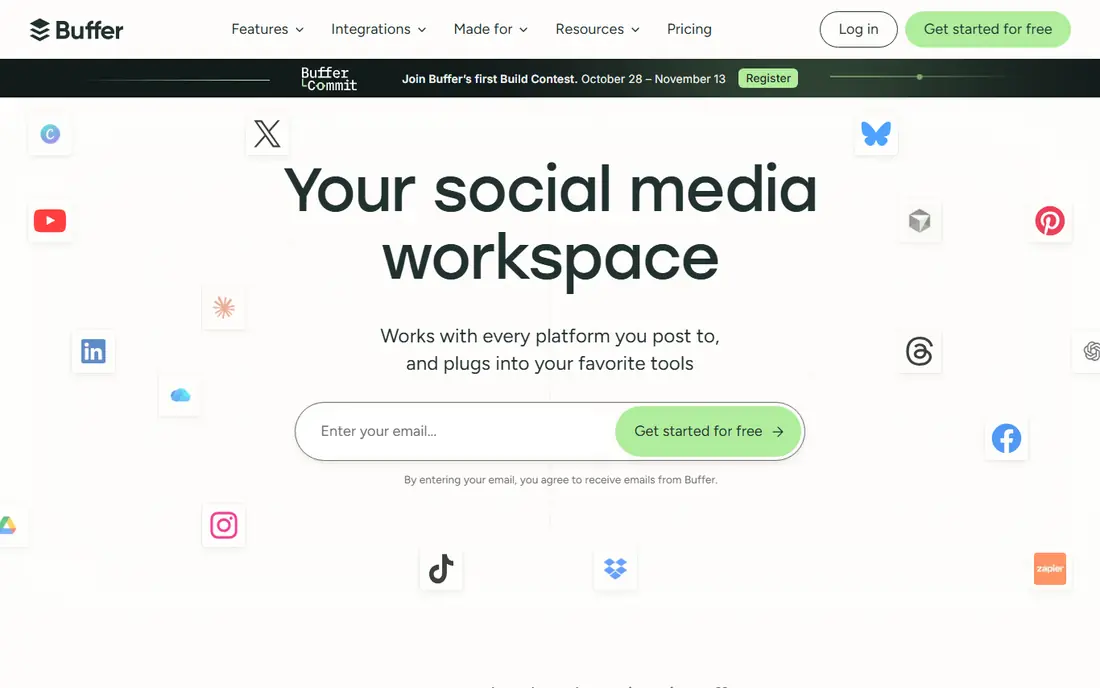
Buffer is the calm choice for creators and small teams who want to schedule posts and move on. The dashboard is uncluttered, the calendar is easy to read, and pricing per channel makes costs predictable for a small set of accounts. A free plan lets you test the core workflow before you pay. It is not a listening platform, and its analytics are lighter than Sprout or Hootsuite. Teams that need deep social listening, complex approvals, or agency client dashboards will outgrow it. For straightforward publishing across major networks, Buffer remains a strong value pick.
- Simple scheduling, low entry cost, clear pricing per channel
- Limited listening, lighter analytics than enterprise tools
Later is built around how a post looks in the feed, not just when it goes out. The drag and drop calendar, media library, and link in bio tool suit creators and brands that plan Instagram and TikTok content visually. You can preview a grid, organise media, and schedule in batches, which saves time for visual teams. Outside Instagram and TikTok, Later is less deep than Hootsuite or Sprout. Teams that need strong inbox management or listening across many networks should pair it with another tool or choose a broader platform. For visual first brands, that trade is often worth it.
- Visual calendar, link in bio tool, strong Instagram and TikTok planning
- Weaker outside visual networks, some networks have limits
Agorapulse suits teams that live in comments and direct messages. The unified inbox pulls conversations together, saved replies speed up common answers, and assignment tools keep a team from double handling the same message. Publishing and reporting are solid, but the inbox is where it earns its keep. Pricing is per user, so a growing support or social team should model the full seat count. A free plan helps small users test the inbox, while larger teams should check profile limits and add on costs for listening or extra reports before they commit.
- Unified inbox, saved replies, solid reporting, team workflows
- Per user pricing adds up, reporting is less deep than Sprout on some plans
Sendible is designed for agencies that manage several clients from one account. Workspaces keep clients separate, reports can carry your branding, and unlimited users on certain plans avoid the per seat penalty that hits Hootsuite and Sprout. That structure makes client work easier to scale without a surprise bill for each new team member. The interface packs in many options, so new users need a short learning period. Listening and deep analytics are not its strongest areas, so agencies that sell listening as a core service may need a second tool. For scheduling, approvals, and client reporting, Sendible is a practical agency pick.
- Agency workspaces, unlimited users on some plans, white label reports
- Interface feels busier than Buffer, listening is limited
Metricool combines scheduling with analytics at a price that small teams can justify. You can plan posts, track performance across networks, and pull ad data into the same dashboard, which helps a small brand see results without a separate reporting tool. The free plan is useful for testing the analytics view on a real account. Inbox and listening features are limited, so community heavy teams may need another tool for replies. If your priority is affordable scheduling plus clear performance charts, Metricool is a strong fit, and its annual pricing lowers the monthly cost further.
- Affordable analytics, scheduling, ad reporting, free plan to start
- Inbox features are limited, smaller integration set than larger rivals
How we picked these
We compared tools that are live in 2026, support major networks such as Instagram, Facebook, LinkedIn, TikTok, X, and YouTube, and publish pricing or a clear trial path. We reviewed official feature pages, pricing pages, app store listings, privacy policies, and public reviews, and we favoured tools with a working publishing calendar, reliable scheduling, and a clear pricing model. We kept a mix of enterprise, agency, creator, and free options, and we left out tools that only cover one network or only offer a demo with no self serve trial.
What to check before you choose
Pricing model matters more than the headline price
A $99 per user plan and a $6 per channel plan are not directly comparable. Count your seats, channels, and profiles, then model the total for your actual team. A tool that looks cheap for one person can become the most expensive option for a team of six, while a flat agency plan can win at scale.
Publishing, inbox, and reporting are different jobs
Decide which job you do most. If you publish in batches, prioritise calendar and bulk tools. If you answer comments all day, prioritise inbox and assignment. If you report to clients or leadership, prioritise dashboards and export options. No tool in this list leads on all three, so match the strength to your daily work.
Test on real accounts
Use a trial to schedule real posts, test approval flows, and check how reports look with your data. Confirm that each network you use supports direct publishing or reminders as you expect, since some networks limit certain post types. Check mobile app quality too, because many social managers work from a phone for approvals and replies.
Frequently asked questions
What are the best free social media management tools?
Buffer and Metricool offer free plans that cover basic scheduling and analytics for small users, and Agorapulse also offers a free tier. Free plans usually limit channels, scheduled posts, or report history, so they suit a solo creator or a single brand. Larger teams will need a paid plan for approvals, extra profiles, or deeper reporting.
What is the best social media management software for agencies?
Sendible and SocialPilot suit agencies because they handle multiple clients, workspaces, and reporting at a lower cost than enterprise per seat tools. Hootsuite and Sprout Social suit larger agencies that sell listening and advanced analytics. Choose based on whether client reporting or listening is the service you charge for most.
What is the best social media management platform for small businesses?
Buffer and Metricool are strong small business picks because they are easy to learn, affordable, and cover the main networks. Later suits visual brands on Instagram and TikTok. Start with a free plan or trial, and only move to a per seat enterprise tool when your team or reporting needs clearly require it.
Do I need social listening, or is scheduling enough?
Scheduling is enough if your main job is publishing on a calendar. Listening helps if you need to track brand mentions, sentiment, competitor moves, or customer issues across networks. Hootsuite and Sprout Social offer stronger listening, while Buffer and SocialPilot focus on publishing, so match the tool to that need.
How many accounts can I manage on these tools?
Limits depend on the plan and whether the tool counts channels, profiles, or social sets. Check the official pricing page for your exact network mix, and count each Instagram, TikTok, LinkedIn, and Facebook account separately. A plan that covers three social sets may not cover three accounts on each network.
Can I switch tools without losing scheduled posts?
You can usually export or recreate scheduled posts, but drafts and analytics history do not always transfer cleanly. Plan a switch during a quiet week, run both tools in parallel for a few days, and keep a copy of your content calendar outside any single tool. That overlap reduces the risk of a missed post during migration.
Sources
See where you really rank - block by block
ProMapRanker scans Google Maps across a grid of your service area. Simple monthly plans from $19, white-label on every plan.
Start freeKeep reading
 youtube alternatives
Best YouTube Alternatives in 2026
Looking for youtube alternatives in 2026? We compare Vimeo, Dailymotion, Twitch, Rumble, and more on price, audience, monetization, control and privacy.
Read → what's the best ai tool for photo editing
What Is the Best AI Tool for Photo Editing in 2026
What is the best AI tool for photo editing? We compare ten tools for 2026, from Photoshop and Lightroom to Luminar, Topaz, Canva and mobile editors today.
Read → twitter alternatives
Best Twitter Alternatives in 2026
Compare the best twitter alternatives for 2026, from Bluesky, Threads, and Mastodon to Reddit, Tumblr, and Micro.blog, with free plans and audience notes.
Read →
SocialPilot
Great for: Budget agency scheduling
SocialPilot targets agencies and small teams that need to schedule across many accounts without enterprise pricing. Bulk scheduling, a content library, and client views cover the daily workflow, and the entry plan is priced for teams that manage a larger account set on a tight budget. Analytics and listening are basic compared with Sprout, so teams that sell detailed reporting should check the report templates first. For pure scheduling volume at a low monthly cost, SocialPilot is one of the better value options in this list, provided you do not need deep listening.