 ProMapRanker
Best SMM Services in 2026

Key takeaways
- The safest SMM services help you publish, engage, and advertise to real people, rather than selling fake followers or likes.
- Hootsuite and Sprout Social suit larger teams, while Buffer, Later, and Metricool suit smaller teams and creators.
- Fake engagement can lead to removed likes and followers, account penalties, and misleading analytics, so we excluded panels that sell it.
- Price by seat and by social profile, since a low headline price can rise fast when you add team members and channels.
Quick comparison
| Pick | Great for | Pricing starts at | Free tier | |
|---|---|---|---|---|
 Hootsuite | Large team social management | See website | No | Visit |
 Sprout Social | Social care and reporting | See website | No | Visit |
 Buffer | Simple scheduling for small teams | See website | Yes | Visit |
 Later | Visual planning for creators | See website | Yes | Visit |
 SocialPilot | Agencies on a budget | See website | No | Visit |
 Sendible | Agencies and client reporting | See website | No | Visit |
 Agorapulse | Inbox and community care | See website | No | Visit |
 Metricool | Analytics and ads in one place | See website | Yes | Visit |
 Planable | Team approval workflows | See website | Yes | Visit |
The best SMM services
We compared official feature and pricing pages and public review material for services live in October 2026. We focused on legitimate social media marketing services: scheduling, publishing, engagement, analytics, and advertising tools that help real audiences find and follow you. We did not list services that sell fake followers, likes, or views, and we make no fake engagement claims for any service below.

Hootsuite is a long standing social management platform for teams that run many profiles from one simple dashboard today. It covers scheduling, publishing, inbox management, analytics, and social listening, with team roles that let managers approve posts before they go live. That structure suits agencies and mid size brands with several people touching social each week.
Pricing is higher than simpler tools, and the most useful listening and reporting features sit on higher tiers. Small teams should compare the entry plan against their real channel count, since a simpler tool may cover their needs for less.
- Broad channel coverage
- Team roles and approvals
- Strong listening on higher tiers
- Higher cost for small teams
- Some advanced features need higher plans
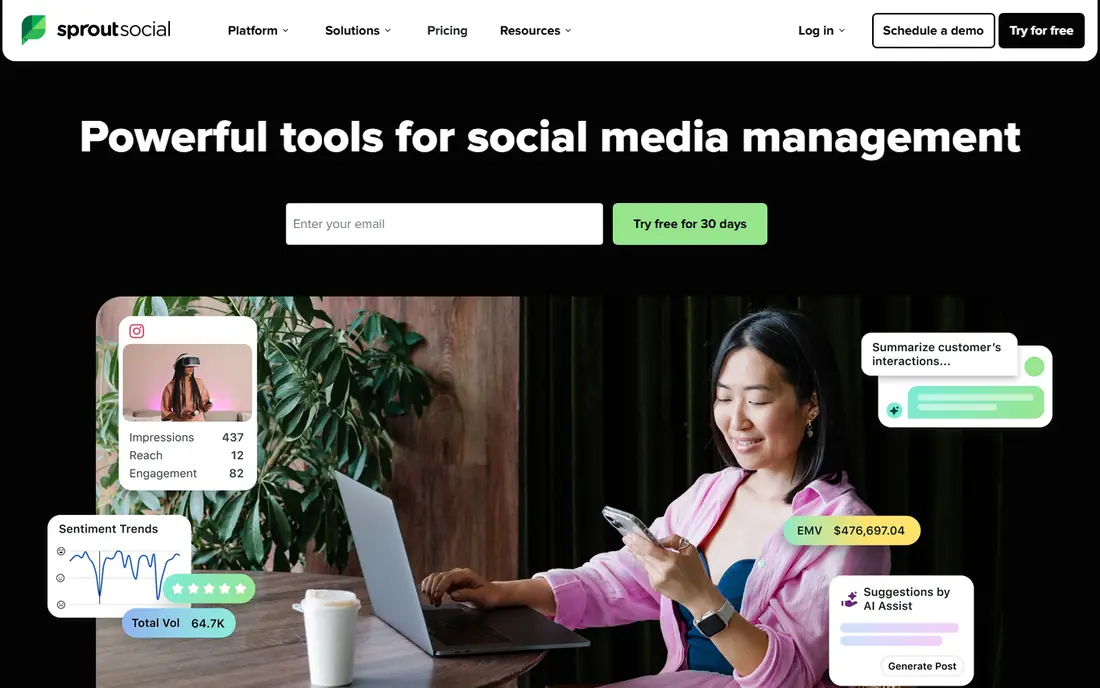
Sprout Social combines publishing, inbox care, and analytics in a polished workflow. Teams can schedule posts, reply to comments and messages from one inbox, and report results in a format that leadership can read quickly. That mix is why many marketing teams rate it highly for daily social work and customer care.
Per seat pricing means costs grow as the team grows, and deeper listening features cost extra. Buyers should price seats, profiles, and any listening add on together, and use the trial to test the inbox and reporting on their own channels.
- Unified inbox
- Clear leadership reporting
- Strong publishing workflow
- Per seat pricing
- Full listening is a paid add on
Buffer is a good starting point for small teams and solo creators who mainly need reliable scheduling. The interface is simple, the queue system keeps a steady posting rhythm, and a free plan covers basic use. Paid plans add more channels, analytics, and engagement tools as a team grows.
Buffer is less suited to large teams that need complex approvals, deep listening, or advanced customer care workflows. For straightforward publishing and light analytics, however, its simplicity is a strength, not a limit.
- Easy to learn
- Clean scheduling queue
- Free plan for basic use
- Fewer enterprise features
- Analytics depth varies by plan
Later is built around visual planning, which suits creators and brands that think in images and short video first. The drag and drop calendar, media library, and link in bio tool help plan a feed that looks coherent, while scheduling covers Instagram, TikTok, and other major channels. A free plan lets new users test the core workflow.
Analytics and team features are stronger on paid tiers, and some tools work best on visual channels. Teams that focus on text heavy platforms may prefer a more general scheduler, but visual first teams often find Later the easiest to use daily.
- Visual calendar planning
- Strong Instagram and TikTok tools
- Link in bio feature
- Some features are channel specific
- Higher tiers for full analytics
Sendible is built for agencies that need client dashboards, approvals, and branded reports. Teams can schedule across channels, manage client access, and send scheduled reports that show growth, engagement, and top posts. That reporting focus saves agency time each month compared with manual screenshots and spreadsheets.
New users face a learning curve, since the platform has many settings for clients, teams, and reports. Pricing also rises with profiles and users, so agencies should model their full client list before choosing a tier.
- Client dashboards
- Strong reporting templates
- Team approval workflows
- Learning curve for new users
- Pricing rises with profiles and users
Agorapulse stands out for community management. Its unified inbox groups comments, messages, and mentions, lets managers assign items to team members, and tracks response times. That care workflow suits brands that get many customer questions on social and want to answer quickly without missing items.
It costs more than a basic scheduler, so teams that only need posting may not need its inbox depth. For brands where social is a customer service channel, however, the inbox and reporting tools often justify the price.
- Unified inbox with assignments
- Social listening and monitoring
- Clear team workflows
- Higher cost than basic schedulers
- Some features need higher tiers
Metricool combines analytics, scheduling, and ad reporting in one dashboard, which helps small teams see organic and paid results together. It tracks growth, engagement, and ad spend across major channels, and competitor tracking helps teams compare their performance with similar accounts. A free plan covers basic analytics and scheduling.
Publishing tools are solid but simpler than specialist schedulers, and deeper historical data sits on paid tiers. Teams that value clear analytics over complex approval workflows will find Metricool a strong fit.
- Analytics across channels and ads
- Competitor tracking
- Free plan for basic use
- Publishing is simpler than specialist tools
- Some data needs paid plans
Planable focuses on collaboration and approvals. Teams and clients can review posts in a visual feed, leave comments on the exact post, and approve or request changes without long email threads. That workflow suits agencies and brand teams where legal or client approval slows publishing.
Analytics and listening are lighter than on Hootsuite or Sprout Social, so Planable works best paired with an analytics tool or used by teams whose main need is approval. A free plan lets teams test the approval flow before paying.
- Visual approval workflow
- Client feedback in context
- Easy collaboration
- Less depth on analytics
- Not a full listening platform
How we picked these
We compared official feature and pricing pages and public review material for legitimate social media marketing services live in October 2026. We favored tools with real scheduling, engagement, analytics, or advertising features, and we excluded services whose main offer is fake followers, likes, or views. We did not claim hands on testing, and we did not repeat unverified growth claims.
What to check before you buy
Start with your real workflow, not a feature list. If approval is your bottleneck, choose an approval focused tool. If customer care is your bottleneck, choose an inbox focused tool. If reporting is your bottleneck, choose a tool with strong analytics and client reports.
Growth the legitimate way
Real growth comes from useful content, consistent posting, real engagement, and legitimate advertising to people who may care about your offer. Avoid any service that promises a set number of followers or likes, since those gains are often removed and can harm account trust.
Pricing by seat and profile
Ask how seats, profiles, and clients are counted, and what happens when you add a channel. A tool that looks cheap for one user and three profiles can cost much more for a team of five managing twenty profiles.
Frequently asked questions
What is an SMM service?
An SMM service helps you manage social media marketing, including scheduling posts, replying to comments and messages, tracking analytics, and running ads. Legitimate services help you reach real people, while fake engagement services sell artificial likes and followers.
Are SMM panels safe?
Panels that sell fake followers, likes, or views can violate platform rules and lead to removed engagement or account penalties. They also distort analytics, so you cannot tell what real customers liked. We recommend legitimate management and advertising tools instead.
Which SMM service is best for a small business?
Buffer, Later, and Metricool are good starting points because they offer free plans and simple workflows. Choose based on your main channel and whether you need visual planning, simple scheduling, or clear analytics.
How much do SMM services cost?
Costs range from free basic plans to per seat and per profile monthly plans for teams and agencies. Always check the total for your team size and profile count, not only the headline starting price.
Can an SMM service guarantee followers?
No legitimate service can guarantee a set number of real followers, since real people choose whether to follow you. Services that promise exact follower counts are usually selling artificial engagement, which platforms may remove.
Sources
See where you really rank - block by block
ProMapRanker scans Google Maps across a grid of your service area. Simple monthly plans from $19, white-label on every plan.
Start freeKeep reading
 zscaler alternatives
Best Zscaler Alternatives in 2026
Looking for zscaler alternatives? We compare 9 SASE and zero trust platforms on architecture, data protection, pricing, and fit for your network and team.
Read → zapier alternatives free
Best Zapier Alternatives Free in 2026
Nine automation tools for zapier alternatives free in 2026, all with genuinely free tiers, plus free plan limits, starting prices and upgrade paths explained.
Read → which platform is best for online reputation
Which Platform Is Best for Online Reputation in 2026
Wondering which platform is best for online reputation? We compare 8 review, listing, and response tools for small and multi-location businesses and agencies.
Read →
SocialPilot
Great for: Agencies on a budget
SocialPilot offers agency friendly pricing for teams that manage many client profiles. Bulk scheduling, client roles, and white label reporting help agencies keep work organized without paying enterprise prices. That value focus is why small agencies often choose it over larger platforms.
The interface is more functional than polished, and some reporting depth sits on higher plans. Agencies should test client onboarding and reporting on a real client account during the trial, since those workflows matter more than a feature list.