 ProMapRanker
Best Small Business Payroll Software for Startups in 2026

Key takeaways
- Gusto, at $49 per month plus $6 per person, is a clear default for US startups that want payroll plus light HR tools.
- OnPay, at $49 per month plus $6 per person, covers multi-state payroll in one plan without tier upgrades for state coverage.
- Patriot Software offers the lowest entry cost, with Basic payroll at $17 per month plus $4 per worker, though tax filing needs the Full Service tier.
- Square Payroll suits Square sellers and hourly teams, at $35 per month plus $6 per person paid.
- Deel and Rippling suit startups hiring abroad or combining payroll with HR and IT, but their pricing structures differ sharply from simple payroll tools.
Quick comparison
| Pick | Great for | Pricing starts at | Free tier | |
|---|---|---|---|---|
 Gusto | US startups wanting payroll plus HR | $49 per month | No | Visit |
 OnPay | Simple multi-state full-service payroll | $49 per month | No | Visit |
 Patriot Software | Budget-conscious startups | $17 per month | Free trial | Visit |
 Square Payroll | Square sellers and hourly teams | $35 per month | No | Visit |
 Rippling | Payroll inside a full HR and IT platform | $8 per user per month | No | Visit |
 Deel | US and international hiring | $49 per contractor per month | No | Visit |
 QuickBooks Payroll | QuickBooks Online users | $50 per month | No | Visit |
 Justworks | Payroll plus PEO benefits access | $50 per month | No | Visit |
 Paychex Flex | Startups wanting large-provider support | See website | No | Visit |
The best small business payroll software for startups
We compared payroll tools on tax filing, multi-state coverage, contractor payments, benefits, time tracking and total cost at small headcounts. Prices below are starting list prices, plus per-person fees where they apply. This is general information, not tax or legal advice, and payroll rules vary by state.
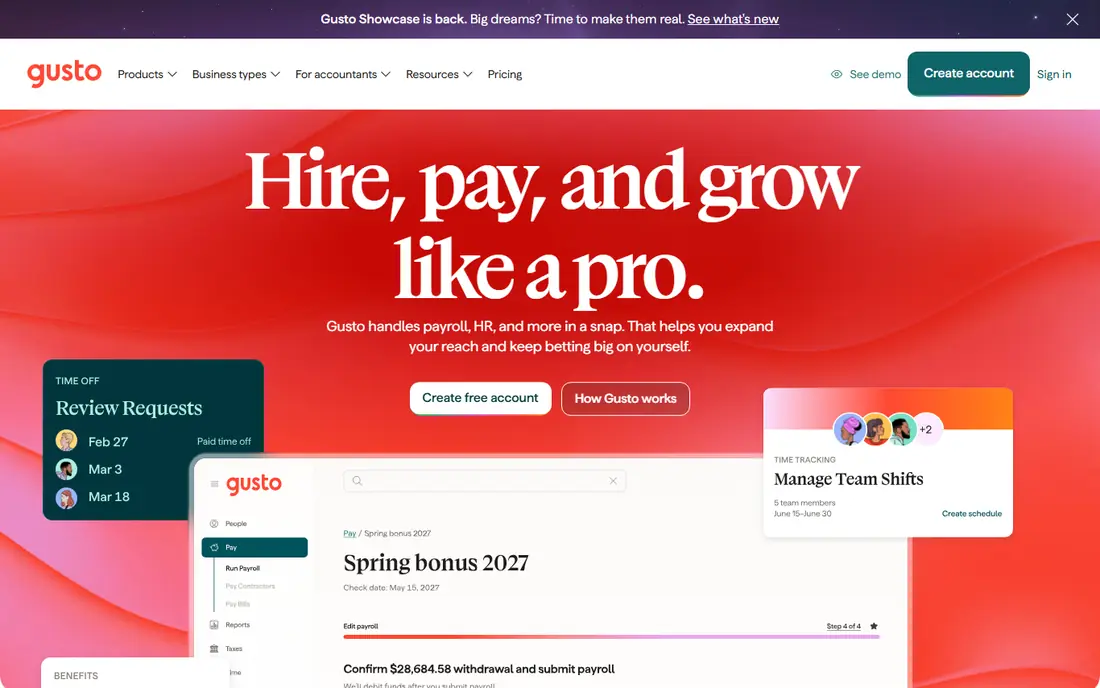
Gusto is the default pick for many US startups because it combines payroll, tax filing, onboarding and benefits in a clean interface. New hires enter their own tax and bank details, which saves founders from chasing forms. The Simple plan covers full-service federal and state tax filing, contractor payments and direct deposit.
The weakness is the low end. A two-person company pays $61 per month at list price, which feels high for a tiny payroll run. Gusto also assumes a mainly US team, so hiring abroad needs a second solution. For domestic teams of about five to one hundred people, the polish and completeness are hard to beat.
- Clear published pricing
- Full-service tax filing
- Easy employee onboarding
- Costly for very small teams
- International payroll is limited
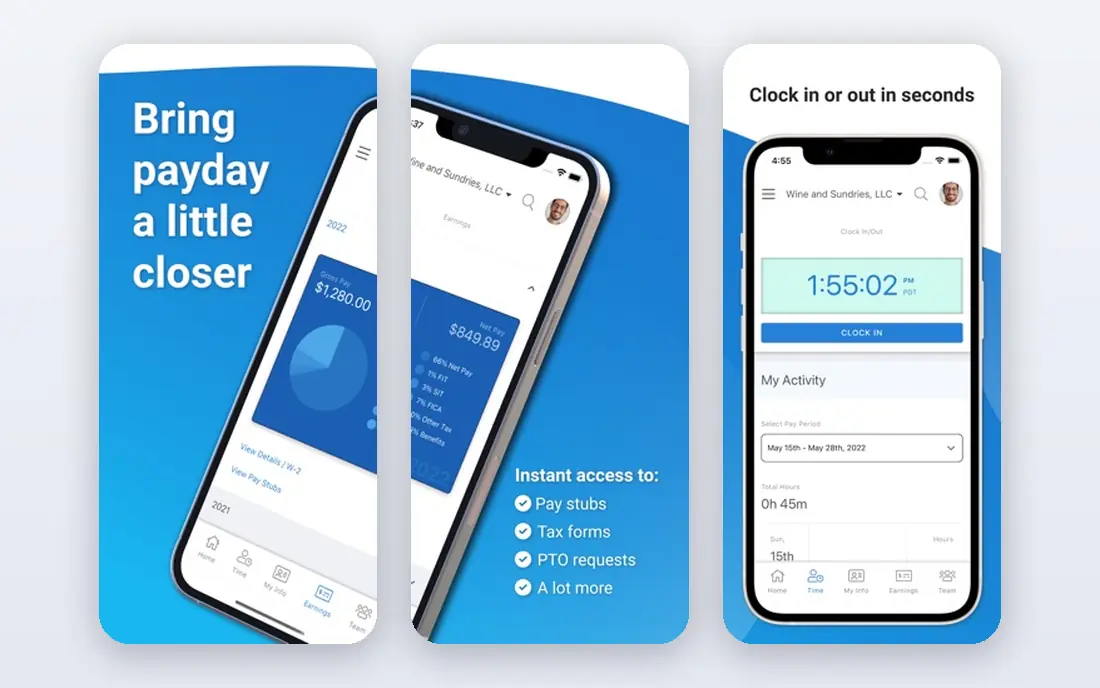
OnPay stands out for simplicity. One price covers full-service payroll, including multi-state tax filing, without forcing a tier upgrade when you hire in a new state. That matters for startups that hire remotely across states from the start. Setup is also straightforward, with guided onboarding for employees and contractors.
OnPay is less of an HR suite than Gusto or Rippling. Benefits administration and advanced HR tools are thinner, so a team that wants deep HR features may need add-ons or a second tool. For payroll first, with clean multi-state coverage, OnPay is a strong and fairly priced choice.
- One plan covers all states
- Full-service tax filing
- Simple setup
- HR tools are basic
- Benefits options are thinner than Gusto
Patriot Software offers the lowest published entry price in this list. Basic payroll starts at $17 per month plus $4 per worker, which suits a startup that wants to run payroll itself and keep costs down. The interface is simple, and pay runs are easy to repeat once employees are set up.
The key check is tax filing. Basic payroll does not file taxes for you, so most startups will need Full Service payroll at $37 per month plus $5 per worker. Even at that level, Patriot remains cheaper than many rivals for small teams. For a cost-focused startup that can accept basic HR tools, Patriot is a solid value pick.
- Lowest entry price
- Simple payroll runs
- 30-day trial
- Tax filing only on Full Service tier
- HR and benefits tools are basic
Square Payroll fits startups already selling through Square, especially those with hourly staff. Timecards from Square can flow into payroll, which reduces manual hour entry for shift-based teams. Full-service payroll costs $35 per month plus $6 per person paid, and a contractor-only option costs $6 per contractor paid with no base fee.
Square Payroll is not a full HR platform. Benefits, workers compensation and retirement plans come through partners rather than as native deep tools. For a retail, food or service startup on Square, the integration and price make it a practical choice.
- Ties to Square POS and timecards
- Contractor-only option
- Unlimited pay runs
- HR depth is limited
- Benefits are handled through partners
Rippling suits startups that want payroll inside a wider system for HR, benefits, devices and app access. When a new hire joins, Rippling can set up payroll, benefits, accounts and device shipping from one workflow, which saves time as hiring speeds up. It also supports global hiring through related products.
Pricing needs a quote for the full picture. The advertised starting point is $8 per user per month plus a base fee, with payroll and other modules adding cost. A payroll-only startup may pay more than with Gusto or OnPay. A startup that already plans to buy HR and IT tools together may find Rippling cheaper overall.
- Combines payroll, HR and IT
- Strong onboarding automation
- Global hiring options
- Quote-based total
- Modules add cost
- More system than payroll-only teams need
Deel is the pick for startups hiring contractors or employees abroad. It handles local contracts, payments and compliance in many countries, and can act as employer of record where a startup has no local entity. That saves a founder from setting up foreign entities for one or two hires.
For US-only payroll, Deel is less compelling. Contractor pricing starts at $49 per contractor per month, and employer-of-record pricing is far higher, at $599 per employee per month in published comparisons. Use Deel for international hiring, and pair it with a US payroll tool if your core team is domestic.
- Hiring in many countries
- Contractor and employer-of-record options
- Local compliance help
- US payroll alone is less competitive
- Employer-of-record pricing is much higher
QuickBooks Payroll, now sold as QuickBooks Workforce Payroll in some bundles, makes sense when accounting already lives in QuickBooks Online. Payroll entries flow into the books without manual journals, which saves month-end work for a founder or bookkeeper. Time tracking and HR resources appear on higher tiers.
Pricing can be confusing because payroll is often sold bundled with QuickBooks accounting, so the total depends on the bundle. A startup outside QuickBooks should compare the standalone payroll cost carefully. For a QuickBooks shop, the accounting link is a real and daily benefit.
- Tight QuickBooks accounting link
- Payroll and books in one place
- Time tracking on higher tiers
- Pricing is bundle-based
- Benefits administration is limited on lower tiers
Justworks offers payroll at $50 per month plus $8 per employee, plus a professional employer organization option from $79 per employee per month. The PEO route gives a small startup access to large-group benefits and shared compliance support, which can help attract hires who value health coverage.
The trade-off is cost and commitment. PEO pricing is higher than payroll alone, and the model involves co-employment, which some founders prefer to avoid. For a startup that wants payroll plus benefits help in one relationship, Justworks is worth a quote. For payroll alone, cheaper tools win.
- Payroll plus HR support
- PEO option for large-group benefits
- Compliance help
- PEO pricing is higher
- Less flexible for firms that want payroll only
Paychex Flex suits startups that expect fast growth or operate in compliance-heavy industries. It offers payroll, HR, benefits and retirement tools from a large provider, with human support for complex questions. That depth helps when a startup moves past fifty employees or adds regulated roles.
Pricing is quote-based, so a startup cannot compare it from a pricing page alone. The sales process is also heavier than self-service signup with Gusto or OnPay. For a founder who values a large support team and a path to enterprise HR, Paychex Flex is a credible long-term pick.
- Large-provider support and compliance depth
- Broad HR and benefits options
- Scales as you grow
- Quote-based pricing
- Sales process is heavier than self-service rivals
How we picked these
We compared official pricing pages and product pages for payroll tools that serve US startups, plus global hiring tools that startups commonly pair with US payroll. We kept tools that are live in October 2026 and that handle tax calculations, filings or contractor payments. Where pricing is quote-based, we say so instead of using an estimate as a list price.
We also calculated total cost at small headcounts, since a low base fee with a high per-person charge can beat a high base fee at one size and lose at another. The guide below shows how to run that math for your own team.
What to check before you buy
Start with tax filing. Confirm that the plan you would buy files federal and state payroll taxes, pays them on time and issues year-end W-2 and 1099 forms. Some low-cost tiers calculate taxes but leave filing to you, which shifts risk back to the founder. For most startups, full-service filing is worth the extra monthly cost.
Next, check state coverage and contractor needs. If you hire remotely, confirm that multi-state filing is included on your tier and that contractor payments and 1099s are covered. Also check benefits: health coverage, workers compensation and retirement plans are often add-ons, so ask what each costs before you compare headline prices.
Total cost at your headcount
Multiply the per-person fee by your headcount, add the base fee, then add benefits and time tracking add-ons. Run that total for ten and twenty people, not only for today. A tool that is cheapest for five people may not be cheapest for twenty, and switching payroll providers mid-year adds work. Choose a tool that stays fair at the size you expect in twelve months.
Payroll is not financial advice
Payroll tools calculate and file based on the data you enter, but they do not replace an accountant or tax adviser for classification, state registration or benefits law. If you are unsure whether a worker is an employee or contractor, or whether you need to register in a new state, ask a qualified adviser before your first pay run. Getting classification wrong can cost far more than any monthly subscription.
Frequently asked questions
What is the best payroll software small business owners choose first?
Gusto is the most common first pick for US startups, because it combines payroll, tax filing and onboarding in a clear interface. OnPay is a strong alternative when multi-state coverage and simplicity matter most. Both publish starting prices, which makes early comparison easier than with quote-based providers.
What is the best hr and payroll software for small business teams?
Rippling and Gusto are the usual answers, with Rippling leading when HR and IT are also needed, and Gusto leading for payroll plus light HR. Justworks and Paychex Flex add PEO and large-provider options for teams that want benefits and compliance support. Compare total cost, not only the payroll module, when HR is part of the brief.
What is the best small business payroll software for a team of two?
Patriot Software Full Service payroll is often cheapest for very small teams, at $37 per month plus $5 per worker. Square Payroll is also competitive for hourly teams on Square. Run the total for your exact headcount, since base fees matter more than per-person fees at this size.
Does startup payroll software handle contractors?
Most tools here handle contractors, but pricing differs. Gusto, OnPay and Square Payroll include contractor payments, while Deel specializes in international contractors. Check whether 1099 filing is included on your tier, and whether contractor-only pricing is cheaper than adding contractors to an employee plan.
How do I switch payroll software without missing a pay run?
Start the new tool before your next pay period, import employee and contractor data, and confirm tax registrations and year-to-date totals with the new provider. Run one pay cycle in parallel if possible, and keep old records for year-end forms. Most providers offer migration help, so ask for a named contact and a written timeline.
Sources
- https://gusto.com/pricing
- https://onpay.com/pricing
- https://www.patriotsoftware.com/pricing/
- https://squareup.com/us/en/payroll/pricing
- https://www.rippling.com/pricing
- https://www.deel.com/pricing
- https://quickbooks.intuit.com/payroll/pricing/
- https://www.justworks.com/pricing
- https://www.paychex.com/pricing
See where you really rank - block by block
ProMapRanker scans Google Maps across a grid of your service area. Simple monthly plans from $19, white-label on every plan.
Start freeKeep reading
 outreach alternatives
Outreach Alternatives in 2026
Compare outreach alternatives for 2026, from Salesloft and Apollo to HubSpot and Lemlist, with pricing, channels, features, limits, and honest trade-offs.
Read → best web conference tools
Best Web Conference Tools in 2026
Compare the best web conference tools for meetings, webinars and team calls, with current pricing, free plans and honest limits for each option here today.
Read → best voice cloning tools
Best Voice Cloning Tools in 2026
Compare the best voice cloning tools in 2026, from ElevenLabs and Descript to Resemble and Cartesia, with consent rules, pricing, licenses, and limits.
Read →