 ProMapRanker
Best Slicing Software for 3D Printing in 2026

Key takeaways
- Most of the best FDM slicers are free, so printer support and workflow matter more than price.
- OrcaSlicer suits tuners and Klipper users, while Bambu Studio suits Bambu Lab owners and PrusaSlicer suits Prusa owners.
- Resin printing needs different software, and Lychee Slicer and CHITUBOX are the two main choices there.
- Simplify3D is the only paid FDM slicer here, and it makes sense mainly for users who want paid support and fine control.
- Start with the slicer your printer maker recommends, then try one free alternative before you pay for anything.
Quick comparison
| Pick | Great for | Pricing starts at | Free tier | |
|---|---|---|---|---|
 UltiMaker Cura | Beginners and UltiMaker owners | Free | Yes | Visit |
 PrusaSlicer | Free all-round FDM slicing | Free | Yes | Visit |
 Bambu Studio | Bambu Lab printer owners | Free | Yes | Visit |
 OrcaSlicer | Tuners and Klipper users | Free | Yes | Visit |
 Simplify3D | Paid support and fine control | $199 one-time | No | Visit |
 Lychee Slicer | Resin printing with easy supports | Free | Yes | Visit |
 CHITUBOX | Resin and MSLA printer owners | Free | Yes | Visit |
 ideaMaker | Clean free slicing for functional parts | Free | Yes | Visit |
 Creality Print | Creality printer owners | Free | Yes | Visit |
The best slicing software for 3D printing
A slicer turns a 3D model into the layer-by-layer instructions your printer follows. These nine cover FDM and resin printing, free and paid options, and the main printer brands.
Cura has been the default first slicer for years, and that is still a fair place to start. Its recommended mode hides most settings behind a few simple choices, such as layer height and infill, so a beginner can get a decent print without learning dozens of terms. Profiles for hundreds of printers mean many machines work with little manual setup.
The catch is speed and clutter. On a slow computer, previewing a large model can lag, and the full custom mode shows a long list of settings that takes time to learn. If you own an UltiMaker printer, Cura is the natural match. For other printers, it remains a solid free backup, and we would keep it installed even after trying a more specialized slicer.
- Free and open source
- Huge printer profile library
- Simple recommended mode for beginners
- Can feel slow on older computers
- Advanced settings can overwhelm new users
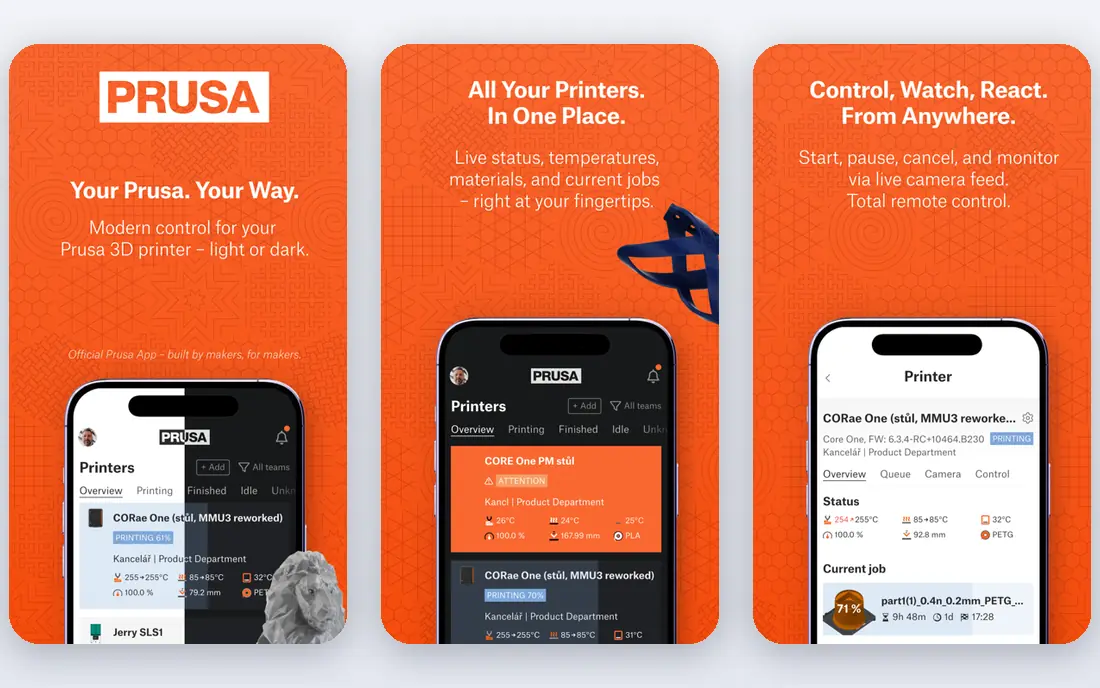
PrusaSlicer is the steady choice in this list. It comes from Prusa Research, it is free and open source, and it is known for reliable output rather than flashy features. Its organic supports branch like tree limbs and touch the model in fewer places, which makes them easier to remove on complex shapes. Variable layer height and paint-on supports give careful users real control without a paid license.
The trade is polish. The interface looks plain next to Bambu Studio, and owners of non-Prusa printers may need to tune a profile before results match a brand-matched slicer. For Prusa owners, this is the obvious pick. For everyone else, it is still one of the best free 3D slicer software options, and a good second slicer to compare against your first choice.
- Free and open source
- Stable and predictable output
- Strong organic supports
- Plainer interface than newer rivals
- Profiles for other brands need setup
If you own a Bambu Lab printer, Bambu Studio is hard to beat. It handles multi-color printing with the Automatic Material System in a clear way, it shows print progress and camera views in the same app, and it connects to a large library of ready models. Sending a print from the slicer to the machine feels direct, with fewer export and transfer steps than a generic slicer.
The limit is scope. Bambu Studio works best with Bambu Lab machines, and owners of other brands will get more from OrcaSlicer or PrusaSlicer. Some cloud features also assume an account, which privacy-minded users may dislike. For Bambu owners, though, this is our pick for most people, and it costs nothing to use.
- Free
- Smooth multi-color workflow with AMS
- Built-in model library and printer control
- Built around Bambu Lab hardware first
- Some features assume a Bambu account
OrcaSlicer grew from the same base as Bambu Studio, then widened its focus to many printers, including Klipper-based machines. Its standout feature is calibration: built-in tests for flow rate, temperature, pressure advance, and retraction walk you through tuning instead of leaving you to guess values from forum posts. That alone makes it a favorite among users who print functional parts and want repeatable results.
Beginners may find the screen busy, since OrcaSlicer shows more controls up front than Cura in recommended mode. Give it a weekend and a calibration print or two, and the layout starts to make sense. If you run a Klipper printer, or you like to tune, this is the best 3D slicing software for your setup, and it is free.
- Free and open source
- Excellent built-in calibration tests
- Broad printer support
- Many settings visible at once
- Less hand-holding for total beginners
Simplify3D is the paid exception here, at $199 for a one-time license. Its long-standing strength is support control: you can place, edit, and remove supports by hand with precision, which matters for tricky models where automatic supports fail. Print farms and professionals who need a stable, supported product and a single vendor to call may value that enough to pay.
For most home users, the free slicers have closed the gap, and $199 is hard to justify when OrcaSlicer and PrusaSlicer cost nothing. Buy Simplify3D only if you have tried the free options and found a specific gap, such as support editing, that it fills. Otherwise, keep your money and spend it on filament.
- Fine manual support control
- One-time license rather than a subscription
- Long track record
- Paid while strong rivals are free
- Interface feels dated next to newer slicers
Lychee Slicer is a resin-first slicer, so FDM owners can skip it. For resin printers, it offers a clear workflow: import a model, orient it, add supports, hollow it, and export. The support tools are a highlight, with automatic generation plus manual edits for islands and delicate parts. A built-in model library adds convenience for users who want ready prints.
The free tier covers the basics, but several useful features require Pro, so check the current Pro price on the vendor site before you plan around it. If you print resin models often, Lychee is worth trying next to CHITUBOX, since the two feel quite different in daily use. Pick the one whose support workflow you trust more.
- Free tier available
- Friendly resin workflow
- Good support editing tools
- Best features sit behind the paid Pro tier
- FDM users should look elsewhere
CHITUBOX is the resin slicer many owners meet first, because it ships with or is recommended for a wide range of MSLA printers. It covers the resin basics well: orientation, supports, hollowing, drainage holes, and export to common resin formats. Broad printer support means most resin machines have a ready profile, which saves setup time.
The free version is deliberately limited in places, and heavier users may need CHITUBOX Pro, so confirm the current plan details on the vendor site. The interface also takes a short while to learn if you come from FDM slicing. Even so, for resin owners, CHITUBOX remains a standard choice, and trying it costs nothing.
- Free tier available
- Ships with many resin printers
- Wide printer support
- Free version limits some features
- Pro pricing varies by plan
ideaMaker comes from Raise3D, and it is free for general use. Its interface is calmer than most slicers, with settings grouped in a way that suits functional prints and repeated jobs. Users who like a tidy workspace and clear previews often stay with it after trying busier alternatives. It also handles multi-extruder setups in a straightforward way.
The smaller community is the main drawback. You will find fewer tutorials and fewer ready profiles for less common printers than you will for Cura or PrusaSlicer. If you own a Raise3D printer, ideaMaker is the natural first try. For other printers, it is a quiet, capable free option worth an evening of testing.
- Free
- Clean interface
- Good for Raise3D and other FDM printers
- Smaller community than Cura or PrusaSlicer
- Fewer ready profiles for some brands
Creality Print is Creality's own slicer, and it exists to remove setup friction for Creality owners. Profiles for current Creality models are built in, so a new owner can slice and print with less guesswork about temperatures and speeds. The layout is simple, which suits beginners and classrooms using Creality machines.
Owners of other brands should not choose it as a general slicer, since its strength is brand-matched profiles rather than broad support. Advanced tuners may also miss OrcaSlicer's calibration tests. For Creality owners, though, start here, learn the basics, and only move to OrcaSlicer or Cura when you want deeper control.
- Free
- Tuned profiles for Creality printers
- Simple setup for beginners
- Narrow focus on Creality machines
- Fewer advanced tuning tools than OrcaSlicer
How we picked these
We compared official feature pages, pricing pages, and printer support lists, plus public user feedback, for slicers that are live and maintained in October 2026. We kept only tools that truly slice models for printing, rather than modeling tools or printer control apps, and we favored tools with clear printer profiles and current downloads. Prices shown are from vendor pages or, where a vendor does not publish a simple price, we describe the tier as paid and direct readers to the vendor site.
What to check before you pick a slicer
Match the slicer to your printer first, then to your material. FDM and resin slicing are different jobs, and a great FDM slicer will not help a resin printer at all. Check that your exact printer model has a profile, or that you are willing to build one, before you commit to a workflow.
Next, think about supports and calibration. If you print miniatures or complex shapes, support control matters more than a pretty interface. If you print functional parts, calibration tests and repeatable profiles matter more. Try two free slicers on the same model, compare print time, support placement, and the preview, and keep the one that gives you fewer failed prints. Paid software only earns its price when it fixes a problem the free tools do not.
Frequently asked questions
What is the best 3D slicer software for beginners?
Cura in recommended mode is a good first choice for most beginners, and Bambu Studio is the easiest path for Bambu Lab owners. Both are free, both hide advanced settings until you need them, and both have strong guides. Start with one, print a few simple models, and only move to a tuner-focused slicer when you hit a limit.
Is the best 3D slicing software free?
Yes, for most users. Cura, PrusaSlicer, Bambu Studio, and OrcaSlicer are all free, and they cover the large majority of FDM printing needs. Paid slicers still exist, but they now compete on support control and support services rather than basic slicing quality. Resin slicers also offer free tiers, with paid tiers adding advanced features.
Which slicer is best for resin printing?
Lychee Slicer and CHITUBOX are the two main resin choices, and the right one depends on your printer and your support habits. Both offer free tiers, support editing, and hollowing tools. Check which one lists your exact printer model, then test support generation on a model with overhangs before you settle.
Can I use one slicer for different printer brands?
Often yes, but results vary. Cura, PrusaSlicer, and OrcaSlicer support many brands, while Bambu Studio and Creality Print focus on their own machines. A generic slicer may need profile tuning for a new brand, so keep the brand slicer installed as a reference until your generic profile prints well.
Do I need a paid slicer for good prints?
No. Print quality depends far more on calibration, filament or resin choice, and model orientation than on whether the slicer cost money. Paid software can help with specific tasks, such as manual support editing at scale, but most home users will get excellent results from free tools.
Sources
See where you really rank - block by block
ProMapRanker scans Google Maps across a grid of your service area. Simple monthly plans from $19, white-label on every plan.
Start freeKeep reading
 zscaler alternatives
Best Zscaler Alternatives in 2026
Looking for zscaler alternatives? We compare 9 SASE and zero trust platforms on architecture, data protection, pricing, and fit for your network and team.
Read → zapier alternatives free
Best Zapier Alternatives Free in 2026
Nine automation tools for zapier alternatives free in 2026, all with genuinely free tiers, plus free plan limits, starting prices and upgrade paths explained.
Read → which platform is best for online reputation
Which Platform Is Best for Online Reputation in 2026
Wondering which platform is best for online reputation? We compare 8 review, listing, and response tools for small and multi-location businesses and agencies.
Read →