 ProMapRanker
Best Sleep Apnea Apps in 2026

Key takeaways
- No phone app diagnoses sleep apnea, so treat every app here as a tracking and screening aid, not a medical test.
- SnoreLab and SnoreClock are the most focused choices if snoring is the main thing you want to record and review.
- Sleep Cycle, SleepScore, and Pillow suit people who want broader sleep tracking, trends, and a morning alarm in one place.
- MyAir by ResMed is different from the rest because it is built for people who already use ResMed therapy equipment.
- If loud snoring, pauses in breathing, morning headaches, or daytime sleepiness show up often, see a clinician rather than relying on an app score.
Quick comparison
| Pick | Great for | Pricing starts at | Free tier | |
|---|---|---|---|---|
 SnoreLab | Recording and scoring snoring | Free | Yes | Visit |
 Sleep Cycle | Phone-only sleep tracking and smart alarm | $39.99 per year | Yes | Visit |
 SleepScore | Sonar sleep tracking without a wearable | See website | Yes | Visit |
 Pillow | Apple Health sleep tracking | $49.99 per year | Yes | Visit |
 Sleep as Android | Deep Android sleep tracking options | See website | Yes | Visit |
 SnoreClock | Simple overnight snore graphs | See website | Yes | Visit |
 myAir by ResMed | ResMed therapy users | Free | Yes | Visit |
 SleepWatch | Apple Watch sleep tracking | See website | Yes | Visit |
 ShutEye | Snore recording plus sleep sounds | See website | Free trial | Visit |
The best sleep apnea apps
These apps help you notice patterns, record snoring, and gather notes to share with a clinician. They do not replace a sleep study, and none of them diagnoses sleep apnea.
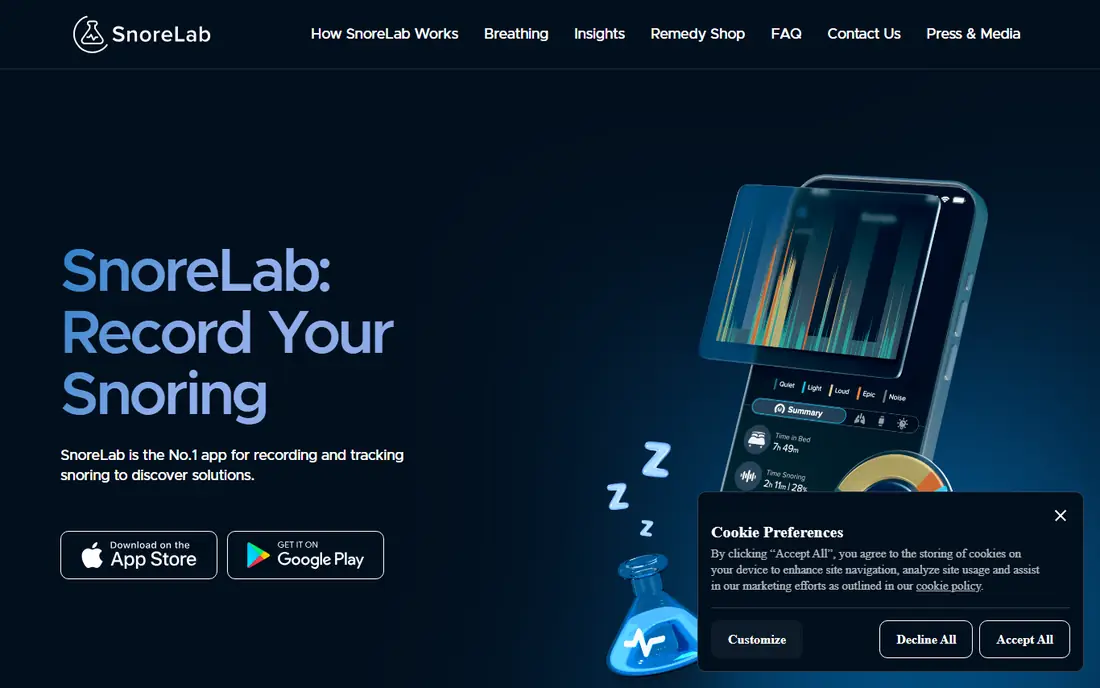
SnoreLab is the most direct fit for people whose main question is how much they snore. You place your phone near the bed, record overnight, and review a score, a graph, and short audio samples in the morning. That record can be useful when you want to check if a change, such as sleeping on your side, seems linked to quieter nights. The app also includes information about common snoring remedies, which is helpful background reading, though it is not personal medical advice.
The honest catch is that a snore score is not a diagnosis. SnoreLab itself states that it is not a medical device and is not intended to diagnose or treat sleep apnea or any other condition. Background noise, a partner snoring, or a phone placed too far away can all change the result. Use it to spot a pattern and to prepare questions for a clinician, not to rule a problem in or out.
- Clear snore score and nightly recordings
- Simple setup on a phone by the bed
- Trend views over days and weeks
- Full history and extra features need a paid plan
- Phone placement and room noise can affect results
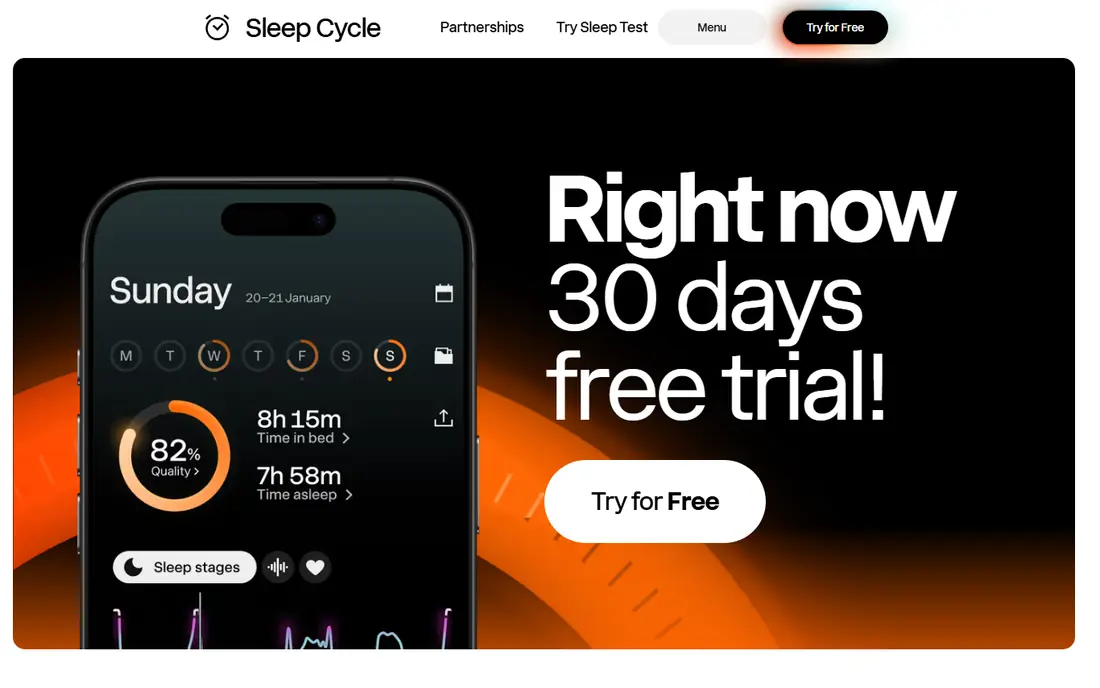
Sleep Cycle uses your phone microphone and motion sensing to estimate sleep timing, snoring, and sleep quality over time. For many people, the appeal is that no watch or extra device is needed, and the morning report is easy to read at a glance. The smart alarm, which tries to wake you during a lighter phase of sleep within a window you choose, is the feature most regular users mention first.
For sleep apnea concerns, Sleep Cycle works best as a general screening diary. It can show that snoring is frequent, that sleep looks broken, or that you wake often, and those notes are worth taking to a doctor. It cannot measure blood oxygen or breathing pauses with the accuracy of a sleep study, so a calm-looking chart should not reassure you if symptoms point the other way.
- Long track record as a phone sleep tracker
- Smart alarm aims to wake you in lighter sleep
- Snore detection is included in Premium
- The most useful tracking features sit behind Premium
- Phone-based sleep stages are estimates, not clinical measurements
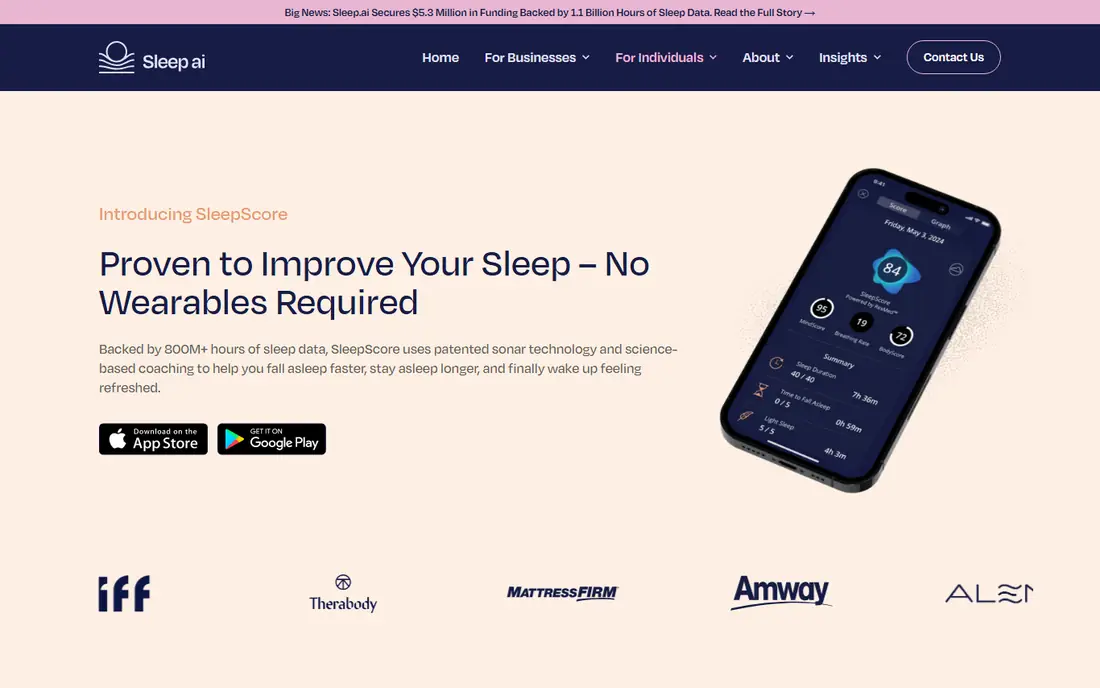
SleepScore tracks sleep using sonar from your phone, so you do not need to wear anything overnight. It gives a nightly sleep score, shows trends, and links sleep patterns to daytime habits such as exercise. The app also offers validated screeners when signs of a more serious sleep disorder appear, plus a 30-day report you can download and share with a clinician, which is a practical feature for a first appointment.
The limits matter here too. A sleep score is a summary of estimated sleep, not a breathing measurement, and the app does not diagnose sleep apnea. If the screener flags a concern, that is a prompt to seek clinical testing, not a final answer. Check the current subscription price on the vendor site before you commit, since monthly and yearly options are both offered.
- Contactless sonar tracking from a phone
- Weekly reports and lifestyle correlations
- Validated screeners can be shared with a doctor
- Advanced features need a subscription
- Tracking is not validated on every older phone model
Pillow suits iPhone and Apple Watch owners who already use Apple Health and want sleep data in one tidy place. It combines automatic tracking from a watch with manual phone tracking, and it presents sleep stages, heart rate trends, and audio events in a readable timeline. For someone tracking possible apnea symptoms, the ability to look back over weeks and spot repeated broken nights is more useful than any single night.
Pillow does not diagnose sleep apnea, and its sleep stages remain estimates based on movement and heart rate signals. The free version gives a useful taste of the tracking, while Premium opens the deeper analysis and longer history. If you do not use Apple devices, this is not the right pick, since the app is built around that system.
- Strong Apple Health and Apple Watch integration
- Detailed sleep stage and trend views
- Audio recording options for snoring and sleep talking
- Built for Apple devices, not Android
- Premium is needed for the full analysis
Sleep as Android is the choice for Android users who like control. It offers contactless sonar tracking, smart alarms, sleep debt views, and support for a range of wearables, so you can start with just a phone and add a device later. The app also records snoring and other night sounds, which helps if you want to check whether snoring lines up with restless nights.
The trade-off is complexity. There are many menus and toggles, and a new user can spend a while finding the right setup. That depth is a strength once you know what you want, but it is not the simplest first app. As with every app here, the results are estimates for personal tracking, and they do not diagnose sleep apnea or replace clinical testing.
- Very flexible tracking, alarms, and sonar options
- Works with many wearables and sensors
- One-time license option in addition to trial use
- Android only
- The range of settings can feel busy for a first-time user
SnoreClock keeps the job small, and that is its strength. You press a button at bedtime, and in the morning you see a graph of volume over the night, with red bars marking moments the app judged to be snoring. You can tap any part of the graph to listen to that moment, which makes it easy to tell a snore from talking, coughing, or a noisy room.
Because it is so focused, SnoreClock does not try to coach your sleep or estimate sleep stages in detail. It also is not a medical device, and its accuracy falls off when snoring is very loud and constant. For a quick, low-cost check on whether snoring is happening and when, it is one of the easiest tools on this list, and the graph is simple to show a clinician.
- Very simple one-button recording
- Clear graph with red bars for likely snoring
- Up to 11 hours of recording per night
- Focused on snoring only, with no broad sleep coaching
- Pricing differs between app stores
MyAir belongs in a different category from the phone trackers above. It is a companion app for people who already have ResMed sleep therapy equipment, and it shows therapy usage, mask seal, and a nightly score based on that equipment data. That makes it genuinely useful after a diagnosis, when the question shifts from whether there is a problem to whether therapy is working night by night.
It is not a starting point for someone who has not been assessed. If you do not use ResMed equipment, this app will not help you, and you should look at the general trackers instead. For existing therapy users, though, the free app and its simple daily score make it easy to spot a run of poor nights and raise it with a sleep clinic.
- Free companion app for ResMed devices
- Nightly therapy score and usage data
- Coaching tips tied to your own therapy data
- Only useful if you use compatible ResMed equipment
- It does not screen or diagnose sleep apnea on its own
SleepWatch is built around the idea that you should not have to start tracking each night by hand. If you wear an Apple Watch to bed, it records sleep automatically and presents a score, sleep stages, and heart rate patterns in the morning. Over weeks, that automatic record can show whether sleep looks consistently short or broken, which is useful background for a clinician visit.
The app does not diagnose sleep apnea, and watch-based estimates are not a substitute for a sleep study. Its value is convenience and consistency, since you are more likely to keep a complete record when you do not need to remember to press start. Check the current plan details on the vendor site, since the free tier covers basic tracking and Premium adds deeper analysis.
- Automatic tracking from an Apple Watch
- Sleep score, heart rate, and trend views
- Useful for people who already wear a watch to bed
- Apple Watch required for the best results
- Full features need a paid plan
ShutEye is best known for helping people fall asleep, with sounds, stories, and a calming bedtime routine, but it also records snoring and sleep talking overnight. That combination suits someone whose main problem is restless nights and who also wants a basic snore record to review. The morning report is easy to read, and the sound library is genuinely broad.
For sleep apnea questions, ShutEye is a secondary tool rather than a primary one. Its snore recording can flag a pattern worth discussing with a clinician, but it does not measure breathing or oxygen, and it does not diagnose any condition. If falling asleep is your main struggle, it earns its place; if suspected apnea is the concern, pair any findings here with a clinical assessment.
- Snore and sleep talk recording alongside sleep tracking
- Large library of sleep sounds and stories
- Simple nightly routine
- Core value is falling asleep, not apnea screening
- Full access needs a paid plan after the trial
How we picked these
We compared official feature pages, app store listings, pricing pages, and public documentation for apps that record snoring, track sleep, or support therapy users. We kept only apps that exist and work in October 2026 and that fit the topic directly, and we left out general wellness apps with no snoring or sleep tracking function. Prices shown are from vendor or app store listings we checked, and where a price varies by store or plan, we wrote See website rather than guessing.
What to look for before you choose
Start with the question you actually need answered. If snoring is the worry, a focused recorder such as SnoreLab or SnoreClock gives a clearer record than a broad sleep coach. If you want a full nightly picture, a tracker such as Sleep Cycle, SleepScore, or Pillow gives trends and alarms in one place. If you already use therapy equipment, the companion app for that equipment matters more than any general tracker.
Check privacy before you record audio
Overnight audio is sensitive. Before you use any snore recorder, check where recordings are stored, whether they leave your phone, and how to delete them. An app that processes audio on your device or keeps recordings in your own account is a safer default than one that is vague about storage. Turn off sharing features you do not need, and delete old recordings once you have the notes you need.
Use the record at a doctor visit
Bring a short summary, not a pile of charts. Note how often snoring appears, whether you wake gasping or with headaches, how sleepy you feel during the day, and whether a partner has noticed pauses in your breathing. A clinician can order a home sleep test or an in-lab study, which measures breathing and oxygen directly. That test, not an app score, is what leads to a diagnosis and a treatment plan.
Frequently asked questions
What is the best sleep apnea app?
There is no single best sleep apnea app for everyone, because no app diagnoses the condition. SnoreLab and SnoreClock are strong for snoring records, Sleep Cycle and SleepScore suit broader sleep tracking, and myAir suits people already using ResMed therapy equipment. Pick based on the record you need, then share it with a clinician if symptoms persist.
Can an app detect sleep apnea?
An app can flag patterns that look like disrupted sleep or frequent snoring, but it cannot detect or diagnose sleep apnea on its own. Phone microphones and watches estimate sleep from sound and movement, while a clinical test measures breathing, oxygen, and brain activity directly. Treat app results as a prompt to seek testing, not as a result.
What are the best sleep apnea apps for snoring?
SnoreLab and SnoreClock are the most focused snoring apps on this list, since recording and graphing snoring is their main job. Sleep Cycle, Pillow, and ShutEye also record snoring as part of broader sleep tracking. A clear snore graph is useful evidence for a clinician, but it still needs clinical testing to confirm what is causing the snoring.
What is the best app to detect sleep apnea symptoms?
SleepScore and Sleep Cycle are useful for noticing symptoms such as broken sleep and frequent snoring over time, and SleepScore offers screeners that can be shared with a doctor. No app should be used as a detection tool in a medical sense. If you notice pauses in breathing, gasping at night, or strong daytime sleepiness, book a clinical assessment.
Are sleep apnea apps free?
Most apps on this list offer a free tier or a free trial, with paid plans for full history, deeper analysis, or extra features. SnoreLab, Sleep Cycle, SleepScore, Pillow, Sleep as Android, and SnoreClock can all be tried without paying first. Check the app store listing for the current price, since plans and prices change.
Sources
See where you really rank - block by block
ProMapRanker scans Google Maps across a grid of your service area. Simple monthly plans from $19, white-label on every plan.
Start freeKeep reading
 zscaler alternatives
Best Zscaler Alternatives in 2026
Looking for zscaler alternatives? We compare 9 SASE and zero trust platforms on architecture, data protection, pricing, and fit for your network and team.
Read → zapier alternatives free
Best Zapier Alternatives Free in 2026
Nine automation tools for zapier alternatives free in 2026, all with genuinely free tiers, plus free plan limits, starting prices and upgrade paths explained.
Read → which platform is best for online reputation
Which Platform Is Best for Online Reputation in 2026
Wondering which platform is best for online reputation? We compare 8 review, listing, and response tools for small and multi-location businesses and agencies.
Read →