 ProMapRanker
Best Slack Apps in 2026: 9 Apps Compared


Teams that keep files in Google Drive · Pricing starts at: Free
Key takeaways
- Google Drive, Zoom, Trello and Asana remove the most app switching for everyday teams.
- GitHub and Jira keep code and issue updates visible in the channels where work is discussed.
- Polly and Geekbot suit quick feedback and async standups without extra meetings.
- Donut helps remote teams with intros, but its paid plans start high for small teams.
- Start with one or two apps that fix a repeated daily task, then add more only when the need is clear.
Quick comparison
| Pick | Great for | Pricing starts at | Free tier | |
|---|---|---|---|---|
| Google Drive for Slack | Teams that keep files in Google Drive | Free | Yes | Visit |
 Zoom for Slack | Teams that meet on Zoom from Slack channels | Free | Yes | Visit |
 Trello for Slack | Small teams that track work on Trello boards | Free | Yes | Visit |
 Asana for Slack | Teams that turn Slack requests into tracked tasks | Free | Yes | Visit |
 GitHub for Slack | Development teams that want code alerts in Slack | Free | Yes | Visit |
 Jira Cloud for Slack | Software teams that track issues in Jira | Free | Yes | Visit |
 Polly | Teams that run quick polls and pulse checks | $19 per month | Yes | Visit |
 Donut | Remote teams that want intros and recognition | $89 per month | Yes | Visit |
 Geekbot | Distributed teams that run async standups | $3 per participant per month | Yes | Visit |
The best Slack apps
We compared official pricing, free tiers and core features for each option below. Start with the best fit for your main job, then check limits before you pay.
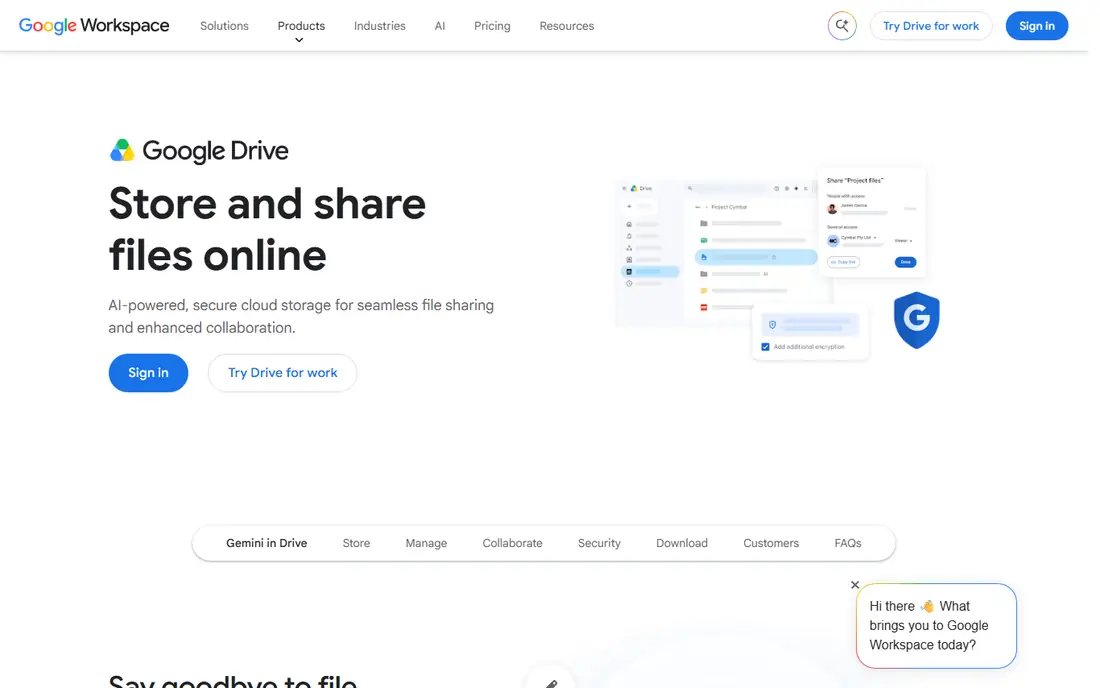
Google Drive for Slack stands out for teams that keep files in google drive. It gives a clear route into Slack work without forcing a full platform change on day one.
We compared its official pricing and feature pages with the other options in this list. The value case is strongest when you use its main strengths often and accept its limits. Check the current plan page before you buy, because tiers and credit rules change. A short trial or free tier, where offered, is the safest way to confirm fit.
- Share and preview Drive files without leaving Slack
- Control access from the message thread
- Familiar Google sharing
- Needs a Google account and Drive access
- File permissions still need care

For teams that meet on zoom from slack channels, Zoom for Slack is a practical place to start. The core tools cover the daily job, and the limits show up mainly as you scale.
Our check focused on official pricing, free tiers and the features that matter most for this topic. Zoom for Slack is not the cheapest choice in every case, and it is not the most complete either. Its appeal is the balance it strikes for a defined group of users. Read the plan limits and any credit or contact caps before you commit.
- Start or join Zoom meetings from Slack
- Meeting links stay with the discussion
- Calendar links help planning
- Full Zoom features depend on the Zoom plan
- Free Zoom meetings have time limits

Trello for Slack earns its place here for small teams that track work on trello boards. The setup is direct, and the main question is how well its limits fit your volume.
We looked at what Trello for Slack includes at its starting price and what sits behind higher tiers. That gap matters more than the headline price. If your main need is already included, the value is strong. If you need the higher tier features, compare the full cost across two or three rivals before you sign up.
- Create and update Trello cards from Slack
- Board updates land in channels
- Simple setup
- Needs a Trello account
- Heavy projects may need Trello paid plans
If teams that turn slack requests into tracked tasks is the priority, Asana for Slack deserves a close look. It handles the central tasks well, with a few trade offs to weigh.
The honest catch is the limit set out below. It does not make Asana for Slack a poor choice, but it does set the boundary for who should pick it. Small teams with a clear use case tend to get the most from it. Larger teams should test volume, permissions and support before rolling it out widely.
- Create Asana tasks from messages
- Task updates appear in Slack
- Keeps requests visible
- Needs an Asana account
- Advanced Asana features need paid plans
GitHub for Slack stands out for development teams that want code alerts in slack. It gives a clear route into Slack work without forcing a full platform change on day one.
We compared its official pricing and feature pages with the other options in this list. The value case is strongest when you use its main strengths often and accept its limits. Check the current plan page before you buy, because tiers and credit rules change. A short trial or free tier, where offered, is the safest way to confirm fit.
- Pull request and issue alerts in channels
- Subscribe to repos from Slack
- Keeps code discussion close to chat
- Needs a GitHub account and repo access
- Alert volume needs tuning
For software teams that track issues in jira, Jira Cloud for Slack is a practical place to start. The core tools cover the daily job, and the limits show up mainly as you scale.
Our check focused on official pricing, free tiers and the features that matter most for this topic. Jira Cloud for Slack is not the cheapest choice in every case, and it is not the most complete either. Its appeal is the balance it strikes for a defined group of users. Read the plan limits and any credit or contact caps before you commit.
- Jira issue updates in Slack
- Create issues from messages
- Keeps blockers visible
- Needs a Jira account
- Jira itself can feel complex for small teams
Polly earns its place here for teams that run quick polls and pulse checks. The setup is direct, and the main question is how well its limits fit your volume.
We looked at what Polly includes at its starting price and what sits behind higher tiers. That gap matters more than the headline price. If your main need is already included, the value is strong. If you need the higher tier features, compare the full cost across two or three rivals before you sign up.
- Fast polls inside Slack
- Pulse surveys and Q and A
- Results appear in the channel
- Paid plans are per licence
- Advanced reporting needs higher plans
If remote teams that want intros and recognition is the priority, Donut deserves a close look. It handles the central tasks well, with a few trade offs to weigh.
The honest catch is the limit set out below. It does not make Donut a poor choice, but it does set the boundary for who should pick it. Small teams with a clear use case tend to get the most from it. Larger teams should test volume, permissions and support before rolling it out widely.
- Pairs people for intros
- Onboarding and celebration flows
- Helps remote teams stay connected
- Paid plans start high for small teams
- Value depends on regular participation
Geekbot stands out for distributed teams that run async standups. It gives a clear route into Slack work without forcing a full platform change on day one.
We compared its official pricing and feature pages with the other options in this list. The value case is strongest when you use its main strengths often and accept its limits. Check the current plan page before you buy, because tiers and credit rules change. A short trial or free tier, where offered, is the safest way to confirm fit.
- Async standups inside Slack
- Reports summarise answers
- Works across time zones
- Per participant pricing adds up for large teams
- Standups need team discipline
How we picked these
We compared official feature pages, pricing pages and app store listings, and we checked that each product exists and fits the topic in October 2026. We favoured products with clear pricing, a usable free tier or trial where stated, and features that match the main job in the title. We left out products that did not fit, products with unclear availability, and any product we could not tie to an official homepage. Prices change, so confirm the live pricing page before you buy.
Choosing the right option
Start with the job you will do most often, not the longest feature list. Write down your list size or volume, the tools you already use, and the one feature you cannot do without. Then test two options on a free plan or trial with real data. Check three limits before you pay: the contact, credit or seat cap, what sits behind a higher tier, and how the price moves when you grow. Ask about support hours and cancellation terms too. The best choice is usually the tool that covers your main job at a price you can keep paying, rather than the tool with the most features you may never use.
Frequently asked questions
What are the best Slack apps?
Google Drive for Slack, Zoom for Slack, Trello, Asana, GitHub, Jira Cloud, Polly, Donut and Geekbot cover files, meetings, tasks, code and team culture. The best set depends on the tools your team already uses.
What are the best free Slack apps?
Google Drive, Zoom, Trello, Asana, GitHub and Jira offer free Slack apps, though the connected service may need a paid plan for advanced features. Polly, Donut and Geekbot also offer free tiers with limits.
How do I add an app to Slack?
Open the Slack App Directory, find the app, and follow the install steps for your workspace. Some workspaces need admin approval, and you may need an account with the connected service.
Do Slack apps need paid plans?
Some Slack apps are free to install, but features depend on the connected service plan. Check both the Slack app terms and the service pricing before you roll an app out to a full team.
How many Slack apps should a team install?
Start small. Install apps that fix repeated tasks, such as file sharing or task creation, and remove apps that create noise or duplicate alerts. Review installed apps every few months.
Sources
See where you really rank - block by block
ProMapRanker scans Google Maps across a grid of your service area. Simple monthly plans from $19, white-label on every plan.
Start freeKeep reading
 zscaler alternatives
Best Zscaler Alternatives in 2026
Looking for zscaler alternatives? We compare 9 SASE and zero trust platforms on architecture, data protection, pricing, and fit for your network and team.
Read → zapier alternatives free
Best Zapier Alternatives Free in 2026
Nine automation tools for zapier alternatives free in 2026, all with genuinely free tiers, plus free plan limits, starting prices and upgrade paths explained.
Read → which platform is best for online reputation
Which Platform Is Best for Online Reputation in 2026
Wondering which platform is best for online reputation? We compare 8 review, listing, and response tools for small and multi-location businesses and agencies.
Read →