 ProMapRanker
Best Skills Matrix Software in 2026

Key takeaways
- A good skills matrix shows gaps by role and team at a glance, not just a long list of individual skills.
- Certification and expiry tracking is the feature that saves regulated teams the most time.
- Small teams should favour simple, visual tools, while large firms need governance, reporting and HR system links.
- Pricing varies widely, from a few euros per user to enterprise quotes, so price at your real headcount.
Quick comparison
| Pick | Great for | Pricing starts at | Free tier | |
|---|---|---|---|---|
 AG5 | Replacing spreadsheet skill matrices | See website | No | Visit |
 Skills Base | Teams that want a proven assessment approach | See website | Free trial | Visit |
 MuchSkills | Visual team skill maps | €5 per user per month | No | Visit |
 TalentGuard | Enterprises that need skills-based talent data | See website | Free trial | Visit |
 iMocha | Skills assessment plus matrix views | See website | No | Visit |
 Pluralsight Skills | Tech teams mapping technology skills | See website | Free trial | Visit |
 Degreed | Learning and skills data in one place | See website | No | Visit |
 Kahuna Workforce | Frontline and operations skills tracking | See website | No | Visit |
 Workday | Large firms with Workday already in place | See website | No | Visit |
The best skills matrix software
We compared official feature pages, pricing pages and product descriptions for tools that map skills, assess levels, show gaps and track development. The nine tools below range from simple visual maps to enterprise talent platforms.
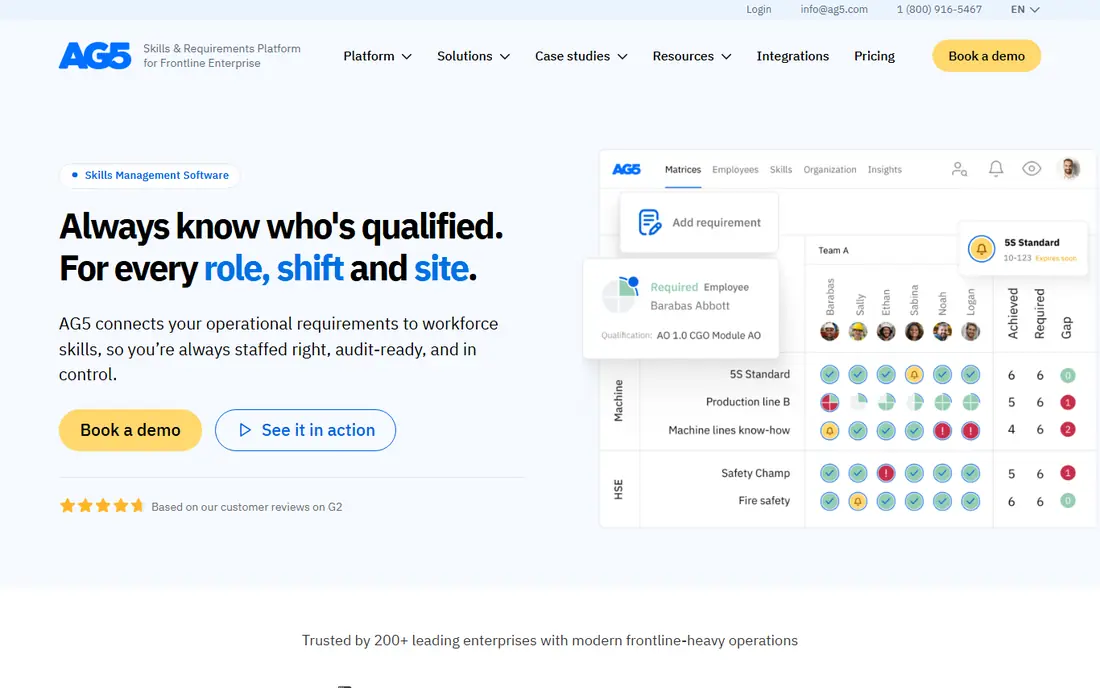
AG5 is built to replace the spreadsheets that most firms use for skills matrices. Skills, certifications, training records and role requirements live in one cloud system, with permissions that control who can view or edit each record. Managers can see, for a team or a site, who holds a skill, who is in training and where a gap leaves a shift uncovered.
That structure helps most in audits and planning. Instead of hunting through files, a manager can pull a matrix for a role, a department or a site and show evidence for each claim. The catch is data quality. AG5 will only be as good as the role definitions and skill levels you load into it, so plan time to agree those before rollout. For firms moving off spreadsheets, it is a clear and focused step up.
- Central skills repository for teams and sites
- Clear role requirements
- Audit-ready records
- Pricing is quote-based
- Setup needs clean role and skill data first
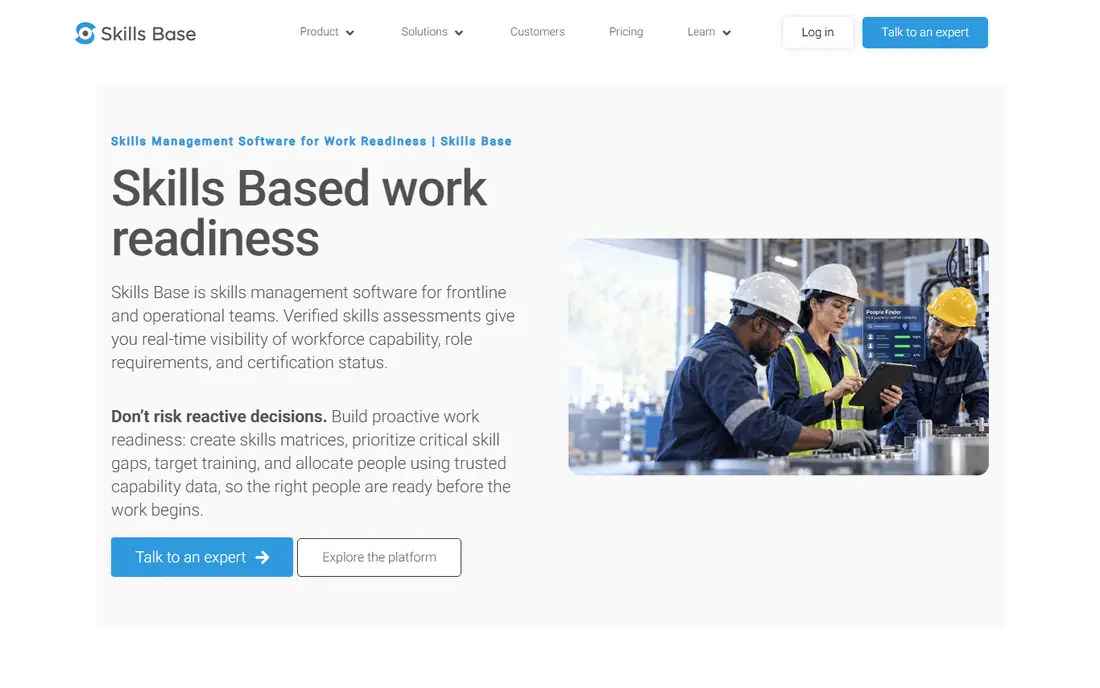
Skills Base offers a scalable skills management platform built around a central inventory and a structured way to measure competency. Teams can record skills, assess levels, compare people against role requirements and report gaps across the organisation. That method matters, because a matrix filled with self-rated guesses is not useful for staffing or training decisions.
Reporting is a strength here. Managers can see gaps by team, role or skill, and use that view to plan training or hiring. The platform suits firms of many sizes, from a single team to a large company. The limits are pricing opacity and scope: it tracks and plans skills well, but it does not replace a learning system for delivering courses. Pair it with your existing training tools for the full loop.
- Structured skills assessment method
- Central skills inventory
- Clear gap reporting
- Pricing is not published
- Training delivery needs a separate learning tool
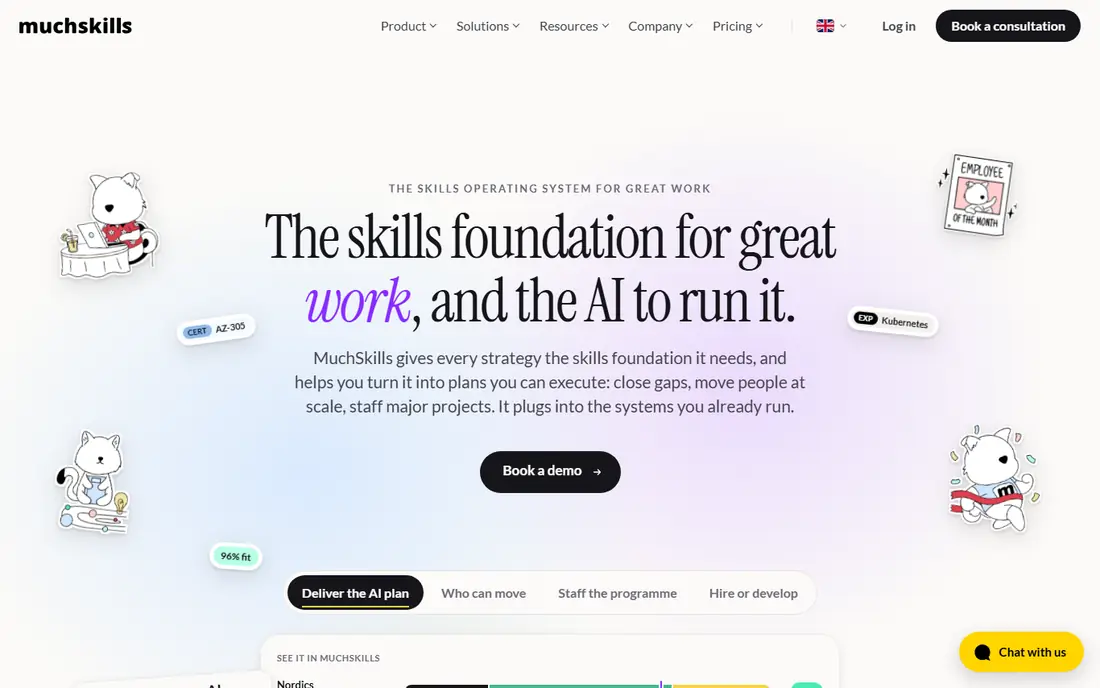
MuchSkills is the most visual tool in this list. Skills appear as maps and matrices that a manager can read in seconds, with team builder tools to match people to projects by skill. Certification tracking sits alongside skills, so expiry dates do not get lost in a separate file. For team leads who need to staff a project or spot a single point of failure, that visual clarity is a real advantage.
Pricing is simple for teams up to 100 members, at €5 per user per month, which makes budgeting easy for small and mid-size teams. US buyers should convert that price and check tax handling before comparing totals. MuchSkills is less deep on enterprise HR workflows than the big talent platforms, but for teams that want a matrix people actually look at, it is a strong pick.
- Clear, visual skill matrices
- Team builder for staffing
- Certification tracking
- Euro pricing needs conversion for US buyers
- Less enterprise HR depth than TalentGuard or Workday
TalentGuard is a talent management suite with skills at its centre. Role-based analysis shows which skills each role needs, how staff compare and where development should focus. Career pathing, succession planning, performance tracking and certification tracking build on that same skills data, so one record feeds many decisions. That breadth suits mid-size and large firms in regulated or skills-driven industries.
The trade is scale and effort. TalentGuard is priced for enterprises, with quote-based deals, and setup takes time to configure roles, frameworks and workflows. Small teams will find it heavy. For a large firm that needs defensible skills data for hiring, promotion and succession, its depth and governance are the reason to choose it over a simpler matrix tool.
- Role-based skill analysis
- Career pathing and succession planning
- Certification tracking
- Enterprise pricing and setup effort
- Can feel complex for small teams
iMocha is a skills intelligence platform that pairs assessment with matrix views. Firms can define skill requirements, test or assess current levels, visualise progress and find gaps by team or role. That assessment layer helps when self-ratings are not trusted, such as in technical hiring, internal mobility or training decisions for project teams.
Integration with Jira suits agile and project-based teams that want skills data near their work. The main drawback for shoppers is pricing, which is not published, so a quote is needed. Teams that only need a static matrix may also find iMocha more than they need. Teams that need to prove skill levels, not just record them, will value the assessment depth.
- Skills assessments and benchmarking
- Gap analysis by role
- Jira integration for project teams
- Pricing is not disclosed publicly
- Assessment focus may exceed a simple matrix need
Pluralsight Skills is built for technology teams. Skill assessments measure proficiency across programming, cloud, data and security topics, and analytics show team strengths and gaps by skill area. Learning paths then link each gap to courses, so a matrix becomes a training plan rather than a static chart. That loop is why tech leads favour it over a generic matrix.
The limit is scope. It is excellent for technology skills and weaker for general operational, trade or soft skills that a full workforce matrix may need. Pricing is plan-based and varies with team size, so request a quote for your headcount. For a software, data or IT team, it is one of the most practical skills matrix choices available.
- Skill assessments for technology roles
- Learning paths tied to gaps
- Analytics for team leads
- Technology focus, not general workforce skills
- Pricing varies by plan and team size
Degreed combines learning and skills data, so a skills matrix can draw on courses completed, assessments passed and experience recorded in one profile. Managers can see skills by person and team, spot gaps and link development to learning content. Career tools help staff see which skills lead to the next role, which supports internal mobility.
Because Degreed is a larger learning experience platform, its skills matrix is one part of a wider system. That is a strength for firms that already want learning and skills together, and a drawback for firms that only want a matrix. Pricing is quote-based and aimed at larger firms. If your goal is a skills-led learning culture, Degreed fits well. If you only need a simple matrix, a smaller tool will be faster to run.
- Skills data linked to learning records
- Career and mobility tools
- Broad content links
- Enterprise pricing and setup
- Matrix views are part of a larger platform, not the whole product
Kahuna Workforce focuses on frontline, manufacturing and operations teams, where skills and competencies decide who can safely run a line or a shift. It tracks skills, competencies, training and qualifications, and shows gaps that could leave a role uncovered. Reporting helps operations managers plan staffing, training and compliance checks without spreadsheet hunts.
That frontline focus is its edge over generic HR tools, which often assume desk-based staff. Office-only teams may find its design less suited to their work, and pricing is quote-based, so buyers need a sales conversation. For plants, field operations and other frontline settings, Kahuna is a focused and practical matrix choice.
- Skills tracking for frontline and deskless staff
- Competency and training records
- Operational reporting
- Pricing is not published
- Narrower fit for office-only teams
Workday is a full human capital system, and its skills features let large firms record, analyse and report skills alongside jobs, pay, performance and learning. For a firm already running Workday, adding skills data there avoids a separate tool, a separate login and a separate data sync. Reporting and governance suit large, regulated firms that need consistent data across countries and business units.
The drawbacks are cost and effort. Workday is an enterprise purchase with implementation work, and the quality of its skills matrix depends on how well roles and skills are configured. Firms not already on Workday should not buy it for a matrix alone. Firms already on it should check its skills tools first before adding another vendor to the stack.
- Skills data inside a full HR system
- Strong reporting and governance
- Broad integration options
- Enterprise cost and implementation effort
- Matrix features depend on Workday setup
How we picked these
We compared official feature pages, pricing pages and product descriptions for tools that build a skills matrix, assess levels, show gaps and track certifications or training. We kept tools that work for a defined audience, from a single team to a large enterprise, and left out generic HR tools with no real matrix view and course libraries with no skills mapping. Pricing is shown as published where available, and as See website where the vendor prices by quote.
What to check before you buy
Start by agreeing skill levels before you buy software. A five-point scale means nothing if one manager rates generously and another rates strictly. Write short level descriptions, such as what a person at each level can do alone, and test them on a few real roles. Then check assessment method, expiry tracking and reporting. Can the tool show gaps by role, team and site, flag expiring certifications and export a matrix for an audit or a staffing meeting.
Finally, check who will keep the data fresh. A matrix dies when updates depend on one person. Pick a tool with simple update flows for managers and staff, clear ownership per team and reminders for reviews. Run a pilot with one team for a full review cycle before rolling out company-wide, and judge it on whether managers actually use the gap view to make staffing and training calls.
Frequently asked questions
What is a skills matrix?
A skills matrix is a table that maps people against the skills their role needs, with a level for each skill. It shows who can do a job today, who is in training and where a team has a gap. Good matrices also track certifications and expiry dates.
How often should a skills matrix be updated?
Review it at least once a quarter for most teams, and after any major change, such as a new project, a hire or a departure. Regulated teams should update it whenever a certification is earned or expires. Stale matrices mislead staffing decisions, so set a review owner for each team.
Can a skills matrix replace performance reviews?
No. A matrix shows capability, not performance, attitude or results. Use it alongside reviews, not instead of them. Together they give a fuller view: what a person can do, and how well they do it in real work.
What is the difference between a skills matrix and a skills inventory?
An inventory lists skills people hold. A matrix compares those skills against what each role needs, so gaps stand out. Inventories are useful, but matrices drive decisions about training, hiring and staffing.
Do small teams need skills matrix software?
Small teams can start with a spreadsheet, but software pays off when skills, certifications and gaps grow beyond one sheet. If you spend time hunting for who holds a skill or when a certificate expires, a tool like MuchSkills or Skills Base will save that time quickly.
Sources
See where you really rank - block by block
ProMapRanker scans Google Maps across a grid of your service area. Simple monthly plans from $19, white-label on every plan.
Start freeKeep reading
 zoro.to alternatives
Best Zoro.to Alternatives in 2026
We compare the best zoro.to alternatives in 2026, listing only legal licensed anime streaming services, from Crunchyroll to free options for fans today.
Read → zip alternatives
Best Zip Alternatives in 2026
We compare the best zip alternatives for buy now, pay later in 2026, covering pay-in-4 plans, fees, spending limits, and credit reporting options today.
Read → yesware alternatives
Best Yesware Alternatives in 2026
Compare the best yesware alternatives for sales email tracking, templates, and sequences, with current pricing and honest tradeoffs for small sales teams.
Read →