 ProMapRanker
Best Site Search Tools in 2026

Key takeaways
- Algolia and Elasticsearch suit teams that want strong control over ranking, while AddSearch and Klevu suit teams that want a managed service with less setup.
- Open source options such as Typesense and Meilisearch keep costs low for developers, but you must host and maintain them yourself.
- Ecommerce sites should weigh merchandising and product recommendations, not just plain text matching, before they choose.
- Free plans are useful for small sites, but search volume, record limits, and analytics retention often decide the real cost.
Quick comparison
| Pick | Great for | Pricing starts at | Free tier | |
|---|---|---|---|---|
 Algolia | Fast, developer-led site and app search | Free | Yes | Visit |
 Elasticsearch | Large, complex search projects | See website | No | Visit |
 Coveo | Enterprise sites and support content | See website | No | Visit |
 Searchspring | Ecommerce search and merchandising | $599 per month | No | Visit |
 AddSearch | Managed site search for content sites | $99 per month | Free trial | Visit |
 Typesense | Self-hosted or managed open source search | Free | Yes | Visit |
 Meilisearch | Developer-friendly open source search | Free | Yes | Visit |
 Yext | Search across websites and listings | See website | No | Visit |
 Klevu | Ecommerce product discovery | $499 per month | No | Visit |
The best site search tools
Visitors who cannot find a product, article, or answer quickly often leave. These tools bring search, filters, suggestions, and ranking controls to your site, so good content and products are easier to find.

Algolia is the pick we point to first for teams with developers on hand. It returns results as visitors type, handles misspellings well, and gives you control over ranking, synonyms, and filters through an API. That control is valuable when search is a core part of the product, not just a box on a blog.
The catch is cost planning. The free plan covers 10,000 search requests and 50,000 records per month, which suits a small site or a test project. Paid plans are usage based, so a traffic spike or a large catalog can push the bill up. Check your monthly search requests and record count before you commit, and set alerts for usage if your plan allows it.
- Very fast results
- Strong typo tolerance
- Clear API and documentation
- Usage-based pricing can rise with traffic
- Advanced AI features sit on higher plans
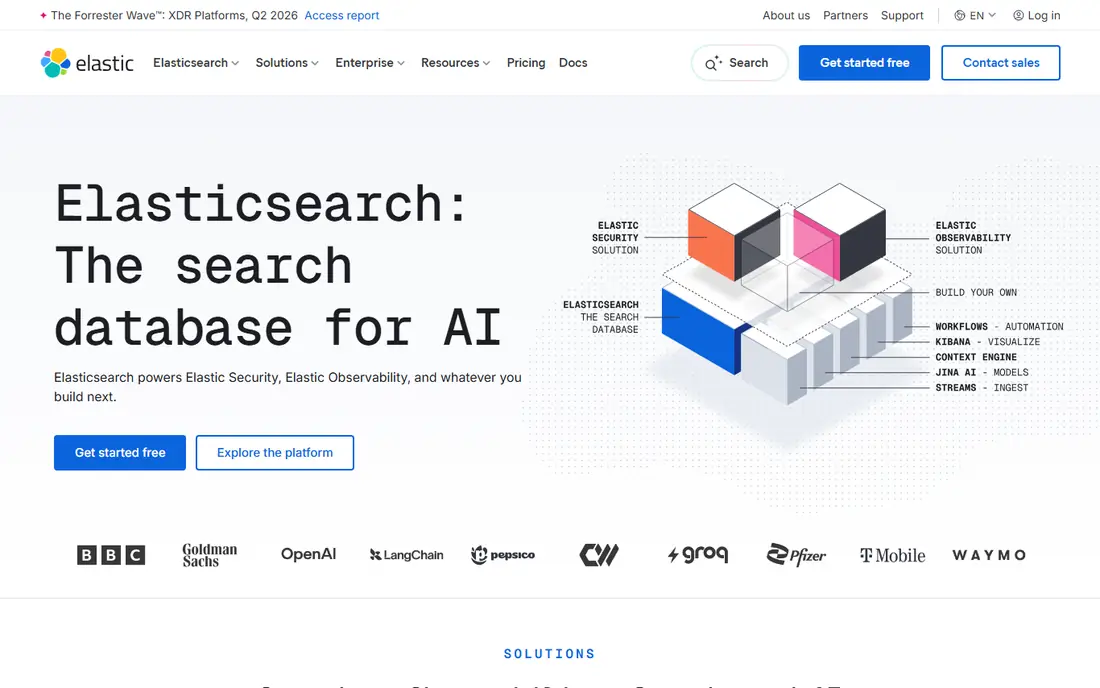
Elasticsearch, from Elastic, is a search engine that many large sites and apps build on. It supports full text search, filters, aggregations, and analytics, and it works well when you need to search across many kinds of content at once. Teams with search engineers can tune it in detail.
That flexibility is also the trade-off. Elasticsearch is not a plug-in you switch on and forget. You need to plan indexing, relevance tuning, upgrades, and hosting. Elastic Cloud removes some of that work, but you still pay for the resources you use. It is a strong choice when search volume or data complexity justifies a dedicated team.
- Highly flexible query and ranking controls
- Strong for large data sets
- Wide ecosystem
- Needs skilled setup and care
- Managed hosting costs can grow with data volume

Coveo indexes content from websites, help centers, commerce catalogs, and internal systems, then ranks results for each visitor. That makes it a good fit for large companies where customers search support articles, product pages, and documentation in one place. It also offers generative answering features that draw on indexed content.
Coveo does not publish a standard price list, so you will need a quote based on your query volume and sources. That puts it out of reach for many small sites. For an enterprise team that already manages several content systems, the unified index and permission controls can justify the sales process and the setup effort.
- Unified search across many sources
- Relevance tuning from usage
- Strong enterprise controls
- No public list price
- Implementation can be a larger project
Searchspring is built for online stores rather than general content sites. It handles product search, autocomplete, filters, and category pages, and it lets merchandisers pin products, boost items, and run campaigns. Personalized results and recommendations help shoppers find products they are more likely to buy.
The starting price, reported at $599 per month for the Essential tier, means this is a tool for stores that already sell at volume. Smaller shops may find the cost hard to justify until search drives a clear share of revenue. If your store has a large catalog and a merchandising team, the reporting and campaign controls are a real advantage over a basic search box.
- Strong ecommerce search and merchandising controls
- Product recommendations
- Detailed reporting
- High starting price for small stores
- Best value for stores with steady traffic
AddSearch is a managed site search service that crawls your site or indexes content through an API. You get autocomplete, filters, synonyms, and result management without building a search engine yourself. It also indexes documents such as PDFs, which matters for sites with guides, manuals, or reports.
The Professional plan is listed at $99 per month billed annually, with 10,000 documents and 100,000 search queries per month. Crawling on that tier is less frequent than on higher tiers, so fast-changing sites should check the schedule before buying. For a content site that wants search handled by a vendor, AddSearch is a practical middle ground between a free plug-in and an enterprise platform.
- Managed setup with crawler or API indexing
- Result controls and synonyms
- Multilingual support
- Lower tier crawls less often
- Higher tiers are much more expensive
Typesense is an open source search engine that aims to be easy to run. It offers typo tolerance, filters, sorting, and faceting through a clean API, and it can be self-hosted for free or used through Typesense Cloud. Cloud pricing is resource based, starting from about $21.60 per month for a small cluster, with no limit on records or searches beyond the resources you provision.
That model suits teams that want predictable resource costs and full control over their data. The trade-off is operational work: backups, upgrades, and monitoring fall to you on a self-hosted setup. If you have a developer who can run a small service, Typesense gives you a lot of search power for little money.
- Fast typo-tolerant search
- Simple API
- No record limits on self-hosted use
- You handle hosting, updates, and scaling if you self-host
- Smaller ecosystem than Elasticsearch
Meilisearch is another open source engine, written to be simple to install and quick to query. It handles typo tolerance, filters, and ranking with sensible defaults, so a developer can get a working search box running without days of tuning. Meilisearch Cloud starts at $20 per month and offers usage-based or resource-based billing, plus a 14-day free trial.
For documentation sites, small apps, and side projects, Meilisearch is hard to beat on speed of setup. Larger teams should check the limits around high availability and clustering before they rely on it for a flagship product. Still, the free self-hosted option makes it easy to test on real content before spending anything.
- Very easy to set up
- Fast search as you type
- Self-hosted version is free
- Some advanced enterprise features need the paid cloud or enterprise tier
- Clustering is more limited on the open version
Yext is best known for managing business listings, but its search product helps visitors find answers on a website using structured content. It works well for businesses with many locations, services, or frequently asked questions, where a visitor wants a direct answer rather than a list of pages. It can also keep information consistent across listings and your site.
Yext pricing is quote based, so small sites may find the sales process heavier than a self-serve tool. It is a better fit when search is part of a wider need to manage locations, reviews, and business facts. If you only need a search box for a blog, a simpler tool will do the same job for less effort.
- Strong for location and business information
- Answers from structured content
- Wide publisher network
- Quote-based pricing
- Broader platform may be more than a simple site search need
Klevu focuses on product discovery for online stores. It uses search data to improve relevance, suggest products, and support merchandising decisions, and it integrates with major ecommerce platforms. For a store with a large catalog, that focus can show up in fewer dead-end searches and better product exposure.
The reported starting price of $499 per month puts Klevu in the same bracket as Searchspring, so it suits stores with enough revenue to fund search as a growth tool. Content publishers and small service sites should look elsewhere. For ecommerce teams, the question is which platform fits your store platform and merchandising workflow best, since both Klevu and Searchspring cover similar ground.
- AI-driven product search for stores
- Merchandising and recommendations
- Built for ecommerce catalogs
- Ecommerce focus means less value for content sites
- Starting price is high for small stores
How we picked these
We compared official feature pages, pricing pages, and public product documentation for tools that offer site search as a core product. We kept tools that are live and maintained in October 2026, that index website or app content, and that give site owners control over results, not just a generic web search widget. We left out tools that only search within one narrow app, and we noted where pricing is quote based rather than inventing a figure.
What to check before you buy site search
Start with your content and your traffic, not with a feature list. Count your pages or products, estimate monthly searches, and check how often content changes. A site with 500 stable pages has very different needs from a store with 50,000 products that change price and stock daily.
Match the tool to your team
If you have developers, an API-first or open source tool gives you control and lower license costs. If you do not, a managed service with a crawler, a dashboard, and support will save time even if the monthly fee is higher. Be honest about who will tune ranking, add synonyms, and fix bad results, because search quality drops when no one owns it.
Test relevance on your own content
Run the same set of real visitor queries in each trial: misspellings, product names, part numbers, and vague questions. Look for zero-result searches, irrelevant top results, and slow responses. A tool that looks fast on a demo catalog may struggle with your naming, your synonyms, or your filters.
Watch the total cost
Compare the meter that each vendor uses: search requests, records, documents, or server resources. Add the cost of implementation, any merchandising work, and support. A free plan is a good start, but check what happens when you cross its limits, and ask how overages are billed before traffic grows.
Frequently asked questions
What is the best site search software for a small website?
For a small site, a free plan from Algolia or a self-hosted tool such as Meilisearch or Typesense is often enough. They handle typo tolerance and filters without a large fee. Choose a managed service such as AddSearch if you want support and a crawler and do not have a developer on hand.
What is the best site search tool for ecommerce?
Searchspring and Klevu are the strongest ecommerce picks in this list because they add merchandising, recommendations, and product-specific ranking to basic search. Algolia also works well for stores with developer resources. Pick based on your store platform, catalog size, and how much control your merchandising team needs.
Is open source site search cheaper than hosted search?
Self-hosted open source search has no license fee, but you pay in server costs and staff time for setup, updates, and monitoring. Hosted search charges a subscription but removes that work. For a small site, the difference may be small. For a large site, hosting and maintenance can outweigh the subscription saving.
How do I improve site search results after launch?
Review search logs each month for zero-result queries, common misspellings, and queries that lead to exits. Add synonyms for those terms, fix missing content, and pin key pages or products for high-value queries. Small, regular tuning usually beats a large one-time setup.
Do I need AI search for my site?
AI search helps when visitors ask natural questions or use varied wording for the same need. It is less important for a small site with clear product names and a simple catalog. Start with strong keyword search, typo tolerance, and filters, then add AI features if your logs show that visitors struggle with wording.
Sources
See where you really rank - block by block
ProMapRanker scans Google Maps across a grid of your service area. Simple monthly plans from $19, white-label on every plan.
Start freeKeep reading
 zscaler alternatives
Best Zscaler Alternatives in 2026
Looking for zscaler alternatives? We compare 9 SASE and zero trust platforms on architecture, data protection, pricing, and fit for your network and team.
Read → zapier alternatives free
Best Zapier Alternatives Free in 2026
Nine automation tools for zapier alternatives free in 2026, all with genuinely free tiers, plus free plan limits, starting prices and upgrade paths explained.
Read → which platform is best for online reputation
Which Platform Is Best for Online Reputation in 2026
Wondering which platform is best for online reputation? We compare 8 review, listing, and response tools for small and multi-location businesses and agencies.
Read →