 ProMapRanker
Best Shared Inbox App in 2026


Support and operations teams on several channels · Pricing starts at: $25 per seat per month
Key takeaways
- Front is the most complete shared inbox for support and operations teams, while Help Scout is the easiest step up from a raw Gmail inbox.
- Missive is the best value for small teams that want email, chat, and internal discussion in one place, starting at $14 per user per month.
- Hiver and Gmelius suit teams that want to stay inside Gmail, while Keeping and Drag offer simpler, cheaper Gmail options.
- A free shared mailbox from Google or Microsoft can work for very small teams, but assignment and collision detection are where paid tools earn their price.
Quick comparison
| Pick | Great for | Pricing starts at | Free tier | |
|---|---|---|---|---|
| Front | Support and operations teams on several channels | $25 per seat per month | Free trial | Visit |
 Help Scout | Small teams moving up from a shared Gmail account | $25 per user per month | Yes | Visit |
 Hiver | Teams that live in Gmail and want help desk features | $25 per user per month | Free trial | Visit |
 Missive | Small teams wanting email, chat, and social in one view | $14 per user per month | Free trial | Visit |
 Gmelius | Gmail teams that like kanban boards and sequences | $25 per user per month | Free trial | Visit |
 Keeping | The simplest shared help desk inside Gmail | $14 per user per month | Free trial | Visit |
 Drag | Cheapest Gmail inbox with kanban boards | $12 per user per month | Free trial | Visit |
 Trengo | Email, chat, WhatsApp, SMS, and voice in one queue | See website | Free trial | Visit |
 Helpwise | Budget multichannel inbox without premium prices | $15 per user per month | Free trial | Visit |
 Spark | A few people sharing threads without a full help desk | Free | Yes | Visit |
The best shared inbox apps
A shared inbox lets several people work from one address, such as support@ or hello@, without sharing a password or answering the same email twice. We compared tools on assignment, collision detection, internal notes, automation, and price, with a focus on small and mid-size teams.
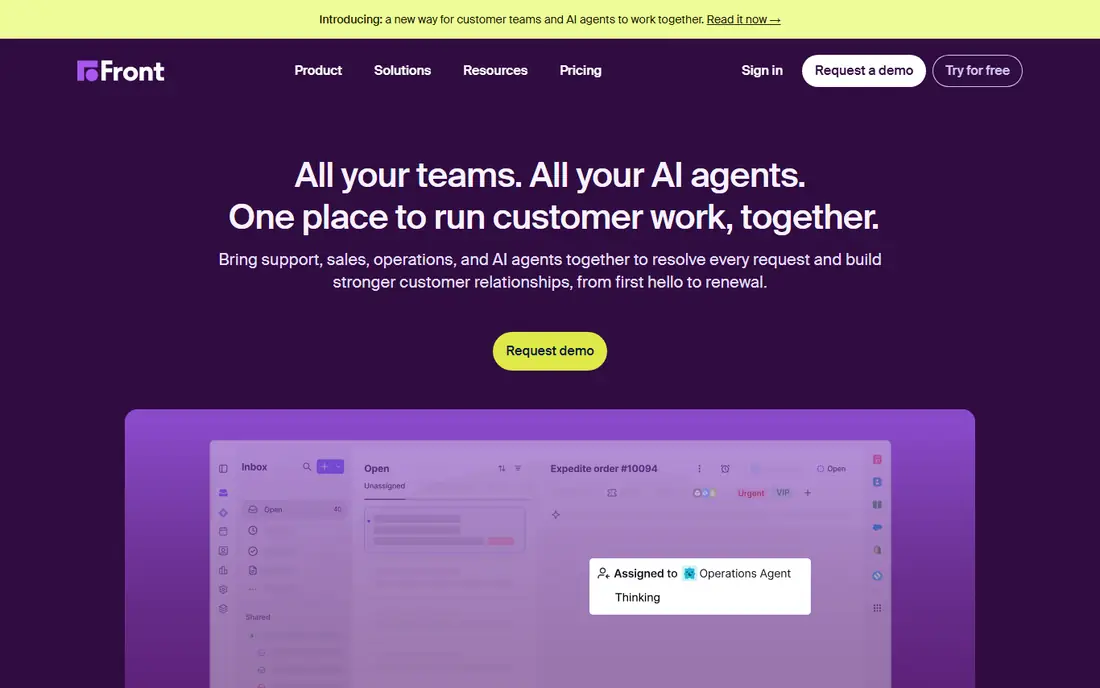
Front is the best-known shared inbox for a reason. Every plan includes a shared inbox with assignment, internal comments, automation rules, and analytics, so a team can see who owns each message and how fast replies go out. Higher plans add SMS, social channels, macros, multiple workspaces, and single sign-on, which suit larger support and operations teams.
The price rises quickly, with Starter at $25 per seat per month on annual billing, Professional at $65, and Enterprise higher, and the 14-day trial tests Professional. If your team is small and only uses email, Missive or Help Scout may be better value. If you handle several channels and need reporting, Front is the safer long-term pick.
- Shared inbox with ticketing, rules, and analytics on every plan
- Chat, SMS, and social channels on higher plans
- Strong automation and reporting
- Starter plan caps at 10 seats
- Omnichannel features need Professional, which costs more
- No permanent free plan

Help Scout is the easiest upgrade from a messy shared mailbox. The free plan covers up to 5 users and one inbox, which lets a tiny team test real assignment and collision detection before paying, and the paid Standard plan at $25 per user per month adds more inboxes, workflows, and reporting. A built-in knowledge base lets you publish help articles beside the inbox, so repeat questions get shorter replies.
Teams with complex routing or many channels may find Front or Trengo stronger, and AI drafts cost extra. For a small support team that wants a clean inbox, a knowledge base, and a free start, Help Scout is a strong first paid tool.
- Free plan for up to 5 users and one inbox
- Built-in knowledge base
- Clean interface that new staff learn fast
- Standard plan costs $25 per user per month
- AI drafting features sit on higher plans
- Advanced automation is lighter than Front
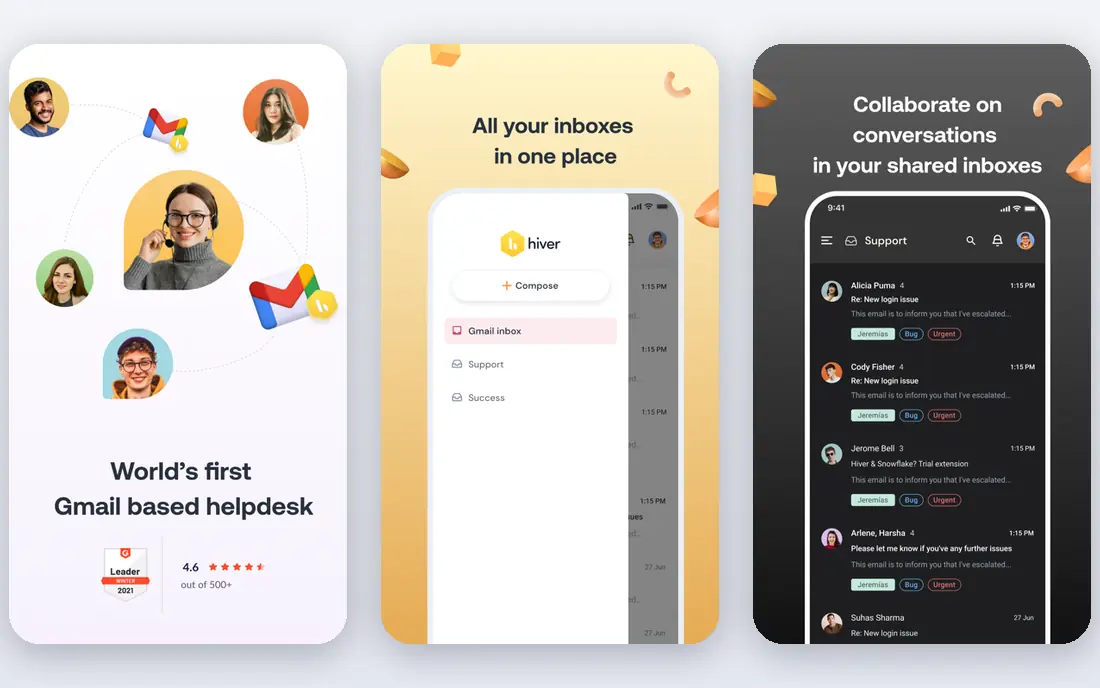
Hiver turns Gmail into a shared workspace. Staff stay in the inbox they know, while shared inboxes, assignment, internal notes, and automation run on top of it, and managers get reports on volume, response time, and workload. Recent listings put the Growth plan at $25 per user per month on annual billing, with a 7-day trial.
The Gmail focus is both the strength and the limit. Teams on Outlook need Hiver Omni, which handles email alongside chat, voice, and WhatsApp, and that version suits a different setup. If your team lives in Gmail and does not want another app, Hiver is the most natural shared inbox on this list.
- Works inside Gmail, so staff keep a familiar inbox
- Assignment, notes, and automation are built in
- Reporting covers volume and response times
- No permanent free plan
- Outlook teams need Hiver Omni rather than the Gmail version
- Price is per user with a minimum seat count
Missive combines a shared inbox with team chat, so a conversation about a customer email happens next to the email itself, not in a separate chat app. That threaded view helps small teams who handle email, SMS, and social messages together, and the Starter plan at $14 per user per month on annual billing is one of the best values here.
The trial is generous at 30 days, which gives a team time to test it on real mail. AI features are less built-in than Front or Help Scout, so teams that want AI drafts should check the higher plan. For collaboration at a low price, Missive is our value pick.
- Email, SMS, and social messages sit beside internal team chat
- Threaded view keeps context clear
- Starter plan is good value at $14 per user per month
- AI drafting needs a higher plan or a separate key
- No permanent free plan, though the trial runs 30 days
Gmelius adds shared inboxes, kanban boards, shared labels, and email sequences inside Gmail, so a sales or support team can move an email across a board from new to in progress to done without leaving the inbox. That visual workflow suits teams that manage follow-ups and deals by email, and automation rules can assign and label mail as it arrives.
Gmail-only support is the main limit, and Outlook teams should look at Front or Help Scout instead. At $25 per user per month on annual billing, Gmelius is also pricier than Keeping or Drag for basic sharing. Pick it when kanban boards and sequences are core to your workflow, not just a nice extra.
- Shared inboxes and labels live inside Gmail
- Kanban boards turn emails into tasks
- Sequences and automation suit sales follow-up
- Gmail only, with no Outlook version
- Price rose in recent listings to $25 per user per month
- Setup takes time to get boards right
Keeping is the shared inbox for teams that want the basics and nothing else. It adds assignment, internal notes, collision detection, and simple reporting to Gmail, with a setup that takes minutes rather than a project plan. The Essentials plan at $14 per user per month on annual billing, with a two-user minimum, makes it one of the cheapest ways to stop double replies.
It does not cover chat, SMS, or social channels in the way Front does, and its reporting is simpler. For a Gmail team of a few people handling one or two shared addresses, Keeping is often all you need, and its simplicity is a feature, not a gap.
- Simple setup inside Gmail
- Assignment, notes, and collision detection cover the basics
- Essentials plan is good value at $14 per user per month
- Fewer channels than Front or Trengo
- Reporting and automation are lighter than larger tools
Drag is similar to Gmelius at a lower price, with kanban boards, shared inboxes, and collision detection inside Gmail, starting at $12 per user per month on annual billing. That price makes it the cheapest Gmail option on this list, and the 7-day trial needs no credit card, so a team can test it on real mail quickly.
The trade-off is breadth. Drag has fewer integrations and less automation than larger tools, and it only works in Gmail. If your team wants a visual board in Gmail and little else, Drag is a smart budget pick. If you need many channels or deep reporting, look at Front or Help Scout.
- Kanban boards inside Gmail at a low price
- Collision detection and shared inboxes cover team basics
- Trial needs no credit card
- Gmail only
- Feature set is narrower than Gmelius
- Smaller vendor with fewer integrations
Trengo is for teams whose customers arrive on many channels at once. Email, live chat, WhatsApp, SMS, and voice land in one queue, with assignment, internal notes, and automation to route each message to the right person. That single queue helps growing teams avoid the split where email lives in one app and WhatsApp lives in another.
Pricing changed in 2026 to demo-led bundles with no public per-seat figure, so we list it as See website and recommend a demo for a written quote. If you only use email, a cheaper Gmail tool will do. If you handle several channels daily, Trengo is worth that demo.
- Multichannel inbox covers email, live chat, WhatsApp, SMS, and voice
- Automation and team collaboration suit growing teams
- 14-day trial
- Moved to demo-led bundle pricing in 2026, so there is no public per-seat price
- Setup suits teams with a clear channel plan
Helpwise targets teams that want more than a Gmail add-on but cannot justify Front prices. Shared inboxes, assignment, internal notes, and automation cover the core job, with multichannel support at $15 per user per month in recent listings. That price sits between Missive and Help Scout, with a broader channel set than a Gmail-only tool.
Reporting and integrations are lighter than the market leaders, and support resources are smaller. For a budget-conscious team that needs a proper shared inbox with several channels, Helpwise is a sensible middle option to trial beside Missive.
- Shared inboxes across email and other channels at a low price
- Assignment and internal notes cover team basics
- 7-day trial
- Smaller vendor with less brand recognition
- Reporting and integrations are lighter than Front
Spark is an email app first, with team sharing as a useful extra. A small group can share threads, add private comments, and discuss a reply inside the app, which suits a household business, a tiny team, or a couple of people handling one address together. The free plan covers two active collaborators, and it works across Gmail, Outlook, iCloud, and Yahoo.
It is not a full help desk, with no ticketing, SLA reporting, or heavy automation. If you need those, pick Help Scout or Front. If you need light sharing for a few people at no cost, Spark is the easiest place to start.
- Free plan covers basic sharing for two collaborators
- Works with Gmail, Outlook, iCloud, and Yahoo
- Clean email app with team comments
- Shared inbox features are lighter than dedicated tools
- Plus plan costs $99 per user per year for more collaborators
How we picked these
We compared official feature pages, pricing pages, and recent shared inbox comparisons for tools live in October 2026, and we kept only tools that offer true shared inboxes with assignment, not just a shared password. We included Gmail-native tools, standalone inboxes, and multichannel platforms, and we marked pricing as See website where a vendor moved to quoted bundles. Prices quoted are per user per month on annual billing unless noted, and trials are noted where no free plan exists.
How to choose the best shared inbox software
Start with where your team already works. Gmail teams should shortlist Hiver, Gmelius, Keeping, and Drag, while mixed or Outlook teams should shortlist Front, Help Scout, Missive, and Trengo. That single filter removes half the list and saves a week of trials.
Test on real mail, not a demo account
Run a trial with your real shared address for at least a week, and check three things: whether two people ever reply to the same thread, whether assignment is clear at a glance, and whether internal notes stay private. A tool that passes those three tests on real mail will serve you better than one with a longer feature list.
Count seats honestly
Shared inbox pricing is per seat, so count everyone who replies, not just managers. A $25 per seat tool for 10 people costs $250 a month, which changes the value case against a $14 tool. Check seat minimums, free tiers, and whether read-only or light users need a paid seat before you sign.
Frequently asked questions
What is the best shared inbox software for small teams?
Missive and Help Scout are the best small-team picks. Missive starts at $14 per user per month and combines email with team chat, while Help Scout offers a free plan for up to 5 users and a built-in knowledge base.
What is the best shared inbox tool for Gmail teams?
Hiver is the most complete Gmail option, while Keeping and Drag offer simpler, cheaper Gmail inboxes. Choose Hiver for help desk features, Keeping for simplicity, and Drag for kanban boards at the lowest price.
Is there a free shared inbox app?
Yes. Help Scout offers a free plan for up to 5 users and one inbox, and Spark offers free sharing for two collaborators. Google Workspace and Microsoft 365 also offer free shared mailboxes, though they lack assignment and collision detection.
How does a shared inbox stop double replies?
It assigns each message to one owner and shows when a teammate is viewing or replying, which is called collision detection. Internal notes let the team discuss a reply without sending a second one to the customer.
Should a small team pay for a shared inbox or use a shared mailbox?
A free shared mailbox works for very low volume, but once two people reply to the same thread or a message goes unanswered, a paid tool pays for itself. Start free, and move to a paid tool when missed or duplicate replies happen more than once a month.
Sources
See where you really rank - block by block
ProMapRanker scans Google Maps across a grid of your service area. Simple monthly plans from $19, white-label on every plan.
Start freeKeep reading
 zscaler alternatives
Best Zscaler Alternatives in 2026
Looking for zscaler alternatives? We compare 9 SASE and zero trust platforms on architecture, data protection, pricing, and fit for your network and team.
Read → zapier alternatives free
Best Zapier Alternatives Free in 2026
Nine automation tools for zapier alternatives free in 2026, all with genuinely free tiers, plus free plan limits, starting prices and upgrade paths explained.
Read → which platform is best for online reputation
Which Platform Is Best for Online Reputation in 2026
Wondering which platform is best for online reputation? We compare 8 review, listing, and response tools for small and multi-location businesses and agencies.
Read →