 ProMapRanker
Best Shared Family Calendar App in 2026

Key takeaways
- Google Calendar and Apple Calendar are the best free starting points, because most families already have accounts and devices that support them.
- Cozi and FamilyWall add lists, meals and family messaging around the calendar, which helps when the calendar alone is not enough.
- TimeTree is the strongest choice for several overlapping groups, such as school, sports and extended family, because each group gets its own calendar.
- A wall display such as Skylight Calendar helps when children need to see the week without opening an app, but it adds a hardware cost.
Quick comparison
| Pick | Great for | Pricing starts at | Free tier | |
|---|---|---|---|---|
 Cozi | Calendar plus lists and meals | Free | Yes | Visit |
 TimeTree | Several shared calendars | Free | Yes | Visit |
 FamilyWall | All in one family hub | Free | Yes | Visit |
 Google Calendar | Free cross platform sharing | Free | Yes | Visit |
 Apple Calendar | All Apple households | Free | Yes | Visit |
 Microsoft Outlook | Households on Microsoft accounts | Free | Yes | Visit |
 Skylight Calendar | Kitchen wall display | $299.99 one time | No | Visit |
 FamCal | Simple shared calendar and lists | Free | Yes | Visit |
 OurCal | Private group calendar | See website | Free trial | Visit |
The best shared family calendar apps
We compared official app listings and pricing pages, and we kept only calendars that support real sharing between family members in October 2026.
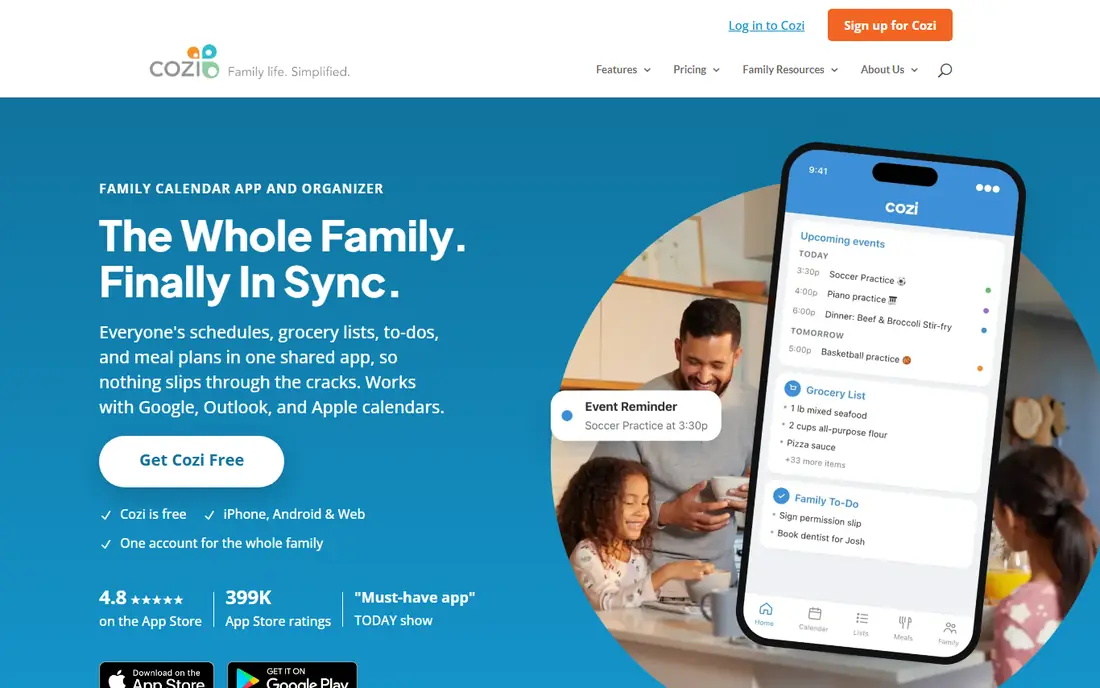
Cozi has been a family organiser for years, and that experience shows in its calendar. Each person gets a colour, events are easy to add, and the same household account covers lists and meals. That makes Cozi a good fit for a family that wants one place for the week, the shopping list and dinner, rather than three separate apps.
The free plan is usable, but it shows ads and limits how far ahead you can view the calendar. The Gold plan costs $39.99 per year and removes ads while extending the view. If your family mainly needs a calendar, Google Calendar is free and simpler. If you want lists and meals beside the calendar, Cozi is worth the trade off.
- Colour coded calendar for each family member
- Shared shopping and to do lists
- Recipe box and meal planner
- Free plan shows ads and a limited calendar view
- Some features need the Gold plan
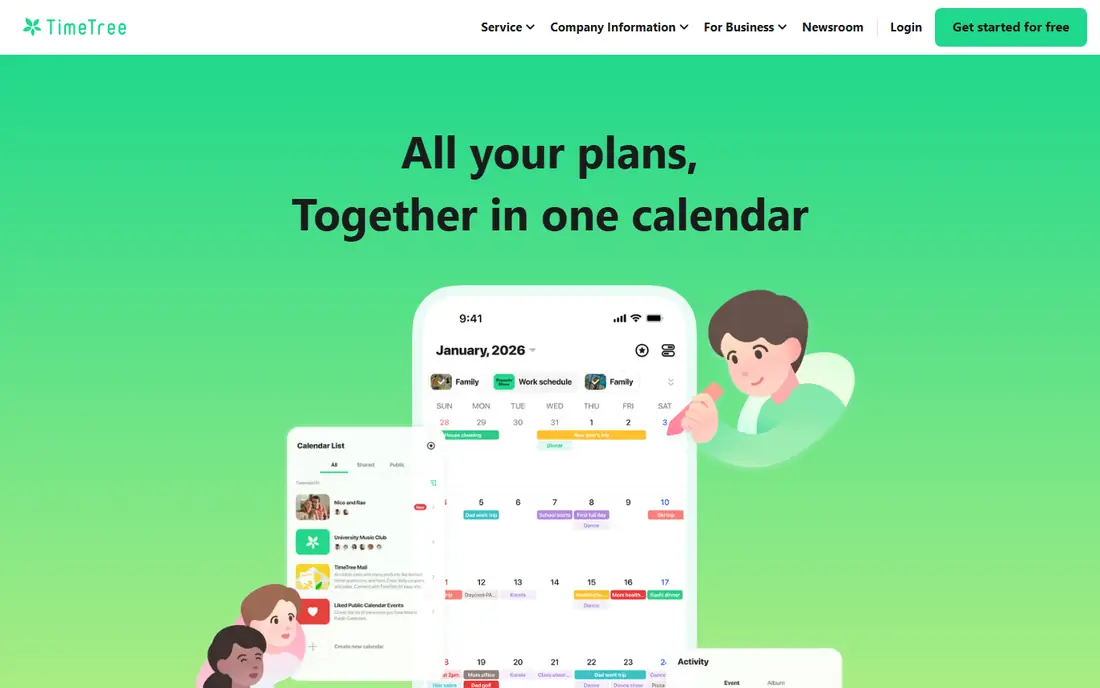
TimeTree is our pick when a family belongs to several groups at once. You can keep a family calendar, a sports team calendar and a school calendar separate, share each with the right people, and comment on events so changes are visible to everyone. That separation prevents a single calendar from becoming a mess of unrelated events.
The limit is scope: TimeTree is a calendar first, so groceries and meals live elsewhere. Premium costs $4.49 per month or $44.99 per year and adds features such as file attachments. For a family that mainly struggles with overlapping schedules, TimeTree's clarity is more useful than an all in one hub.
- Multiple shared calendars for different groups
- Event comments and activity feed
- Works on iOS, Android and web
- No built in meal planning or shopping lists
- Premium features are per account, not per family
FamilyWall suits families who want messaging, lists, photos and a calendar in one place, rather than switching between apps. Each member has an account, events and lists are shared across the family, and Premium adds location sharing and extra features. For grandparents and caregivers who need simple access, one app is easier to support than several.
Premium costs $4.99 per month or $44.99 per year, and some features, such as connected calendars, sit behind that plan. If you only need a shared calendar, a free calendar app will be lighter. If your family already chats, shares photos and plans in different places, FamilyWall brings those threads together.
- Calendar, lists, messaging and photo sharing in one app
- Separate accounts for family members
- Location sharing on Premium
- Some useful features need Premium
- The hub approach can feel busy for calendar only users
Google Calendar is the best free shared calendar for mixed device families. Create a family calendar, share it with up to six people, and add events that appear on phones and computers without extra setup. Events from Gmail, such as flight or booking details, can also appear automatically, which saves typing.
The drawback is that Google Calendar is only a calendar. Shopping lists live in Google Keep, meals live elsewhere, and there is no family messaging hub. For many families that is fine, because the calendar is the part that must work reliably. Pair it with a shared list app if you need more, and keep the calendar as the single source for dates.
- Free and widely available
- Works on iPhone, Android and web
- Automatic family calendar for up to six people
- Lists and meals need separate Google apps
- Event detail can feel plain compared with family hubs
Apple Calendar is the obvious choice when everyone in the household uses Apple devices. It is already installed, it syncs through iCloud, and Family Sharing creates a shared calendar for up to six people. Time to leave alerts, which factor in travel time, are a small but useful touch for school runs and appointments.
The limit is the ecosystem. An Android using parent, grandparent or caregiver will have a harder time, even though iCloud on the web offers some access. If your household is mixed, Google Calendar or TimeTree will cause fewer problems. If it is all Apple, Apple Calendar needs no new account and no learning curve.
- Built into iPhone, iPad and Mac
- Family Sharing calendar for up to six people
- Time to leave alerts
- Android access is limited
- Sharing outside Apple devices is less smooth
Outlook suits households that already use Microsoft accounts for email and documents. The calendar shares well, tasks sit beside events, and a family email address can help coordinate a household. For a family that already lives in Outlook for work or school, adding a shared family calendar is a small step.
It is not a dedicated family organiser, so it lacks the meal planning, chore tools and family messaging of Cozi and FamilyWall. If your family needs those extras, add a dedicated app. If you mainly need a reliable shared calendar inside an account you already use, Outlook is a strong free option.
- Free with a Microsoft account
- Calendar, email and tasks in one place
- Family calendar and shared events
- Less family focused than Cozi or FamilyWall
- Best value when the household already uses Microsoft services
Skylight Calendar changes the problem from an app to a place: a wall display in the kitchen that shows the week, chores and lists where everyone can see them. Children who do not carry phones can check the day, and parents can update events from an app that syncs with major calendars. That visibility is the reason families buy it.
The cost is real. The Calendar 2 display costs $299.99, and the Plus plan costs $79 per year for full features. If your family already checks phones reliably, a free calendar app will do the same job for less. If the week keeps getting missed because it lives inside a phone, the wall display can be worth the price.
- Large wall display the whole family can see
- App syncs with Google, Apple and Outlook calendars
- Chore and list views
- Hardware cost plus a Plus subscription for full features
- Overkill if everyone checks a phone anyway
FamCal is a straightforward choice for a family that wants a shared calendar and lists without a large hub. The layout is simple, events and tasks are easy to add, and the app works across iPhone and Android. For a smaller family, that simplicity is a strength, because there is less to learn and less to maintain.
Paid features vary by app store listing, so check the current price in your store before you subscribe. FamCal does not offer the meal planning of Cozi or the messaging of FamilyWall, but if your main need is a clean shared calendar with lists, it does that job well.
- Simple shared calendar, lists and tasks
- Easy for smaller families
- Works on iOS and Android
- Paid pricing varies by app store
- Fewer extras than Cozi or FamilyWall
OurCal suits groups that care about privacy and want a calendar built for sharing, from couples to clubs and extended families. Events and related details are protected with end to end encryption, and the app keeps group planning simple rather than adding a full family hub. For a family that shares sensitive schedules, that focus is reassuring.
Pricing is listed as See website because group plans start from $6.99 per month for a group, and the right plan depends on group size. If privacy is your main concern, OurCal is worth a trial. If you want meals, lists and messaging as well, Cozi or FamilyWall will cover more ground.
- Focus on private shared calendars for groups
- End to end encryption for events
- Simple group planning
- Paid plans start higher than free calendar apps
- Fewer family extras such as meals
How we picked these
We compared official app listings and pricing pages, and we kept only calendars that support sharing between family members and are live in October 2026. We excluded Picniic, which earlier coverage notes as removed from app stores and no longer loading, and we excluded single user calendars with no sharing. We weighted ease of sharing, cross platform support, free tier quality, and whether the app adds useful family features beyond dates.
How to pick a family calendar
Start with devices, not features. If everyone uses Apple devices, Apple Calendar is enough. If devices are mixed, Google Calendar or TimeTree will cause fewer sync problems. Then decide whether you need lists and meals as well: if yes, test Cozi or FamilyWall for a week with real school and activity events.
Agree on one rule as a family: if it is not on the shared calendar, it is not confirmed. Colour code each person, add locations and times, and set reminders for the night before, not only the morning of an event. A wall display helps only if the calendar behind it is kept up to date.
Frequently asked questions
What is the best shared family calendar app?
Google Calendar is the best free shared calendar for most mixed device families, while Cozi is better if you also want lists and meals. TimeTree is better when you need several separate shared calendars for different groups.
What are the best shared family calendar apps?
The strongest set is Cozi, TimeTree, FamilyWall, Google Calendar and Apple Calendar. Add Skylight Calendar if you want a wall display, and OurCal if private group sharing matters most.
What are the best shared calendar apps for families?
The best apps for families combine easy sharing, colour coding and reminders. Cozi and FamilyWall add household tools around the calendar, while Google Calendar and Apple Calendar keep the focus on dates and work well for free.
Is there a free shared family calendar app?
Yes. Google Calendar and Apple Calendar are free, Cozi, TimeTree, FamilyWall and FamCal offer free tiers, and Outlook offers a free calendar with a Microsoft account. Paid plans mainly remove ads, extend views or add premium features.
Can grandparents or caregivers see the family calendar?
Yes, if you share the calendar with their account or device. Google Calendar and TimeTree work across iPhone and Android, which helps when grandparents or caregivers use different devices from the parents.
Should we buy a wall calendar display?
A wall display helps when children need to see the week without a phone, or when events keep getting missed inside apps. It is not needed if everyone already checks a phone calendar reliably, and it adds a hardware cost plus a subscription for full features.
Sources
See where you really rank - block by block
ProMapRanker scans Google Maps across a grid of your service area. Simple monthly plans from $19, white-label on every plan.
Start freeKeep reading
 zscaler alternatives
Best Zscaler Alternatives in 2026
Looking for zscaler alternatives? We compare 9 SASE and zero trust platforms on architecture, data protection, pricing, and fit for your network and team.
Read → zapier alternatives free
Best Zapier Alternatives Free in 2026
Nine automation tools for zapier alternatives free in 2026, all with genuinely free tiers, plus free plan limits, starting prices and upgrade paths explained.
Read → which platform is best for online reputation
Which Platform Is Best for Online Reputation in 2026
Wondering which platform is best for online reputation? We compare 8 review, listing, and response tools for small and multi-location businesses and agencies.
Read →