 ProMapRanker
Best Shared Calendar App in 2026


Mixed-device families and teams · Pricing starts at: Free
Key takeaways
- Google Calendar and Apple Calendar are the best free starting points, depending on whether the household or team uses mixed devices or Apple devices.
- TimeTree is the best dedicated shared calendar for couples and small groups, thanks to per-event chat and a usable free tier.
- Cozi and FamilyWall suit families that want lists, meals, and messaging alongside the calendar.
- Teamup and Morgen suit groups and teams that need many sub-calendars or sharing across different calendar providers.
Quick comparison
| Pick | Great for | Pricing starts at | Free tier | |
|---|---|---|---|---|
| Google Calendar | Mixed-device families and teams | Free | Yes | Visit |
 Apple Calendar Apple Calendar | Apple-only households | Free with Apple account | Yes | Visit |
 TimeTree TimeTree | Couples and small groups | Free, paid from $44.99 per year | Yes | Visit |
 Cozi Cozi | Families that want lists and meals | Free, paid from $39 per year | Yes | Visit |
 FamilyWall FamilyWall | Families that want messaging and location | Free, paid from $44.99 per year | Yes | Visit |
 Teamup Teamup | Clubs, schools, and public schedules | Free, paid from $8 per month | Yes | Visit |
 Morgen Morgen | Sharing across Google, Outlook, and iCloud | $15 per month | No, free trial | Visit |
 Microsoft Outlook Calendar Microsoft Outlook Calendar | Microsoft 365 teams and organisations | Free, paid from $6 per seat per month | Yes, limited | Visit |
The best shared calendar apps
A shared calendar only works if everyone in the group actually opens it. That means the best app is often the one already on every phone, not the one with the most features. The eight apps below cover free defaults, family organisers, and team tools, all live in October 2026.
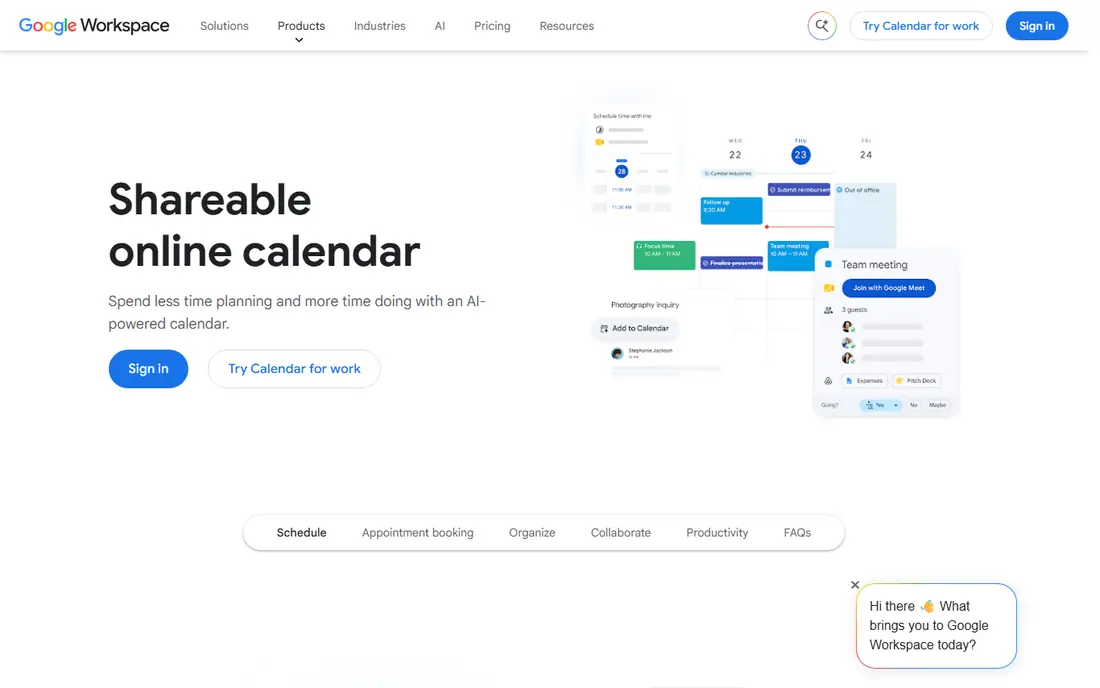
Google Calendar is the safest default for a mixed-device household or team. Almost everyone already has a Google account, the app runs well on phones and web, and sharing a calendar with view or edit permissions takes a few taps. Gmail integration also turns bookings and receipts into events in some cases.
It is a calendar, not a household hub. Grocery lists, meal plans, and chore tracking need separate apps, which can split family organisation across tools. For a group whose main problem is knowing who is where and when, Google Calendar solves it for free, without asking anyone to learn a new system.
- Works on iOS, Android, and web, easy sharing with permissions, Gmail integration
- Family features like lists and meals need other apps, privacy depends on Google account settings
Apple Calendar suits households where everyone uses Apple devices. It is built in, so there is nothing to install, and Family Sharing includes a shared family calendar automatically. Widgets, Siri, and notifications work smoothly across iPhone, iPad, and Mac, which keeps the calendar visible.
Mixed-device households will feel the limits. Android users can view iCloud calendars through workarounds, but the experience is not as smooth as Google Calendar. Apple Calendar is best when the whole group is already in the Apple ecosystem, and it costs nothing extra beyond the devices themselves.
- Built into iPhone, iPad, and Mac, Family Sharing calendar included, clean widgets
- Weaker experience on Android and Windows, sharing outside Apple accounts is limited
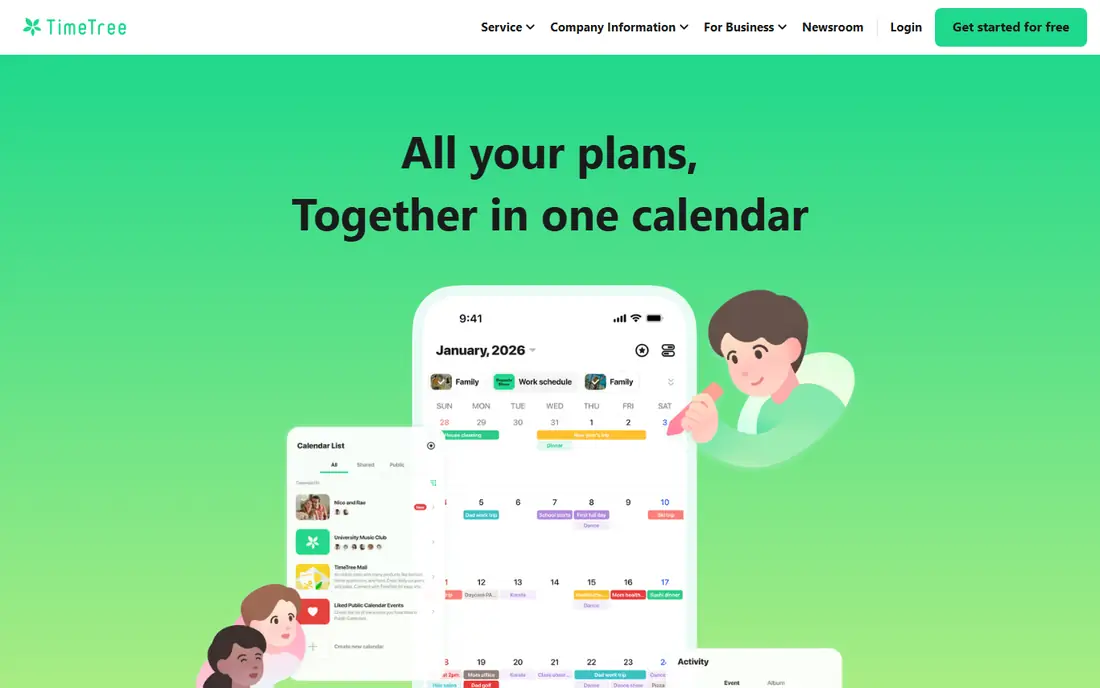
TimeTree is the best dedicated shared calendar for couples, friends, and small groups who only need a calendar. Each event has its own chat thread, so questions like who is picking up a child stay attached to the event, not lost in a group message. Unlimited shared calendars on the free tier make it easy to keep work, family, and social plans separate.
It does not try to be a household hub. There are no grocery lists, meal plans, or chore tools, which is a drawback for families who want everything in one app. Premium, at $44.99 per year in published pricing, removes ads and adds attachments and extra views. For a group that mainly needs shared dates, TimeTree is hard to beat.
- Unlimited shared calendars on free tier, per-event chat, reminders and widgets
- No lists, meals, or chores, ads on free tier, Google sync is display-focused
Cozi is the veteran family organiser, and it still covers the household basics in one place. The shared calendar sits alongside grocery lists, to-do lists, meal plans, and recipes, with colour coding per family member. That combination suits families who want one app for the week, rather than a calendar plus three other tools.
The free tier includes the core features with ads, while Gold at $39 per year removes ads and adds mobile month view, calendar search, and extra reminders. A newer Max plan at $79 per year adds AI event import and meal planning. Cozi suits families who will actually use lists and meals, not just the calendar.
- Shared calendar plus lists, meals, and recipes, colour-coded family members, web and mobile access
- Ads on free tier, mobile month view needs Gold, AI features need Max plan
FamilyWall combines a shared calendar with private family messaging, location sharing, and photo sharing. That mix suits families who want to coordinate and communicate in one private space, rather than splitting plans across a calendar app and a group chat. Location sharing also helps parents keep track of older children, with consent and clear settings.
Premium, at $44.99 per year in published pricing, removes ads and adds fuller features. Families who do not want location sharing, or who already use a separate messaging app, may find FamilyWall more than they need. Families who want one private family space will find its combination useful.
- Calendar plus family chat, location sharing, photo and document sharing
- Ads on free tier, some features need Premium, location sharing needs family agreement
Teamup suits groups that need many calendars in one view, such as a sports club with teams, venues, and coaches, or a school with classes and rooms. Sub-calendars can be colour-coded and shared separately, and public calendars can be viewed without an account. That structure is hard to replicate in Google or Apple Calendar alone.
The interface is practical rather than pretty, and it lacks family features like lists and meals. Teamup is best for organisations, clubs, and teams that need visibility across many schedules, rather than for a single family household.
- Sub-calendars for groups and venues, public sharing without accounts, simple permissions
- Design is functional rather than polished, no native family lists or messaging
Morgen sits on top of existing calendars, rather than replacing them. It pulls Google, Outlook, iCloud, and other providers into one view, and lets a user share a set of calendars, such as work or family, without sharing everything. Scheduling links respect all connected calendars, which helps avoid double-booking across work and personal life.
That power comes at a price and with complexity. The individual plan costs $15 per month billed annually in published pricing, with a free trial rather than a free plan. Morgen suits professionals and teams who juggle several calendar providers, rather than families who just need one shared calendar.
- Combines Google, Outlook, iCloud, and other providers, calendar sets for sharing, scheduling links
- No permanent free plan, price is high for family use, learning curve for calendar sets
Outlook Calendar is the natural shared calendar for teams already on Microsoft 365. Shared calendars, scheduling, and Teams meeting links work together, and IT controls help organisations manage permissions and retention. A free version exists with a Microsoft account, with fuller features on paid Microsoft 365 plans from $6 per seat per month in published pricing.
Families outside Microsoft 365 may find Google Calendar simpler and more universal. Outlook Calendar suits work teams, schools, and organisations that already live in Outlook and Teams, where calendar sharing is part of a wider workflow.
- Deep Microsoft 365 and Teams integration, shared calendars and scheduling, enterprise controls
- Best experience needs Microsoft 365, personal family features are thinner than Cozi
How we picked these
We compared official feature pages, pricing pages, app store listings, privacy policies, and public reviews for apps live in October 2026. We included free defaults, family organisers, and team tools, and we left out apps that are no longer available on major app stores. We did not claim hands-on testing with real families, and we based sharing features and prices on published pages.
What to check before you choose
Start with the devices already in use
If the group uses mixed phones, Google Calendar or TimeTree will cause fewer problems than Apple Calendar alone. If everyone uses Apple devices, Apple Calendar needs no new app. A shared calendar that one member cannot open easily will fail, no matter how good its features are.
Check sharing permissions carefully
View-only, edit, and private event settings matter, especially for work calendars shared with family, or for separated parents sharing a child calendar. Test permissions with a real event before sharing a full calendar, and check whether private events stay private when a calendar is shared.
Decide whether you need a hub or just a calendar
Families that need lists, meals, and chores should pick Cozi or FamilyWall, even if the calendar alone is simpler elsewhere. Groups that only need dates should pick TimeTree, Google Calendar, or Apple Calendar, and avoid paying for hub features they will not use.
Test reminders and widgets for a week
A calendar that does not remind the right person at the right time will not prevent missed pickups or meetings. Test notifications, widgets, and shared event updates for a week with the whole group, before moving important schedules over.
Frequently asked questions
What is the best shared calendar app free?
Google Calendar is the best free shared calendar for mixed-device groups, because it works on iOS, Android, and web at no cost. Apple Calendar is the best free option for Apple-only households. TimeTree also offers a strong free tier for couples and small groups who want a dedicated shared calendar with event chat.
What is the best app for a shared family calendar?
Cozi is the best all-round family calendar app, because it combines a shared calendar with lists, meals, and recipes. FamilyWall is a good alternative for families that also want private messaging and location sharing. Google Calendar remains a strong free choice for families that only need shared dates.
What is the best group calendar app for teams?
Teamup is best for clubs and organisations that need many sub-calendars in one view. Morgen is best for professionals who share across Google, Outlook, and iCloud. Microsoft Outlook Calendar is best for teams already on Microsoft 365, while Google Calendar suits smaller teams that need simple sharing.
Can I share a calendar without sharing all my events?
Yes, most apps allow sharing a single calendar, rather than all calendars, and some allow private events within a shared calendar. Google Calendar, Apple Calendar, TimeTree, and Morgen all support separate calendars for work, family, and personal use. Check the sharing settings for each calendar, and test with a private event before sharing widely.
Is TimeTree really free?
Yes, TimeTree offers a free tier with unlimited shared calendars, event chat, and reminders, supported by ads. Premium, at $44.99 per year in published pricing, removes ads and adds attachments, extra views, and event pinning. The free tier is usable for daily sharing, not just a trial.
Sources
- https://calendar.google.com
- https://www.icloud.com/calendar
- https://timetreeapp.com
- https://www.cozi.com
- https://familywall.com
- https://www.teamup.com
- https://morgen.so
- https://outlook.live.com/calendar
- https://www.morgen.so/blog-posts/shared-calendar-app
- https://www.kinmory.ai/blog/best_family_calendar_apps_2026
See where you really rank - block by block
ProMapRanker scans Google Maps across a grid of your service area. Simple monthly plans from $19, white-label on every plan.
Start freeKeep reading
 youtube alternatives
Best YouTube Alternatives in 2026
Looking for youtube alternatives in 2026? We compare Vimeo, Dailymotion, Twitch, Rumble, and more on price, audience, monetization, control and privacy.
Read → what's the best ai tool for photo editing
What Is the Best AI Tool for Photo Editing in 2026
What is the best AI tool for photo editing? We compare ten tools for 2026, from Photoshop and Lightroom to Luminar, Topaz, Canva and mobile editors today.
Read → twitter alternatives
Best Twitter Alternatives in 2026
Compare the best twitter alternatives for 2026, from Bluesky, Threads, and Mastodon to Reddit, Tumblr, and Micro.blog, with free plans and audience notes.
Read →