 ProMapRanker
SEO Chrome Extensions

Key takeaways
- The list opens with SEOquake, aimed at full on-page audit and SERP overlay.
- SEO Minion suits broken links, hreflang and SERP preview.
- A fair warning about Keywords Everywhere: search volume, CPC and 12-month trend history run on pre-purchased credits.
- Only 4 of the 11 tools have a free plan (SEOquake, Wappalyzer, MozBar, Ahrefs SEO Toolbar), so check the caps.
Direct answer
SEOquake is the first pick on this list for full on-page audit and SERP overlay. META SEO Inspector fits Meta tag and Open Graph checks; Keywords Everywhere fits cross-platform keyword data. The remaining 8 options are covered below with prices and limits.
Quick comparison
| Pick | Great for | Pricing starts at | Free tier | |
|---|---|---|---|---|
 SEOquake | Full on-page audit and SERP overlay | Free | Yes | Visit |
 META SEO Inspector | Meta tag and Open Graph checks | Free | Fully free | Visit |
 Keywords Everywhere | Cross-platform keyword data | Free features; pre-purchased credits for volume and CPC | 18 free features | Visit |
 Wappalyzer | Tech stack detection | Free core lookup | Yes | Visit |
 Detailed SEO Extension | On-page and technical snapshot | Free | Fully free | Visit |
 Redirect Path | Redirect chain tracing | Free | Fully free | Visit |
 Keyword Surfer | Fast keyword volume in Google | Free | Fully free, no sign-up | Visit |
 MozBar | Domain Authority and Page Authority | Free | Yes | Visit |
 Check My Links | Broken link scanning | Free | Fully free | Visit |
 Ahrefs SEO Toolbar | DR/UR and broken-link checks | Free | Yes | Visit |
 SEO Minion | Broken links, hreflang and SERP preview | Free | Fully free | Visit |
SEO Chrome Extensions, one by one
ProMapRanker compared 11 SEO chrome extensions. The goal is a practical shortlist: published prices, free plan facts, best-fit use cases and honest limits for every entry.
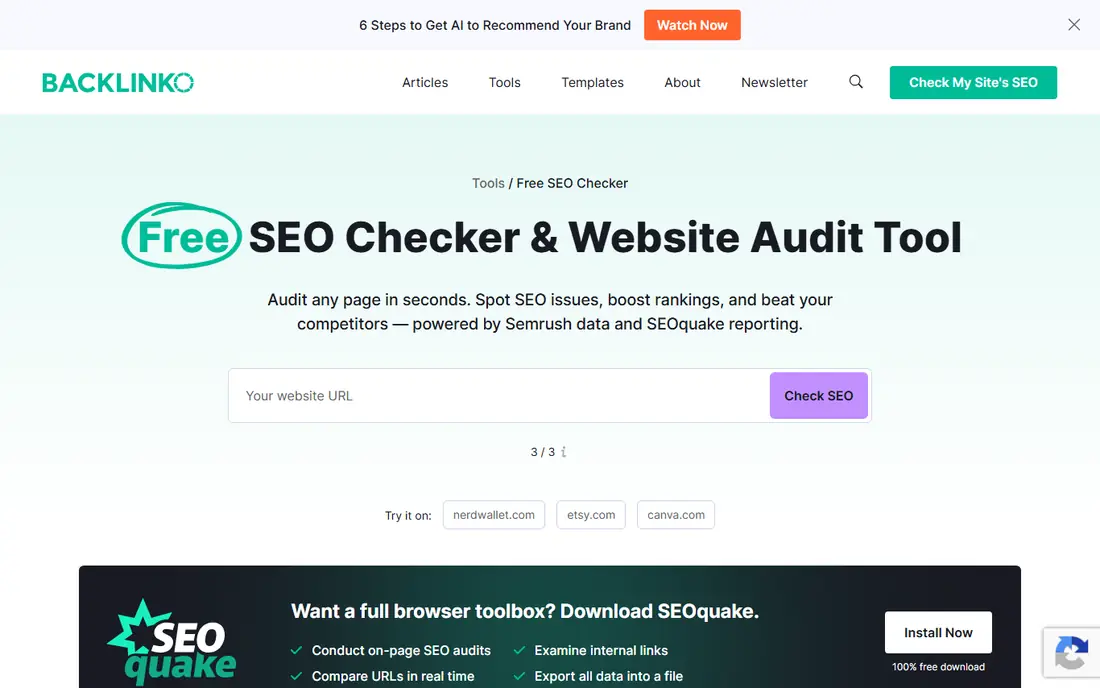
SEOquake was built for full on-page audit and SERP overlay. SEOquake, built by Semrush, overlays SEO metrics straight on Google's results, including word count, keyword density, and internal and external link counts, and can export a page audit to CSV.
Highlights: Built by Semrush; Overlays word count.
Limits to weigh: Overlaps with the other on-page auditors.
From a buyer's view, the extension itself is free; connecting it to a Semrush account unlocks more site-level data. SEOquake pricing: Free. You can start on SEOquake without paying.
- Exports a page audit to CSV
- Keyword density and internal and external link counts on Google's results
- More site-level data needs a Semrush account
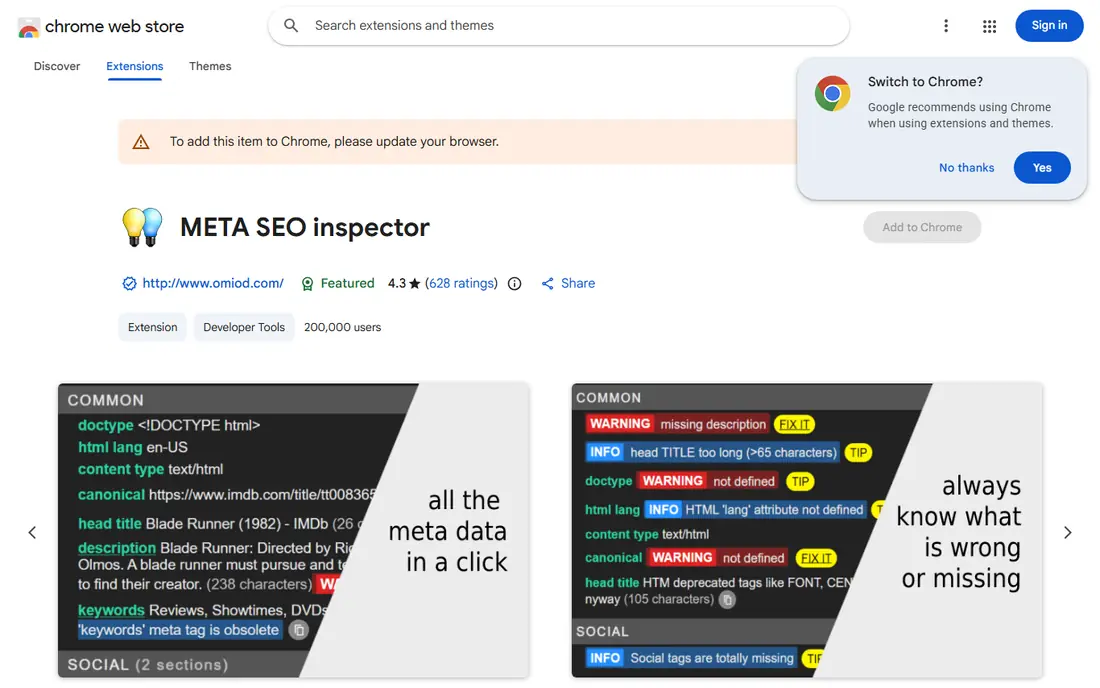
META SEO Inspector was built for Meta tag and Open Graph checks. META SEO Inspector focuses narrowly on meta tags, heading hierarchy, and Open Graph and Twitter card data, handy for a quick pre-publish check before a page goes live.
On cost, META SEO Inspector starts like this: Free. Free options: Fully free.
Honest limits: Narrow focus on meta.
- Handy as a quick pre-publish check
- Heading hierarchy
- Heading and social tags

For cross-platform keyword data, Keywords Everywhere is a natural candidate. Search volume, CPC, and 12-month trend history run on a pre-purchased credit system instead of a subscription.
The same overlay works across Google, YouTube, Amazon, Bing, and Google Trends, not just web search. On cost, Keywords Everywhere starts like this: Free features. As for free access: 18 free features.
Trade-offs to know: Search volume.
- Free layer handles 18 features
- Bing and Google Trends
- Not a replacement for bulk keyword research
Wappalyzer is a good fit for tech stack detection. Wappalyzer spots more than 1,000 web technologies on any site, from CMS and ecommerce system to analytics tags and CDN, in a single click.
Free for the core lookup; the premium Plus plan layers on company and contact details for the domains you scan. The starting price for Wappalyzer: Free core lookup. Free access exists with Wappalyzer.
Reasons to shortlist it: Spots more than 1,000 web technologies.
- One-click lookup
- From CMS and ecommerce system to analytics tags and CDN
- Company and contact details for scanned domains need the premium Plus plan
In short, Detailed SEO Extension is for on-page and technical snapshot. It's free with no account required, which makes it the fastest first check on any URL.
Where it falls short: Reads one page at a time, so it does not replace a full product for bulk crawls.
Reasons to shortlist it: One-click summary of title length. What you pay to start with Detailed SEO Extension: Free. As for free access: Fully free.
- Free with no account required
- Meta description, headings, canonical
- Overlaps heavily with SEO Minion and SEOquake, so run one, not all
Redirect Path was built for Redirect chain tracing. Redirect Path, also sold under the name Link Redirect Trace, maps the full chain of redirects and HTTP status codes between a starting URL and its final destination, handy for auditing old links after a site migration.
In practice, free. Price to start with Redirect Path: Free. Free access: Fully free.
- Handy for auditing old links after a site migration
- Maps the full redirect chain and HTTP status codes from a starting URL to its final destination
- Single job: redirect and status-code tracing only
In short, Keyword Surfer is for fast keyword volume in Google. Keyword Surfer displays estimated monthly search volume and CPC next to Google's results and inside the search box as you type, including more than 70 countries.
It's fully free with no sign-up. Price to start with Keyword Surfer: Free. Trial and free access: Fully free, no sign-up.
Strengths: Fully free with no sign-up.
- Spans more than 70 countries
- Displays estimated monthly search volume and CPC next to Google's results and in the search box
- Not designed for clustering thousands of terms or exporting bulk lists
MozBar makes the most sense for domain Authority and Page Authority. MozBar overlays Moz's Domain Authority and Page Authority scores on any page or SERP, plus a fast view of a page's link profile.
Honest limits: Full inbound link exploration needs a Moz Pro subscription; Domain Authority is an external metric.
Also, the toolbar itself is free; full inbound link exploration needs a Moz Pro subscription. Price to start with MozBar: Free. A free plan is available with MozBar.
- Fast view of a page's link profile
- Overlays Domain Authority and Page Authority on any page or SERP
- Not a Google ranking factor
Check My Links makes the most sense for broken link scanning. Check My Links scans a page and flags every link as valid, broken, or redirecting, which turns a manual link audit or a resource-page outreach check into a handful of seconds of work.
For everyday use, free for the core scan. Entry price for Check My Links: Free. Free access: Fully free.
Where Check My Links stands out: broken or redirecting; Turns a manual link audit into a handful of seconds of work.
- Free core scan
- Flags every link on a page as valid
- Scans one page at a time
Pick Ahrefs SEO Toolbar if this describes you: DR/UR and broken-link checks. The toolbar is free to install; a free Ahrefs Webmaster Tools account includes your own verified sites, and a premium plan includes everyone else's.
Starting cost for Ahrefs SEO Toolbar: Free. Ahrefs SEO Toolbar offers a free plan.
Drawbacks to consider: Data on other people's sites needs a premium Ahrefs plan.
- Built-in broken-link checker and redirect tracer
- Free Ahrefs Webmaster Tools account spans your own verified sites
- On-demand lookups can be less fresh than a scheduled crawl
SEO Minion is designed for broken links, hreflang and SERP preview. SEO Minion goes further: it checks for broken links, audits hreflang tags, simulates a SERP preview, and runs a Google search from a chosen country and language so you can see how a page ranks outside your own location.
The starting price for SEO Minion: Free. On free options: Fully free.
Trade-offs to know: Reads one page at a time, so it does not replace a full system for bulk crawls.
- Runs a Google search from a chosen country and language
- Checks broken links and audits hreflang tags
- Overlaps with the other on-page auditors
SEO Chrome Extensions: more detail
The best SEO Chrome extensions in 2026 solve four jobs without leaving the browser: on-page and technical audits, keyword research inside the SERP, domain and inbound link metrics, and link analysis. In daily use, extensions like Detailed SEO Extension, MozBar, Ahrefs SEO Toolbar, and Keywords Everywhere handle these free or near-free. None replace a full product for deep data or bulk crawls.
A worthwhile SEO Chrome extension saves a specific, repeated step, like checking meta tags, tracing a redirect, or seeing search volume, without opening a separate tool.
How the list was put together
We compared the tools on published pricing, free plan or trial availability, feature coverage for SEO chrome extensions, and the limits each vendor documents. Plan names, prices and limits change often. Treat the figures here as a starting point and verify them with the vendor. Tools are placed by general fit for SEO chrome extensions, with price clarity and free access as tie-breakers. A different team can reasonably rank them differently.
Questions to settle before buying
- Check the current price for SEOquake, SEO Minion and the rest on each vendor page, since seats and billing terms change the total.
- Look at free plan limits closely: SEOquake, Wappalyzer, MozBar and Ahrefs SEO Toolbar have one, and the caps decide whether it is usable for real work.
- Read the limits listed for SEOquake first: more site-level data needs a Semrush account.
- Ask Ahrefs SEO Toolbar how an export works before you move any records in; an easy exit lowers the risk.
- Test how quickly Detailed SEO Extension answers a pre-sales question; it hints at how support will feel later.
Frequently asked questions
Do these tools publish their prices?
Yes. Every tool from SEOquake to SEO Minion shows a starting price, though seats, add-ons and billing terms still change the final cost.
Which options for SEO chrome extensions have a free plan?
SEOquake, Wappalyzer, MozBar and Ahrefs SEO Toolbar offer a free plan in this list. Free plans usually cap users, projects or features, so check the limits on the vendor page.
Which extension is best for finding broken links?
This list starts with SEOquake, which fits full on-page audit and SERP overlay. For other needs, META SEO Inspector is aimed at Meta tag and Open Graph checks, and Keywords Everywhere at cross-platform keyword data. Check each tool's price and main limit first.
Can I try these tools before paying?
Often, yes. SEOquake, Wappalyzer, MozBar and Ahrefs SEO Toolbar have a free plan. Use your own data and a real task during the test, and check what the free tier or trial limits before you rely on it.
What is the best free SEO Chrome extension overall?
For most readers this guide would start with SEOquake, built for full on-page audit and SERP overlay. META SEO Inspector is the alternative for Meta tag and Open Graph checks, and Keywords Everywhere for cross-platform keyword data. The right answer depends on budget and workflow.
Are Ahrefs SEO Toolbar and MozBar data as accurate as the full products?
The toolbars pull the same underlying Domain Rating, URL Rating, Domain Authority, and Page Authority scores as the full products. But the on-demand lookup behind a single check can be less fresh than a scheduled crawl inside Ahrefs or Moz Pro.
Sources
- https://www.seoquake.com/
- https://chromewebstore.google.com/detail/meta-seo-inspector/ibkclpciafdglkjkcibmohobjkcfkaef
- https://keywordseverywhere.com/
- https://www.wappalyzer.com/
- https://detailed.com/extension/
- https://www.ayima.com/chrome/
- https://surferseo.com/keyword-surfer-extension/
- https://moz.com/products/pro/seo-toolbar
- https://chromewebstore.google.com/detail/check-my-links/ojkcdipcgfaekbeaelaapakgnjflfglf
- https://ahrefs.com/seo-toolbar
- https://seominion.com/
See where you really rank - block by block
ProMapRanker scans Google Maps across a grid of your service area. Simple monthly plans from $19, white-label on every plan.
Start freeKeep reading
 zscaler alternatives
Best Zscaler Alternatives in 2026
Looking for zscaler alternatives? We compare 9 SASE and zero trust platforms on architecture, data protection, pricing, and fit for your network and team.
Read → zapier alternatives free
Best Zapier Alternatives Free in 2026
Nine automation tools for zapier alternatives free in 2026, all with genuinely free tiers, plus free plan limits, starting prices and upgrade paths explained.
Read → which platform is best for online reputation
Which Platform Is Best for Online Reputation in 2026
Wondering which platform is best for online reputation? We compare 8 review, listing, and response tools for small and multi-location businesses and agencies.
Read →