 ProMapRanker
Best Self Hosted Apps in 2026

Key takeaways
- Nextcloud and Immich are the best first self-hosted replacements for cloud files and photos, but they need more storage and memory than lighter apps.
- Jellyfin, Home Assistant and Vaultwarden cover media, smart home control and passwords, each with a clear open-source model.
- Paperless-ngx, Pi-hole and Uptime Kuma solve narrower jobs well, from paper archives to ad blocking and service monitoring.
- Self-hosting saves subscription fees, but it adds maintenance, backups, updates and security work that cloud services handle for you.
- Start with one or two apps on hardware you already own, and set up backups before you move important files or photos.
Quick comparison
| Pick | Great for | Pricing starts at | Free tier | |
|---|---|---|---|---|
 Nextcloud | Files and collaboration | Free | Yes | Visit |
 Immich | Photo backup | Free | Yes | Visit |
 Jellyfin | Media streaming | Free | Yes | Visit |
 Home Assistant | Smart home control | Free | Yes | Visit |
 Vaultwarden | Password management | Free | Yes | Visit |
 Paperless-ngx | Paper document archive | Free | Yes | Visit |
 Pi-hole | Network ad blocking | Free | Yes | Visit |
 Uptime Kuma | Service monitoring | Free | Yes | Visit |
The best self hosted apps
Self-hosted apps run on your own server, mini PC, NAS or VPS, instead of on a vendor cloud. That gives you control over data, storage and access, but it also makes you responsible for updates, backups and security. We chose apps that are actively maintained, well documented and widely used in October 2026, and we note where each app needs more hardware or care.
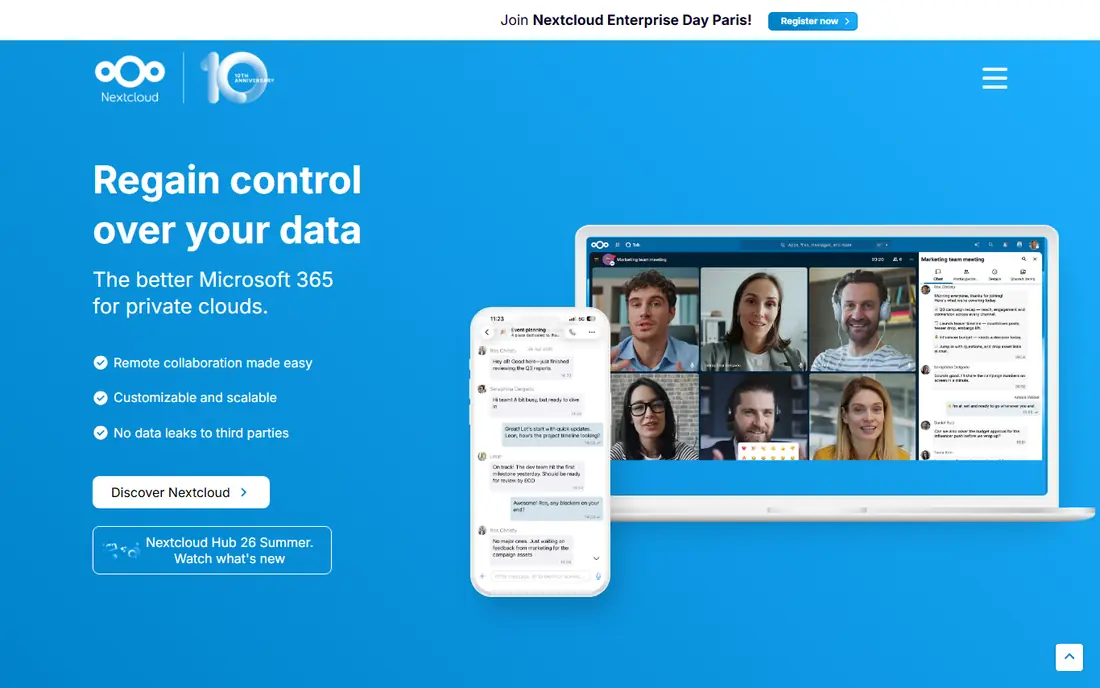
Nextcloud is the closest self-hosted replacement for Google Drive or Dropbox, with file sync, sharing, calendar, contacts and optional document editing. It runs on a server or VPS, with desktop and mobile clients, and it can grow from a home file store to a small team workspace. The optional app range is a major strength, covering notes, tasks, photos and chat.
That breadth is also the cost. Nextcloud needs more memory, storage and maintenance than a single-purpose app, and large libraries need a database and backup plan. Beginners should start with a modest setup, keep the system updated, and test restores before moving important files. For users who want a full private cloud, Nextcloud is still the standard starting point.
- File sync, calendar and contacts
- Document collaboration
- Many optional apps
- Needs more resources than lighter tools
- Updates and database care take time

Immich is the leading self-hosted alternative to Google Photos, with mobile auto-upload on iOS and Android, a timeline view, shared albums, face recognition and search. For families who want photo backup without a cloud subscription, it offers a familiar experience with local control. The web and mobile apps are polished for an open-source project.
Immich is resource-hungry compared with lighter apps, especially when indexing a large library. Plan for enough memory and storage, and expect the first index to take time. It is also important to back up the photo store separately, since a single server failure can affect the only copy. With that care, Immich is the best photo app in this list.
- Mobile auto-upload
- Face recognition and search
- Shared albums and timeline view
- Needs significant memory
- Machine learning indexing takes time and storage
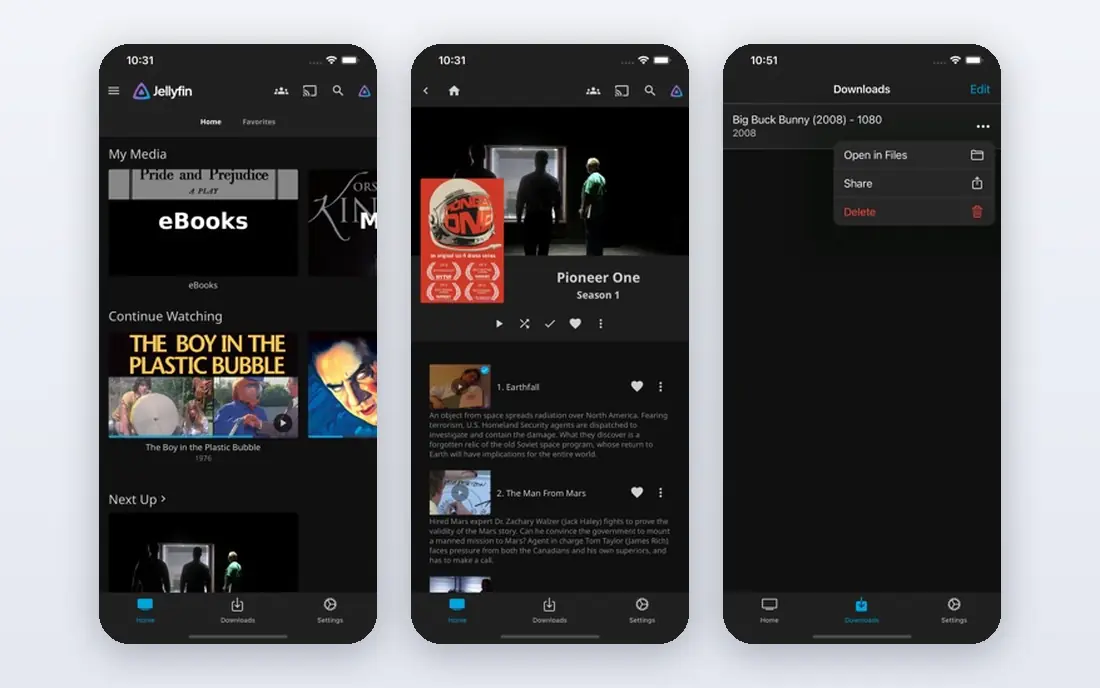
Jellyfin is a free, open-source media server for movies, TV, music and photos, with apps for TV, mobile and web. Unlike some rivals, it has no premium tier locking core remote streaming behind a subscription, which makes it attractive for home media libraries. You control the library, users and access, and you can stream inside the home or remotely with proper setup.
Transcoding is the main hardware question. Direct play is light, but converting video for a phone or TV needs CPU or GPU power, so check your hardware before you promise smooth remote playback. Library naming and metadata also need care. For a home media collection, Jellyfin is a strong, cost-free choice that rewards a little setup time.
- Free and open source
- No premium tier for core streaming
- Wide client support
- Transcoding needs hardware power
- Setup and library care take time
Home Assistant is the default open-source smart home hub, bringing lights, sensors, cameras, thermostats and many other devices under local control. Automations run on your own hardware, so they do not depend on a cloud service staying online, and dashboards can be customised for each room or person. Support for Zigbee, Z-Wave, Matter and many vendor integrations is broad.
The learning curve is real. New users face concepts such as entities, automations and add-ons, and some devices need extra hardware or careful setup. Home Assistant OS on a dedicated device is the simplest path for most homes. For users who want local, private smart home control, it is worth the effort, but it is not a set-and-forget app.
- Wide device support
- Local automations
- Dashboards and voice options
- Learning curve is steep
- Device integration can need troubleshooting
Vaultwarden is a lightweight, Bitwarden-compatible password server written in Rust, which runs well even on small hardware such as a Raspberry Pi. It works with official Bitwarden clients on desktop, mobile and browser, so users get a familiar password manager with data stored on their own server. Resource use is very low compared with Nextcloud or Immich.
Vaultwarden is an unofficial implementation, not the official Bitwarden server, so users should read its documentation and keep it updated. Password data is sensitive, so backups must be encrypted, access must use HTTPS, and admin access must be locked down. With those precautions, Vaultwarden is an excellent self-hosted password option for individuals and families.
- Lightweight server
- Works with Bitwarden clients
- Low hardware needs
- Unofficial Bitwarden-compatible server
- Admin must handle backups and security
Paperless-ngx turns scanned paper into a searchable archive, using OCR to read text from bills, letters, receipts and contracts. You can tag documents, set up consumption folders, and search by content rather than by filename alone. That makes it useful for households and small offices that still receive paper and want a tidy digital record.
Setup involves a scanner workflow, storage planning and backup care, and the first bulk scan takes time. Paperless-ngx is not a general file sync tool, so it works best alongside Nextcloud or a simple file store. For anyone with boxes of paper and a wish to find a document in seconds, it is a focused and rewarding app.
- OCR search for scanned documents
- Tags and workflows
- Paperless archive
- Scanning and setup take time
- Storage grows with scanned files
Pi-hole blocks ads and trackers at the DNS level for a whole home network, so phones, TVs and computers benefit without an app on each device. It runs on very light hardware, including a Raspberry Pi, and its dashboard shows blocked queries and client activity. For many users, Pi-hole is the first self-hosted app that shows a clear daily benefit.
DNS setup needs care, since a wrong setting can affect internet access for the whole network. Some sites and apps may also break when a domain is blocked, and those cases need allowlisting. Keep a note of your original DNS settings before you start, so you can revert quickly. As a first project, Pi-hole teaches Docker and DNS basics in a useful way.
- Network-wide ad and tracker blocking
- Light hardware needs
- Clear dashboard
- DNS setup needs care
- Some sites may break and need allowlisting
Uptime Kuma monitors websites and self-hosted services, checks them on a schedule, and sends notifications when one goes down. It can also publish a simple status page, which is useful for a family or small team that shares services. Setup is light, and it runs well alongside other apps on the same server.
Uptime Kuma only reports problems, it does not restart a failed service or repair a database, so you still need a maintenance routine. Alerts also need a working notification channel, such as email or a messaging service, or you may miss an outage. As a companion to any self-hosted stack, it is simple, light and genuinely useful.
- Lightweight uptime monitoring
- Status pages
- Notifications for outages
- Monitoring only
- Does not fix a failed service by itself
How we picked these
We compared official project pages, documentation and community usage for self-hosted apps that were actively maintained in October 2026. We looked for clear install paths, usually Docker, active releases, good documentation and a real replacement for a common subscription. We avoided apps that had reached end of life or that were archived, including Flowise, which reached end of life on 31 August 2026 and whose repository was archived, so it is not listed here as a live product. We did not claim hands-on testing, and we treated hardware guidance as a starting point to check against each project docs.
How to start self-hosting without losing data
Start with one app, not ten. Pi-hole or Uptime Kuma are good first projects, since they are light and teach basic setup. Next, add one app you will actually use daily, such as Immich for photos or Jellyfin for media, and learn its backup and update steps before you add more.
Backups come before expansion. Keep at least one copy of important data off the main server, test a restore, and use HTTPS for any service exposed outside your home. Keep updates regular, but snapshot or back up before a major upgrade. If maintenance feels like a chore, a cloud service may be the better choice for that category, and that is a valid outcome, not a failure.
Frequently asked questions
What hardware do I need to self-host apps?
Many apps run on a Raspberry Pi, an old laptop, a NAS or a small VPS. Light apps such as Pi-hole and Uptime Kuma need very little, while Nextcloud, Immich and Jellyfin transcoding need more memory, storage and CPU power.
Is self-hosting cheaper than cloud subscriptions?
It can be, since most apps here are free, but hardware, electricity, storage and your time add cost. Compare the total, including backups and maintenance, against the subscription you would replace.
Do self-hosted apps work outside my home?
Yes, with proper setup, such as a VPN, reverse proxy and HTTPS, but remote access adds security work. Do not expose a service to the internet without authentication, updates and backups.
What happens if my server fails?
Services stop until the server is repaired, and data can be lost if there is no backup. Keep off-server backups, document your setup, and test restores before you rely on a self-hosted app for important files or photos.
Which self-hosted app should I start with?
Pi-hole is a good first app, since it is light and shows a clear benefit. Uptime Kuma is a good second app, since it tells you when other services need attention. Add Nextcloud or Immich only after backups are in place.
Sources
See where you really rank - block by block
ProMapRanker scans Google Maps across a grid of your service area. Simple monthly plans from $19, white-label on every plan.
Start freeKeep reading
 zscaler alternatives
Best Zscaler Alternatives in 2026
Looking for zscaler alternatives? We compare 9 SASE and zero trust platforms on architecture, data protection, pricing, and fit for your network and team.
Read → zapier alternatives free
Best Zapier Alternatives Free in 2026
Nine automation tools for zapier alternatives free in 2026, all with genuinely free tiers, plus free plan limits, starting prices and upgrade paths explained.
Read → which platform is best for online reputation
Which Platform Is Best for Online Reputation in 2026
Wondering which platform is best for online reputation? We compare 8 review, listing, and response tools for small and multi-location businesses and agencies.
Read →