 ProMapRanker
Best Security Testing Tools for Web Application in 2026


Professional manual web testing · Pricing starts at: $499 per user per year
Key takeaways
- Burp Suite Professional is the standard manual testing toolkit for professional testers, with a free Community edition for learning.
- ZAP is the best free, open source scanner for automated checks and pipeline use, and it is now an independent project supported by Checkmarx.
- Invicti suits enterprises that want automated, proof-based scanning across many web apps and APIs.
- StackHawk, Nuclei and Semgrep help developers catch issues earlier, in code and in pipelines, rather than only at release time.
- These tools are for lawful, authorised testing only, on systems you own or have written permission to test, and never on targets outside your scope.
Quick comparison
| Pick | Great for | Pricing starts at | Free tier | |
|---|---|---|---|---|
| Burp Suite | Professional manual web testing | $499 per user per year | Yes | Visit |
 ZAP | Free open source web scanning | Free | Yes | Visit |
 Invicti | Enterprise automated DAST | See website | No | Visit |
 StackHawk | Developer-first DAST in pipelines | $10 per user per month | Free trial | Visit |
 Nuclei | Fast template-based scanning | Free | Yes | Visit |
 Snyk | Code and dependency scanning | Free | Yes | Visit |
 Semgrep | Code and secrets scanning | Free | Yes | Visit |
 Beagle Security | Managed web and API pentesting | $99 per month | Free trial | Visit |
 Akto | API discovery and security testing | See website | Yes | Visit |
The best security testing tools for web application
This guide covers the best web application security testing tools and the best tool for web application security testing in different team sizes. All tools below are for lawful, authorised testing only, on in-scope targets you own or have written permission to test. Do not use them to probe systems you do not have permission to test.
Burp Suite, from PortSwigger, is the manual testing toolkit most professional web testers reach for first. The proxy lets a tester inspect and change requests, Repeater helps test one request in detail, and Intruder helps test many inputs in a structured way. The Professional edition adds an automated scanner, plus faster tools and saved project work, which helps on larger assessments.
The free Community edition is useful for learning and basic manual work, but it lacks the automated scanner and some speed features. The Professional price is also per user per year, so a team needs a licence for each tester. For professional manual testing, Burp Suite remains the standard other tools are measured against.
- Deep manual testing tools including proxy, repeater and intruder
- Large extension ecosystem
- Scanner in Professional edition
- Professional price is per user
- Automated scanner needs the paid edition, not Community
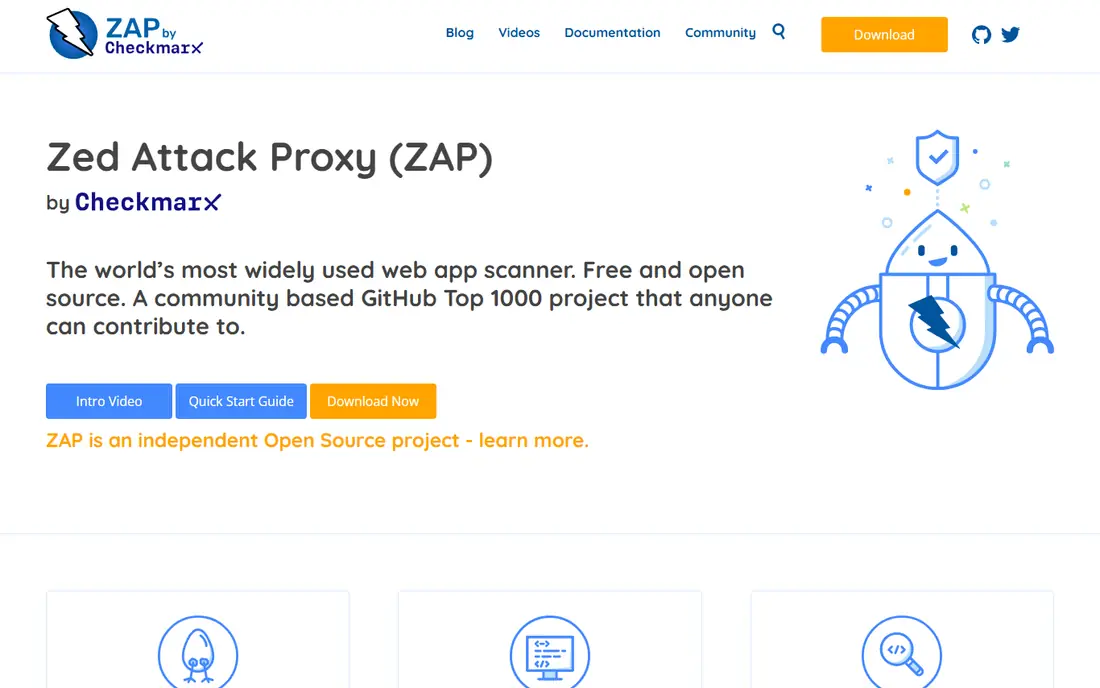
ZAP, the Zed Attack Proxy, is a free and open source web app scanner that suits developers, students and security teams on a budget. It can spider a site, run automated scans, intercept traffic and test APIs, and it fits well into continuous integration pipelines for regular baseline checks. The community add-on marketplace extends it for many testing needs.
ZAP is no longer an OWASP project; it is now an independent open source project supported by Checkmarx, a point many older guides still get wrong. Its manual testing workflow is less polished than Burp Suite Professional, and scan results need triage to remove false positives. For free, automated web scanning, ZAP is the clear starting point.
- Free and open source
- Automated and manual scanning
- Strong pipeline and API support
- Manual workflow is less polished than Burp Professional
- Setup and tuning take time

Invicti, formerly known for Acunetix, offers automated dynamic scanning for web applications and APIs, with proof-based checks that aim to confirm a finding before it reaches a triage queue. That proof step helps large teams reduce time spent on false positives across many targets. It also handles modern single-page apps and authenticated scanning, which matter for real production sites.
Pricing is quote-based and aimed at enterprises, so small teams should expect a sales process and a higher total cost than ZAP or StackHawk. Invicti is also an automated platform, not a manual testing replacement for a skilled tester. For an enterprise that needs regular, automated coverage across many apps, Invicti is a strong choice.
- Automated proof-based scanning for web and API
- Enterprise reporting and triage
- Good single-page app handling
- Quote-based enterprise pricing
- More than small teams need
StackHawk brings dynamic scanning into developer workflows, so a team can scan a running app in staging or in a pipeline before release. Findings are written for developers, with context on the request and response, which helps fix issues without a separate security handoff. The entry Wingman tier gives small teams a low-cost way to add DAST to a pipeline.
StackHawk does not replace Burp Suite for deep manual testing, and its focus is automated scanning rather than hands-on assessment work. Larger teams may need higher plans for scale and enterprise controls. For a development team that wants DAST in the pipeline at a clear price, StackHawk is a practical choice.
- Built for CI and CD pipelines
- Developer-friendly findings
- Low entry price
- Less manual testing depth than Burp
- Larger enterprise features need higher plans
Nuclei, from ProjectDiscovery, scans targets using templates that check for known issues, misconfigurations and exposed services. Its speed and template library make it useful for checking many hosts or for adding specific checks to a pipeline, and the open source core means a team can write its own templates for internal apps. It pairs well with ZAP or Burp, rather than replacing manual testing.
Nuclei is command-line focused, so less technical users may prefer a graphical scanner first. Template quality also varies, and results need review before they are treated as confirmed findings. For fast, repeatable checks on authorised targets, Nuclei is a powerful free tool in a tester toolkit.
- Free and open source
- Thousands of community templates
- Fast and easy to automate
- Command-line focus suits technical users
- Template quality varies and needs review
Snyk helps teams find and fix issues in code, open source dependencies and container images before an app goes live. It flags known vulnerabilities, suggests fixes and, in many cases, offers automated pull requests to update a package. That early check complements dynamic tools such as ZAP and Burp, which test a running app rather than its source.
Snyk is not a dynamic web scanner, so it will not test authentication, session handling or live business logic in the same way. Paid team plans are needed for larger organisations and advanced controls. For a team that wants code and dependency security alongside dynamic testing, Snyk is a strong, widely used choice.
- Scans code, dependencies and containers
- Clear fix guidance
- Free tier for small projects
- Focus is code and dependencies, not live app testing
- Paid plans needed for larger teams
Semgrep scans source code for patterns linked to injection, cross-site scripting, hard-coded secrets and other common flaws, using rules a team can customise. Its free community engine and fast scans make it easy to add to a pipeline or to run locally during development. Teams can also write rules for their own coding standards, which helps catch project-specific mistakes.
As a static tool, Semgrep cannot test a running app, its authentication flow or its live configuration. Rules also need tuning to avoid noisy results on large codebases. For early, code-level checks that sit beside dynamic testing, Semgrep is a useful free addition to a security toolkit.
- Free community engine
- Fast code and secrets checks
- Custom rules for team standards
- Static analysis only, so live app issues are missed
- Rule tuning takes effort
Beagle Security offers managed dynamic testing for web applications and APIs, with reports aimed at compliance and remediation work. That managed model suits teams that want regular automated pentest-style scans without running a scanner themselves. The entry price is clear, and higher plans add API testing depth and enterprise features.
Beagle is a smaller vendor than Invicti, and the depth of manual review depends on the plan and scope chosen. A team that needs deep manual testing should still consider Burp Suite work by a skilled tester. For a small to mid-size team that wants managed web and API scanning with usable reports, Beagle Security is a clear-priced option.
- Managed DAST for web and API
- Compliance-ready reports
- Clear entry pricing
- Smaller vendor than Invicti
- Manual depth depends on plan and scope
Akto focuses on APIs, which are a growing part of web application security. It builds an inventory of APIs, including shadow and undocumented endpoints, then runs security tests for common API flaws such as broken authorisation and data exposure. That inventory step matters, because a team cannot test an API it does not know exists.
Akto is API-focused, so it is not a full replacement for a web page scanner such as ZAP or Invicti. Larger cloud and self-hosted plans are quote-based. For a team with a large API estate that needs discovery plus testing, Akto pairs well with a web scanner and a code scanner.
- API inventory and discovery
- Automated API security tests
- Open source core
- API-focused, so web page testing is lighter
- Cloud and self-hosted plans are quote-based for larger use
How we picked these
We compared official feature pages, pricing pages and public security guides for web application testing tools, and we checked that each product is still offered in October 2026. We favoured tools that test a running web app or API, or that catch web flaws in code and dependencies, and we included free, developer-priced and enterprise options. Where pricing was quote-based or could not be verified on the vendor site, we wrote See website rather than guessing.
We also kept scope clear: these tools are for lawful, authorised testing only, on in-scope targets. A scanner alone does not prove an app is safe, and manual testing still matters for logic flaws, access control and multi-step workflows that automated scans often miss.
How to build a web testing toolkit
Start with one dynamic scanner and one code scanner. ZAP or StackHawk can cover dynamic checks, while Snyk or Semgrep can cover code and dependencies. Add Burp Suite Professional for the person who does manual testing, and add Nuclei for fast, repeatable checks on authorised targets. That small stack covers more ground than any single tool alone.
Test in staging first, then agree scope in writing
Run scans against staging or test systems before production, and agree the target list, test window and rules of engagement in writing. Keep credentials, test accounts and data handling rules in that agreement, and stop testing if a target falls outside scope. For production scans, use a low-impact profile first and coordinate with the team that owns the app.
Triage before you report
Automated results include false positives, so review findings, reproduce the important ones, and record evidence before sharing a report. Prioritise issues by real impact, such as data exposure or account takeover, rather than by scanner severity alone. Track fixes and retest, since a fix that is not retested may leave the flaw in place.
Frequently asked questions
What is the best security testing tool for web applications for beginners?
ZAP is a strong starting point because it is free, open source and covers automated scanning, traffic interception and API testing. Burp Suite Community is also useful for learning manual testing, with a paid upgrade to Professional for full scanning.
Is Burp Suite better than ZAP?
Burp Suite Professional offers a more polished manual testing workflow and a larger extension ecosystem, while ZAP offers free automated scanning and strong pipeline support. Many professionals use both: ZAP or Burp for manual work, plus an automated platform for regular coverage.
What is DAST, and how is it different from SAST?
DAST tests a running web application from the outside, sending requests and watching responses for flaws. SAST reads source code for flaws without running the app. A complete toolkit uses both, since each method finds issues the other misses.
Can I use these tools to test any website?
No. Use these tools only on systems you own or have written permission to test, within the agreed scope. Testing a site without permission can be unlawful and can cause harm, even if the intent is to help.
How much do web application security testing tools cost?
Costs range from free for ZAP, Nuclei, Snyk and Semgrep community tiers, to $10 per user per month for StackHawk, $99 per month for Beagle Security, and $499 per user per year for Burp Suite Professional. Enterprise platforms such as Invicti are quote-based.
Sources
See where you really rank - block by block
ProMapRanker scans Google Maps across a grid of your service area. Simple monthly plans from $19, white-label on every plan.
Start freeKeep reading
 zscaler alternatives
Best Zscaler Alternatives in 2026
Looking for zscaler alternatives? We compare 9 SASE and zero trust platforms on architecture, data protection, pricing, and fit for your network and team.
Read → zapier alternatives free
Best Zapier Alternatives Free in 2026
Nine automation tools for zapier alternatives free in 2026, all with genuinely free tiers, plus free plan limits, starting prices and upgrade paths explained.
Read → which platform is best for online reputation
Which Platform Is Best for Online Reputation in 2026
Wondering which platform is best for online reputation? We compare 8 review, listing, and response tools for small and multi-location businesses and agencies.
Read →