 ProMapRanker
Best Secure Messaging Apps in 2026

Key takeaways
- Signal is our pick for most people, since it encrypts everything by default, costs nothing, and is run by a nonprofit.
- Threema, Session, and SimpleX Chat are the strongest choices when you do not want to hand over a phone number.
- WhatsApp and Telegram are useful because your contacts are already there, but their privacy trade-offs are very different.
- Element and Wire suit teams and organisations that need hosted or self-hosted chat with admin controls.
- No app can protect you if you share sensitive details carelessly, so check disappearing messages and backup settings before you rely on any of them.
Quick comparison
| Pick | Great for | Pricing starts at | Free tier | |
|---|---|---|---|---|
 Signal | Most people, everyday private chat | Free | Yes | Visit |
 WhatsApp | Reaching contacts who already use it | Free | Yes | Visit |
 Telegram | Large groups and channels | Free | Yes | Visit |
 Threema | Messaging without a phone number | See website | No | Visit |
 Session | Anonymous sign-up with minimal metadata | Free | Yes | Visit |
 Element | Self-hosted team and community chat | Free | Yes | Visit |
 Wire | Secure team messaging for business | Free | Yes | Visit |
 SimpleX Chat | Messaging with no user identifiers | Free | Yes | Visit |
The best secure messaging apps
A secure app should encrypt messages by default, not only in a special mode, and it should be clear about what metadata it keeps. These eight meet that bar in different ways, from simple consumer chat to team tools you can host yourself.
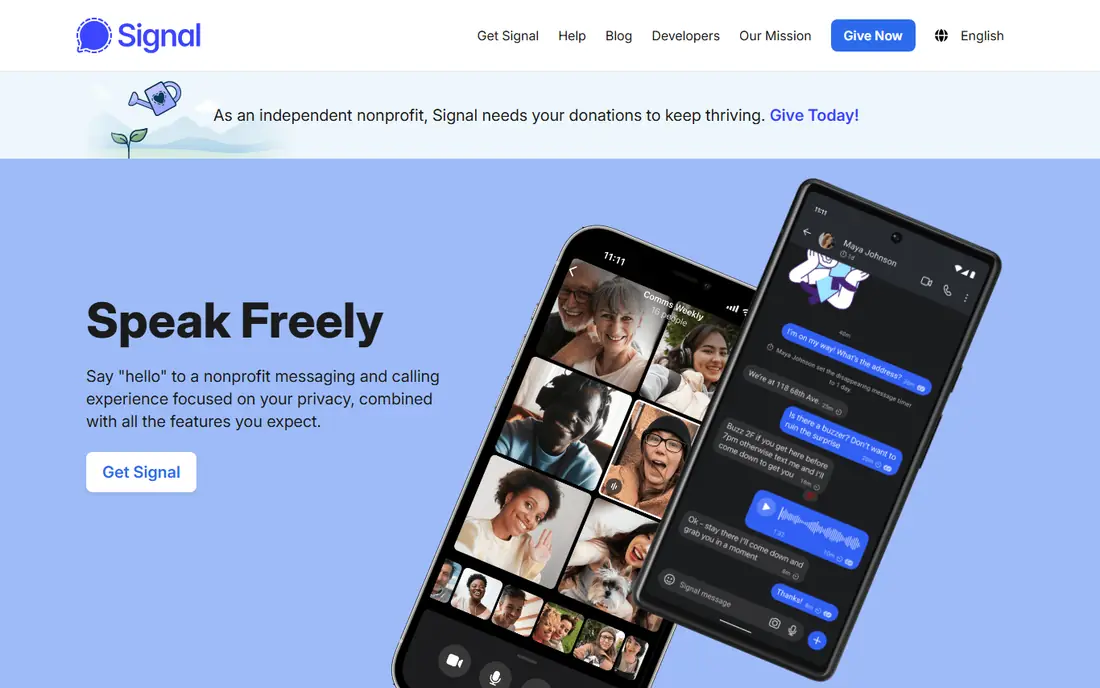
Signal is the app we suggest first to friends and family who want private messaging without a learning curve. Every one-to-one chat, group chat, voice call, and video call is end-to-end encrypted by default, so there is no special mode to remember. Disappearing messages, safety number checks, and screen security add practical protection, and the nonprofit structure means there is no advertiser paying for your attention.
The main drawback is social, not technical. Signal needs a phone number to register, and many of your contacts may still live on WhatsApp or SMS. That matters because a secure app only helps if the people you talk to actually use it. Still, for one-to-one and small group chats, Signal gives the strongest mix of privacy, simplicity, and cost, since it is free on iOS, Android, and desktop.
- End-to-end encryption by default
- Open source and independently audited
- Nonprofit funding with minimal metadata
- Needs a phone number to sign up
- Fewer contacts use it than WhatsApp
- No large public channels

WhatsApp is the practical pick when reach matters more than strict privacy. Its message content uses the Signal protocol for end-to-end encryption, and it is free on phones around the world. Groups, calls, and status updates work in a way most people already understand, so you will not need to teach anyone a new app.
The honest catch is metadata. WhatsApp can see who you message, when, and how often, and that information sits inside a large Meta account system. Cloud backups also need care: turn on end-to-end encrypted backup if you use one, or a backup stored in plain form can undo much of the protection. Use WhatsApp for everyday chats where reach wins, and move sensitive talks to Signal or Threema.
- Nearly everyone already has it
- Messages use the Signal protocol
- Free voice and video calls
- Owned by Meta, with broad metadata collection
- Closed source client
- Backups can weaken protection if not encrypted
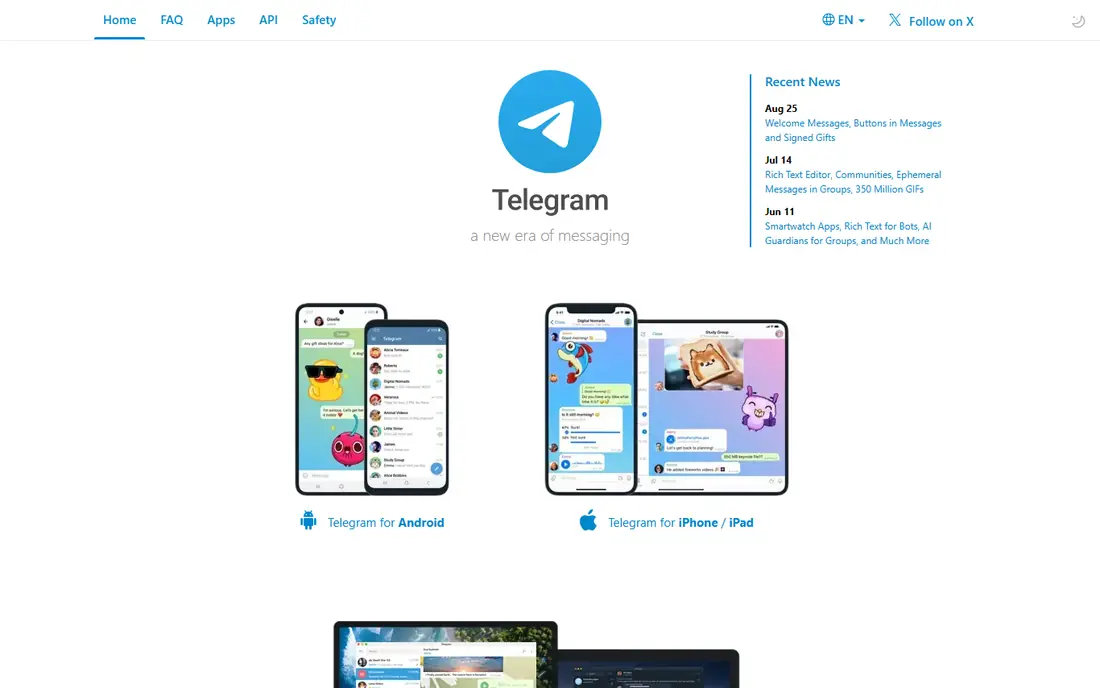
Telegram is best understood as a community app with some private chat features, not as a private app first. Regular cloud chats sync across every device and support very large groups, channels, bots, and file sharing. Premium, listed at about $4.99 per month, adds faster downloads, larger uploads, and extra features, but the free tier already covers most everyday use.
The privacy warning matters here. Only Secret Chats use end-to-end encryption, and they do not sync across devices. If you assume every Telegram chat is private by default, you will be wrong. That does not make Telegram useless: it is excellent for following a channel or running a large public group. For private talks, start a Secret Chat or use a different app on this list.
- Huge groups and public channels
- Fast cloud sync across devices
- Free with an optional Premium tier
- Regular chats are not end-to-end encrypted by default
- Only Secret Chats are
- Large public groups bring spam and scams
Threema is the pick when anonymity matters. You get a random ID when you install it, with no phone number or email required, and all chats, group chats, and calls are end-to-end encrypted. Its servers are in Switzerland, and the company says it keeps metadata to a minimum. That model also explains the price: you are the customer, not the product on offer to advertisers.
The cost is the barrier. Threema is a one-time purchase rather than a free download, with prices that vary by store and region, so check the listing in your country before you buy. Convincing a whole family to pay can be hard when Signal is free. For journalists, small teams, or anyone who needs a contact method that is not tied to a phone number, it is worth the small fee.
- Random ID instead of a phone number or email
- Based in Switzerland
- End-to-end encryption for chats, calls, and groups
- Paid app, so friends must also buy it
- Smaller user base
- Fewer extras than WhatsApp or Telegram
Session is built for people who want to chat without creating an account tied to their identity. You get a Session ID, and messages travel through a decentralised network designed to hide who talks to whom. It is free and open source, with apps for iOS, Android, Windows, Mac, and Linux, and it includes voice messages and group chats.
The trade is convenience. Message delivery can feel slower than WhatsApp, and features such as calls are thinner than in mainstream apps. Your contacts also need to install Session, which limits it to talks where privacy is the shared goal. If you need a second, private channel for sensitive conversations, Session is a strong free choice. If you need one app for everyone in your life, start with Signal instead.
- No phone number or email needed
- Open source
- Messages routed to limit metadata
- Smaller network and slower message delivery at times
- Fewer features than mainstream apps
- Contacts must also use Session
Element is the app on this list most suited to teams, schools, and public bodies. It runs on Matrix, an open protocol, so different servers can talk to each other, and an organisation can run its own server and keep its data under its own control. Private rooms support end-to-end encryption, and the free app covers chat, calls, and file sharing. Hosted plans for teams start from about $5 per user per month.
For a family chat, Element is more than you need. Setup, server choice, and key verification take more patience than installing Signal. For a community or workplace that wants control over its data, federation with other Matrix servers, and a tool that is not owned by one company, that extra effort pays off. It is a team tool first and a consumer chat app second.
- Built on the open Matrix protocol
- Organisations can host their own server
- End-to-end encryption for private rooms
- Interface feels more technical than Signal
- Encryption setup has edge cases
- Best value needs some admin skill
Wire started as a consumer messenger and now focuses heavily on secure team communication. Personal accounts are free, with encrypted messaging, calls, and file sharing across phones and desktop. Business plans add guest access, admin controls, and compliance features that regulated teams need, with pricing that depends on the plan you choose, so check the Wire pricing page for current rates.
For personal use, Wire is solid but not clearly better than Signal, and far fewer friends will already have it. For a small business that wants encrypted chat without building its own server, Wire strikes a useful middle ground between Signal and Element. You get team management and a polished interface, without handing your whole chat history to a consumer social network.
- End-to-end encryption by default
- Free personal tier
- Business plans with admin and compliance tools
- Business pricing varies by plan
- Smaller consumer user base
- Some features sit behind paid tiers
SimpleX Chat goes further than most privacy apps: it assigns no user identifiers at all, not even a random number. You create a local profile on your device and connect to contacts through one-time invitation links or QR codes, so there is no global directory to leak. Messages, calls, images, and files are end-to-end encrypted, and the code is open source with a published security review.
That design has a cost in ease. Adding a contact takes a link or a code rather than a phone book lookup, and group management feels different from WhatsApp. The network is also smaller, so it works best as a private channel for people who care about metadata. If your main worry is who knows that you talked to someone, not just what you said, SimpleX Chat is the most careful option here.
- No phone numbers or user IDs of any kind
- Open source with external security review
- Encrypted calls and disappearing messages
- Contacts join through invitation links, which feels unfamiliar
- Smaller network
- Learning curve for new users
How we picked these
We compared official privacy pages, pricing pages, and app store listings for apps that exist and work in October 2026, and we required end-to-end encryption by default for personal chats, except where we clearly flag the exception for Telegram. We favoured open source apps with published audits, clear metadata policies, and a free tier or one-time purchase, and we mixed consumer apps with team tools so both households and workplaces can find a fit. We did not claim hands-on testing we did not do.
How to choose the right secure app
Start with who you talk to. If your contacts will not switch, the most private app in the world will sit unused, so pick an app your circle will accept and use its strongest settings. Turn on disappearing messages for sensitive chats, check safety numbers when a contact changes devices, and review backup settings, since an unencrypted cloud backup can expose messages that were encrypted in transit.
Next, decide how much identity you want to share. A phone number is fine for family chat, but a random ID or no ID at all is better for work that needs distance from your personal number. Finally, think about groups. Large public groups need moderation and spam controls more than perfect encryption, while a small private group needs encryption by default. Match the app to the chat, rather than forcing one app to do every job.
Frequently asked questions
What is the best secure messaging app for most people?
Signal is our pick for most people. It is free, open source, encrypts everything by default, and is run by a nonprofit. Its main limits are the phone number requirement and a smaller contact list than WhatsApp, but for everyday private chat it gives the best balance of privacy and ease.
Is WhatsApp safe to use?
WhatsApp message content is end-to-end encrypted using the Signal protocol, so it is safer than plain SMS for everyday chats. The weaker point is metadata, since Meta can see who you message and when, and unencrypted cloud backups can expose message history. Turn on encrypted backups and move sensitive talks to Signal or Threema.
Do I need a phone number for a secure messaging app?
No, not always. Threema uses a random ID, Session uses a Session ID, and SimpleX Chat uses no user identifiers at all. Signal and WhatsApp do need a phone number, while Element and Wire can work with an email or a server account depending on how they are set up.
Is Telegram end-to-end encrypted?
Only Secret Chats on Telegram are end-to-end encrypted, and they work on one device at a time. Regular cloud chats are encrypted between you and Telegram servers, but they are not end-to-end encrypted by default. If you need private Telegram chats, start a Secret Chat and check its encryption key with your contact.
Which secure messaging app is best for teams?
Element is best for teams that want to host their own server and federate with other Matrix servers, while Wire is best for businesses that want managed admin and compliance tools without running a server. Both offer encrypted messaging, but Element gives more control and Wire gives a simpler managed setup.
Sources
See where you really rank - block by block
ProMapRanker scans Google Maps across a grid of your service area. Simple monthly plans from $19, white-label on every plan.
Start freeKeep reading
 zscaler alternatives
Best Zscaler Alternatives in 2026
Looking for zscaler alternatives? We compare 9 SASE and zero trust platforms on architecture, data protection, pricing, and fit for your network and team.
Read → zapier alternatives free
Best Zapier Alternatives Free in 2026
Nine automation tools for zapier alternatives free in 2026, all with genuinely free tiers, plus free plan limits, starting prices and upgrade paths explained.
Read → which platform is best for online reputation
Which Platform Is Best for Online Reputation in 2026
Wondering which platform is best for online reputation? We compare 8 review, listing, and response tools for small and multi-location businesses and agencies.
Read →