 ProMapRanker
Best Second Brain App in 2026

Key takeaways
- Obsidian and Logseq suit readers who want local files and control over their notes.
- Notion suits teams and individuals who want databases, pages and shared workspaces in one place.
- Capacities and Anytype suit readers who want structured objects and local-first storage.
- The best app is the one you will actually capture in, so start simple and add structure only when needed.
Quick comparison
| Pick | Great for | Pricing starts at | Free tier | |
|---|---|---|---|---|
 Notion | Databases and shared workspaces | Free | Yes | Visit |
 Obsidian | Local Markdown notes | Free | Yes | Visit |
 Roam Research | Linked thought and daily notes | See website | Free trial | Visit |
 Logseq | Open-source outliner notes | Free | Yes | Visit |
 Capacities | Structured objects and notes | See website | Yes | Visit |
 Anytype | Local-first personal knowledge | Free | Yes | Visit |
 Mem | Fast capture and AI search | See website | Free trial | Visit |
 Tana | Structured daily notes | See website | Free trial | Visit |
 RemNote | Notes with spaced repetition | See website | Yes | Visit |
The best second brain apps
We compared these apps on capture speed, linking, search, offline use, sync, export and price. Our pick for most people is Obsidian for personal notes and Notion for shared or database-heavy work. If you want a simpler daily habit, start with Logseq or Capacities and avoid building a complex system on day one.

Notion is a workspace where pages, databases, tasks and docs live together, which makes it a good second brain for people who also manage projects and team knowledge. The free personal plan covers unlimited blocks for one person, with a small upload limit, and Plus costs 10 dollars per member per month billed annually. Templates for journals, reading lists and project trackers help a new user start without building a system from scratch.
The drawback is weight. Notion can feel like building a house when a simple notepad would do, and its cloud model means notes live on Notion servers rather than as local files. It is best when sharing, databases or team work matter, and less ideal when privacy and local file control are the top priority.
- Free personal plan
- Databases and templates
- Strong sharing and collaboration
- Cloud-based
- Can feel heavy for quick personal notes

Obsidian stores notes as plain Markdown files in a folder on your own device, so the notes remain readable in any text editor even if you stop using the app. The core app is free for personal and commercial use, and Sync costs 4 dollars per user per month billed annually for encrypted sync across devices. Links, backlinks and a graph view help a reader see how ideas connect over time.
The catch is choice. Plugins, themes and folder structures offer a lot of freedom, and a beginner can spend more time reading setup guides than writing notes. Community plugins are also not sandboxed, so install only trusted ones. Obsidian is our pick for readers who value file ownership and long-term access.
- Free core app
- Local Markdown files
- Large plugin community
- Graph view
- Setup decisions can slow a beginner
- Sync and publish are paid extras
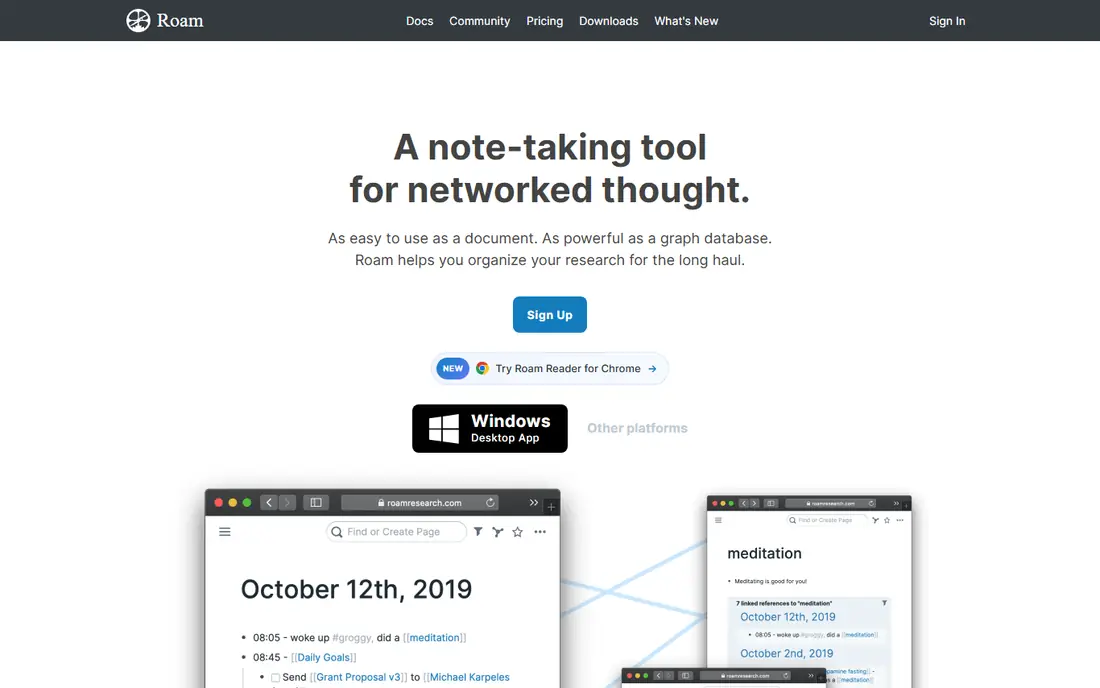
Roam Research helped popularize the second brain idea with daily notes, bidirectional links and block references. A note can link to another note, and a single block can be referenced in several places, which suits researchers and writers who build ideas over time. The daily page gives a natural place to capture without deciding where a note belongs first.
The drawback is price and learning curve. Roam is a paid tool, and its outliner style takes time to learn. It is best for writers and researchers who will use daily notes and block links every day, rather than for a casual user who only needs a place to store a few notes.
- Daily notes and bidirectional links
- Block-level references
- Strong for research
- Paid pricing
- Learning curve for new users
Logseq is a free, open-source second brain app that combines an outliner with bidirectional links and local file storage. Notes are stored as Markdown or Org-mode files on your device, which gives a similar ownership benefit to Obsidian. The journal-first workflow encourages daily capture, and tasks, tags and queries help a user find notes later.
The limitation is style. An outliner suits people who think in bullets and nested ideas, but it can feel restrictive for long-form writing. Sync and collaboration are also less polished than Notion. Logseq is a strong pick for privacy-minded readers who want a free, open-source tool and like an outliner.
- Free and open source
- Local Markdown and Org files
- Outliner with links
- Outliner style is not for everyone
- Sync and collaboration are less polished
Capacities takes a different approach from generic notes. Instead of only pages, it offers typed objects for people, books, meetings, ideas and other items, so a note about a book can link cleanly to its author and to related ideas. That structure helps readers who want a personal knowledge base that stays organized without a lot of manual tagging.
The free tier limits the number of objects and daily notes, and paid plans are needed for full use. Capacities is also cloud-based for most users, so readers who want local files should check the current offline and export options. It fits readers who like structure but find a blank page too open-ended.
- Typed objects for people, books and ideas
- Visual collections
- Daily notes
- Free tier limits objects
- Cloud-based for most users
Anytype is a local-first app for notes, tasks and personal knowledge, with peer-to-peer sync that avoids a central cloud for many users. It uses objects and relations, similar to Capacities, so a person, project or book can be a structured entry rather than only a page. The core app is free, which makes it easy to trial without a subscription.
The trade-off is ecosystem size. Anytype has fewer plugins and integrations than Obsidian or Notion, and collaboration features are newer. It is best for readers who want local-first storage and structured notes, and who do not need a large plugin library on day one.
- Local-first storage
- Peer-to-peer sync
- Objects and relations
- Smaller plugin ecosystem
- Collaboration is newer than Notion
Mem focuses on fast capture and finding notes again, with AI-assisted search that helps a user retrieve a note by meaning rather than only by exact words. That suits people who capture a lot and struggle to organize it later. The interface is simpler than a full database tool, which helps a daily capture habit stick.
The drawback is control. Readers who want precise folders, databases or manual structure may find Mem too automatic. Pricing and plan limits also need checking on the vendor site, since they have changed over time. Mem fits busy readers who capture often and want search to do the organizing work.
- Fast capture
- AI-assisted search and organization
- Simple interface
- Pricing and limits should be confirmed
- Less manual structure control
Tana combines daily notes with structured fields and supertags, so a meeting note can carry fields for people, project and next steps without a separate database. That structure helps users who want to query notes later, such as all meetings with one person or all books read in a month. It suits knowledge workers who like a daily capture habit with structure.
The learning curve is real, since supertags and fields take time to set up well. Pricing and free plan limits should also be confirmed on the vendor site. Tana is best for users who will invest time in a structured system and want to query it, not for a casual note-taker.
- Daily notes with structured fields
- Supertags
- Strong for structured capture
- Learning curve
- Pricing and plan limits need checking
RemNote combines notes, outlining and flashcards with spaced repetition, which suits students and learners who want to remember what they capture. A note can become a flashcard, and the app schedules reviews so important facts return at useful intervals. Linking and outlining keep notes connected, similar to other second brain tools.
The interface is denser than a simple notes app, and some features need a paid plan. RemNote is best for students and self-learners who will actually use flashcards, rather than for a general user who only needs a place to store ideas.
- Notes plus flashcards
- Spaced repetition
- Linking and outlining
- Interface is denser than a simple notes app
- Paid features for full use
How we picked these
We compared official product and pricing pages with recent comparison guides, and we favored apps that are still available in October 2026. We mixed local-first, cloud and open-source options so readers can match privacy, structure and sharing needs. Where pricing conflicted across sources, we wrote See website rather than repeating a figure we could not confirm. We did not claim hands-on testing.
What to check before you choose
Start with capture, not structure. Pick an app you will open every day, and capture for two weeks before building templates or a complex folder system. A second brain that is empty because the system was too complex to use is worse than a simple notes folder that is actually full.
Check export and sync early. Make sure you can export notes in a readable format, such as Markdown, and that sync works on the devices you use. Also check offline use, since a second brain that only works online will fail on a plane or in a poor signal area. Finally, avoid paying for a yearly plan until a free trial or free tier has survived a real week of daily use.
Frequently asked questions
What is the best second brain app?
Obsidian is the best pick for personal notes with local files, while Notion suits shared workspaces and databases. Logseq is a strong free, open-source option for outliner fans, and Capacities suits readers who want structured objects.
Is there a free second brain app?
Yes. Obsidian, Logseq and Anytype offer free core use, and Notion offers a free personal plan. Paid extras usually cover sync, publishing, collaboration or higher limits, so check which extras you actually need.
What is the difference between Notion and Obsidian?
Notion is a cloud workspace with databases and sharing, while Obsidian stores notes as local Markdown files with links and a graph view. Notion suits teams and database work, while Obsidian suits personal notes and file ownership.
Do I need a second brain app for studying?
A second brain app helps when you capture and link ideas over time, but a simple notes app can be enough for short courses. RemNote suits students who want flashcards and spaced repetition built into their notes.
How do I start a second brain without getting overwhelmed?
Capture first and organize later. Use a daily note, link ideas as you go and review once a week. Add structure only when a pattern appears, such as repeated meeting notes or a growing reading list.
Sources
See where you really rank - block by block
ProMapRanker scans Google Maps across a grid of your service area. Simple monthly plans from $19, white-label on every plan.
Start freeKeep reading
 zscaler alternatives
Best Zscaler Alternatives in 2026
Looking for zscaler alternatives? We compare 9 SASE and zero trust platforms on architecture, data protection, pricing, and fit for your network and team.
Read → zapier alternatives free
Best Zapier Alternatives Free in 2026
Nine automation tools for zapier alternatives free in 2026, all with genuinely free tiers, plus free plan limits, starting prices and upgrade paths explained.
Read → which platform is best for online reputation
Which Platform Is Best for Online Reputation in 2026
Wondering which platform is best for online reputation? We compare 8 review, listing, and response tools for small and multi-location businesses and agencies.
Read →