 ProMapRanker
Best Search Engine Submission Software in 2026


Submitting sitemaps and pages to Google · Pricing starts at: Free
Key takeaways
- Old-style bulk submission to hundreds of search engines no longer works, and the tools that matter now are Google Search Console and Bing Webmaster Tools.
- Both official tools are free, and they cover sitemap submission, URL inspection, and indexing reports for verified sites.
- IndexNow helps Bing and other participating engines discover new or changed pages faster, but it does not guarantee indexing.
- WordPress plugins and sitemap generators help by creating clean sitemaps, while the search engines themselves decide what to crawl and index.
Quick comparison
| Pick | Great for | Pricing starts at | Free tier | |
|---|---|---|---|---|
| Google Search Console | Submitting sitemaps and pages to Google | Free | Yes | Visit |
 Bing Webmaster Tools | Submitting sitemaps and pages to Bing | Free | Yes | Visit |
 IndexNow | Fast URL notifications to participating engines | Free | Yes | Visit |
 Rank Math | WordPress sitemaps and indexing controls | See website | Yes | Visit |
 Yoast SEO | WordPress sitemaps and site structure | See website | Yes | Visit |
 Screaming Frog SEO Spider | Finding sitemap and crawl problems | Free | Yes | Visit |
 XML-Sitemaps.com | Generating a sitemap for any site | See website | Yes | Visit |
 Dynomapper | Visual sitemaps and site audits | See website | Free trial | Visit |
 Sitebulb | Technical audits with sitemap checks | See website | Free trial | Visit |
The best search engine submission software
Search engines today do not want bulk form submissions. They want a clean sitemap, a verified site, and a clear signal when pages change. The tools below are the ones that genuinely help with that job in October 2026, from official consoles to sitemap builders and crawlers.
Google Search Console is the first tool every site owner should set up. After verifying your site, you submit your XML sitemap under Indexing, and you can ask Google to inspect individual important pages. The reports then show which pages were crawled, which were indexed, and which had problems, along with the search queries that brought clicks.
The honest limit is that submission does not force indexing. Google may crawl a submitted page and still choose not to index it, often because of thin content, duplicate content, or crawl issues. That is why Search Console is best used as a diagnostic tool as well as a submission tool: fix the pages it flags, then resubmit a clean sitemap.
- Free and official
- Sitemap submission and URL inspection
- Search performance and coverage reports
- Submission is a hint, not a guarantee of indexing
- Data is limited to your own verified sites

Bing Webmaster Tools is the Bing equivalent of Search Console, and it covers site verification, sitemap submission, crawl diagnostics, URL inspection, and search performance for Bing. Because Bing also powers other search surfaces, including Yahoo results, one submission here reaches more than Bing alone. If you already use Search Console, you can import verified sites, which makes setup fast.
The catch is the same as with Google: submission tells Bing about a page, but Bing decides what to index. Bing Webmaster Tools is still worth the short setup time, because it catches crawl problems from a second angle and gives you a free keyword and SEO report that Google does not provide in the same form.
- Free and official
- Sitemap submission and URL inspection
- Can import from Search Console
- Smaller search share than Google
- Indexing is not guaranteed
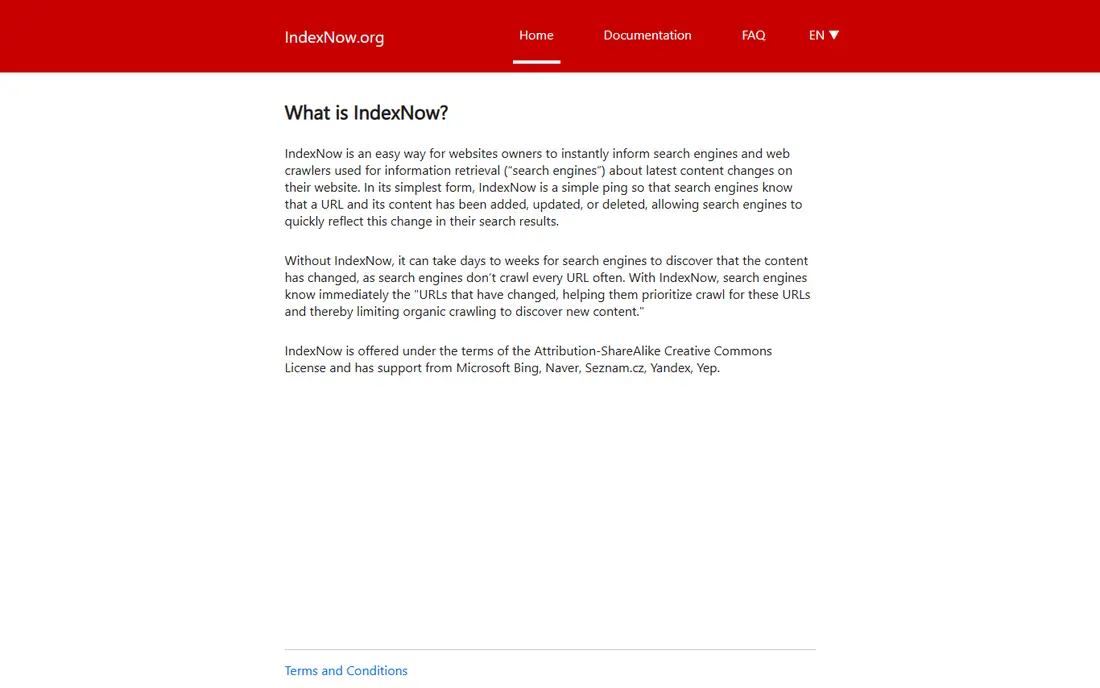
IndexNow is an open protocol that lets a site instantly notify participating search engines when a URL is added, updated, or deleted. Instead of waiting for a crawler to revisit a sitemap, your site sends a simple ping, and Bing and other participating engines can then decide to crawl the changed page sooner. Many content systems and SEO plugins support it, or you can submit keys manually.
The limit to understand is participation. IndexNow is strongest for Bing and its partners, and it does not replace a sitemap or Search Console. It also does not guarantee indexing. Used together with a clean sitemap, though, it is the closest thing to fast discovery that still works in 2026.
- Open protocol
- Instant notifications for new, updated, or deleted URLs
- Supported by Bing and others
- Google does not use IndexNow in the same way
- Requires site setup or plugin support
Rank Math is a WordPress SEO plugin that handles much of the submission work behind the scenes. It generates XML sitemaps, lets you control which post types and taxonomies appear in them, and supports IndexNow notifications for changed content. It also connects with Search Console data and gives on-page guidance inside the editor.
The main limit is platform. Rank Math only helps WordPress sites, so owners on other platforms need a different sitemap tool. The free version covers sitemaps and core SEO well, while paid plans add rank tracking and deeper automation. For WordPress owners, it removes most of the manual sitemap work.
- Automatic XML sitemaps for WordPress
- IndexNow support
- Detailed SEO controls
- WordPress only
- Advanced features need a paid plan
Yoast SEO is the long-established WordPress option for sitemaps and on-page structure. It creates an XML sitemap automatically, splits large sitemaps into manageable parts, and helps you set titles, descriptions, and canonical tags that keep search engines from getting confused by duplicates. That structure matters, because a messy sitemap can slow discovery more than no sitemap at all.
Yoast is less focused on bulk indexing tricks than some newer plugins, and that is a strength. It sticks to the methods search engines actually support: clean sitemaps, correct metadata, and readable content. WordPress owners who want a dependable, well-documented setup will find Yoast easy to trust, even if its free version is more conservative than Rank Math.
- Automatic XML sitemaps
- Clear readability and SEO guidance
- Long track record on WordPress
- WordPress only
- Some advanced features need Premium
Screaming Frog SEO Spider is a desktop crawler that checks your site the way a search engine would. It finds broken links, redirect chains, missing titles, duplicate pages, and URLs that are missing from your sitemap or present in it by mistake. It can also generate an XML sitemap from a crawl, which is useful for sites whose content system does not build one well.
The free version covers up to 500 URLs, which suits small sites, while the paid licence, listed at 199 dollars per year in recent comparisons, removes that cap and adds scheduling and integrations. Screaming Frog does not submit your sitemap for you, but it makes the sitemap you submit far more reliable, and that is often where indexing problems start.
- Deep site crawling
- Finds broken links and missing pages
- Can generate XML sitemaps
- Desktop tool with a learning curve
- Free version caps crawls at 500 URLs
XML-Sitemaps.com is a simple online generator for sites that do not have a built-in sitemap tool. You enter your domain, it crawls the site, and it produces an XML sitemap file you can upload and submit in Search Console and Bing Webmaster Tools. That makes it useful for small static sites, older sites, and sites built on platforms with weak SEO tools.
The limits are scale and upkeep. Large sites need a paid plan, and a generated sitemap goes stale if you do not regenerate it after adding pages. It also does not submit anything on its own: you still need to upload the file and submit it in the official consoles. For a small site that needs a clean sitemap fast, it is a practical fix.
- Works for any platform
- Simple generator
- No plugin required
- Large sites need a paid plan
- Generated sitemaps still need manual submission
Dynomapper creates visual sitemaps that show your site structure at a glance, along with content inventories and audits for issues that can hurt crawling. You can export sitemaps in XML form for submission, and the visual map helps teams spot orphan pages, deep pages, and sections that search engines may struggle to reach. That overview is useful for redesigns and large content sites.
The downside is scope and cost. Dynomapper is a paid audit tool, not a free generator, and small sites will get the same submission result from a simpler generator plus Search Console. For agencies and larger sites that need to plan structure and prove coverage, the visual map and audit reports justify the extra step.
- Visual sitemap maps
- Content and accessibility audits
- Sitemap exports
- Paid tool with a learning curve
- More than a small site needs
Sitebulb is a technical SEO audit tool that checks how well your site can be crawled and indexed, including whether your sitemap matches your real pages. Its reports prioritize issues, explain them in plain language, and show which URLs are indexed, excluded, or missing from the sitemap. That makes it useful for finding the gap between what you submitted and what search engines actually found.
Sitebulb is a paid tool, and it is more than most single-site owners need. For SEOs and agencies that audit many sites, or for a large site with persistent indexing problems, it gives a clearer picture than a simple sitemap generator. Pair its findings with Search Console, fix the top issues, and resubmit a corrected sitemap.
- Clear audit reports with priorities
- Sitemap and crawl coverage checks
- Useful for agencies
- Paid desktop and cloud tool
- Overkill for a single small site
How we picked these
We compared official search engine documentation, plugin feature pages, and crawler documentation for tools live in October 2026. We kept only tools that help with a method search engines still support: verified sitemap submission, URL inspection, IndexNow notification, sitemap generation, or crawl auditing. We left out bulk submission services that promise placement in hundreds of engines, because those services no longer match how Google and Bing discover pages, and we did not invent services that no longer work.
What to do instead of bulk submission
Start with a clean sitemap and a verified site in both Google Search Console and Bing Webmaster Tools. Add a sitemap reference to your robots file, so any crawler can find it without a manual step. Use IndexNow, through your plugin or site setup, to notify participating engines when important pages change.
Then check the coverage reports each month. Fix broken links, remove thin or duplicate pages from the sitemap, and improve pages that were crawled but not indexed, rather than resubmitting them unchanged. Submission gets a page noticed. Content quality, site speed, and clean internal links decide whether it stays indexed and ranks.
Frequently asked questions
What is the best search engine submission software today?
Google Search Console and Bing Webmaster Tools are the best starting points, because they are the official, free tools for submitting sitemaps to the two engines that matter most. Use them together, not one instead of the other.
Do I still need to submit my site to search engines?
Yes, for a new site, submit your sitemap in Search Console and Bing Webmaster Tools after verification. For an established site, keep the sitemap updated and let crawlers revisit it, and use URL inspection or IndexNow for important new pages.
Does submitting a sitemap guarantee indexing?
No. A sitemap is a hint that helps discovery, but each search engine decides what to crawl and index based on quality, uniqueness, and crawlability. Pages that are thin, duplicated, or blocked will often stay unindexed even after submission.
What is IndexNow and should I use it?
IndexNow is an open protocol for instantly notifying participating search engines about added, updated, or deleted URLs. It is worth enabling through your SEO plugin or site setup, especially for Bing, but it does not replace a sitemap or Search Console.
Which tool creates a sitemap for a non-WordPress site?
Screaming Frog SEO Spider and XML-Sitemaps.com both generate sitemaps for sites on any platform. Screaming Frog suits larger or technical sites, while XML-Sitemaps.com suits small sites that need a quick file to upload and submit.
Sources
See where you really rank - block by block
ProMapRanker scans Google Maps across a grid of your service area. Simple monthly plans from $19, white-label on every plan.
Start freeKeep reading
 zscaler alternatives
Best Zscaler Alternatives in 2026
Looking for zscaler alternatives? We compare 9 SASE and zero trust platforms on architecture, data protection, pricing, and fit for your network and team.
Read → zapier alternatives free
Best Zapier Alternatives Free in 2026
Nine automation tools for zapier alternatives free in 2026, all with genuinely free tiers, plus free plan limits, starting prices and upgrade paths explained.
Read → which platform is best for online reputation
Which Platform Is Best for Online Reputation in 2026
Wondering which platform is best for online reputation? We compare 8 review, listing, and response tools for small and multi-location businesses and agencies.
Read →