 ProMapRanker
Best Scrum Software in 2026: 8 Tools Compared


Deep scrum workflows for software teams · Pricing starts at: See website
Key takeaways
- Jira remains the default for software teams that need deep scrum workflows, custom fields, and reporting.
- Azure Boards suits teams already building in Microsoft tools, where planning and code live close together.
- ClickUp, Monday Work Management, and Asana suit cross-functional teams that mix scrum with other work types.
- Linear suits product and engineering teams that value speed and a clean, focused interface.
- Open source and lower-cost options such as Taiga and Zoho Sprints can work well for small teams with simpler needs.
Quick comparison
| Pick | Great for | Pricing starts at | Free tier | |
|---|---|---|---|---|
| Jira | Deep scrum workflows for software teams | See website | Yes | Visit |
 Azure Boards | Microsoft-based engineering teams | $6 per user per month | Yes | Visit |
 ClickUp | Teams mixing scrum with other work | See website | Yes | Visit |
 Monday Work Management | Visual cross-functional planning | See website | Yes | Visit |
 Asana | Portfolio and cross-team coordination | See website | Yes | Visit |
 Linear | Fast product and engineering delivery | See website | Yes | Visit |
 Taiga | Open source scrum and kanban | See website | Yes | Visit |
 Zoho Sprints | Low-cost scrum for small teams | See website | Yes | Visit |
The best scrum software
Scrum software should make the basics easy: a backlog that can be ordered, sprints that can be planned, a board that shows daily progress, and reports that show whether work is finishing. We compared tools on those basics, plus integrations, pricing clarity, and fit for different team sizes, and we kept the list to products live in October 2026.
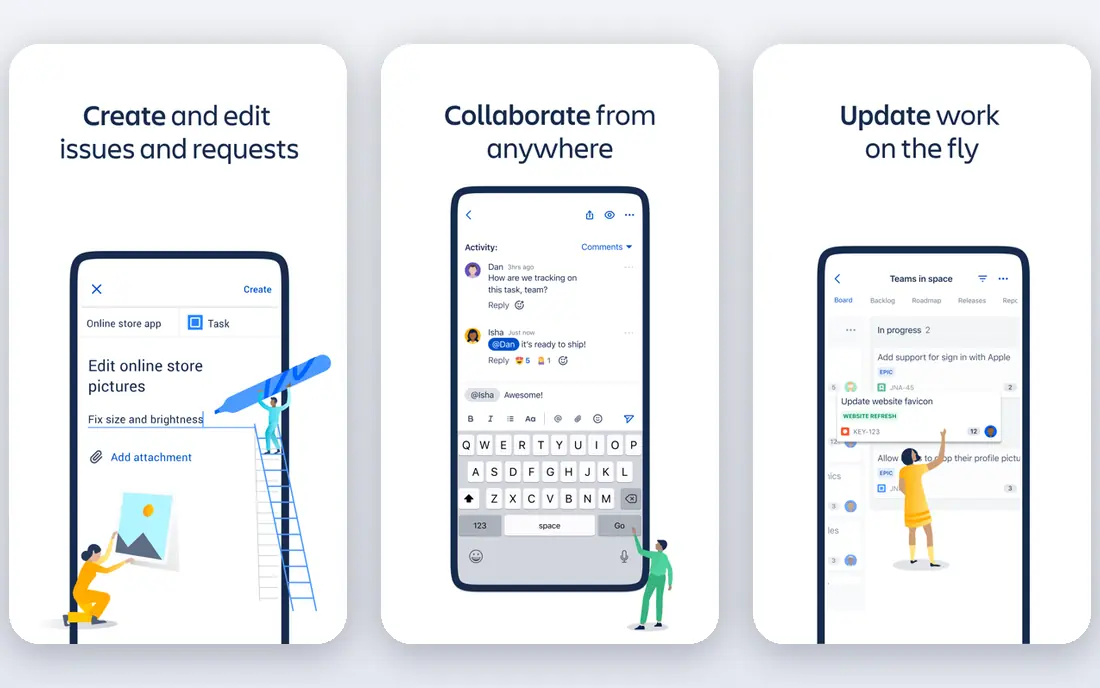
Jira is the tool most software teams already know, and for scrum it remains the most complete option in this list. It supports product backlogs, sprint planning, story points, burndown charts, and velocity reports, with workflows that can be shaped to a team way of working. For teams that run many sprints and need consistent reporting, that depth matters.
The cost of that depth is complexity. A small team may find the setup and administration more than it needs, and paid pricing should be checked at the real user count. For a software team that lives in sprints, though, Jira is still our pick for most people, because the scrum features are not an add-on, they are the core of the product.
- Mature scrum boards, backlogs, and sprint reports
- Deep customization
- Large integration marketplace
- Setup can feel heavy for small teams
- Pricing rises with user count and tier
Azure Boards suits engineering teams that already use Azure DevOps for code, pipelines, and releases. Planning work sits next to the code it describes, which makes it easier to trace a backlog item from sprint plan to release. It supports backlogs, sprints, boards, and dashboards, with work item types that fit software delivery.
The free tier covers a small number of users, and additional users are priced per month on the Basic plan. Teams outside Microsoft tooling may prefer a more general project tool. For a team already committed to Azure DevOps, however, Azure Boards avoids a separate planning system and keeps delivery in one place.
- Tight fit with Azure DevOps code and pipelines
- Scrum and kanban boards
- Free tier for small teams
- Best value inside Microsoft tooling
- Interface feels more engineering-focused than general project tools
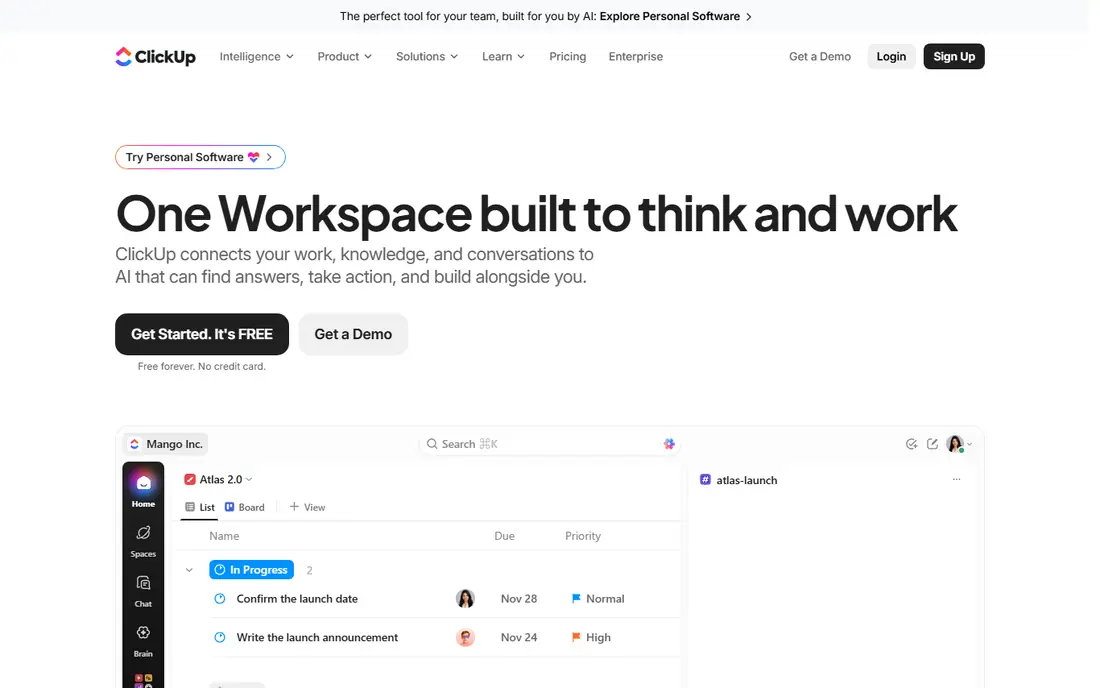
ClickUp appeals to teams that do not only run scrum. It combines task lists, documents, goals, dashboards, and time tracking with sprint and board views, so a product team can manage marketing work, operations, and software sprints in one workspace. That breadth is useful for small companies where one tool must cover several kinds of work.
The trade-off is focus. New users may find the number of views and settings overwhelming, and teams should set up a simple scrum template before adding extras. For a cross-functional team that wants one workspace rather than several specialist tools, ClickUp is a strong, flexible choice.
- Combines tasks, docs, goals, and dashboards
- Scrum views including sprints and boards
- Broad integrations
- Many features can feel crowded at first
- Paid pricing and tier limits need careful checking
Monday Work Management suits teams that want scrum planning to be visible and easy for non-developers to follow. Boards, timelines, and dashboards make sprint progress clear at a glance, and automations can move items, notify owners, and update status without manual work. That visual clarity helps when product, design, and marketing staff share a sprint.
For a large software program with complex reporting and custom workflows, Jira still offers more depth. For a cross-functional team that values clarity over engineering depth, Monday is a good fit, provided the team checks pricing at its seat count and confirms which scrum features sit in the chosen plan.
- Visual boards and timelines
- Easy for non-technical teammates
- Automations for routine updates
- Scrum depth is less than Jira for complex software programs
- Pricing is by plan and seat count
Asana works well when scrum teams need to coordinate with other teams and show progress across a portfolio. It offers boards, timelines, and project views, with goals and portfolios that help leaders see how several teams contribute to one program. That coordination view is where Asana earns its place in this list.
Pure scrum teams that need deep sprint analytics may find Asana lighter than Jira or Azure Boards. For a product organization where engineering sprints sit alongside marketing and operations work, Asana keeps everyone in one system, and the free plan is enough to test the basic workflow with a small team.
- Clear task and project views
- Portfolio features for multi-team programs
- Good for coordinating work across teams
- Scrum reporting is less specialized than dedicated agile tools
- Advanced features need paid plans
Linear is the tool product and engineering teams pick when they want speed and focus. Its interface is clean, keyboard-friendly, and built around issues, cycles, and projects, which maps well to scrum sprints without extra clutter. Teams that value quick triage and clear ownership often find Linear easier to keep current than heavier tools.
The limit is breadth. Linear is less of a general project tool for marketing or operations work, so cross-functional teams may need a second system. For a software team that wants scrum done well and quickly, Linear is a strong choice, and the free plan lets a small team test it properly.
- Fast, focused interface
- Strong issue tracking and sprint cycles
- Built for product and engineering teams
- Less suited to non-technical project work
- Some advanced features need paid plans
Taiga is an open source option for teams that want scrum and kanban boards without a large subscription. It supports backlogs, sprints, user stories, tasks, and issues, with a straightforward board view that is easy for a small team to learn. Self-hosting gives teams control over their data and hosting costs.
The trade-off is ecosystem size. Integrations and advanced reporting are more limited than in Jira or Azure Boards, and self-hosted setups need someone to maintain them. For a small team, a startup, or a team that values open source, Taiga is a practical, low-cost way to run scrum properly.
- Open source and self-hosted option
- Clear scrum and kanban boards
- Low cost for small teams
- Smaller integration ecosystem than major rivals
- Self-hosting needs technical upkeep
Zoho Sprints is a purpose-built scrum tool, not a general task app with scrum added later. It offers backlogs, sprint planning, boards, and reports in a setup that small teams can learn quickly. For a team that wants scrum basics without the complexity of a large platform, that focus is welcome.
Larger programs may outgrow it, and teams already using other ecosystems may prefer a tool that integrates more deeply with their existing stack. For a small team, especially one already using Zoho products, Zoho Sprints offers a clear, affordable path to running sprints well.
- Purpose-built for scrum with backlogs and sprints
- Simple setup
- Fits Zoho workplaces
- Less depth for very large programs
- Best value inside the Zoho ecosystem
How we picked these
We compared official feature pages, pricing pages, and public scrum capabilities for tools live in October 2026. We favored tools with real backlog, sprint, board, and reporting features, rather than general task lists with a board view only. Where pricing was unclear or varied by tier, we listed See website instead of quoting a figure that might not apply to your plan.
How to choose the right scrum tool
Start with who will use it every day. A software-only team can choose a deeper tool such as Jira, Azure Boards, or Linear. A cross-functional team should favor a tool that non-developers will actually open, such as Monday, Asana, or ClickUp. If cost or data control matters most, test Taiga or Zoho Sprints first.
Next, check the sprint basics in a trial. Create a backlog, plan a sprint, move work across a board, and read a burndown or velocity report. If any of those steps feels awkward, the tool will slow the team down over time. Also check integrations with code, chat, and documentation tools, since scrum work rarely lives in one app alone.
Finally, agree on a simple process before adding custom fields and automations. A clean backlog, a regular sprint review, and a short retrospective will do more for delivery than a complex workflow that no one maintains. Choose the tool that supports that simple process well, and let the team grow into advanced features as needed.
Frequently asked questions
What is the best scrum software?
Jira is the most complete scrum option for software teams, while Azure Boards suits Microsoft teams and Linear suits fast product teams. The best choice depends on team size, technical stack, and whether non-developers share the same workspace.
What are the best scrum tools for small teams?
Taiga, Zoho Sprints, and the free plans of ClickUp, Asana, and Linear all suit small teams. Start with a free plan, run one or two real sprints, and check whether backlog, board, and reporting features fit your way of working.
What is the best software for scrum and kanban?
Jira, Azure Boards, Taiga, and ClickUp all support both scrum and kanban boards. If your team switches between methods, choose a tool where both board types share the same backlog and reporting.
Is Jira free for small teams?
Jira offers a free plan for up to 10 users, with paid plans for larger teams and advanced features. Check the current Atlassian pricing page for storage and feature limits before planning around the free tier.
Do scrum tools work for non-software teams?
Yes, but the fit varies. Monday, Asana, and ClickUp suit cross-functional work well, while Jira and Linear are more software-focused. Choose a tool that the whole team will use, not just the engineering staff.
How do we pick between Jira and Azure Boards?
Choose Azure Boards if your code, pipelines, and planning already live in Azure DevOps. Choose Jira if you need deeper scrum customization and reporting, or if your team uses a mix of development tools.
Sources
See where you really rank - block by block
ProMapRanker scans Google Maps across a grid of your service area. Simple monthly plans from $19, white-label on every plan.
Start freeKeep reading
 zoho inventory alternatives
6 Alternatives to Zoho Inventory, Compared on Price and Fit
Zoho Inventory alternatives: 6 tools compared on price, free plans and fit. Katana leads the list for manufacturers. Fit and flaws are laid out for each entry.
Read → zoho crm alternatives
Best Zoho CRM Alternatives (2026)
Need Zoho CRM alternatives? We compare 7 tools on cost, free access and who each suits. Every pick gets a straight assessment. Built for quick decisions.
Read → zelle alternatives
Best Zelle Alternatives in 2026
Compare the best Zelle alternatives for sending money to friends, paying sellers and moving funds abroad, with honest notes on fees, speed and safety in 2026.
Read →