 ProMapRanker
Schematic Software: 7 Options Compared in 2026

Browser-based schematic to manufactured boards · Pricing starts at: Free tier
Direct answer
EasyEDA comes first here, mainly for browser-based schematic to manufactured boards. Listed starting prices: DipTrace from $75 one-time. Look at Proteus Design Suite for schematic capture with microcontroller simulation, and at PADS Professional for established mid-market engineering teams. All 7 tools are compared below on price, free plan and limits.
This ProMapRanker guide covers 7 options for schematic software. Each profile lists a starting price, free plan details, strengths and drawbacks, so you can drop poor fits quickly.
Key takeaways
- Number one here is EasyEDA, a fit for browser-based schematic to manufactured boards.
- 2 of 7 tools offer a free plan: EasyEDA, KiCad.
- KiCad suits free open-source schematic and PCB design.
- Check the limits for EasyEDA before you commit: cloud-based, so designs live on their servers.
- Expect to ask for a quote from Proteus Design Suite, PADS Professional, Pulsonix and Altium Designer; the other tools show a starting price.
Quick comparison
| Pick | Great for | Pricing starts at | Free tier | |
|---|---|---|---|---|
| EasyEDA | Browser-based schematic to manufactured boards | Free tier | Yes | Visit |
 Proteus Design Suite | Schematic capture with microcontroller simulation | See website | Free trial | Visit |
 PADS Professional | Established mid-market engineering teams | See website | Free trial | Visit |
 Pulsonix | Easy-to-learn professional schematic capture | See website | Free trial | Visit |
 Altium Designer | Professional unified schematic-to-PCB workflow | See website | Free trial | Visit |
 DipTrace | Budget-friendly perpetual-license schematic capture | $75 one-time | Free trial | Visit |
 KiCad | Free open-source schematic and PCB design | Free | Yes | Visit |
Our 7 picks for schematic software

EasyEDA makes the most sense for browser-based schematic to manufactured boards. When the design is done, one-click ordering sends it to fabrication and assembly.
The main drawbacks: Advanced high-speed features trail desktop tools.
That integration is the entire pitch, and for prototypes, hobby projects and small production runs it is unbeatable on speed and cost. EasyEDA collapses the distance between drawing a schematic and holding a board. Starting cost for EasyEDA: Free tier. You can start on EasyEDA without paying.
- Millions of library parts with live pricing and stock
- One-click ordering of PCBs and assembly
- Cloud-based, so designs live on their servers
Proteus Design Suite
Great for: Schematic capture with microcontroller simulation
Proteus Design Suite makes the most sense for schematic capture with microcontroller simulation. Proteus does something most schematic tools do not: it runs your firmware on the schematic. Worth adding: with over 15 million library parts and IoT builder workflows for Arduino and Raspberry Pi projects, it includes the embedded world well.
On top of that, if your schematic comes with a microcontroller and firmware, this deserves a look. The interface has its own logic that takes adjustment if you arrive from Altium or KiCad, and pricing goes through quotes with numerous configuration choices. As for the details, where Proteus shines is education, tens of thousands of students use it, and embedded R&D teams that want to test firmware before the first PCB is ordered. On top of that, the VSM simulation lets you load real microcontroller code and watch it execute against virtual peripherals, which makes it a virtual prototype bench for embedded designs. No starting price is listed for Proteus Design Suite here; confirm pricing on the vendor site. Free plan details: Free trial.
Limits to weigh: Interface and workflow feel idiosyncratic.
- Capable in education and embedded R&D
- Huge library of over 15 million parts
- Pricing is quote-based and varies by configuration
PADS Professional serves established mid-market engineering teams. Siemens now owns it and is steering the line toward Xpedition Standard, with PADS users getting a companion seat in the newer product.
Watch-outs: The product line is in transition toward Xpedition Standard.
That transition is both the opportunity and the risk. PADS Professional does not show a starting price in this comparison, so check the vendor site for current pricing. Trial and free access: Free trial.
- Siemens backing with a path to Xpedition
- Decades-proven schematic and layout flow
- Pricing is quote-based
Pulsonix was built for easy-to-learn professional schematic capture. Built-in SPICE simulation, high-speed constraint tools and flexi-rigid board support handle serious work.
Drawbacks to consider: Pricing is quote-based.
On top of that, the user community is smaller than Altium's or KiCad's, so expect to depend on official support, which by most accounts is decent. Also, pricing goes through distributors with quotes, which is friction for small buyers but normal in this segment. Pricing for Pulsonix is not stated here, so ask the vendor for current figures. As for free access: Free trial.
- Genuinely quick to learn for a professional tool
- Schematic-only seats available for economical teams
- Smaller user base means fewer external resources
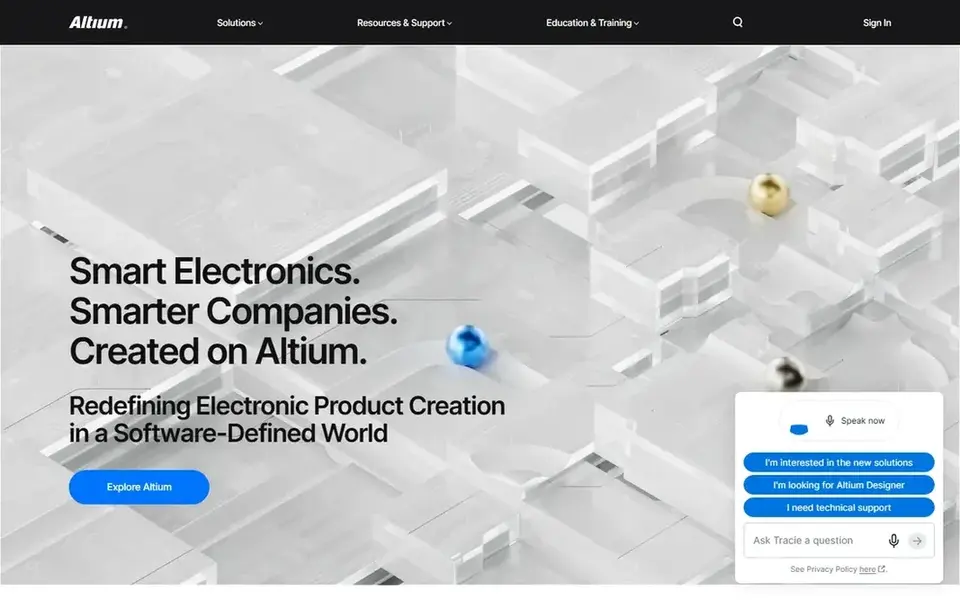
Altium Designer is aimed squarely at professional unified schematic-to-PCB workflow. The industry default for professional PCB work is still Altium, and the schematic editor is a big reason why.
Beyond that, Altium moved to subscription licensing, and the annual cost is a serious line item for small firms. Hierarchical sheets, multi-channel design, variants, and tight integration with layout mean the schematic is never just a drawing: it drives the netlist, the constraints and the documentation. Altium Designer does not show a starting price in this comparison, so check the vendor site for current pricing. On free options: Free trial.
Watch-outs: Pricey subscription licensing.
- Solid hierarchical design and library management
- Large component ecosystem and community
- Demanding on hardware and training time
DipTrace is aimed squarely at low-cost perpetual-license schematic capture. Licenses start at $75 for the Lite edition and top out under $1,000 for the full version, all perpetual, with updates through the 5.x release line included. Worth adding: for freelancers, small consultancies and schools that want professional capture without subscription pricing, DipTrace is the pragmatic pick.
The component libraries are respectable though smaller than the giants', and the community is quieter, which matters when you are stuck at midnight. But the software runs locally, works offline, and never asks for rent. What you pay to start with DipTrace: $75 one-time. As for free access: Free trial.
Where it falls short: High-end high-speed features trail the leaders.
- Layout and libraries
- Consistent interface across schematic
- Smaller community and library ecosystem than KiCad or Altium
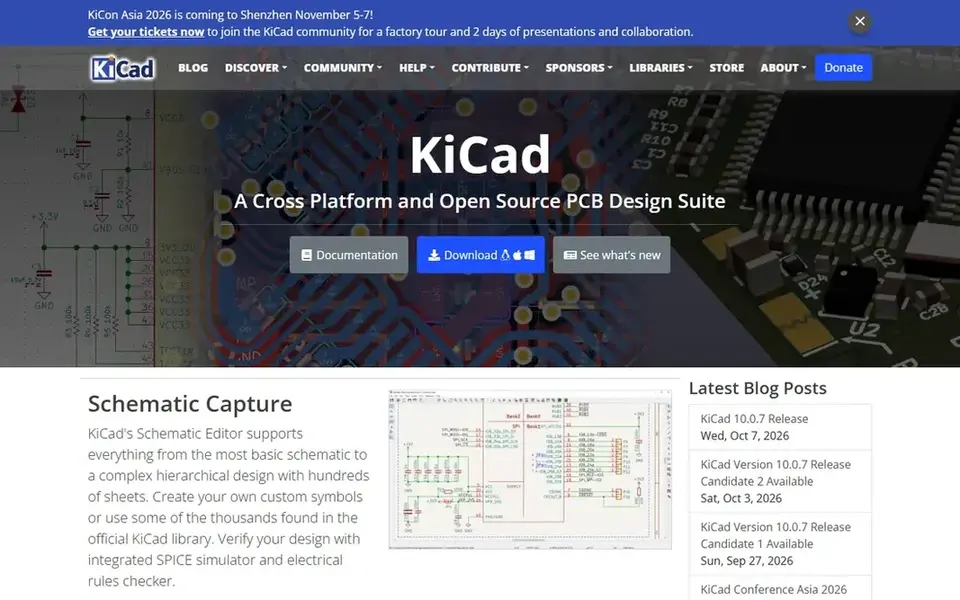
KiCad is built with free open-source schematic and PCB design in mind. The schematic editor takes care of everything from a single-page hobby circuit to hierarchical designs with hundreds of sheets. Integrated SPICE simulation and electrical rules checking catch errors before layout, the symbol libraries are broad.
Where it is weaker: Commercial support is community-based.
The native file formats work well with Git for version control. Beyond that, the honest costs are learning time and the absence of a support contract: answers come from forums and documentation, not a phone line. From a buyer's view, businesses ship real products designed in it. What you pay to start with KiCad: Free. You can start on KiCad without paying.
- Hierarchical schematics with SPICE simulation and electrical rules checking
- Huge symbol and footprint libraries
- Library and workflow conventions take learning
How we built this list
ProMapRanker looked at what each vendor publishes: pricing, plan limits, feature coverage for schematic software and stated drawbacks. No hands-on testing is claimed. Prices and plan limits come from vendor pages and can change, so confirm them on the vendor site before you buy. The ranking is editorial: typical fit first, then clear pricing, then free access. If your needs are unusual, read the profiles rather than relying on position.
Questions to settle before buying
- Ask Proteus Design Suite, PADS Professional, Pulsonix and Altium Designer for a written quote, since no starting price is shown.
- Look at free plan limits closely: EasyEDA and KiCad have one, and the caps decide whether it is usable for real work.
- Use real work to test the free trial from Proteus Design Suite, PADS Professional, Pulsonix and others, rather than a demo project.
- Read the limits listed for EasyEDA first: cloud-based, so designs live on their servers.
- Test how quickly Proteus Design Suite answers a pre-sales question; it hints at how support will feel later.
- The entry price of KiCad is only the starting point; model the full cost with seats and extras.
Frequently asked questions
Is KiCad really decent enough for commercial products?
Firms ship commercial products designed in KiCad, and it has no artificial limits on board size, layers or commercial use. For plenty of products, none of that matters.
Can I try these options before paying?
Often, yes. EasyEDA and KiCad have a free plan and Proteus Design Suite, PADS Professional, Pulsonix and others offer a free trial. Use your own data and a real task during the test, and check what the free tier or trial limits before you rely on it.
Do these tools publish their prices?
Not all of them. Proteus Design Suite, PADS Professional, Pulsonix and Altium Designer publish no starting price, so expect a quote request for those. The rest, EasyEDA included, show a starting price, though seats and billing terms still change the final cost.
Is EasyEDA the right pick for everyone comparing schematic software?
No single tool suits every team. EasyEDA comes first because it fits browser-based schematic to manufactured boards, while Proteus Design Suite suits schematic capture with microcontroller simulation and PADS Professional suits established mid-market engineering teams. Match the tool to your own size, budget and workflow before deciding.
Which options for schematic software have a free plan?
EasyEDA and KiCad offer a free plan in this list. Free plans usually cap users, projects or features, so check the limits on the vendor page. Several others offer a trial instead.
Sources
See where you really rank - block by block
ProMapRanker scans Google Maps across a grid of your service area. Simple monthly plans from $19, white-label on every plan.
Start freeBrowse all guides
← 5 Best Keyword Research Tool for Affiliate Marketing in 2026Website Auditing Tools in 2026: Top 6 Compared →
 best etsy seo tools
Best Etsy SEO Tools: 2026 Prices and Picks
6 products for the best etsy SEO tools, ranked by fit, with starting costs and free tiers. Limits and pricing notes included. Last reviewed November 2026.
Read → best alternatives to jasper for seo
Best Jasper Alternatives in 2026
5 tools for the best alternatives to jasper for seo, compared on pricing, free plans and best-fit use. Plain-spoken summaries throughout. Budget notes included.
Read → best ai seo platforms for b2b
AI SEO Platforms for B2B in 2026: Top 6 Compared
6 options for the best AI SEO platforms for B2B, with entry costs, free tiers and the buyer each one serves. The catches are listed up front. Jump to the table.
Read → best ai seo analysis software
Best AI SEO Analysis Software in 2026
We compared the best ai seo analysis software today, from Semrush and Ahrefs to Surfer and Frase, on audits, content scoring, AI visibility, and pricing.
Read → best tool for backlink analysis
Best Tool for Backlink Analysis in 2026
We compare the best tool for backlink analysis in 2026, including Ahrefs, Semrush, Moz, Majestic and SE Ranking, with pricing and free options Compare.
Read → best on page seo analysis tools
Comparing 6 On Page SEO Analysis Tools in 2026
Best on page SEO analysis tools in 2026: 6 contenders with entry costs and free tiers. The weak spots sit next to the strengths. Quick comparison inside.
Read →More in SEO Tools · All guides A to Z by date · Latest guides