 ProMapRanker
Best Scheduling Software for Roofers

Key takeaways
- Jobber and Housecall Pro publish their prices and start at $29 and $59 a month billed annually, making them the easiest scheduling tools to budget.
- JobNimbus, AccuLynx, and ServiceTitan cover scheduling inside full roofing platforms, but all three sell by quote and publish no prices.
- Kickserv starts at $60 a month billed annually and fits small roofing shops that want scheduling, dispatch, and invoicing in one simple system.
- Crew scheduling features often sit on higher tiers, so check which plan includes multi-crew calendars before buying.
Quick comparison
| Pick | Great for | Pricing starts at | Free tier | |
|---|---|---|---|---|
 JobNimbus | Scheduling inside a roofing CRM | quote only | Free trial (14 days) | Visit |
 AccuLynx | Scheduling across many roofing crews | quote only | No | Visit |
 Jobber | Simple scheduling for small roofing teams | $29 per month (Core, billed annually) | Free trial (14 days) | Visit |
 Housecall Pro | Scheduling, dispatch, and routes | $59 per month (Basic, billed annually) | Free trial (14 days) | Visit |
 ServiceTitan | Enterprise scheduling and dispatch | quote only | No | Visit |
 Kickserv | Low-cost scheduling for small shops | $60 per month (Start, billed annually) | Free trial (14 days) | Visit |
 JobProgress | Scheduling from lead to invoice | quote only | Free trial (14 days) | Visit |
 Roofr | Scheduling inside a roofing CRM | $249 per month (Essentials) | Yes | Visit |
The best scheduling software for roofers
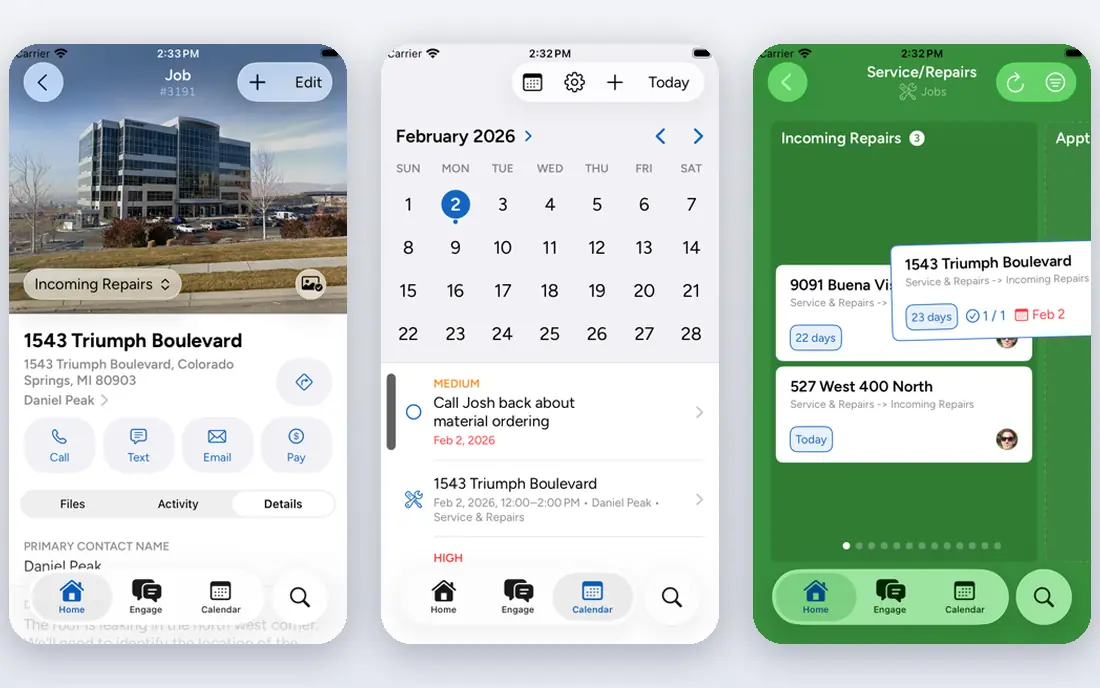
JobNimbus ties scheduling to the roofing sales pipeline, so a job moves from estimate to scheduled work without re-entering data. The calendar and job boards show every crew, every job, and every claim status in one view, and the mobile app lets field crews see the day schedule, update job status, and attach photos from the roof. Automated reminders cut no-shows, and the schedule links to invoicing and payments, so a finished job can be billed from the same record.
Pricing is the drawback. JobNimbus publishes plan tiers without dollar amounts, so every buyer needs a quote. Third-party trackers report a Growing base near $225 a month and an Established base near $550 a month, plus role-based seat fees of roughly $20 to $75 per user a month, with texting from $49 to $249 a month. Most shops land between $350 and $1,300 a month. The schedule itself is strong for a two-to-five-crew residential shop, where the pipeline, claim tracking, and calendar work together. A solo roofer that only needs a calendar will find the quote process slow and the total hard to predict.
- Schedule tied to the sales pipeline and claim status
- Calendar and job boards in one view
- Strong mobile app for field crews
- No published prices, so budgeting needs a sales call
- Per-user fees add up as crews grow
- Texting costs extra
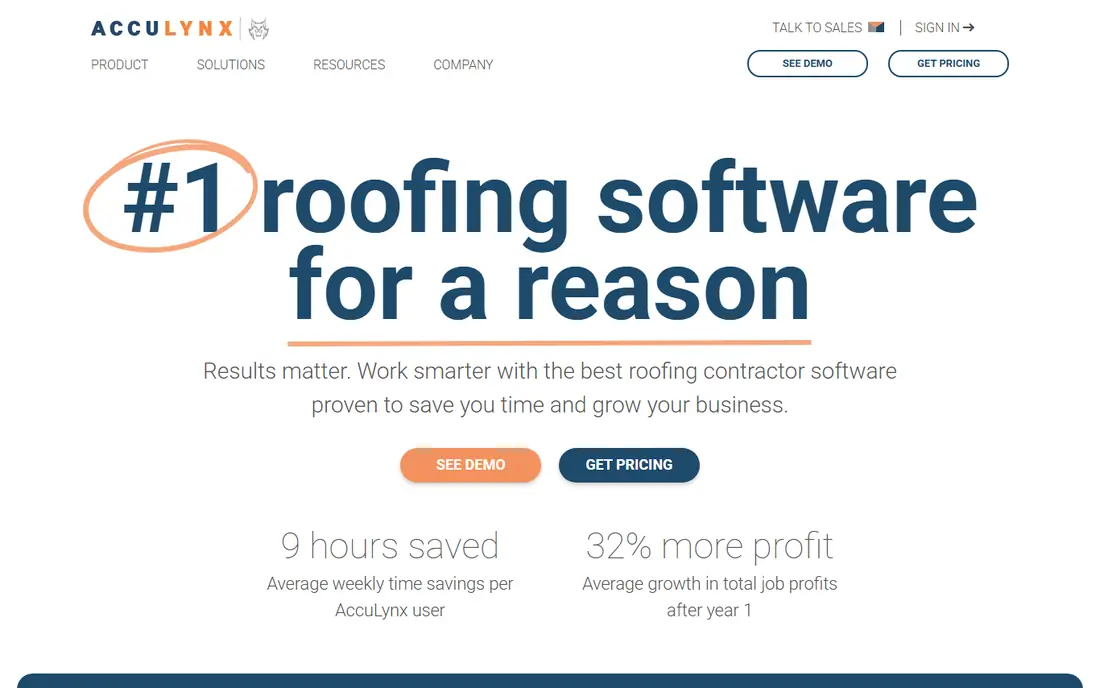
AccuLynx is built for roofing companies running five or more crews, and its scheduling reflects that scale. Production managers see every crew, every job, and every material order on one board, with the schedule tied to the estimate, the claim, and the supplement status. A job cannot slip through the cracks, because the same record carries it from the first inspection to final payment. Direct supplier ordering links materials to the scheduled date, and the customer portal keeps homeowners informed while the crew is on site.
The price matches the enterprise focus. AccuLynx publishes no dollar pricing, and its plan options page names Pro and Elite with custom quotes. Third-party estimates put a small-team deployment at $350 to $450 a month before add-ons, with per-user fees reported near $55 to $85 a month, and a previously published Essential plan near $250 a month. A five-to-ten-user team commonly runs $900 to $1,400 a month, and annual contracts are standard. That cost fits a $2 million to $15 million shop with heavy insurance volume. A smaller roofer will get more scheduling value per dollar from Jobber or Housecall Pro.
- Production scheduling across many crews
- Job tracking from estimate to completion
- Supplier ordering tied to the schedule
- No published prices and demo-gated sales
- Per-user fees make it costly for small teams
- Annual contracts are standard
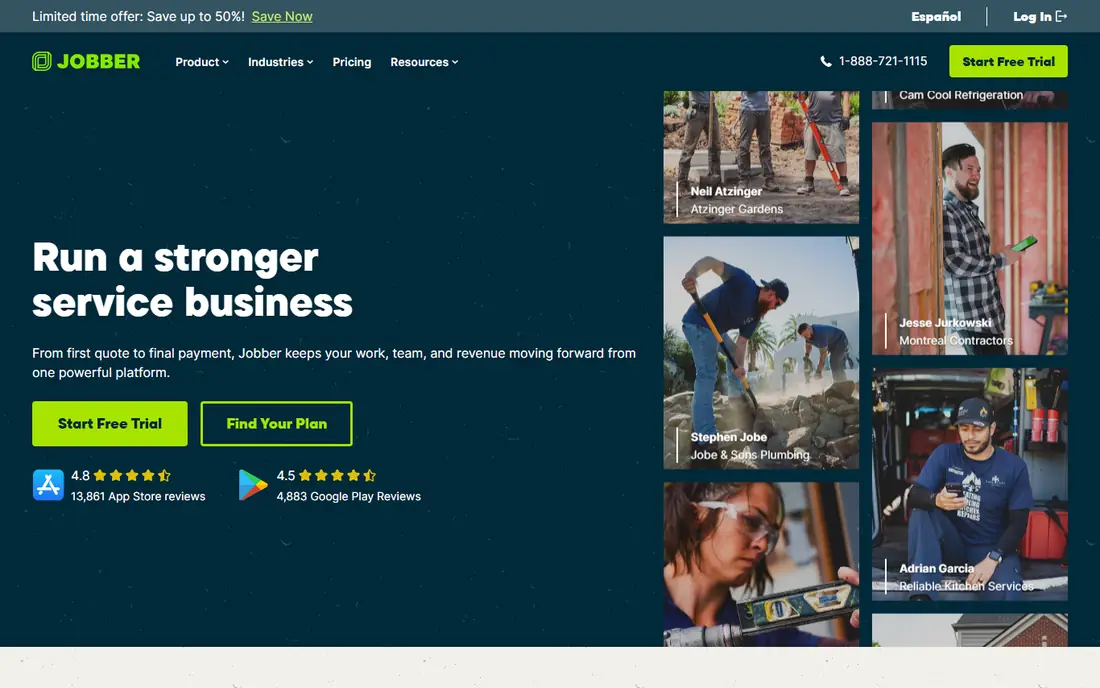
Jobber is the simplest scheduling tool in this list, and it publishes every price. Core costs $29 a month billed annually, or $49 billed monthly, for one user. Connect costs $99 a month billed annually for one user, or $199 for five users, and adds automated reminders, routing, GPS, and QuickBooks Online sync. Grow costs $149 a month billed annually for one user, or $299 for five, and adds two-way texting, optional line items, and job costing. Plus costs $399 a month for five users billed annually and adds crew scheduling. Extra users cost $29 a month each. Online booking, quotes, invoices, and online payments are included.
The plan structure matters for roofers. Core is cheap but covers one user and lacks two-way texting and automated notifications, so a crew that needs reminders and routing must move up. Crew scheduling, the feature a multi-crew roofer actually needs, sits on Plus, which changes the cost picture for a five-person team. Even so, Jobber suits a one-to-five-person roofing team that wants a clear calendar, online booking, and invoicing at a published price, with no sales call and no quote process. The 14-day trial lets a team test scheduling on live jobs.
- Lowest published starting price in this list
- Every price published by plan and team size
- Online booking and automated reminders
- Core covers one user only
- Crew scheduling needs Plus at $399 a month for five users billed annually
- No roofing-specific claim workflow
Housecall Pro is built for field service teams, and its scheduling shows it. Basic costs $59 a month billed annually, or $79 billed monthly, for one user, and includes online booking, scheduling and dispatch, estimates, invoicing, payments, consumer financing, a price book, and job costing. Essentials costs $149 a month billed annually, or $189 billed monthly, for five users, and adds routes, flat-rate pricing, photo reports, employee GPS, and QuickBooks Online sync. Max costs $299 a month billed annually, or $329 billed monthly, for eight users, with extra users at $35 a month each, and adds a sales proposal tool, service plans, route optimization, and an open API.
Essentials is the sweet spot for a roofing team: five users, routes, and GPS for $149 a month billed annually. The limits are real, though. Max is sold through a demo, and add-ons such as Voice, Campaigns, and CSR AI are listed with no price next to them, so the buyer must ask. Housecall Pro is only available in the US and Canada.
- Routes and employee GPS from the Essentials plan
- Price book and job costing on every plan
- Scheduling and dispatch built for field teams
- Basic covers one user only
- Max is sold through a demo
- Add-ons such as Voice and Campaigns carry no published price
ServiceTitan is the enterprise field service platform, and its scheduling is the deepest in this list. Dispatch boards, capacity planning, and crew routing are built for companies running many technicians across several trades, and the roofing product adds measurement integrations with EagleView, Hover, and GAF QuickMeasure, plus two-way Xactimate sync, supplement tracking, and a crew app. The Atlas AI assistant, which debuted at Pantheon 2025, is now generally available. Three tiers exist, Starter, Essentials, and The Works, with a per-technician pricing model, but no prices are published.
The cost is the barrier. Third-party reports put ServiceTitan at roughly $245 to $500 or more per technician a month, with first-year implementation reported from $5,000 to $50,000 and multi-year contracts common. That investment fits a large multi-trade company that will use the dispatch depth, the reporting, and the AI tools every day.
- Deepest dispatch and capacity planning in this list
- Roofing product with Xactimate sync
- Atlas AI assistant now generally available
- No published prices and per-technician pricing
- Implementation can run $5,000 to $50,000
- Far more system than a small roofer needs
Kickserv is a simple field service platform that covers scheduling, dispatch, invoicing, and customer management at a low flat price. Start costs $60 a month billed annually, or $75 billed monthly, and Run costs $119 a month, with Scale at $199. Annual billing carries a 20 percent discount against monthly billing. The scheduling is straightforward: jobs on a calendar, crews assigned, dispatch from the office, and invoices sent when the work is done. There is no enterprise complexity to learn, and a small team can be running in days rather than weeks.
The trade-off is depth. Kickserv has fewer advanced features than Jobber or Housecall Pro, with no route optimization at the entry level, fewer automation options, and a smaller integration list. Even so, Kickserv fits a one-to-three-person roofing shop that wants scheduling and invoicing at a predictable $60 a month without a sales call.
- Lowest flat subscription in this list for a small team
- Scheduling, dispatch, and invoicing in one
- Simple setup
- Fewer advanced features than Jobber or Housecall Pro
- Per-user costs on higher tiers
- Smaller integration list
JobProgress follows a roofing job from the first lead through estimating, scheduling, production, invoicing, and payment in one system. The schedule sits inside the job record, so the office can see the estimate, the scheduled date, the crew, and the invoice without switching tools. Job boards show the work by stage, customer communication is attached to the job, and documents are stored in the same place. The interface is built for contractors rather than general sales teams, which keeps the workflow close to how a roofing office actually works. A 14-day trial is available, and the vendor offers demos for teams that want a guided look.
The drawback is pricing transparency: JobProgress publishes no prices, so a buyer must request a quote and compare it with the published figures from Jobber at $29 a month, Housecall Pro at $59, and Kickserv at $60. The user community is smaller than JobNimbus or AccuLynx, which means fewer peer guides and fewer integrations. JobProgress suits a roofing company that wants one system for the whole job cycle.
- Schedule tied to the full job cycle
- Estimating, scheduling, and invoicing in one system
- Built for contractors
- No published prices
- Fewer third-party integrations than larger rivals
- Smaller user community
Roofr covers scheduling as part of its roofing CRM, tied to measurements and proposals rather than sold as a standalone tool. A roofer orders a measurement, builds the proposal, gets the signature, and schedules the job from the same record. Starter is free, Measure+ starts at $109 a month billed monthly, Essentials costs $249 a month or $209 billed annually, and Scale costs $349 a month or $299 billed annually. Every plan includes unlimited users, so the subscription stays flat as the team grows. Essentials adds unlimited proposals, payments, and e-signatures, while Scale adds job costing and crew management.
The scheduling itself is lighter than Jobber or Housecall Pro: there is no route optimization and no GPS tracking, and crew management needs the Scale plan. Measurement reports are charged per report on every plan, $19 on Starter and $13 on the subscription plans. Roofr fits a retail roofer that wants measurements, proposals, and a basic schedule in one published-price system.
- Free Starter plan with unlimited users
- Scheduling tied to measurements and proposals
- All prices published
- Scheduling is lighter than Jobber or Housecall Pro
- Measurement reports cost $13 to $19 each
- Scale needed for crew management
How we chose
We compared vendor pricing pages, product documentation, and feature lists for each tool, read on 14 November 2026. Jobber, Housecall Pro, Kickserv, and Roofr publish their prices, so those figures come from their own pricing pages. JobNimbus, AccuLynx, ServiceTitan, and JobProgress publish no prices, so they are listed as quote only and third-party estimates are labelled as reported. We compared calendar design, dispatch and routing, crew capacity, mobile apps, and total cost at real team sizes. We did no hands-on testing and we claim none. Prices change, so confirm the current figure on each vendor pricing page before you buy.
What to check before you buy
Count the users first, because most scheduling tools charge by team size. Jobber Core covers one user and Housecall Pro Basic covers one user, while Essentials covers five and Max covers eight, so the entry price is not the price a five-person team pays. Check which plan includes the features the crews actually need: crew scheduling sits on Jobber Plus, routes and GPS sit on Housecall Pro Essentials, and crew management sits on Roofr Scale. Confirm whether automated reminders, two-way texting, and online booking are included or charged separately, since those shape the daily workflow more than the calendar itself.
| Team size | Likely monthly cost | Pick |
|---|---|---|
| 1 person | $29 to $79 | Jobber Core or Housecall Pro Basic |
| 3 to 5 people | $149 to $299 | Housecall Pro Essentials |
| 5 to 8 people | $299 to $399 | Housecall Pro Max or Jobber Plus |
| 5 or more crews | Quote only, reported $900 and up | AccuLynx or ServiceTitan |
Check the mobile app on a real job site, since crews will use it on a roof, not at a desk. Confirm the tool sends automated reminders to homeowners, so no-shows drop without office calls. Ask how long setup takes, whether data can be imported from a spreadsheet, and whether the plan renews automatically. Test the trial on live jobs: schedule a week of real work, send the reminders, and see whether the crews and the office stay in sync. A scheduling tool earns its price when the calendar, the crew, and the customer all see the same plan.
Frequently asked questions
What is the cheapest scheduling software for roofers?
Jobber Core is the cheapest published starting price at $29 a month billed annually for one user. Kickserv Start costs $60 a month billed annually, and Housecall Pro Basic costs $59 a month billed annually. The cheapest route for a team depends on user count, since Core covers one user while Housecall Pro Essentials covers five for $149 a month billed annually.
Does Jobber include crew scheduling?
Crew scheduling sits on the Plus plan, which costs $399 a month for five users billed annually. Core, Connect, and Grow cover scheduling for smaller setups, but a roofing company running several crews needs Plus for crew-level calendars. Check the plan contents before buying, since the entry price does not include the crew features.
How much does Housecall Pro cost for five users?
Essentials costs $189 a month billed monthly, or $149 a month billed annually, and includes five users. It adds routes, flat-rate pricing, photo reports, employee GPS, and QuickBooks Online sync on top of Basic. Max costs $329 a month billed monthly for eight users, with extra users at $35 a month each.
Is ServiceTitan worth it for a small roofing company?
Usually not. ServiceTitan charges per technician with no published prices, and third-party reports put it near $245 to $500 or more per technician a month, with first-year implementation reported from $5,000 to $50,000. A small roofing shop will not use most of the platform and will pay enterprise prices for it.
Can I schedule roofing jobs in Roofr?
Yes. Roofr includes scheduling inside its roofing CRM, tied to measurements and proposals, so a job moves from estimate to scheduled work in one record. Essentials costs $249 a month, and crew management needs the Scale plan at $349 a month. Roofr has no route optimization or GPS tracking, so dispatch-heavy teams should look at Housecall Pro.
Sources
See where you really rank - block by block
ProMapRanker scans Google Maps across a grid of your service area. Simple monthly plans from $19, white-label on every plan.
Start freeKeep reading
 best siding contractor software
Best Siding Contractor Software
Compare the best siding contractor software for estimating, scheduling, and invoicing. See real 2026 prices, free trials, and the right pick for your crew size.
Read → best shopify marketing apps
Best Shopify Marketing Apps Compared
Compare the best shopify marketing apps for email, popups, reviews, loyalty and referrals, with starting prices and free plans for each store size and budget.
Read → best septic service software
Best Septic Service Software for Small Crews
Compare the best septic service software for pumping, installs and repairs. Real prices, free trials and picks for solo techs and growing crews in 2026.
Read →