 ProMapRanker
Best SCA Tools in 2026: 9 Tools Compared

Key takeaways
- Snyk is the most developer-friendly starting point, with a free tier and fix pull requests in the workflow developers already use.
- Sonatype blocks risky components at the repository door, while Socket catches malicious packages that vulnerability databases miss.
- Mend stands out for automated remediation through Renovate, and FOSSA and Black Duck lead for license and legal depth.
- Start with a free baseline, such as Dependabot or Dependency-Check, then add a paid tool for the risk you actually face: known flaws, malicious code, or licenses.
Quick comparison
| Pick | Great for | Pricing starts at | Free tier | |
|---|---|---|---|---|
 Snyk | Developer-first SCA and fixes | Free | Yes | Visit |
 Sonatype Lifecycle | Blocking bad components at ingestion | See website | Free trial | Visit |
 Mend | Automated remediation at scale | See website | Free trial | Visit |
 Black Duck | License and legal-grade analysis | See website | No | Visit |
 FOSSA | License compliance and SBOM work | Free | Yes | Visit |
 JFrog Xray | Teams already on Artifactory | See website | Free trial | Visit |
 Socket | Malicious package detection | Free | Yes | Visit |
 GitHub Dependabot | Free baseline for GitHub repos | Free | Yes | Visit |
 OWASP Dependency-Check | Free self-hosted baseline | Free | Yes | Visit |
The best SCA tools
Software composition analysis tools scan the open-source and third-party components in your code, flag known flaws, check licenses, and, in some cases, block or fix risky packages. The tools below cover different risks, so we compared official pricing pages, feature documentation, and public SCA guides.
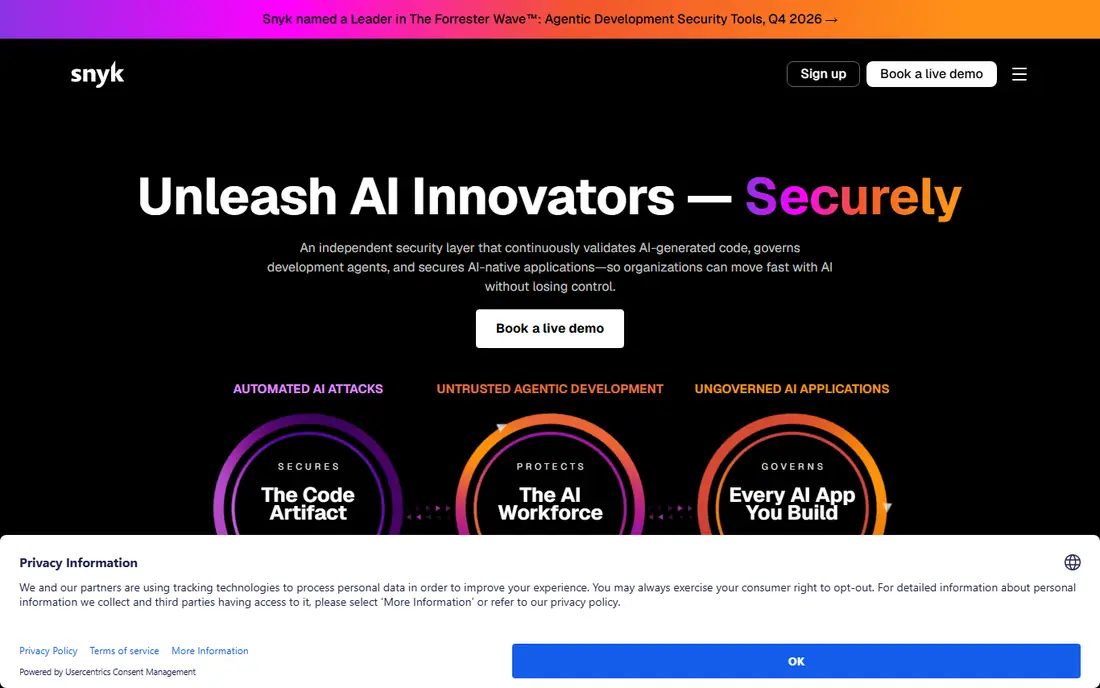
Snyk is the easiest SCA tool for a development team to adopt, because it meets developers where they already work: in the IDE, in pull requests, and in continuous integration. Its open-source scanner flags known flaws in dependencies, explains the issue, and in many cases opens a fix pull request that upgrades the package for you. That fix-first approach is why many teams pick Snyk over a scanner that only reports problems.
The free tier has limits, including a cap on projects and code tests in current listings, and Team starts at $25 per month in published summaries. Enterprise pricing is more complex, using prepaid credits in recent listings, so larger firms need a direct quote. If your main problem is known flaws in dependencies and you want developers to fix them without leaving their workflow, Snyk is the best starting point here.
- Free tier for small projects
- Fix pull requests in developer workflow
- Broad language and IDE support
- Paid Team pricing is per contributing developer
- Enterprise pricing moves to a credit model
- Alert volume needs tuning
Sonatype Lifecycle takes a gatekeeper view: stop a bad component before it enters your build, rather than finding it later in production. Paired with Nexus Repository, it can block components that violate policy on flaws, licenses, or age, and it gives developers a safer alternative at the point of choice. That early block saves remediation work later, when a flawed package may already be in several services.
Pricing is tiered and quote-based, so budgeting needs a sales conversation tied to application count and use. Teams that do not use Nexus get less of the firewall benefit, though Lifecycle still scans and reports. If your firm has many teams pulling from shared repositories and you want policy enforced at ingestion, Sonatype is the strongest pick for that job.
- Repository firewall blocks risky components early
- Strong policy controls
- Deep component research data
- Quote-based pricing
- Best value inside Nexus Repository
- Setup needs policy planning
Mend, formerly WhiteSource, focuses on the hardest part of SCA: not finding flaws, but fixing them across many repositories. Its Renovate tool opens automated update pull requests, groups related updates, and helps teams keep dependencies current without manual chasing. For a firm with hundreds of repos, that automation is worth more than a slightly better scan, because stale dependencies are where flaws pile up.
Mend pricing is tiered and quote-based, with a unified platform model covering several products in recent listings. That makes it harder to budget from a public price, and smaller teams may find the full platform more than they need. If your backlog of outdated dependencies is the real problem, Mend is the best remediation pick here.
- Automated dependency updates through Renovate
- Strong remediation throughput
- Unified platform pricing in recent listings
- Quote-based enterprise pricing
- Setup across many repos takes planning
- Smaller teams may not need full platform depth
Black Duck, from Synopsys, is the legal-grade SCA tool on this list. It identifies open-source components, including snippets and binaries that source-only scans may miss, and maps them to license obligations with a deep KnowledgeBase. That depth matters for mergers and acquisitions, supplier audits, and regulated industries where a missed license can become a legal problem.
The trade-off is cost and weight. Pricing is custom and enterprise-level, and setup needs policy and reporting planning with legal and security teams. Developers may find the workflow heavier than Snyk or Socket. If your main risk is license exposure, supplier risk, or audit evidence, Black Duck is the strongest pick. If your main risk is developer speed, start with a lighter tool and add Black Duck for audit depth.
- Deep KnowledgeBase for components and licenses
- Snippet and binary analysis
- Strong for mergers, audits, and regulated firms
- Quote-based enterprise pricing
- Implementation and tuning take time
- Developer experience is heavier than Snyk
FOSSA is built around license compliance and software bills of materials, the ingredient lists that show every component in a product. It helps teams track license obligations, generate SBOMs in common formats, and manage compliance across releases. For firms that must hand an SBOM to a customer, a regulator, or a large enterprise buyer, that focus is directly useful.
FOSSA does scan for flaws, but its remediation automation is not its main strength compared with Mend or Snyk. Paid pricing is tiered, so larger programs need a quote. If your buying driver is license compliance, SBOM delivery, or customer questionnaires about open source, FOSSA is a strong, focused pick. Pair it with a developer-first scanner if you also need fast fix workflows.
- License-first workflows
- SBOM generation and management
- Free tier for smaller use
- Vulnerability remediation is thinner than Mend or Snyk
- Enterprise pricing is tiered
- Policy setup needs legal input
JFrog Xray scans artifacts, binaries, and container layers inside the JFrog Platform, with policy gates that can block a risky artifact from moving to production. For a team that already stores builds in Artifactory, that native link is a major advantage: one control point for storage, scanning, and policy, without stitching a separate scanner into every pipeline. It also generates SBOMs and license reports for compliance work.
Outside Artifactory, much of that advantage fades, and pricing follows JFrog platform tiers rather than a simple SCA price. Hybrid setups can also add complexity. If Artifactory is already your artifact backbone, Xray is the natural SCA choice. If you use a different repository, Sonatype or a standalone scanner may fit better.
- Native scanning inside Artifactory
- Policy gates across repositories and pipelines
- SBOM and license reporting
- Best value only inside the JFrog platform
- Pricing is platform-tiered
- Setup in hybrid environments can be complex
Socket answers a risk that CVE databases do not cover: a package that is not known to be flawed, but behaves badly, such as stealing credentials, opening network calls, or installing hidden code. It analyzes what a package actually does, including install scripts and behavior changes, and flags suspicious packages in pull requests before they merge. That behavioral view catches typosquats and compromised packages that a simple version check would miss.
Socket offers a free tier, with paid plans per developer in published listings. Its focus is malicious packages, so firms that also need deep license or audit work should pair it with FOSSA or Black Duck. For a team worried about supply-chain attacks through npm, PyPI, or similar registries, Socket is the best specialized pick here.
- Behavioral analysis catches malicious packages
- Free tier for small use
- Fast feedback in pull requests
- Paid pricing is per-developer and tiered
- Focus is malicious code, not full license depth
- Newer vendor, so enterprise proof points are fewer
Dependabot is the free floor every GitHub team should enable first. It watches dependencies in GitHub repos, alerts on known flaws from the GitHub Advisory Database, and can open automatic update pull requests. For a team already on GitHub, there is no procurement, no new console, and no per-developer fee to start scanning.
The limits are scope and depth. Dependabot does not replace a full SCA platform for license policy, SBOM management across non-GitHub systems, malicious package behavior, or reachability analysis. It is a baseline, not a complete program. Enable it everywhere, then add a paid tool for the risks it does not cover.
- Free for GitHub repos
- Automatic security updates and version updates
- Zero setup for GitHub-hosted code
- Only useful inside GitHub
- License and policy depth is limited
- Alert noise needs tuning on large repos
OWASP Dependency-Check is the open-source baseline for teams that cannot or will not use a cloud scanner. It runs as a command-line tool or CI plugin, matches dependencies against public flaw data, and produces reports in several formats. Because you host it yourself, it works in air-gapped environments and costs nothing in license fees.
The honest limit is triage. Dependency-Check reports flaws, but it does not tell you whether your code actually calls the flawed function, so teams must sort real risk from noise themselves. It also depends on the quality and timing of public feeds. For a zero-budget floor, a self-hosted pipeline, or a check inside a larger program, it is a solid, auditable pick. For a managed program with fix workflows and policy gates, pair it with a commercial tool.
- Free and open source
- Self-hosted for air-gapped use
- CI plugins and report formats
- No reachability or triage by design
- Depends on public flaw feeds
- Reports need human triage
How we picked these
We compared official pricing pages, feature documentation, and public SCA buyer guides for each tool. We favored tools that are still sold and supported in October 2026, that cover at least one of the three SCA risks clearly (known flaws, malicious packages, or licenses), and that fit a clear buyer, from a free baseline to an enterprise platform. Where pricing was quote-based, we wrote See website rather than presenting a third-party estimate as a vendor price.
How to choose an SCA tool
Start by naming the risk you face. Known flaws need a developer-first scanner with fix workflows, such as Snyk or Mend. Malicious packages need behavioral or firewall controls, such as Socket or Sonatype. License exposure needs legal-grade analysis, such as Black Duck or FOSSA. Many firms need all three, but buying in that order, by risk, keeps the program focused.
Next, measure fix rate, not alert count. A tool that reports 1,000 flaws but fixes 10 is worse than a tool that reports 200 and fixes 150. Track how many alerts become merged fixes, how long fixes take, and how many stale dependencies remain. Tune policies and reachability triage before adding more scanners, or alert fatigue will kill the program.
Start free, then add paid depth
Enable Dependabot on GitHub repos and run Dependency-Check in CI as a free floor today. That baseline catches many known flaws at no cost. Then add one paid tool for your top risk, run it for a quarter, and judge it on fix rate and developer complaints. Add a second paid lane only when the first lane is working and a gap remains.
Put policy in the pipeline, not in a document
A policy that lives only in a wiki does not stop a risky package. Put license and flaw policies into repository gates, pull request checks, and release gates, so a violating component is blocked or flagged before production. Start with warnings, then move to blocking once teams trust the signals and false positives are low.
Frequently asked questions
What is the best SCA tool overall?
Snyk is the best general starting point for developer teams, because it combines scanning with fix pull requests. Sonatype fits repository gating, Socket fits malicious package risk, Mend fits automated remediation, and Black Duck and FOSSA fit license depth. The best tool depends on which risk you need to control first.
What is the best software composition analysis tool for license compliance?
Black Duck offers the deepest legal-grade analysis, and FOSSA offers a strong license-first workflow with SBOM management. For a customer or regulator SBOM requirement, either can work. For a merger or audit, Black Duck depth is often the safer choice.
Is there a free SCA tool?
Yes. GitHub Dependabot is free for GitHub repos, OWASP Dependency-Check is free and self-hosted, and Snyk, Socket, and FOSSA offer free tiers. Free tools cover a baseline well, but paid tools add fix automation, policy gates, reachability, and support.
What is the difference between SCA and SAST?
SCA scans third-party and open-source components you did not write, for known flaws, licenses, and malicious code. SAST scans your own code for flaws in how it is written. Most security programs need both, since flaws can come from your code or from a library you depend on.
How do I reduce SCA alert noise?
Use reachability analysis where available, so you prioritize flaws in code paths you actually call. Tune policies by severity and by project, group related updates, and set a fix deadline by risk. Review alert volume weekly at first, and adjust thresholds before teams learn to ignore the scanner.
Should SCA block a build or only warn?
Start with warnings while teams learn the tool and false positives are tuned. Move to blocking for high-severity flaws, banned licenses, or known malicious packages once the signals are trusted. Blocking too early, on noisy data, pushes teams to work around the scanner instead of fixing the risk.
Sources
See where you really rank - block by block
ProMapRanker scans Google Maps across a grid of your service area. Simple monthly plans from $19, white-label on every plan.
Start freeKeep reading
 zoho inventory alternatives
6 Alternatives to Zoho Inventory, Compared on Price and Fit
Zoho Inventory alternatives: 6 tools compared on price, free plans and fit. Katana leads the list for manufacturers. Fit and flaws are laid out for each entry.
Read → zoho crm alternatives
Best Zoho CRM Alternatives (2026)
Need Zoho CRM alternatives? We compare 7 tools on cost, free access and who each suits. Every pick gets a straight assessment. Built for quick decisions.
Read → zelle alternatives
Best Zelle Alternatives in 2026
Compare the best Zelle alternatives for sending money to friends, paying sellers and moving funds abroad, with honest notes on fees, speed and safety in 2026.
Read →