 ProMapRanker
Best Sales Prospecting Tools in 2026

Key takeaways
- Apollo.io gives the broadest mix of data, sequencing, and dialing for the price, with a free plan for small teams.
- ZoomInfo suits larger teams that need deep company data and intent signals and can handle annual contract pricing.
- Credit limits matter more than headline prices, so check how many emails and phone numbers each plan really includes.
- LinkedIn Sales Navigator finds people well but does not give you verified work emails on its own.
- Clay is the pick for teams that want to combine several data sources and build custom enrichment workflows.
Quick comparison
| Pick | Great for | Pricing starts at | Free tier | |
|---|---|---|---|---|
 Apollo.io | All-in-one prospecting and outreach | Free | Yes | Visit |
 ZoomInfo | Enterprise B2B data and intent | See website | No | Visit |
 LinkedIn Sales Navigator | LinkedIn-based prospecting | $119.99 per month | No | Visit |
 Lusha | Quick contact reveals from LinkedIn | Free | Yes | Visit |
 Seamless.AI | Real-time contact search | Free | Yes | Visit |
 Hunter.io | Finding verified work emails by domain | Free | Yes | Visit |
 Clay | Enrichment workflows from many sources | Free | Yes | Visit |
 Reply.io | Multichannel outreach sequences | $49 per month | No | Visit |
The best sales prospecting tools for building pipeline in 2026
The tools below cover different jobs, from finding a single email to running a full outbound program. We kept the focus on products that are live now, publish clear limits, and fit a real sales workflow rather than a demo.
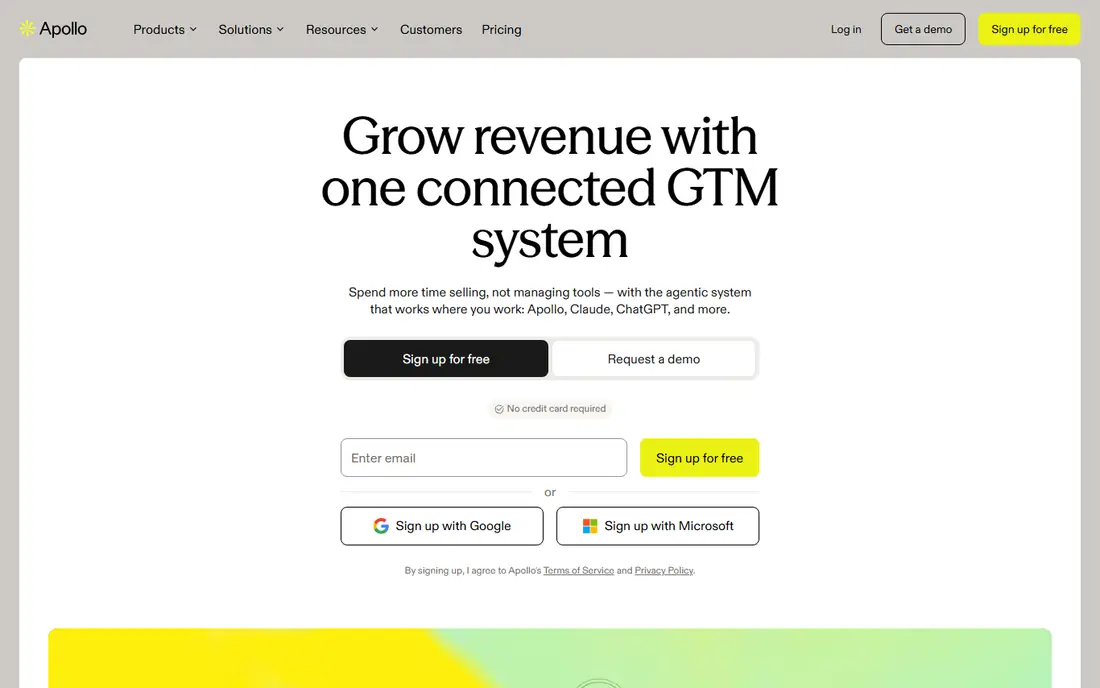
Apollo.io combines a contact database with email sequences, a dialer, and CRM links in one account. That combination is why it works well for small teams that do not want to buy three separate tools. You can search by job title, company size, industry, and location, then save the people who match and start a sequence from the same screen. The free plan is useful for testing, with limits on sequences and mobile credits. Paid plans start at $49 per user per month on annual billing, with Professional at $79 and Organization at $119 per user per month on annual billing. The main weakness is the credit system. Email reveals, phone reveals, and exports draw on different allowances, so a team that leans on phone numbers should check the monthly credit total before it commits.
- Large contact database
- Built-in sequences and dialer on paid plans
- Free plan for testing
- Credit use can be hard to predict
- Mobile numbers use credits fast
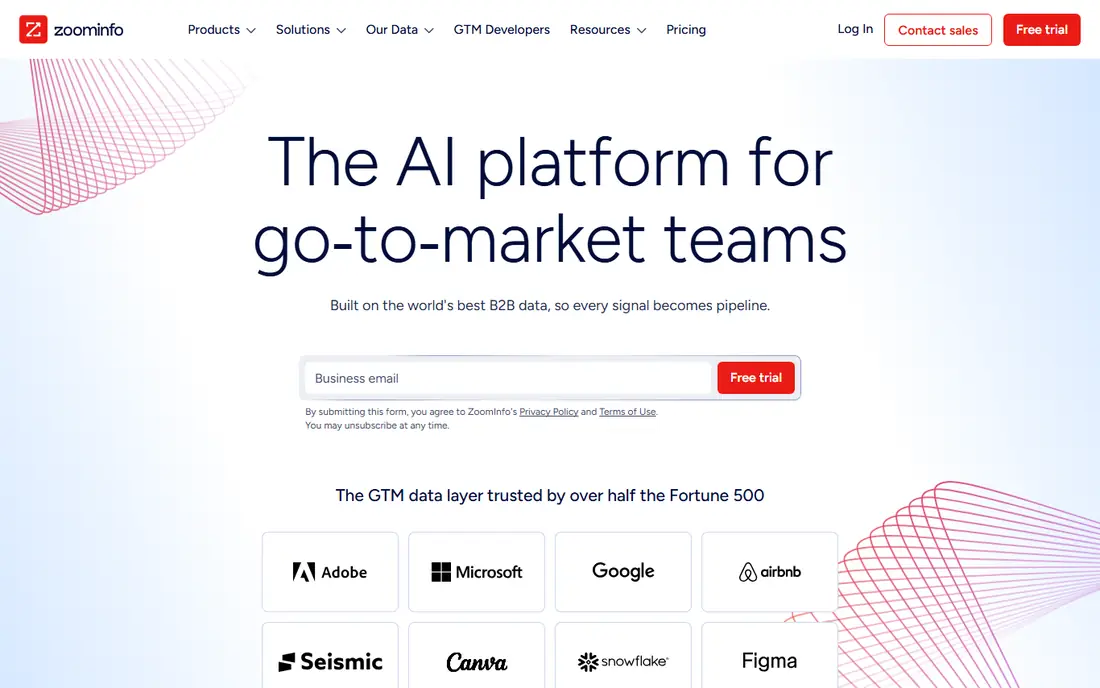
ZoomInfo is the enterprise option in this list. Its database, company profiles, org charts, and buying intent signals help larger teams focus on accounts that are already showing interest. The Chrome extension and CRM integrations let reps pull contact details into Salesforce or HubSpot without copying data by hand. The trade-off is cost and commitment. ZoomInfo does not publish a simple monthly price for its main sales plans, and reported annual contracts commonly start in five figures. A free Lite tier exists with a small monthly credit allowance, but it is not a full prospecting plan. Choose ZoomInfo when deal size and team size justify the spend, and get the credit allowance and seat count in writing before signing.
- Very large B2B database
- Intent data on higher tiers
- Strong CRM integrations
- Pricing is quote-based and annual
- Entry cost is high for small teams
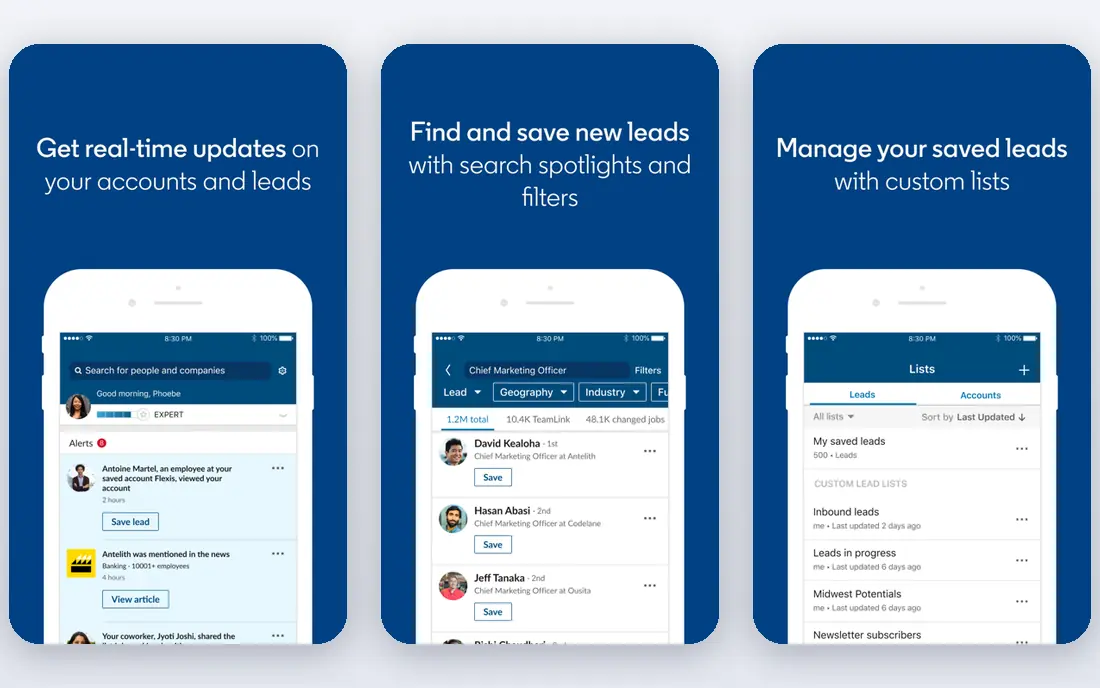
LinkedIn Sales Navigator is built for prospecting inside LinkedIn. Core costs $119.99 per month, or $1,079.88 per year, and Advanced costs $159.99 per month, or $1,799.88 per year. Advanced adds team features such as TeamLink, shared lists, and Smart Links, while Advanced Plus is priced on request and adds fuller CRM sync. The strength here is the search itself. You can filter by role, seniority, company size, recent job changes, and posted activity, then save leads and get alerts when something changes. The limit is that Sales Navigator does not hand you a verified work email. Most teams pair it with an email finder such as Hunter.io or Lusha, and that second cost belongs in the budget from the start.
- Advanced LinkedIn search filters
- Saved leads and job-change alerts
- 50 InMail messages per month
- No verified work emails included
- Access ends when you stop paying
Lusha is a browser extension and prospecting tool that reveals emails and direct dials while you browse LinkedIn or a company website. The free plan gives a small monthly credit allowance, Starter costs $49.90 per month or $37.45 per month on annual billing, and Professional starts at $69.90 per month or $52.45 per month on annual billing. One credit reveals an email, while a phone number costs five credits. That pricing is clear, which makes Lusha easy to cost out for a small team. It works best for reps who check a handful of contacts before a meeting or a call, rather than building huge lists in one sitting. If your team needs phone numbers at volume, the credit math gets tight fast, and you should compare the cost per phone reveal with Apollo.io or ZoomInfo before choosing.
- Fast browser extension
- Clear credit pricing
- Seats included on paid plans
- Phone numbers cost five credits each
- Free credit allowance is small
Seamless.AI is a real-time search engine for B2B contacts. You search by title, company, industry, or location and get emails and phone numbers to use in outreach. Its homepage describes a free tier for up to 50 credits, and it promises credit back when an email turns out to be invalid. That promise helps with one of the most common complaints about prospecting data, which is paying for addresses that bounce. The weakness is pricing transparency. Paid plans are sold through sales, so you cannot compare a clean monthly price with the other tools here without a quote. Third-party reports put paid plans well above the free tier, with credit packs sold on top. Ask for the credit allowance, the rollover rules, and the cost of extra credits in writing, and test data quality on your own target accounts during any trial.
- Large contact database
- Real-time search
- Credit-back promise on invalid emails
- Paid pricing is not published
- Credit rules vary by plan
Hunter.io does one job well, which is finding professional email addresses linked to a company domain. Type in a domain and you get the email pattern, individual addresses, and sources where each address was found. The verifier checks addresses and gives a confidence score, which helps you avoid sending to dead inboxes. The free plan includes 50 credits per month. Starter costs $49 per month or $34 per month on annual billing, Growth costs $149 or $104, and Scale costs $299 or $209. Hunter.io is a good fit for freelancers, recruiters, and small teams that need emails now and then. It is not the right core tool for a team that needs phone numbers, intent data, or advanced multichannel sequences.
- Simple domain search
- Email verification with confidence scores
- Clear published pricing
- No phone numbers
- Built-in sequences are basic compared with dedicated outreach tools
Clay is different from the other tools here because it is a workflow builder rather than a single database. You build a table of companies or people, then run enrichment steps that pull data from many providers in order, falling back to the next provider when one comes up empty. That waterfall approach can fill gaps that a single database leaves behind. The free plan includes 500 actions and 100 data credits per month, with a cap of 200 rows per table. Launch costs $185 per month or $167 per month on annual billing, and Growth costs $495 or $446. Clay suits teams with someone who can build and maintain workflows. If you only need a list of emails, a simpler tool will be faster and cheaper.
- Waterfall enrichment from many providers
- Unlimited seats
- Flexible table workflows
- Steep learning curve
- Costs rise with enrichment volume
Reply.io is a sales engagement tool for running outreach sequences across email, LinkedIn, calls, and SMS. The Email Volume plan starts at $49 per user per month on annual billing for 1,000 active contacts, while Multichannel costs $89 per user per month on annual billing. Both include a 14-day free trial. The strength is the cadence builder, with branching, A/B testing, and reporting on opens, replies, and bounces. Email warmup is included, which helps protect sender reputation on new mailboxes. The catch is that LinkedIn automation and calls plus SMS are add-ons on the entry plan, so a true multichannel setup costs more than the headline price. Check the add-on prices before you compare Reply.io with a cheaper email-only sender.
- Email, LinkedIn, calls, and SMS in one cadence
- Built-in email warmup
- 14-day free trial
- LinkedIn and calling are add-ons on the entry plan
- Data credits are limited
How we picked these
We checked each vendor pricing page, feature list, and app store listing where available, along with public reviews and help pages for credit rules and limits. We kept tools that are live in October 2026, that clearly fit sales prospecting, and that a team can actually buy and use now. Tools with unpublished pricing were included only when the product itself is widely used and the pricing gap is stated plainly, as with ZoomInfo and Seamless.AI.
What to check before you pay for a prospecting tool
Start with your target list, not the feature list. Write down how many new contacts you need each month, how many of those need a phone number, and which CRM your team uses every day. Then compare credit allowances on that basis, because a cheap seat price can hide an expensive credit bill. Test data quality on your own accounts. Run the same 50 target companies through two tools and check how many emails verify, how many phone numbers are direct dials, and how many contacts have moved jobs. Also check contract terms, such as annual billing, credit expiry, and what happens to exported data if you cancel. A short trial on real targets tells you more than a long feature comparison.
Frequently asked questions
What is the best sales prospecting tool for a small team?
Apollo.io is a strong starting point for a small team because it combines data, sequences, and dialing, with a free plan for testing. Lusha and Hunter.io cost less when you only need contact details for a few prospects each week. Pick based on whether you need outreach built in or just data.
Do I need ZoomInfo to prospect well?
No. ZoomInfo helps large teams that need deep company data and intent signals, but many small teams do fine with Apollo.io, Lusha, or Hunter.io plus LinkedIn Sales Navigator. The right question is whether your deal size covers the annual contract and whether you will use the intent data each week.
How many credits will I actually use each month?
It depends on how you prospect. Email-only work uses far fewer credits than phone-heavy work, since phone reveals often cost several credits each. Count your planned contacts, multiply by the credit cost for email and phone, and add a margin for contacts that do not match. If the total is close to the plan limit, choose the next tier up.
Is LinkedIn Sales Navigator enough on its own?
It is enough for finding people and tracking job changes, but it does not give you verified work emails to export. Most teams pair it with an email finder and a sequencing tool. Budget for all three parts if you plan to run cold email from LinkedIn lists.
What is waterfall enrichment in Clay?
Waterfall enrichment means trying one data provider after another until a field is filled. Clay runs those steps in a table, so a contact that one provider misses can still be filled by the next one. It improves coverage, but each step can use credits, so test on a small sample first.
Should I pay monthly or annually for a prospecting tool?
Monthly billing costs more per month but lets you leave sooner if the data does not fit your market. Annual billing is cheaper per month and suits teams that already know the tool works for them. Start monthly when you are unsure, and switch to annual once usage is steady.
Sources
See where you really rank - block by block
ProMapRanker scans Google Maps across a grid of your service area. Simple monthly plans from $19, white-label on every plan.
Start freeKeep reading
 surfer seo alternatives
Surfer SEO Alternatives in 2026
We compared surfer seo alternatives for content optimisation, briefs, and scoring, covering Frase, Clearscope, NeuronWriter, MarketMuse, and more tools.
Read → best accounting software for accountants
Best Accounting Software for Accountants in 2026
We compare the best accounting software for accountants and CPA firms, from practice management to ledgers and tax prep, for firms of all sizes in 2026.
Read → best web hosting services for small business
Best Web Hosting Services for Small Business in 2026
We compared the best web hosting services for small business on price, speed, support and renewals, from budget shared hosting to managed WordPress in 2026.
Read →