 ProMapRanker
Best Sales CRM Tools in 2026

Beginners and marketing-led teams · Pricing starts at: $20 per seat per month
Key takeaways
- HubSpot suits beginners and marketing-led teams, while Pipedrive suits sales teams that want a visual pipeline first.
- Salesforce suits large, complex sales organisations, while Zoho and Freshsales suit budget-conscious teams.
- Free tiers help for testing, but automation, reporting, and support often need a paid plan.
- Per-seat pricing adds up fast, so model costs for your full team, not just one user.
Quick comparison
| Pick | Great for | Pricing starts at | Free tier | |
|---|---|---|---|---|
| HubSpot Sales Hub | Beginners and marketing-led teams | $20 per seat per month | Yes | Visit |
 Salesforce Sales Cloud | Large complex sales teams | $25 per user per month | Free trial | Visit |
 Pipedrive | Visual pipeline management | $14 per seat per month | Free trial | Visit |
 Zoho CRM | Budget teams with depth | $14 per user per month | Yes | Visit |
 Freshsales | Low per-seat cost | $9 per user per month | Free trial | Visit |
 Close | High-volume outbound sales | $35 per user per month | Free trial | Visit |
 monday CRM | Visual flexible workflows | $12 per user per month | Free trial | Visit |
 Copper | Google Workspace teams | $23 per user per month | Free trial | Visit |
 Insightly | Small teams with projects | See website | Free trial | Visit |
The best sales crm tools
We compared tools that track leads, deals, and pipelines, with a focus on what sales teams actually use daily: contact records, deal stages, tasks, email, and reporting. The list covers free starting points, pipeline-first tools, and enterprise platforms, so a solo founder and a large sales team can both find a fit.

HubSpot is the easiest CRM to start with, especially for a team that has never used one. The free plan covers contacts, deals, and basic pipeline tools, and the interface is clear enough for a new rep to use on day one. Because marketing and service tools share the same platform, a lead can move from marketing to sales without a data transfer.
The catch is the jump to higher tiers. Professional plans cost far more per seat and can carry a one-time onboarding fee, so a team should check what features it will actually need in a year. For a first CRM, HubSpot is still the safest start, as long as you plan for that jump.
- Free CRM with contacts and deals
- Easy to learn
- Sales, marketing, and service tools on one platform
- Price jumps sharply to higher tiers
- Onboarding fees apply on higher plans
- Advanced features need Professional or Enterprise
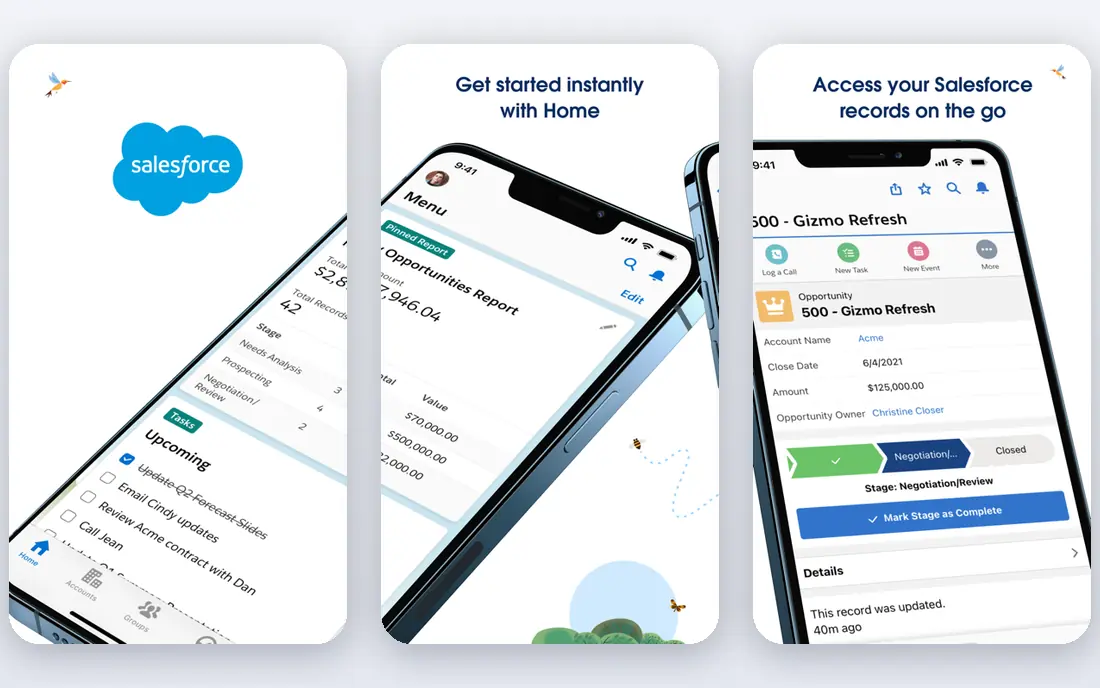
Salesforce Sales Cloud is the enterprise standard for sales, with deep customisation, forecasting, and reporting that smaller tools cannot match. Large teams can model complex territories, products, and approval processes, and the app ecosystem adds tools for almost every sales need. For a company planning to scale sales across regions, that depth matters.
Small teams should be cautious. Setup often needs an admin or consultant, and the total bill grows with add-ons and support plans. Choose Salesforce when complexity and scale are the main problems, not when you simply need a shared pipeline for five people.
- Deep customisation and reporting
- Huge app ecosystem
- Scales to very large, complex sales organisations
- Implementation can be long and costly
- Interface can feel heavy for small teams
- Add-ons raise total cost
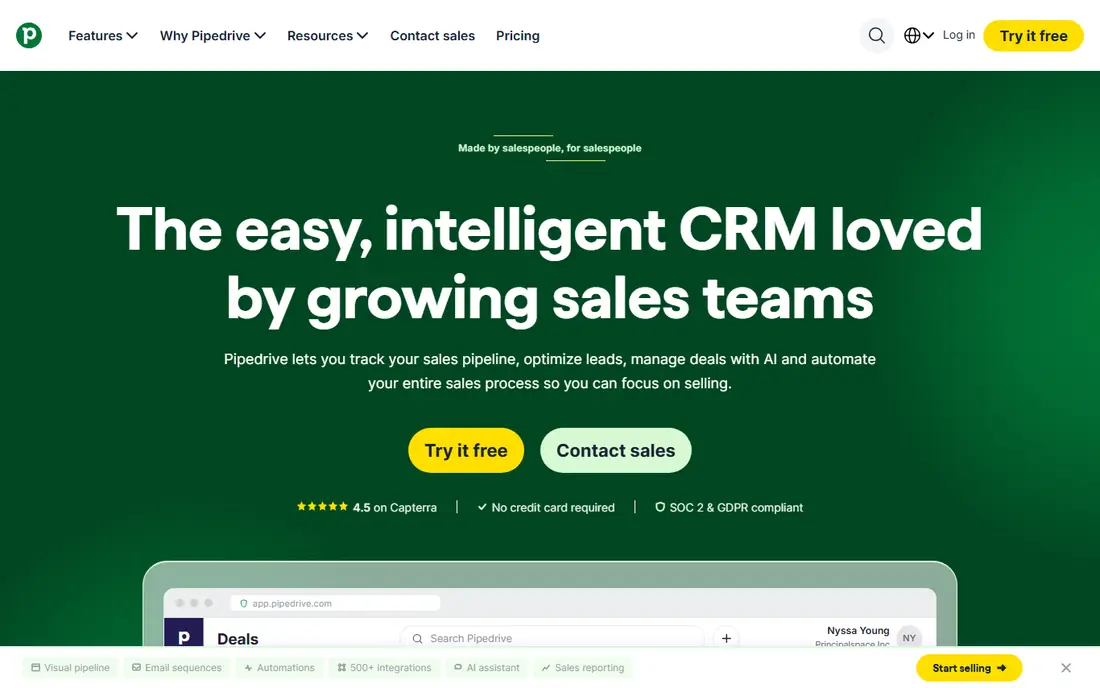
Pipedrive is built around the pipeline, and it shows. Deals move across stages with a drag, activities sit beside each deal, and a rep can see the next action without digging through menus. That focus suits sales-driven teams that live in the pipeline all day and want little else in the way.
Automation, two-way email sync, and lead generation tools sit on higher plans or add-ons, so the entry price is not the full cost for many teams. Growth is the practical starting point for most sales teams, since it includes automation. For a pipeline-first team, Pipedrive remains a clean, focused choice.
- Clear visual pipeline
- Easy deal tracking
- Good email and activity features
- No ongoing free plan
- Automation needs higher plans
- Add-ons for campaigns and lead generation cost extra
Zoho CRM offers remarkable depth for its price, with customisation, workflows, and reporting that rival pricier tools. The free plan covers up to three users, which suits a very small team, and paid plans stay affordable as the team grows. Teams already using Zoho apps for email, books, or support will find integration straightforward.
The interface can feel uneven, and setup takes longer than HubSpot or Pipedrive. A team willing to invest setup time gets a powerful, budget-friendly CRM. A team that wants instant simplicity may prefer a pipeline-first tool instead.
- Free plan for up to three users
- Deep customisation for the price
- Wide Zoho app ecosystem
- Interface can feel inconsistent
- Setup takes time
- Support quality varies by plan
Freshsales, from Freshworks, offers the lowest paid entry price here, which makes it attractive for cost-conscious sales teams. It includes contact and deal management, built-in phone tools, and email tracking, so a small team can run outreach without many add-ons. Its interface is straightforward, and setup is faster than an enterprise CRM.
Customisation is thinner than Zoho or Salesforce, and some AI features need higher plans or add-ons. For a team that needs a solid, affordable CRM for calls, emails, and deals, Freshsales is a strong value pick. For highly custom processes, a deeper tool may fit better.
- Lowest paid entry price on this list
- Built-in phone and email tools
- AI assistance on higher plans
- Less customisable than Zoho or Salesforce
- Free plan details vary
- Advanced AI tools cost extra
Close is built for inside sales teams that call and email all day. Calling, SMS, and email live inside the CRM, so reps do not switch apps to reach a lead. Sequences, power dialling, and lead views speed up high-volume outreach, which is why outbound teams favour it over general CRMs.
Marketing tools are minimal, and enterprise reporting is thinner than Salesforce. Price is also higher at entry level, though it includes communication tools that other CRMs charge for separately. For an outbound team, Close can replace a CRM plus a dialler in one tool.
- Built-in calling, SMS, and email for outbound work
- Fast lead workflow
- Strong for inside sales teams
- Higher entry price
- Minimal marketing tools
- Less suited to complex enterprise reporting
Monday CRM suits teams that already use monday.com or want a visual, flexible workspace for sales and projects together. Boards, automations, and views can be shaped to many processes, from lead tracking to onboarding. That flexibility helps small teams that do not fit a standard pipeline exactly.
Native sales depth is thinner than a dedicated sales CRM, and paid plans require a minimum number of seats. For a team that values visual work management over deep sales reporting, monday CRM is a good fit. For a pure sales team, Pipedrive or HubSpot may be more direct.
- Highly visual boards and workflows
- Flexible for sales plus project work
- Easy to customise views
- Minimum seat count on paid plans
- Native sales features are thinner than Pipedrive
- Costs rise with team size
Copper is built for teams that live in Google Workspace. It captures contacts and activity from Gmail and Google Calendar automatically, which reduces manual data entry, a common CRM failure. Its interface feels familiar to Google users, and setup is quick for a small team.
Automation sits on higher plans, and the app ecosystem is smaller than larger rivals. For a Google-first team that wants a CRM that feels like part of Gmail, Copper is a natural pick. For a team on Microsoft tools, HubSpot or Pipedrive will integrate more naturally.
- Deep Google Workspace integration
- Automatic data capture from Gmail
- Simple interface for Google users
- Automation needs higher plans
- Smaller ecosystem than HubSpot or Salesforce
- Price is mid-range for its depth
Insightly pairs CRM with project management, which suits small teams that sell a project and then deliver it. A deal can flow into a project without a separate tool, keeping client history in one place. That combination helps agencies, consultancies, and service businesses that lose track of work after the sale.
Sales automation and reporting are thinner than dedicated sales CRMs, and pricing should be confirmed on the vendor site. For a small team that needs both sales tracking and project delivery, Insightly is a practical, simple choice.
- CRM plus project management in one tool
- Good for small teams that deliver work after a sale
- Straightforward interface
- Pricing needs checking on the vendor site
- Sales depth is thinner than Salesforce
- Smaller ecosystem
How we picked these
We compared official feature pages, pricing pages, and public docs, and we favoured tools that are live, track leads and deals, and state their pricing or trial terms in public. We kept a mix of free, pipeline-first, and enterprise tools, and we excluded tools with no working product page. Where a price could not be confirmed from a vendor page in our checks, we wrote See website.
How to choose a sales CRM without buying twice
Start with how your team actually sells, not with a feature list. A team that sells by phone needs calling built in, while a team that sells by email needs strong email tracking. A team that delivers projects after a sale needs project tools beside the pipeline. Match the CRM to that daily workflow first, then check price.
Test with real deals, not demo data
Import a small set of real leads and deals, move them through your stages, and send a few emails from the CRM. Check whether reps will actually log calls and update stages, since a CRM that reps avoid is worse than a simple spreadsheet. If data entry feels heavy in a trial, it will feel heavier in daily use.
Model the full team cost
Per-seat pricing multiplies fast, so price the CRM for your full team, including part-time users and managers. Add onboarding fees, add-ons for calling or automation, and any higher tier needed for reporting. A free plan that covers two users can become costly once a third rep joins.
Plan the migration and habits
Decide who owns the CRM, what stages mean, and what must be logged for every deal. Clean your contact list before import, and set a weekly review habit for stale deals. A simple process that the team follows beats a complex system that no one updates.
Frequently asked questions
What are the best sales CRM platforms for small teams?
HubSpot, Pipedrive, Zoho CRM, and Freshsales all suit small teams, with HubSpot easiest to start, Pipedrive most pipeline-focused, Zoho deepest for the price, and Freshsales cheapest per seat. Test each with real deals before choosing, since ease of use matters more than feature count at small scale.
What is the best sales CRM software for large organisations?
Salesforce Sales Cloud is the strongest pick for large, complex sales organisations, with deep customisation, forecasting, and a huge app ecosystem. Implementation takes time and cost, so budget for admin support. Smaller teams will usually find HubSpot or Pipedrive faster and cheaper.
What is the best CRM tool for sales teams that call all day?
Close is the best pick for high-volume outbound sales, since calling, SMS, and email live inside the CRM. Freshsales also includes built-in phone tools at a lower entry price. Choose Close when outbound volume is the main job, and Freshsales when budget matters more.
What is the top sales CRM software for Google Workspace users?
Copper is the best pick for Google Workspace teams, since it captures data from Gmail and Calendar automatically and feels native to Google users. HubSpot also integrates with Google tools, but Copper is built around Google from the start. Microsoft-based teams should look at HubSpot or Pipedrive instead.
Is there a free sales CRM worth using?
Yes, HubSpot offers a free CRM for small teams, and Zoho CRM offers a free plan for up to three users. Both cover contacts, deals, and basic pipelines, though automation and reporting need paid plans. Start free to test your process, then pay once you know which features you actually need.
Sources
See where you really rank - block by block
ProMapRanker scans Google Maps across a grid of your service area. Simple monthly plans from $19, white-label on every plan.
Start freeKeep reading
 zoho inventory alternatives
6 Alternatives to Zoho Inventory, Compared on Price and Fit
Zoho Inventory alternatives: 6 tools compared on price, free plans and fit. Katana leads the list for manufacturers. Fit and flaws are laid out for each entry.
Read → zoho crm alternatives
Best Zoho CRM Alternatives (2026)
Need Zoho CRM alternatives? We compare 7 tools on cost, free access and who each suits. Every pick gets a straight assessment. Built for quick decisions.
Read → zelle alternatives
Best Zelle Alternatives in 2026
Compare the best Zelle alternatives for sending money to friends, paying sellers and moving funds abroad, with honest notes on fees, speed and safety in 2026.
Read →