 ProMapRanker
Best SaaS Companies in 2026


CRM for growing teams · Pricing starts at: $25 per user per month
Key takeaways
- The best saas companies differ by workflow, not only by size, so pick by the job you need done, such as CRM, support, projects, or commerce.
- Salesforce, HubSpot, and Atlassian suit teams that want a broad platform with a free or low-cost starting tier.
- ServiceNow, Workday, and Adobe suit large organizations with complex IT, HR, or content needs and quote-based pricing.
- Shopify, Zoom, and Dropbox suit focused jobs, such as selling online, meeting, and file sharing, without a full enterprise suite.
- Compare total cost, including seats, add-ons, and implementation help, since the headline per-user price is rarely the full bill.
Quick comparison
| Pick | Great for | Pricing starts at | Free tier | |
|---|---|---|---|---|
| Salesforce | CRM for growing teams | $25 per user per month | Free trial | Visit |
 HubSpot | Marketing and sales for SMBs | Free | Yes | Visit |
 Atlassian | Software and project teams | See website | Yes | Visit |
 ServiceNow | IT and employee workflows | See website | No | Visit |
 Workday | HR and finance at scale | See website | No | Visit |
 Adobe | Creative and marketing content | See website | Free trial | Visit |
 Shopify | Online selling | See website | Free trial | Visit |
 Zoom | Video meetings and events | See website | Yes | Visit |
 Dropbox | File storage and sharing | See website | Yes | Visit |
 Datadog | Cloud monitoring and observability | See website | Free trial | Visit |
The best saas companies
These ten companies offer cloud software on a subscription basis across CRM, marketing, projects, IT, HR, creative work, commerce, meetings, storage, and monitoring. We compared their public product pages and pricing models, and we note where pricing is quote-based. For work-related angles, this is a guide to the companies as software providers, based on public product and workplace information, not a verified employer ranking.
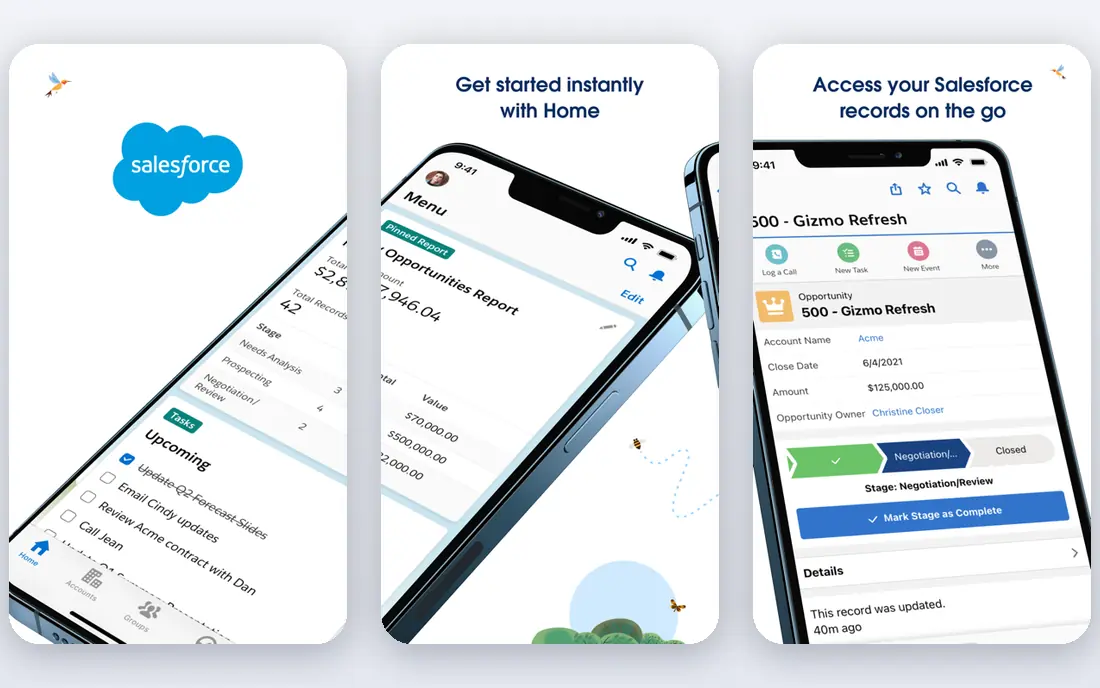
Salesforce is the default CRM shortlist for many growing companies, since it covers sales, service, marketing, and custom apps on one platform. The Starter Suite, priced from $25 per user per month in public pricing material, gives small teams a way to start without an enterprise deal. As a team grows, it can add editions, automation, and industry tools without switching platforms.
The catch is total cost and complexity. Advanced editions, add-ons, and implementation help can raise the bill well above the starter price, and a poorly planned setup can slow a team down. Start with a clear data model, such as accounts, contacts, deals, and service cases, and add features only when a team asks for them. For a company that plans to scale sales and service together, Salesforce is hard to beat.
- Broad CRM and app platform
- Starter Suite for small teams
- Large partner and integration ecosystem
- Costs rise with editions and add-ons
- Setup can be complex
- Smaller teams may need admin help
HubSpot suits small and mid-size firms that want marketing, sales, and service in one system without a heavy implementation project. Its free CRM tools cover contacts, deals, and basic pipelines, and paid hubs add marketing automation, sequences, ticketing, and reporting as needs grow. That path is useful for a marketing-led company that wants to track leads from first visit to closed deal.
The honest catch is that HubSpot pricing grows with seats, contacts, and hub levels, so a team that adds marketing automation and reporting can face a much larger bill than the free tier suggests. Map your contact count and required features before you buy, and test the free tools with a real pipeline first. For a team that values ease of use over deep customization, HubSpot is a strong pick.
- Free CRM tools for getting started
- Marketing, sales, and service hubs in one place
- Easier onboarding than enterprise CRM
- Paid hubs and seats add up
- Advanced reporting sits on higher tiers
- Marketing costs depend on contacts and features
Atlassian suits software, IT, and project teams that need planning, tracking, and documentation in one place. Jira handles issues, sprints, and roadmaps, while Confluence holds docs, decisions, and knowledge. Free plans for small teams make it easy to trial with a real project before committing, and the marketplace adds time tracking, roadmaps, and integrations.
The trade-off is choice. Atlassian offers many products and tiers, and a team can waste time configuring workflows instead of shipping work. Start with one project, a simple workflow, and a small set of custom fields, then expand only when the team asks for more. For a product or IT team that lives in tickets and docs, Atlassian is a natural home.
- Jira and Confluence for planning and docs
- Free plans for small teams
- Large marketplace of apps
- Product range can confuse new teams
- Admin work grows with scale
- Pricing depends on tier and user count
ServiceNow suits large organizations that need to manage IT requests, incidents, employee services, and approvals in a controlled way. Its platform connects service desks, asset records, and workflows, so a request can move from an employee portal to an IT team with clear ownership and audit trails. That structure matters when compliance, scale, and reporting are part of the job.
For a small team, ServiceNow is usually too much platform and too much cost. Pricing is by quote, and implementation often needs partners or internal specialists. If your organization has hundreds or thousands of staff and a complex service catalog, ServiceNow is a leading choice. If you have ten staff and a simple help desk, a smaller tool will serve you better.
- Strong IT service and workflow automation
- Employee service portal
- Enterprise scale and controls
- Quote-based pricing
- Implementation can be large
- Overkill for a small team with simple tickets
Workday suits mid-size and large employers that want HR and finance in one cloud system, covering payroll, talent, expenses, and financial planning in public product material. Its reporting and planning tools help finance and HR teams work from the same data, which reduces spreadsheet work and version confusion. That unity is valuable when headcount, pay, and budgets change often.
The drawback is scale and cost. Workday pricing is by quote, and implementation is a major project that needs executive support and internal resources. A company with under a few hundred staff will usually find a smaller HR or accounting tool faster and cheaper. For a large employer planning for growth, Workday offers a system that can stay in place for years.
- Unified HR and finance system
- Strong reporting and planning
- Built for large employers
- Quote-based pricing
- Long implementation projects
- Smaller firms will find it too heavy
Adobe covers two related SaaS worlds, which are creative tools and marketing technology. Creative Cloud includes Photoshop, Illustrator, Premiere Pro, and related apps for design, photo, and video work, while Experience Cloud covers content, commerce, and marketing for larger teams. That breadth suits agencies, publishers, and marketing teams that produce a lot of content.
Costs are the honest catch. Individual and team subscriptions add up, especially when a team needs several apps, stock assets, and cloud storage. Enterprise Experience Cloud pricing is by quote, so budget carefully. If your team lives in Adobe formats and client files, the compatibility is worth the cost. If you only need occasional design edits, a simpler tool may be enough.
- Industry-standard creative tools
- Experience Cloud for marketing
- Broad content and asset workflows
- Subscription costs add up across apps
- Enterprise pricing is by quote
- Learning curve for new users
Shopify suits businesses that want to sell online without building a commerce platform from scratch. You can set up a store, add products, take payments, and manage orders, shipping, and discounts from one dashboard. The app store adds reviews, subscriptions, bundles, and marketing tools, and point-of-sale tools cover in-person selling for retail shops.
The total cost deserves attention. Beyond the subscription, transaction fees, paid apps, and themes can raise monthly costs, especially for a store with many add-ons. Start with the core plan that fits your sales volume, add apps one at a time, and check whether Shopify Payments or a third-party gateway changes your fees. For a focused online store, Shopify remains one of the fastest routes to selling.
- Fast store setup
- Large app and theme ecosystem
- Payments, shipping, and point-of-sale tools
- Transaction and app fees add up
- Advanced customization needs code or apps
- Larger catalogs need higher plans
Zoom suits teams that need dependable video meetings, webinars, and hybrid work tools without a complex setup. The free plan covers basic meetings, which is enough for small teams and personal use, while paid plans add longer meetings, admin controls, webinars, and phone features. Its familiarity also helps, since most guests already know how to join.
The limit is not the tool but how it is used. A team that moves every discussion to video can create fatigue and lose focus time. Set clear norms, such as when a meeting needs video, when chat or a doc will do, and how recordings are stored. For reliable, widely understood video meetings, Zoom remains a strong SaaS pick.
- Reliable video meetings
- Free plan for basic meetings
- Webinars, rooms, and phone options
- Free plan has meeting time limits
- Advanced admin features sit on paid plans
- Meeting fatigue is a real workflow issue
Dropbox suits individuals and teams that want simple, reliable file storage and sharing across devices. Files sync to desktop and mobile, links make sharing easy, and team plans add admin controls, version history, and backup options. That simplicity is valuable when a team shares large design files, contracts, or project folders every day.
The catch is bundle competition. If your team already pays for Google Workspace or Microsoft 365, their included storage may cover your needs at no extra cost. Compare storage size, sharing controls, and version history before you add Dropbox as a separate bill. For a team that wants storage without a full office suite, Dropbox is a clear, focused choice.
- Simple file sync and sharing
- Free plan for basic use
- Team admin and backup options
- Storage limits on free and basic plans
- Advanced team features cost more
- Competition from Google and Microsoft bundles
Datadog suits engineering and operations teams that run cloud services and need to see infrastructure, application performance, logs, and security signals in one place. Its dashboards and alerts help teams spot failures, slow endpoints, and capacity problems before customers notice. That visibility matters when a service spans many hosts, containers, and third-party tools.
Pricing is the main caution. Costs depend on hosts, custom metrics, log volume, and retention, so a growing system can produce a larger bill than expected. Start with a trial, set retention and metric limits, and assign an owner for cost review. For a team that runs production cloud services, Datadog offers depth that a basic uptime tool cannot match.
- Broad monitoring for infrastructure, apps, and logs
- Dashboards and alerts in one platform
- Free trial for evaluation
- Pricing depends on hosts, metrics, and data volume
- Setup needs technical skill
- Costs can grow with usage
How we picked these
We compared official product pages and pricing models for SaaS companies with current, widely used cloud products, and we kept only firms with a clear subscription model and public pricing or quote information. We favored a mix of broad platforms and focused tools, so readers can compare a full suite against a single-job product. We did not claim hands-on testing, and we did not treat market size or revenue as proof that a product suits a specific team.
How to choose a SaaS company for your team
Start with the workflow, not the vendor list. Write down the job, the people who do it, and the systems it must connect to, such as email, accounting, or a store. A CRM that does not connect to your billing system will create manual work, no matter how strong its features look in a demo. Shortlist two or three products that fit that workflow, and trial each with real data and real users.
Next, map the total cost over a year. Include seats, tiers, add-ons, storage or usage charges, and implementation or training help. Ask whether prices rise when you add users, contacts, or data volume, and check contract terms, renewal notice periods, and exit options. A free plan is useful for a trial, but it is not a long-term plan if your team will outgrow its limits in months.
Finally, check support, security, and exit. Ask how support works, what security controls and data residency options exist, and how you can export your data if you leave. A SaaS product holds your customer, financial, or project data, so those answers matter as much as features. A vendor that answers them clearly is usually a safer long-term partner than one that only demos a polished interface.
Frequently asked questions
What are the best saas companies to work for?
Workplace fit depends on role, team, and location, so there is no single employer winner in this guide. Public workplace lists often cite firms such as Salesforce, HubSpot, Atlassian, and ServiceNow, but research the specific team, manager, and role before you judge an employer by its brand.
What is the best saas company for a small business?
For a small business, HubSpot for CRM and marketing, Atlassian for project work, Shopify for online selling, and Zoom or Dropbox for meetings and files often offer the easiest start, thanks to free or trial tiers. Pick by your main workflow, and avoid buying a full enterprise suite before you need it.
How much do SaaS products cost?
Costs vary from free tiers to quote-based enterprise deals, and they depend on seats, features, and usage. Salesforce Starter Suite starts at $25 per user per month in public pricing material, while HubSpot and Atlassian offer free plans, and ServiceNow and Workday price by quote. Always map a yearly total before you buy.
Should we buy one SaaS suite or several focused tools?
A suite suits a team that wants one vendor, one login, and shared data across sales, service, and marketing. Focused tools suit a team that needs depth in one job, such as commerce or monitoring, and is willing to manage integrations. Many companies use a mix, with a core platform plus focused tools for specific jobs.
How do we avoid SaaS costs growing out of control?
Assign an owner for each subscription, review seats and usage every quarter, and remove unused add-ons and dormant accounts. Set alerts for usage-based products such as Datadog, and check renewal dates and price changes before a contract renews automatically.
Sources
See where you really rank - block by block
ProMapRanker scans Google Maps across a grid of your service area. Simple monthly plans from $19, white-label on every plan.
Start freeKeep reading
 zscaler alternatives
Best Zscaler Alternatives in 2026
Looking for zscaler alternatives? We compare 9 SASE and zero trust platforms on architecture, data protection, pricing, and fit for your network and team.
Read → zapier alternatives free
Best Zapier Alternatives Free in 2026
Nine automation tools for zapier alternatives free in 2026, all with genuinely free tiers, plus free plan limits, starting prices and upgrade paths explained.
Read → which platform is best for online reputation
Which Platform Is Best for Online Reputation in 2026
Wondering which platform is best for online reputation? We compare 8 review, listing, and response tools for small and multi-location businesses and agencies.
Read →