 ProMapRanker
Best SaaS Backup Software in 2026

Key takeaways
- Match the tool to the app you must protect first: Salesforce, Microsoft 365, Google Workspace, and Shopify each have different leaders.
- Granular restore matters more than backup frequency alone, since most incidents need one record or file back, not a full account rebuild.
- Pricing models differ widely, from per-user monthly fees to per-user yearly fees, so compare the total for your seat count, not just the headline rate.
- Test a restore before you rely on a tool, and confirm retention, storage location, and whether backups sit outside the app they protect.
Quick comparison
| Pick | Great for | Pricing starts at | Free tier | |
|---|---|---|---|---|
 Rewind | Shopify and SaaS app backups | See website | Free trial | Visit |
 Spanning Backup | Microsoft 365, Google Workspace, Salesforce | $48 per user per year | No | Visit |
 Veeam Data Cloud for Salesforce | Salesforce backup | $4.17 per Salesforce user per month | Free tier | Visit |
 Salesforce Backup and Recover | Native Salesforce protection | See website | No | Visit |
 Backupify | Google Workspace and Microsoft 365 | See website | Free trial | Visit |
 Druva | Enterprise SaaS app protection | See website | Free trial | Visit |
 Odaseva | Large Salesforce orgs | See website | No | Visit |
 CloudAlly | Multi-app SaaS backup | See website | Free trial | Visit |
 Skyvia Backup | Low-cost Salesforce and app backup | $7 per month | Yes | Visit |
The best SaaS backup software
SaaS vendors back up their own platforms, but that backup does not usually let you restore your own account after a bad deletion or a sync error. These tools create a separate copy of your data and let you restore a single record, file, or account. We compared coverage, restore options, and pricing models for the apps most small and mid-size teams actually use.

Rewind is the best-known backup tool for Shopify and a growing list of other SaaS apps, including project and accounting tools. It backs up automatically and lets you restore individual items, which matters when a single product, order detail, or file is changed by mistake. The self-serve restore portal keeps small teams from waiting on support for a routine recovery.
Pricing depends on the app and the plan, and search results for Rewind prices differ by source and date. That means you should get a quote for your exact apps and user count rather than trusting a single headline figure. Coverage also varies by app, so confirm that the items you care about, including metadata where relevant, are included.
- Wide SaaS coverage including Shopify
- Item-level restores
- Automated backups
- Pricing varies by app and plan, so confirm the total before buying
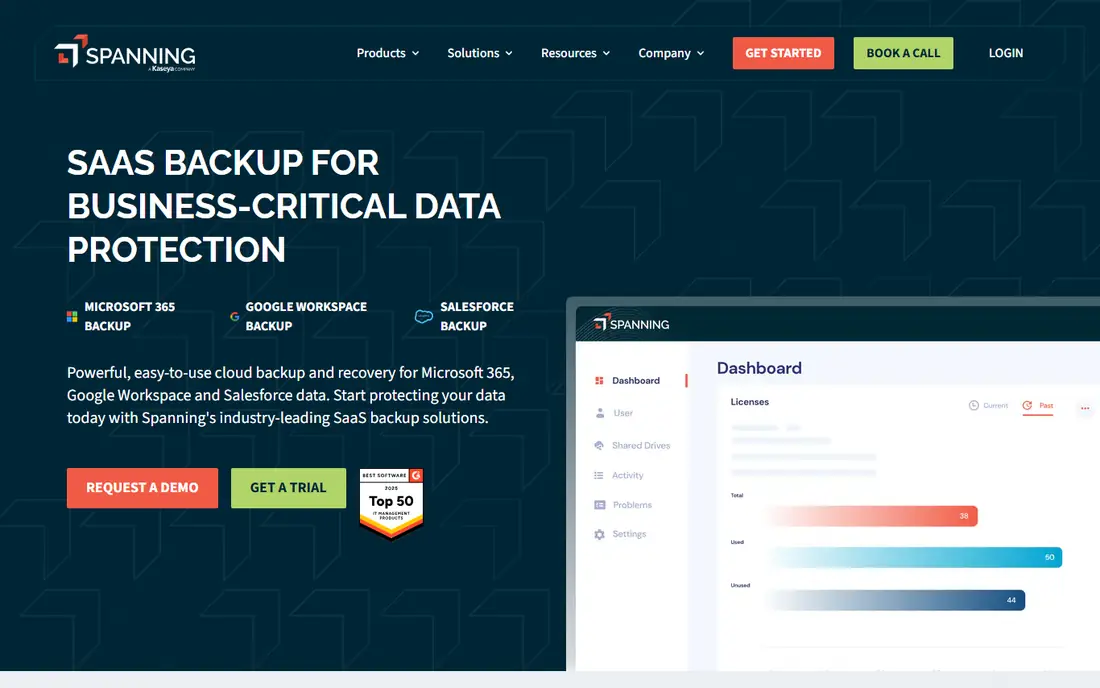
Spanning Backup covers Microsoft 365, Google Workspace, and Salesforce from one platform, which suits a team that uses more than one of those suites. Automated daily backups and granular restore let an admin or an end user recover a single file, folder, or account without rebuilding everything. Self-service restore also reduces the load on IT for routine mistakes.
Salesforce metadata coverage is narrower than some specialist tools, so Salesforce-heavy teams should check the covered types carefully. Some users have reported slower support since the Kaseya acquisition. The yearly per-user price is easy to budget, but it can grow with headcount, so model the total for your team size.
- One platform for three major suites
- Granular restore
- End-user self-service restore
- Metadata coverage for Salesforce is limited
- Support quality has drawn mixed reports

Veeam Data Cloud for Salesforce brings a managed backup service to Salesforce data, with backups offered as often as every few minutes on some plans. The published per-user price is clear, and a free tier covers small teams, which makes it easy to start. As a managed service, it removes the need to run backup infrastructure yourself.
Metadata handling is less complete than some Salesforce specialists, so teams that change custom objects and flows often should check coverage. The headline price is billed annually, so the monthly cash cost differs from a month-to-month plan. Test a restore of a record and its related data before relying on it.
- Frequent Salesforce backups
- Managed SaaS delivery
- Free tier for small teams
- Salesforce metadata handling is a relative weak point
- Higher tiers add cost
Salesforce Backup and Recover, formerly Own Recover, is now part of the Salesforce platform. It backs up Salesforce data, files, metadata, managed packages, and sandboxes on a daily schedule, and it restores within the Salesforce environment your team already uses. For a Salesforce-heavy org, native integration reduces setup friction.
It is a paid add-on, and pricing is not published as a simple list price, so you will need a quote. Daily backup frequency may also be less than tools that offer more frequent Salesforce backups. Compare metadata coverage and restore granularity against third-party options before committing, especially if you change metadata often.
- Native Salesforce product, formerly Own Recover
- Backs up data, files, and metadata
- Daily backups
- Paid add-on with pricing on request
- Requires a Salesforce org to use
Backupify focuses on backup for Google Workspace and Microsoft 365, with automated backups and granular restore for mail, files, and related data. That focus suits schools, nonprofits, and small businesses that live in one office suite and need a simple safety net for deletions and overwrites. The setup is cloud-based, with no local hardware to manage.
Pricing is often quoted on request, which makes direct comparison harder. Coverage details also differ between Google Workspace and Microsoft 365, so check the exact items covered for your suite. If you need Salesforce or Shopify as well, you will need a second tool or a broader platform such as Rewind or Spanning.
- Cloud backup for office suites
- Granular restore
- Automated scheduling
- Pricing is on request in many listings
- Coverage varies by suite
Druva offers SaaS app protection with automated daily backups and point-in-time recovery, plus sandbox seeding for Salesforce teams that need test data from real backups. That combination suits larger teams that treat backup as part of compliance and testing, not just disaster recovery. Its cloud delivery removes local backup hardware from the plan.
Costs can rise with data volume, so a team with large Salesforce or office data should model growth, not just the first-year price. Confirm which SaaS apps are covered on your plan, since Druva covers a wide range of workloads beyond SaaS apps. A trial restore is worth running before you sign a long contract.
- Automated daily backups
- Point-in-time recovery
- Sandbox seeding for Salesforce
- Pricing varies with data volume
- Can rise as stored data grows
Odaseva targets large Salesforce orgs that need backup together with data privacy and compliance controls. Its self-service restore options let business users fix their own mistakes without waiting for a full admin restore, which helps in a large org where data changes happen daily. Compliance features are a real differentiator for regulated teams.
Pricing is enterprise-level and quoted rather than listed, so it is not a natural pick for a small team. The breadth of compliance tools can also be more than a simple backup buyer needs. Choose Odaseva when Salesforce scale, privacy, and compliance are central. For a small org, a simpler Salesforce backup tool is usually enough.
- Salesforce backup plus data privacy and compliance tools
- Self-service restore options
- Enterprise pricing
- May be more than a small team needs
CloudAlly backs up several SaaS apps, including office suites and Salesforce, from one console. That single view helps an IT admin who manages more than one cloud app and wants one retention policy and one restore workflow. Automated backups and granular restore cover the common recovery cases: a deleted mailbox item, a file, or a record.
Pricing is typically quoted, so compare the total for your apps and users rather than a headline rate. Retention and storage location can also vary by app, so confirm both for each app you protect. If you only use one app, a specialist tool for that app may be simpler and cheaper.
- Covers several SaaS apps from one console
- Automated backups
- Granular restore
- Pricing on request
- Check retention and storage location per app
Skyvia Backup is the low-cost entry point here, with a free 1 GB plan and paid plans priced by storage rather than by user. That model suits a small Salesforce org or a team that wants to test cloud backup without a per-user commitment. Manual backups on the free plan are enough to learn the restore workflow before paying.
Storage-based pricing means a data-heavy org can outgrow the cheap tiers faster than expected. Daily scheduled backups require a paid plan, so the free plan is a trial, not a full safety net. Check which objects and apps are covered, and confirm retention before you rely on Skyvia for production data.
- Free 1 GB plan
- Storage-based pricing
- Manual and scheduled backups
- Free plan is limited to manual backups for larger needs
- Paid plans are storage-based, not per-user
How we picked these
We compared official pricing pages, feature lists, and plan terms for each product, and we checked which apps and services are still offered in October 2026. We kept only products that fit the topic directly and that a US buyer can sign up for today. Where a price or a feature differed across sources, we used the vendor page figure where we could confirm it and wrote See website where we could not. We did not claim hands-on testing, and we judged each product on who it fits, one clear strength, and one honest weakness.
How to choose SaaS backup software
List the SaaS apps that would hurt most if data vanished, then check each tool for those apps by name. A tool that backs up Salesforce well may not cover Shopify, and a Microsoft 365 tool may not cover Google Workspace. Ask three questions: can you restore a single item, how long are backups kept, and where is the backup stored. Storage outside the original app matters, since a backup inside the same platform is less useful if that account is compromised. Compare pricing on your real seat count and data volume, and ask about retention limits and restore limits. Run a test restore of a single record early, and write down who on your team can run a restore when the usual admin is away.
Frequently asked questions
What is the best backup software for SaaS applications?
There is no single winner, because coverage depends on the app. Spanning and Veeam Data Cloud cover common office suites, Rewind covers ecommerce and several SaaS apps, and Own and related Salesforce tools focus on Salesforce. Pick the tool that covers your most important app first.
What is the top SaaS backup software for Salesforce?
Salesforce Backup and Recover, formerly Own Recover, is the native Salesforce option, while Veeam Data Cloud for Salesforce, Spanning, Druva, and Odaseva offer third-party alternatives. Compare metadata coverage and granular restore, since Salesforce recovery often needs a single field or record, not a whole org.
Does Microsoft 365 or Google Workspace back up my data?
Both platforms protect their infrastructure and offer recycle bins and version history, but neither gives you a simple account-level restore for every deletion or overwrite. A dedicated SaaS backup tool adds scheduled backups, longer retention, and item-level restore that the built-in tools do not provide.
How much does SaaS backup software cost?
Pricing varies by model. Some tools charge per user per month, some per user per year, and some by storage or by app. Confirm whether the price covers all users, all data, and the retention period you need, since limits can change the real cost.
How often should SaaS backups run?
Daily backups suit most office and CRM data, while high-change data such as Salesforce records may benefit from more frequent backups where offered. Frequency matters less than restore testing: a backup you have never restored is an assumption, not a safety net.
Sources
- https://rewind.com/pricing
- https://spanning.com/pricing
- https://www.veeam.com/products/saas/salesforce-backup-service.html
- https://www.salesforce.com/products/platform/products/backup-and-recover/
- https://www.backupify.com/pricing
- https://www.druva.com/products/saas-apps/
- https://www.odaseva.com
- https://www.cloudally.com
- https://skyvia.com/pricing
See where you really rank - block by block
ProMapRanker scans Google Maps across a grid of your service area. Simple monthly plans from $19, white-label on every plan.
Start freeKeep reading
 zscaler alternatives
Best Zscaler Alternatives in 2026
Looking for zscaler alternatives? We compare 9 SASE and zero trust platforms on architecture, data protection, pricing, and fit for your network and team.
Read → zapier alternatives free
Best Zapier Alternatives Free in 2026
Nine automation tools for zapier alternatives free in 2026, all with genuinely free tiers, plus free plan limits, starting prices and upgrade paths explained.
Read → which platform is best for online reputation
Which Platform Is Best for Online Reputation in 2026
Wondering which platform is best for online reputation? We compare 8 review, listing, and response tools for small and multi-location businesses and agencies.
Read →