 ProMapRanker
Best RV GPS Apps in 2026: 9 Apps Compared

Key takeaways
- RV LIFE is our pick for most RVers, because it pairs RV-safe GPS with trip planning and campground reviews in one subscription.
- CoPilot and Sygic suit drivers who want RV-aware routing with offline maps, without a full trip-planning suite.
- Allstays, Campendium, iOverlander and RV Parky are best for finding places to stay, with different strengths for campgrounds, free sites and overnight stops.
- A car GPS app is not a safe substitute for an RV app, since it does not account for height, weight, length or propane restrictions.
- Download maps and check your rig measurements before every trip, since no app can replace a road sign or a bridge clearance marker.
Quick comparison
| Pick | Great for | Pricing starts at | Free tier | |
|---|---|---|---|---|
 RV LIFE | Most RVers, GPS plus trip planning | $65 per year | Free trial | Visit |
 CoPilot | RV-aware routing with offline maps | See website | Free trial | Visit |
 Allstays Camp & RV | Campground and overnight stop database | See website | Yes | Visit |
 Campendium | Campground reviews and cell coverage | Free | Yes | Visit |
 iOverlander | Free and wild camping spots | Free | Yes | Visit |
 Roadtrippers | Road trip planning and attractions | See website | Yes | Visit |
 RV Parky | Free campground and stop finder | Free | Yes | Visit |
 FreeRoam | Free camping and boondocking finder | Free | Yes | Visit |
 Sygic | Truck and RV navigation with offline maps | See website | Free trial | Visit |
The best RV GPS apps
The best RV app depends on what part of the trip you need help with. Some apps focus on safe routing for a tall or heavy rig, while others focus on finding campgrounds, free sites or fuel stops. We compared official feature pages, app store listings and pricing for apps still available in October 2026, and we kept only apps that fit RV travel.
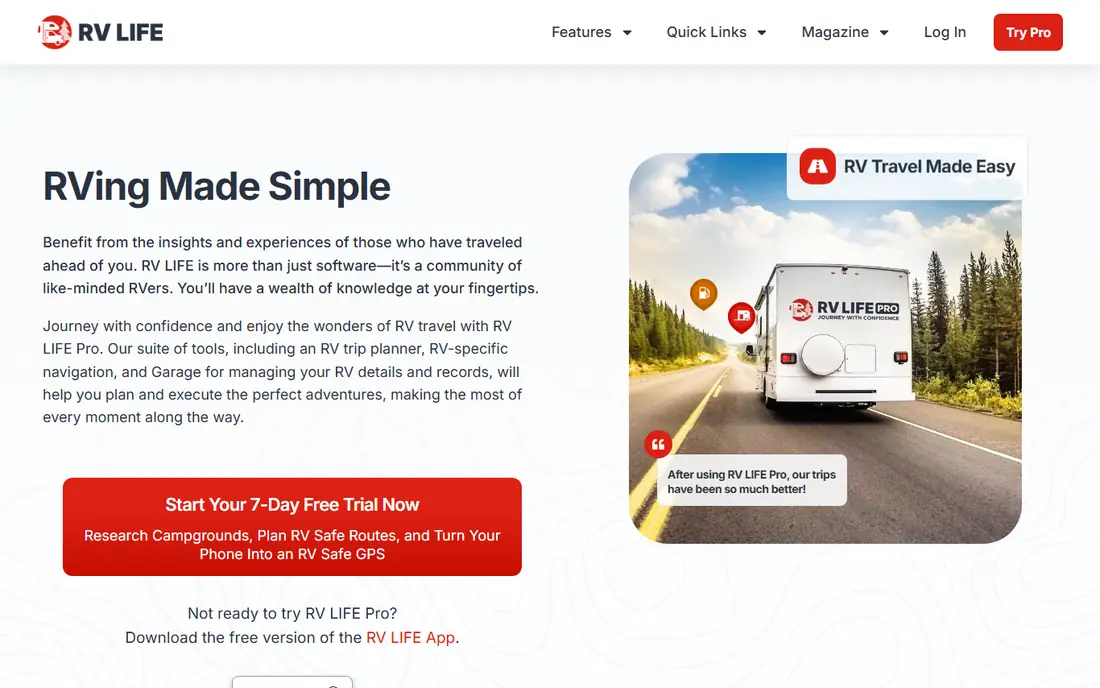
RV LIFE is the closest thing to an all-in-one RV travel app. You enter your rig dimensions, plan a trip on the web or in the app, and then follow RV-safe GPS routing that tries to avoid low clearances and unsuitable roads. Campground reviews and membership filters help you decide where to stop, not just how to get there.
The subscription is the main cost to weigh. Basic campground search is free, but GPS and the full trip planner need RV LIFE Pro, which costs $65 per year with a trial period. For RVers who travel often or drive a larger rig, that single subscription can replace several separate tools.
- RV-safe GPS using your rig height and length
- Trip planning with campground reviews
- Works with a web planner that syncs to your phone
- Full GPS and trip features need the paid Pro subscription
- Some users find the map zoom less aggressive near turns
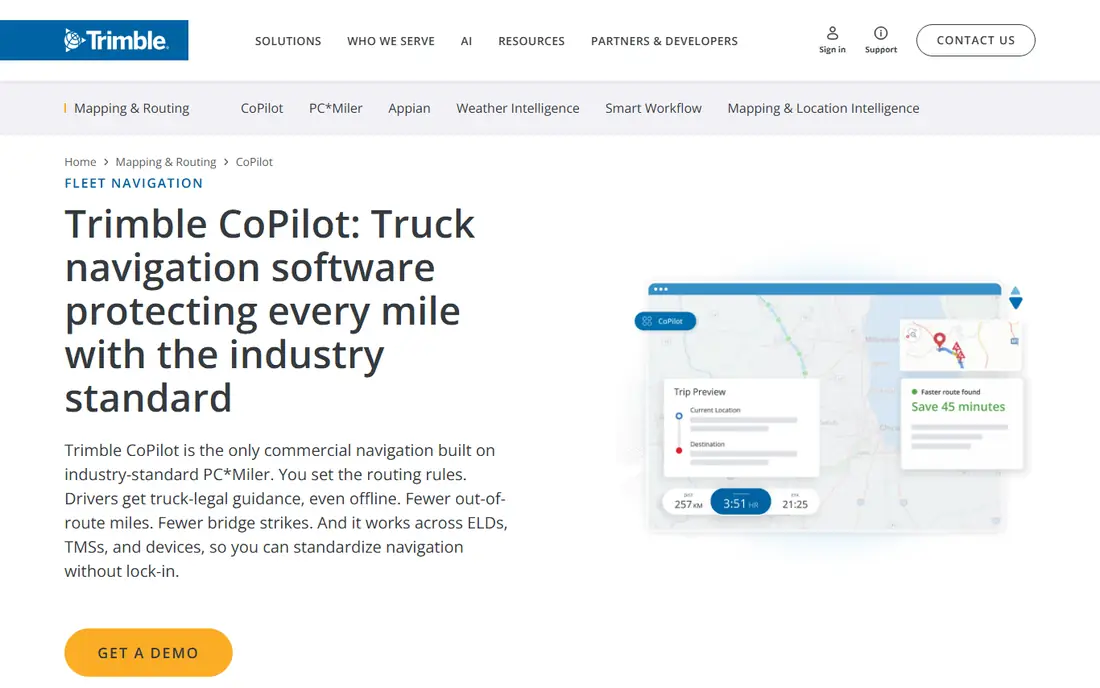
CoPilot has long been a favorite for drivers who need routing that respects vehicle size. You set up an RV profile, and the app routes around roads that do not fit your rig. Offline maps are a real advantage on rural routes, where signal can drop for long stretches.
CoPilot does not try to be a campground guide or a full trip planner, so you may still want a second app for finding sites. If your main need is safe, offline navigation for an RV, CoPilot is a focused and proven choice. Check the current RV plan price in your app store before you buy, since it varies.
- RV vehicle profiles for height, weight and length
- Offline maps for areas with poor signal
- Clear turn-by-turn navigation
- Pricing varies by plan and region, so check the store
- Trip planning is lighter than RV LIFE
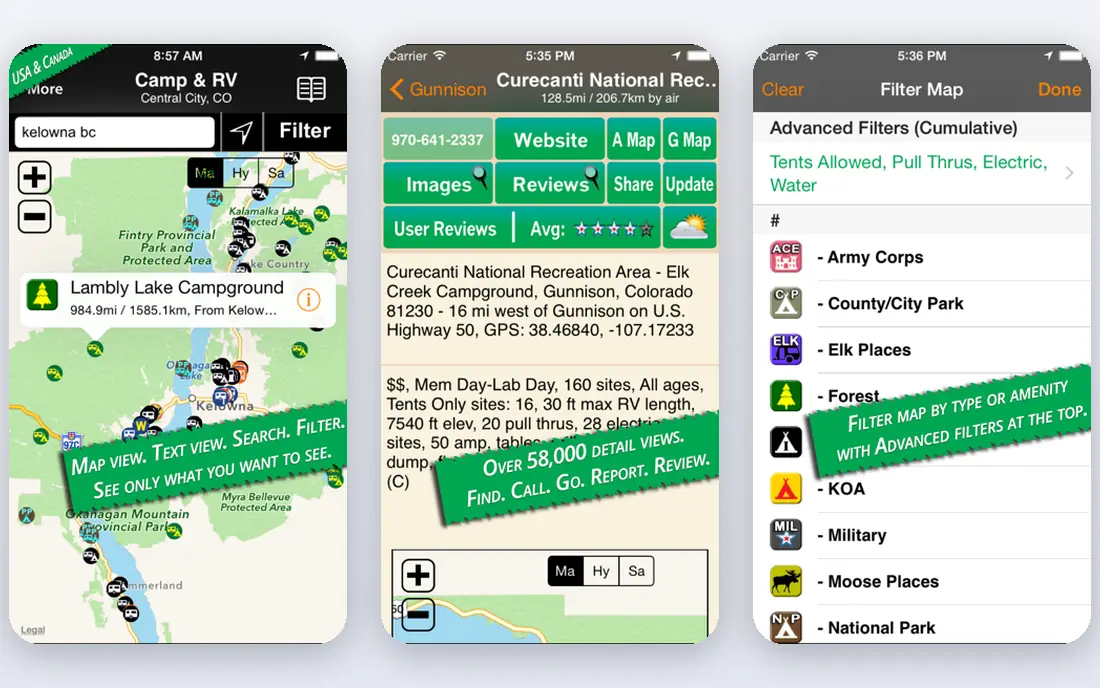
Allstays Camp & RV is a database-first app. It lists campgrounds, rest areas, Walmart stops, dump stations, repair shops and other places RVers need, with filters that help you narrow a long list to sites that fit your rig. That depth is why many long-term RVers keep it on their phone even when they use another app for navigation.
The pricing history is worth checking. Allstays moved from a one-time purchase to a subscription, and public sources have shown different annual prices. The app is free to download with basic database access, while Pro adds filters, offline maps and sync. Confirm the current price at checkout before you subscribe.
- Large database of campgrounds, rest stops and services
- Many filters for hookups, dump stations and low clearances
- Offline maps with a Pro plan
- Subscription pricing has changed over time and varies by source
- Android support was rebuilt after a long gap
Campendium is best used before you drive, not while you drive. Reviews from other RVers describe site size, hookups, noise, cell signal and road access, which are details that a listing alone rarely gives you. Cell coverage notes are especially useful if you work from the road or need a reliable signal.
Campendium does not replace an RV GPS app, since it does not offer rig-aware routing. Pair it with RV LIFE or CoPilot: use Campendium to choose a site, then use your GPS app to route to it. The free access makes that pairing easy to test on your next trip.
- Detailed campground reviews from RVers
- Cell coverage notes by carrier
- Filters for hookups, price and site type
- Not a turn-by-turn GPS app
- Coverage is strongest in the US
iOverlander is a community database for places to stay that do not always appear in commercial campground guides. It lists wild camping spots, free overnight sites, water points, dump stations and repair shops, with notes from travelers who have been there. That community detail is valuable for boondockers and for travelers outside the US.
Because entries come from users, you should check the date of the latest report before you rely on a site. Access rules, road conditions and closures change, and an old entry may no longer be accurate. iOverlander works best as a discovery tool alongside a GPS app, not as a navigation tool on its own.
- Free database of wild camping, free sites and services
- Community updates on access and conditions
- Global coverage
- Not a GPS navigation app
- Site quality and access can change, so recent reports matter
Roadtrippers is the most fun app on this list for planning the journey itself. You can map a route, add campgrounds, attractions, restaurants and scenic stops, and see the trip as a day-by-day plan. That planning view helps when you want a trip to feel like more than a drive from one campground to the next.
Roadtrippers does not replace an RV GPS app, since its routing does not account for rig height and weight in the same way. Use it to plan the stops, then hand the route to RV LIFE or CoPilot for safe driving. The free plan covers basic planning, while premium adds more stops and features.
- Easy trip planning with stops and attractions
- Large point-of-interest database
- Web and mobile planning that sync
- Not RV-aware routing on its own
- Premium features need a paid plan
RV Parky is a straightforward, free tool for finding places to stay and stop. It lists RV parks, campgrounds, gas stations and rest stops, with low-clearance warnings that matter for taller rigs. The simple design makes it quick to use when you are already on the road and need a nearby option.
RV Parky does not offer the depth of reviews found on Campendium, nor the routing of an RV GPS app. Its strength is speed and price: it is free, and it answers the common question of where to stop next. Keep it as a backup finder even if you use a paid app for navigation.
- Free campground, park and stop listings
- Low-clearance warnings
- Simple interface for quick searches
- Not a full GPS navigation app
- Review depth is thinner than Campendium
FreeRoam focuses on free and dispersed camping, which is a niche that general campground apps cover less well. You can filter by cell signal, site type and amenities, and read community reviews about access and conditions. That focus makes it a good companion for boondockers who want to stay off paid campgrounds for a night or longer.
As with other finder apps, FreeRoam is not a navigation tool. Use it to pick a free site, then route there with an RV-aware GPS app, and check recent reports before you commit to a remote road. The free price makes it easy to add to a boondocking toolkit.
- Free camping and boondocking listings
- Filters for cell signal and site features
- Community reviews
- Not a GPS navigation app
- Coverage varies by region
Sygic offers truck and RV navigation with vehicle profiles that account for size and weight. Offline maps, lane guidance and speed warnings help on long highway drives and in areas with weak signal. The app is well established for commercial drivers, which means its routing data for large vehicles is mature.
The trade-off is focus. Sygic is built mainly for trucks, with RV use as part of that larger-vehicle product, so its campground and trip-planning features are thinner than RV LIFE. If your priority is large-vehicle routing with offline maps, Sygic is a solid choice, and the trial lets you test it on a familiar route.
- Truck and RV vehicle profiles
- Offline maps
- Lane guidance and speed limit warnings
- RV features sit in a truck-focused product
- Pricing varies by plan and region
How we picked these
We compared official feature pages, app store listings and pricing for RV travel apps still available in October 2026. We kept apps that help with RV-aware routing, trip planning, or finding campgrounds and free sites, and we left out car-only GPS apps that do not account for rig size. Where pricing varied by plan, region or source, we used See website rather than a single unverified figure.
How to choose an RV app for your rig
Start with your rig measurements, and write them down before you open any app. Height, length, width, weight and tow status all affect routing, and a small error can send you toward a low bridge or a tight turn. Enter those numbers in every navigation app you use, and double-check them after an app update, since profiles can reset.
Next, decide whether you need routing, planning or finding sites most. A driver with a large motorhome needs RV-aware routing first, while a boondocker needs a good free-site finder first. Many RVers end up with two apps: one for safe driving and one for choosing sites. That pairing is normal, and it is better than relying on one app for both jobs.
Finally, prepare for dead zones. Download offline maps for your route, save campground details before you leave signal range, and carry a paper backup for remote areas. Check road signs and bridge markers as you drive, since no app is perfect, and road work can change a route after the map data was last updated. A safe RV trip uses the app as a guide, not as a replacement for watching the road.
Frequently asked questions
What is the best RV navigation app?
RV LIFE is the best RV navigation app for most RVers, because it pairs RV-safe GPS with trip planning and campground reviews. CoPilot and Sygic are strong alternatives if you mainly want RV-aware routing with offline maps. Choose based on your rig size and how often you travel.
What is the best GPS app for RV travel?
The best GPS app for RV travel is one that lets you enter your rig height, length and weight, such as RV LIFE, CoPilot or Sygic. A car GPS app does not account for those limits, so it can route a tall rig under a low bridge. Always check the route against road signs as well.
What are the best RV travel apps for finding campgrounds?
Campendium, Allstays Camp & RV, RV Parky and iOverlander are among the best RV travel apps for finding campgrounds and stops. Campendium offers detailed reviews and cell coverage notes, Allstays offers a large filtered database, and iOverlander covers free and wild sites.
What is the best app for RV travel planning?
Roadtrippers is a strong app for RV travel planning, because it lets you map stops, attractions and campgrounds as a day-by-day trip. RV LIFE also plans trips and then hands the route to its GPS app. Use Roadtrippers for the journey plan and an RV GPS app for safe driving.
What is the best map app for RV travel?
RV LIFE and CoPilot are the best map apps for RV travel when routing matters, because both support rig profiles and offline maps. For finding sites, Allstays and Campendium offer better campground data. Many RVers use one app for maps and another for site reviews.
Can I use Google Maps for RV travel?
You can use Google Maps to find places and check a general route, but it does not offer an RV vehicle profile for height, weight and length. That gap means it can route a large rig onto roads that do not fit it. Use an RV-aware app for driving, and Google Maps only as a backup finder.
Sources
See where you really rank - block by block
ProMapRanker scans Google Maps across a grid of your service area. Simple monthly plans from $19, white-label on every plan.
Start freeKeep reading
 outreach alternatives
Outreach Alternatives in 2026
Compare outreach alternatives for 2026, from Salesloft and Apollo to HubSpot and Lemlist, with pricing, channels, features, limits, and honest trade-offs.
Read → best web conference tools
Best Web Conference Tools in 2026
Compare the best web conference tools for meetings, webinars and team calls, with current pricing, free plans and honest limits for each option here today.
Read → best voice cloning tools
Best Voice Cloning Tools in 2026
Compare the best voice cloning tools in 2026, from ElevenLabs and Descript to Resemble and Cartesia, with consent rules, pricing, licenses, and limits.
Read →