 ProMapRanker
Best Route Planning Apps for Road Trips in 2026


stops and attractions along the route · Pricing starts at: Free
Key takeaways
- Roadtrippers is our pick for most road trips, because it is built around stops, attractions and multi-stop routes rather than simple point-to-point driving.
- Wanderlog is the better choice for group trips, with shared editing, budget tracking and unlimited stops on the free tier.
- Google Maps and Waze remain the best navigation pair, and they work well alongside a planner rather than replacing one.
- RV LIFE Trip Wizard is the pick for larger rigs, since it routes around low bridges and propane restrictions based on vehicle size.
- Download offline maps before you leave, since coverage gaps are common on rural and park roads.
Quick comparison
| Pick | Great for | Pricing starts at | Free tier | |
|---|---|---|---|---|
| Roadtrippers | stops and attractions along the route | Free | Yes | Visit |
 Wanderlog | group itineraries and budgets | Free | Yes | Visit |
 Google Maps | everyday navigation | Free | Yes | Visit |
 Waze | live traffic and hazard alerts | Free | Yes | Visit |
 Furkot | long multi-week trips | Free | Yes | Visit |
 RV LIFE Trip Wizard | RV-safe routing | $65 per year | Free trial | Visit |
 MyRoute-app | detailed route building for drivers | See website | Free trial | Visit |
 Polarsteps | planning plus trip tracking | Free | Yes | Visit |
 TripIt | turning bookings into an itinerary | Free | Yes | Visit |
The best route planning app for road trips
A good road trip planner does more than draw a line on a map. It helps you pick stops, set realistic driving days, share the plan and keep it usable when signal drops. The apps below cover those jobs in different ways.

Roadtrippers is the planner that feels most like a road trip itself. You enter a start and end point, then browse attractions, diners, parks and campgrounds along the route and add them as stops. Trip guides and member reviews help you judge whether a detour is worth the miles.
The free plan limits the number of waypoints, while paid plans start around $49.99 per year for Plus and $59.99 per year for Premium in recent comparisons, with up to 150 stops, offline maps, live traffic and RV routing on the higher tier. For a classic US road trip with many stops, Roadtrippers is still the first app we would open.
- Huge database of roadside attractions and campgrounds
- Multi-stop route building
- RV routing and offline maps on paid plans
- Free plan limits waypoints
- Coverage is strongest in the US, Canada, Australia and New Zealand
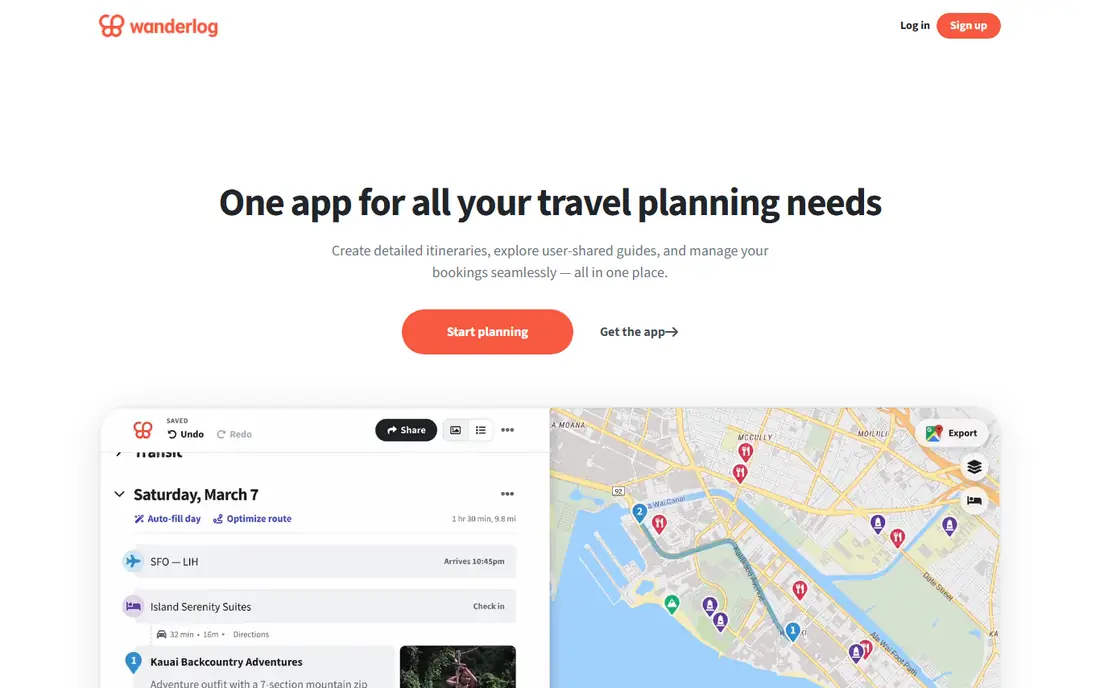
Wanderlog started as a general trip planner, and that shows in its group features. Several people can edit the same itinerary, add notes, vote on places and split expenses, all on a shared map with color-coded days. Budget tracking is built in, which helps when one person is handling hotels and another is handling fuel.
Pro is listed around $48.99 to $49.99 per year, adding offline maps, export to Google Maps and email import. For a family or friend group planning together, Wanderlog is easier to share than Roadtrippers, and the free unlimited stops remove the main reason to pay early.
- Unlimited stops on the free tier
- Shared editing and budget tracking
- Email import for bookings on Pro
- Less roadside-attraction depth than Roadtrippers
- Offline maps need Pro
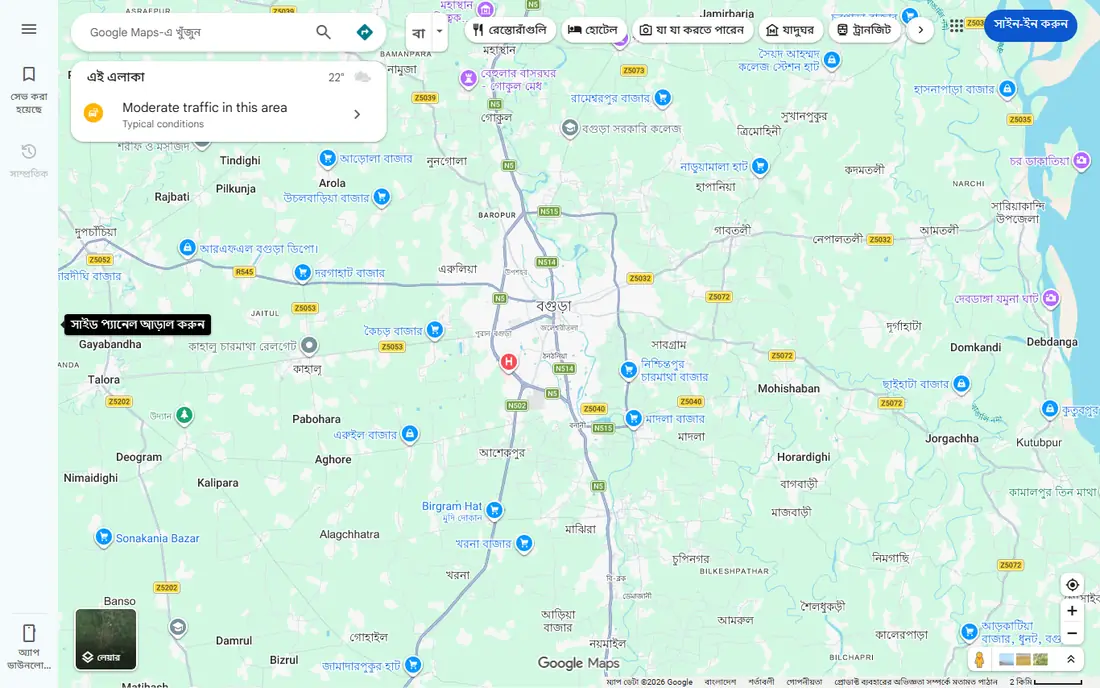
Google Maps is not a dedicated road trip planner, but it is the navigation tool most planners feed into. Turn-by-turn directions, live traffic, fuel stops and opening hours are reliable, and downloaded offline maps keep navigation working when signal fades. You can add several stops to a route, though building a week-long itinerary with notes and budgets is clumsy.
Use Google Maps as the driving layer. Plan in Roadtrippers or Wanderlog, then send the day route to Google Maps for the actual drive. That pairing covers planning depth and navigation accuracy better than either tool alone.
- Accurate turn-by-turn navigation
- Live traffic and rerouting
- Offline maps you can download in advance
- Multi-stop planning is basic
- No built-in trip budget or attraction discovery
Waze earns its place as a second navigation app running alongside Google Maps. Driver reports flag hazards, road closures and slow traffic faster than map data alone, and rerouting around a jam can save an hour on a busy highway stretch. The app is free and simple to use.
Waze is not a planner. It will not hold a week of hotel stops, notes and budgets, and its route choices favor speed over scenery. Keep it for the driving day, and keep the plan itself in Roadtrippers or Wanderlog.
- Real-time hazard, police and traffic reports from drivers
- Fast rerouting around jams
- Free with no subscription
- No multi-day itinerary planning
- Route options are limited next to Google Maps
Furkot is built for the long haul. You set a start date, daily driving limits and overnight preferences, and it lays out a day-by-day plan with lodging, fuel and camping stops on a single timeline. That structure suits multi-week trips, where a simple route line hides the real problem, which is pacing each day sensibly.
The interface is less polished than newer planners, and finding quirky roadside stops takes more manual searching. For a cross-country trip with many overnight stops, Furkot pacing tools are still hard to match.
- Day-by-day planning for long trips
- Lodging, fuel and camping stops on one timeline
- Export to navigation apps
- Interface feels dated
- Attraction discovery is thinner than Roadtrippers
RV LIFE Trip Wizard is the planner for anyone driving a motorhome or towing a trailer. You enter your rig dimensions, and the app routes around low bridges, steep grades and propane-restricted tunnels that a car app would ignore. Campground filters cover hookups, pet policies and cell signal, which matter when you are choosing overnight stops.
Pricing is $65 per year after a 7-day free trial. That cost is easy to justify against a single bad turn in a large rig, but casual car travelers will get more joy from Roadtrippers for less money. For RV owners, this is the safety-first pick.
- Routing based on rig height, weight and length
- Large campground database with reviews
- Driving radius and fuel planning
- No free version beyond the trial
- Interface favors function over visual polish
MyRoute-app appeals to drivers who want to shape a route exactly, not just accept the fastest line. You can drag waypoints, adjust roads, save scenic routes and share them with other drivers. That control suits motorcycle touring and scenic drives where the road itself is the point of the trip.
The trade-off is complexity. Casual planners who want a quick itinerary with hotels and budgets will find Wanderlog faster. For drivers who plan routes as a hobby and value precise control, MyRoute-app is worth the learning time.
- Precise waypoint and route shaping
- Route sharing with other drivers
- Good for scenic and motorcycle routes
- Learning curve for casual planners
- Pricing varies by plan and region
Polarsteps covers both sides of a trip. You can plan stops on a map, then the app tracks your route automatically as you travel, attaching photos and notes to each step. Family and friends can follow along, and after the trip you can turn the journal into a printed book.
Planning alone is lighter here than in Roadtrippers or Wanderlog, with fewer budget and lodging tools. Polarsteps is best for travelers who care as much about remembering the trip as planning it, and who want one app for both jobs.
- Automatic route tracking with photos and stories
- Easy sharing with family
- Printed travel book option after the trip
- Planning tools are lighter than dedicated planners
- AI itinerary features are newer and less proven
TripIt solves a different problem from the planners above. Forward hotel, flight and rental confirmations to TripIt, and it builds a chronological itinerary with maps, directions and documents in one place. Pro, listed around $49 per year, adds flight alerts, seat tracking and other travel extras.
For a road trip, TripIt works best as the document holder alongside a route planner. Plan the drive in Roadtrippers or Wanderlog, let TripIt collect the bookings, and you have both the route and the paperwork in hand when you reach each stop.
- Builds an itinerary from forwarded booking emails
- Calendar and map views
- Pro adds alerts and extras
- Not a route builder
- Road trip stops need manual entry
How we picked these
We compared official pricing pages, feature pages and app store listings for road trip planners live in October 2026. We kept only tools that handle multi-stop driving routes or a clear part of road trip planning, such as RV routing or booking organization. We did not claim hands-on testing. Where prices differed across comparisons, we used the vendor figure or wrote See website.
How to plan a road trip that survives contact with the road
Set a daily driving limit before you pick stops. Most travelers enjoy 3 to 5 hours of driving a day, with a longer day only when the next stop is worth it. Build the plan around that limit, then add attractions that sit near the route rather than forcing a detour for every interesting place on the map.
Download everything the night before you leave. Save offline maps in Google Maps, cache the planner itinerary, and screenshot hotel confirmations and campground details. Check fuel stops on rural legs, since stations can be far apart on park and desert roads, and keep a paper backup of the first night address in case a phone battery dies. A plan that works without signal is a plan you can trust.
Frequently asked questions
What is the best route planning app for a first road trip?
Roadtrippers is the best starting point for a first road trip, since it is built around stops and attractions. Pair it with Google Maps for navigation, and add Waze on busy highway days for live alerts.
Can I plan a road trip for free?
Yes. Roadtrippers, Wanderlog, Google Maps, Waze, Furkot, Polarsteps and TripIt all offer free tiers that cover a basic trip. Paid plans mainly add more stops, offline maps and RV routing, so start free and upgrade only if you hit a limit.
Which app is best for RV road trips?
RV LIFE Trip Wizard is the best pick for RV trips, because it routes based on rig size and restrictions. Roadtrippers Premium also offers RV routing, but Trip Wizard campground depth and driving radius tools are stronger for frequent RVers.
How do I plan a road trip with friends?
Use Wanderlog for group planning, since several people can edit the same itinerary, add notes and split expenses. Share the final day routes to Google Maps so everyone navigates from the same plan.
Do I need offline maps for a road trip?
Yes, for rural and park roads. Download offline maps in Google Maps before you leave, and use a planner with offline access if you will be out of signal for days. Do not rely on live data alone on remote legs.
How many stops should I plan per day?
Two to four stops per day is a realistic range for most trips, depending on drive time and how long you stay at each place. Fewer stops with longer stays usually feel better than a packed list that turns the trip into a checklist.
Sources
See where you really rank - block by block
ProMapRanker scans Google Maps across a grid of your service area. Simple monthly plans from $19, white-label on every plan.
Start freeKeep reading
 worlds best local seo company
8 Worlds Best Local SEO Companies for Map Pack Growth in 2026
Compare the worlds best local seo company options for Google Business Profile work, citations, reviews, and multi-location rankings and reporting in 2026.
Read → world's best web hosting company
World's Best Web Hosting Company in 2026
Searching for the world's best web hosting company? We compared 10 hosts on price, renewal rates, speed, and support to help you choose well today in 2026.
Read → who's got the best nanny tax services
Who's Got the Best Nanny Tax Services in 2026
We answer who's got the best nanny tax services, comparing full filing, back taxes, software, and pricing so families can handle nanny taxes correctly.
Read →