 ProMapRanker
Best Room Design App in 2026: 9 Apps Compared

Key takeaways
- Planner 5D is our pick for most people who want an easy 2D and 3D room planner on phone or computer.
- RoomSketcher suits users who need clean, printable floor plans for listings or clients.
- Floorplanner is a good browser option for quick layouts without installing software.
- Sweet Home 3D remains a strong free desktop choice for users who prefer local software.
- Homestyler and Roomstyler suit visual room ideas and renders, while Magicplan suits fast measured rooms.
Quick comparison
| Pick | Great for | Pricing starts at | Free tier | |
|---|---|---|---|---|
 Planner 5D | Easy 2D and 3D room design | $19.99 per month | Yes | Visit |
 Homestyler | Visual room renders | See website | Yes | Visit |
 RoomSketcher | Printable floor plans | $12 per month | Yes | Visit |
 Floorplanner | Browser floor plans | See website | Yes | Visit |
 Sweet Home 3D | Free desktop planning | Free | Yes | Visit |
 Roomstyler | Quick visual room ideas | See website | Yes | Visit |
 Magicplan | Measured rooms from photos | See website | Free trial | Visit |
 Live Home 3D | Detailed home design | See website | Yes | Visit |
 HomeByMe | Furniture-led room planning | See website | Yes | Visit |
The best room design apps
A good room design app lets you draw walls, place furniture to scale and view the result in 3D before you buy anything or move a sofa. We compared official feature pages, pricing pages and app store listings, and we focused on ease of drawing, furniture catalogs, 3D views, export options and free plan limits.
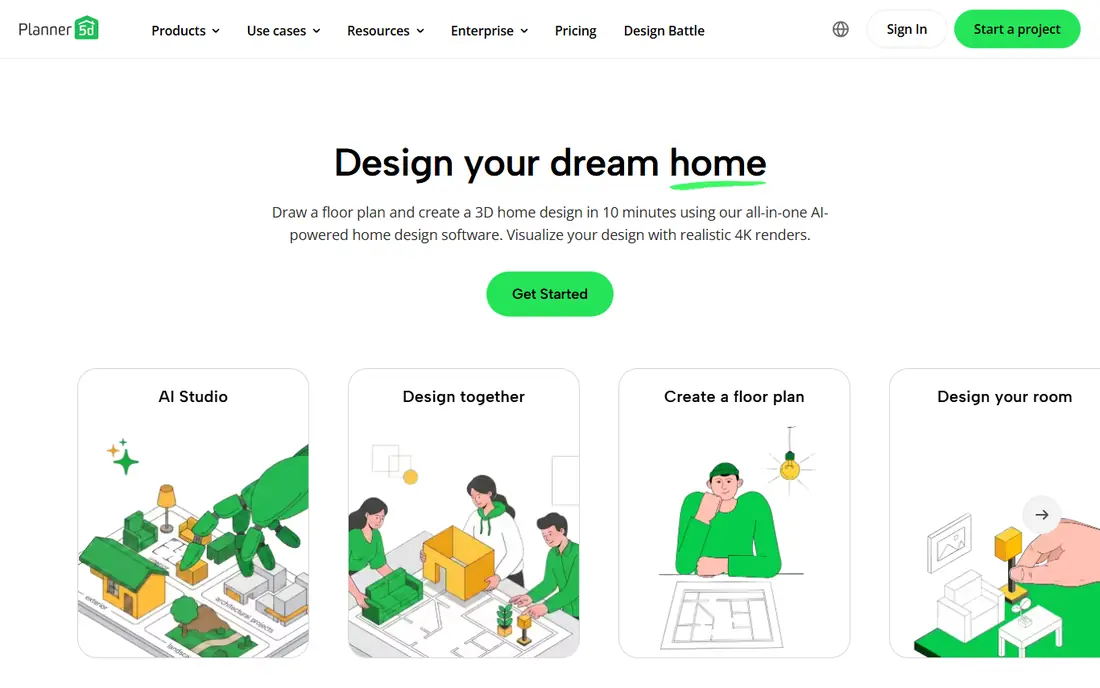
Planner 5D is the easiest starting point for most home users. You draw walls in 2D, switch to 3D to walk through the room, and drag furniture into place without learning CAD tools. The catalog covers sofas, tables, beds, lighting and decor, so you can test a layout with realistic sizes before you commit to a purchase.
The free plan is enough to learn the tool and plan a single room. If you want the full catalog, custom textures and high-quality snapshots, you will need Premium, which is listed at $19.99 per month or $59.99 per year for the annual plan. Check the current pricing page, because monthly and annual rates differ.
- Works on phone and computer with 2D and 3D views
- Large furniture and decor catalog
- Easy drag-and-drop layout tools
- Full catalog and high-quality renders need a paid plan
- Monthly price is higher than the annual equivalent
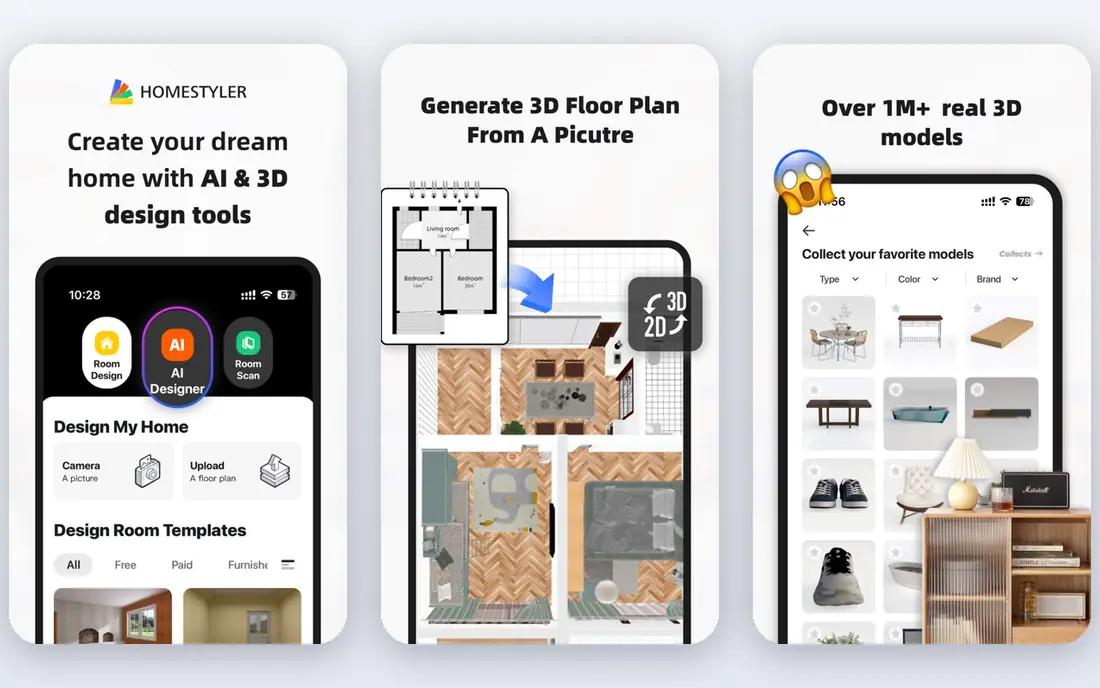
Homestyler suits users who care most about how a room will look. You can start from a template, furnish a room in 3D, and produce renders that show light, colour and materials more clearly than a flat floor plan. That visual focus helps when you are choosing paint, flooring or a sofa style.
It is less of a technical drawing tool than RoomSketcher or Floorplanner. If you need exact measurements for builders, use Homestyler for ideas and a more precise planner for the final plan. The basic plan includes standard rendering, while higher resolutions and extra tools sit behind paid options.
- Strong 3D renders and room templates
- Browser-based design with no install needed
- Useful for visual ideas before buying furniture
- Higher-resolution renders and advanced tools can cost extra
- Less suited to precise construction plans
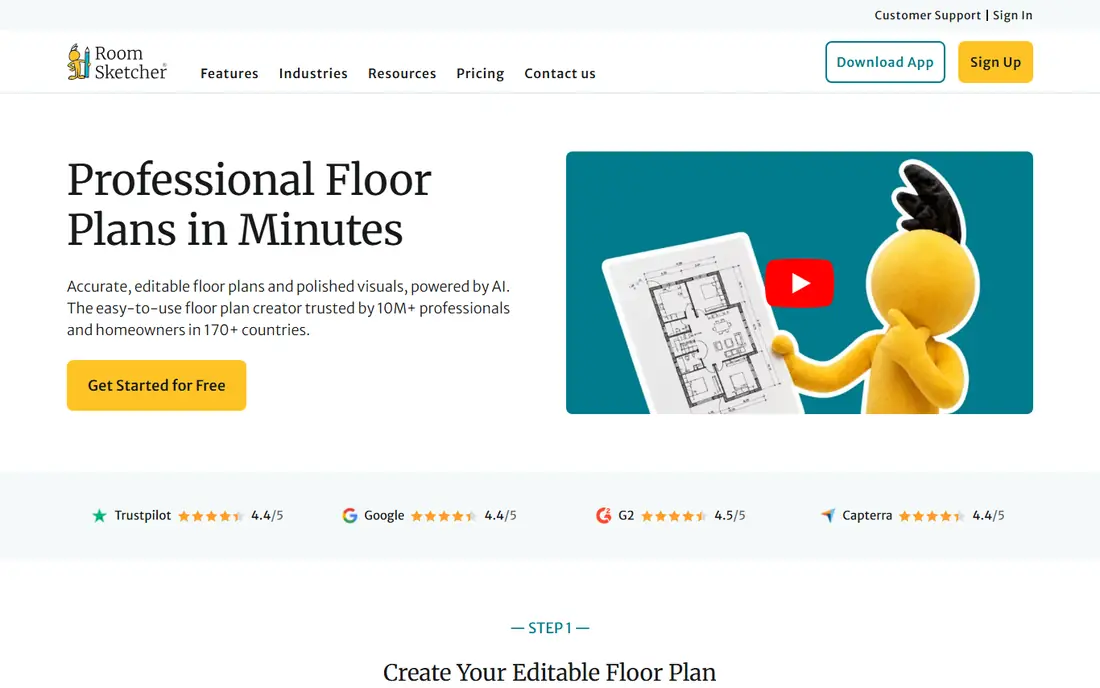
RoomSketcher is built for floor-plan production. You draw walls, add doors and windows, furnish the space, and produce 2D plans, 3D plans and 3D photos that look clean enough for a listing or a client presentation. Real estate agents and home stagers often prefer it for that reason.
The free account lets you draw and view plans, but finished outputs are where paid plans matter. Pro is listed at $12 per month billed annually, or $24 per month on monthly billing, and includes monthly credits. Check how credits apply to renders and ordered plans before you plan a large project.
- Clean 2D and 3D floor plans for listings and clients
- Pro plan includes monthly credits and print-to-scale output
- Easy sharing for real estate use
- Finished outputs and extra services can cost extra
- Full library and features need Pro
Floorplanner is a good choice if you want to plan a room in a browser without downloading an app. You draw a floor plan, add furniture from a large library, and switch to 3D to check the layout. The free account includes a limited number of projects, which is enough for a single room or a small flat.
Export limits are the main catch. Free exports are lower resolution and watermarked, while higher-quality exports use credits. Credit packages start at small bundles, so occasional users can pay per project rather than taking a monthly plan. That model suits a one-off move or renovation.
- Runs in a browser with no install
- Quick 2D and 3D layouts
- Credit packages suit occasional projects
- Free exports are watermarked and limited
- Larger projects need paid credits or a plan
Sweet Home 3D is the best free option for users who prefer desktop software. You draw walls, place furniture, and view the room in 3D, all without a subscription. It runs on Windows, Mac and Linux, and it works offline, which suits users with slow internet or privacy concerns.
The trade-off is polish. The interface feels older than Planner 5D or Homestyler, and some advanced features need manual setup. If you want a modern mobile app and cloud sync, a paid planner may suit you better. If you want a free, local tool that does the core job well, Sweet Home 3D is hard to beat.
- Free desktop software with no subscription
- Works offline on Windows, Mac and Linux
- Furniture library can be extended
- Interface looks older than newer apps
- Mobile and store editions are separate offers
Roomstyler is a friendly way to test room ideas without worrying about exact construction details. You furnish a 3D room, try different styles, and browse rooms shared by other users for inspiration. That community side helps when you know a room feels wrong but you cannot say why.
It is not the best tool for a builder-ready plan. Measurements, wall thickness and print output are more limited than in RoomSketcher or Floorplanner. Use Roomstyler to settle on a style and layout, then move to a precise planner if you need exact plans.
- Easy browser-based room styling
- Large community of shared room designs for ideas
- Simple drag-and-drop furnishing
- Less precise for measured floor plans
- Advanced features and output options are limited
Magicplan solves a different problem: measuring a room you already have. You use your phone camera to capture a room, and the app builds a floor plan with measurements. That saves time with a tape measure, especially for rentals, existing homes and quick surveys.
Accuracy is the honest catch. Bright light, clutter and odd room shapes can affect results, so check key measurements before you order furniture or book work. Magicplan is best for a fast measured starting plan, which you can then refine in a planner such as Planner 5D or RoomSketcher.
- Creates measured floor plans from phone photos and scans
- Useful for existing rooms and rentals
- Exports plans for sharing
- Accuracy depends on phone and room conditions
- Full export and plan features need a paid plan
Live Home 3D suits users who want more than a single room. You can plan a whole home, adjust materials and lighting, and view rooms in detailed 3D. It works across Mac, Windows and mobile, which helps if you start a plan on a computer and review it on a phone.
The free version is a useful trial, but serious projects will need a paid edition. That cost is justified if you are planning a renovation or a new home layout, but it is more than most casual users need for one room. Start free, and upgrade only when you hit a real limit.
- Detailed 2D and 3D home design on Mac, Windows and mobile
- Good material and lighting controls
- Suitable for whole-home projects
- Full features sit behind paid editions
- Learning curve is higher than simple room apps
HomeByMe lets you plan rooms around real furniture, which helps when you are shopping for specific pieces. You draw a room, place branded items to scale, and view the result in 3D before you buy. That link between planning and shopping reduces the risk of a sofa that does not fit through the door or the room.
Catalog coverage varies by region and brand, so check that your preferred stores appear before you build a full project. The free plan covers basic planning, while higher-quality renders and extra features sit behind paid options. For furniture-led planning, it is a strong companion to Planner 5D.
- Browser-based planning with real furniture brands
- Good 3D views for living rooms and kitchens
- Easy sharing of projects
- Some branded furniture catalogs vary by region
- Advanced renders and features need paid options
How we picked these
We compared official product pages, pricing pages and app store listings for room design apps that are current in October 2026. We kept apps that let users draw a room, place furniture to scale and view it in 2D or 3D, and we left out pure photo filters that do not produce an editable plan. We did not claim hands-on testing. We judged each app on drawing ease, furniture catalogs, 3D quality, export options and free plan limits, and we marked pricing as See website where the vendor does not publish a clear rate.
How to choose a room design app
Start by measuring your room, even if the app can scan it. Note wall lengths, door positions, window heights and any fixed features such as radiators or built-in cupboards. Those numbers matter more than any render, because a beautiful plan that ignores a door swing will fail in real life. Enter the measurements first, then furnish to scale.
Next, decide what output you need. If you only want ideas, a visual app such as Homestyler or Roomstyler is enough. If you need plans for a builder, a landlord or a listing, choose RoomSketcher or Floorplanner for cleaner output. If you want a free desktop tool and do not mind an older interface, Sweet Home 3D covers the core job.
Finally, check the free plan before you invest hours in a project. Count how many projects you can save, whether exports are watermarked, and whether the furniture you need sits behind a paywall. A free plan that blocks your sofa brand or your export format is not really free for your project.
Frequently asked questions
What is the best room design app free?
Planner 5D and Sweet Home 3D are strong free starting points. Planner 5D offers a free plan with 2D and 3D design on phone and computer, while Sweet Home 3D is a free desktop app with no subscription. Floorplanner and RoomSketcher also offer free plans, but finished exports may be limited or watermarked.
What is the best app to design a room?
Planner 5D is our pick for most people, because it balances easy drawing, a large catalog and 2D plus 3D views. RoomSketcher suits printable plans, Homestyler suits visual renders, and Magicplan suits measuring an existing room. Choose based on whether you need ideas, a measured plan or a client-ready output.
What is the best free room design software?
Sweet Home 3D is the best fully free desktop option, with no subscription for its core features. Planner 5D, Floorplanner and RoomSketcher offer free plans with limits on catalogs, projects or exports. For a quick browser project, Floorplanner is easy, while Sweet Home 3D suits users who want local software.
What is the best room planning software for real estate listings?
RoomSketcher is a strong choice for listings, because it produces clean 2D and 3D plans with print-to-scale output on Pro plans. Floorplanner also works for listings, especially for quick browser projects. Check export quality and credit costs before you plan many listings.
Can I design a room on my phone?
Yes, Planner 5D, Live Home 3D and Magicplan all work on phones, and Homestyler and Roomstyler work in a mobile browser. Phone apps suit single rooms and quick ideas, but larger whole-home projects are easier on a computer screen. Start on your phone, then refine the plan on a computer if needed.
Sources
See where you really rank - block by block
ProMapRanker scans Google Maps across a grid of your service area. Simple monthly plans from $19, white-label on every plan.
Start freeKeep reading
 who is the best seo company
Who Is the Best SEO Company in 2026
Compare who is the best SEO company in the USA, from full service agencies to SEO only specialists, with fit and service notes Compare features, pricing,.
Read → top bi software
Top BI Software in 2026: 9 Tools Compared
Compare the top BI software in 2026, with dashboards, reporting, data links, sharing, pricing and free plans for small teams, analysts and large companies.
Read → spyfu alternatives
SpyFu Alternatives in 2026: 9 Tools Compared
Compare the best spyfu alternatives in 2026, from Semrush and Ahrefs to SE Ranking, Moz, and Mangools, for competitor and keyword research work. for teams
Read →