 ProMapRanker
Best Rock Identification Apps in 2026


Photo identification with history · Pricing starts at: $4.99 per week
Key takeaways
- Rock identification apps give estimates, not guarantees, and a photo alone cannot test hardness, streak or density.
- Rock ID stands out for beginners because it pairs photo scans with guided hand identification and clear uncertainty notes.
- Google Lens is the best free starting point when you only need a quick visual match and a web search for context.
- Rockd, Geology Toolkit and the Crystalyze guide suit collectors who want maps, reference data or crystal context alongside identification.
Quick comparison
| Pick | Great for | Pricing starts at | Free tier | |
|---|---|---|---|---|
| Rock Identifier: Stone ID | Photo identification with history | $4.99 per week | Free trial | Visit |
 Rock ID | Guided identification for beginners | Free | Yes | Visit |
 Google Lens | Free visual search for a quick match | Free | Yes | Visit |
 Rockd | Maps and geological context | Free | Yes | Visit |
 Crystalyze | Crystal and gemstone guides | See website | Yes | Visit |
 Rock and Crystal Identifier | Simple iPhone photo identification | See website | Yes | Visit |
 Geology Toolkit Premium | Deep reference data for students | $14.99 one-time | No | Visit |
 AI Rock ID | Fast photo identification for crystals | See website | Yes | Visit |
The best rock identification apps
These apps help you narrow down a find, learn its likely properties and keep a record of your collection. Read the accuracy note first: no app in this list can replace a physical test.
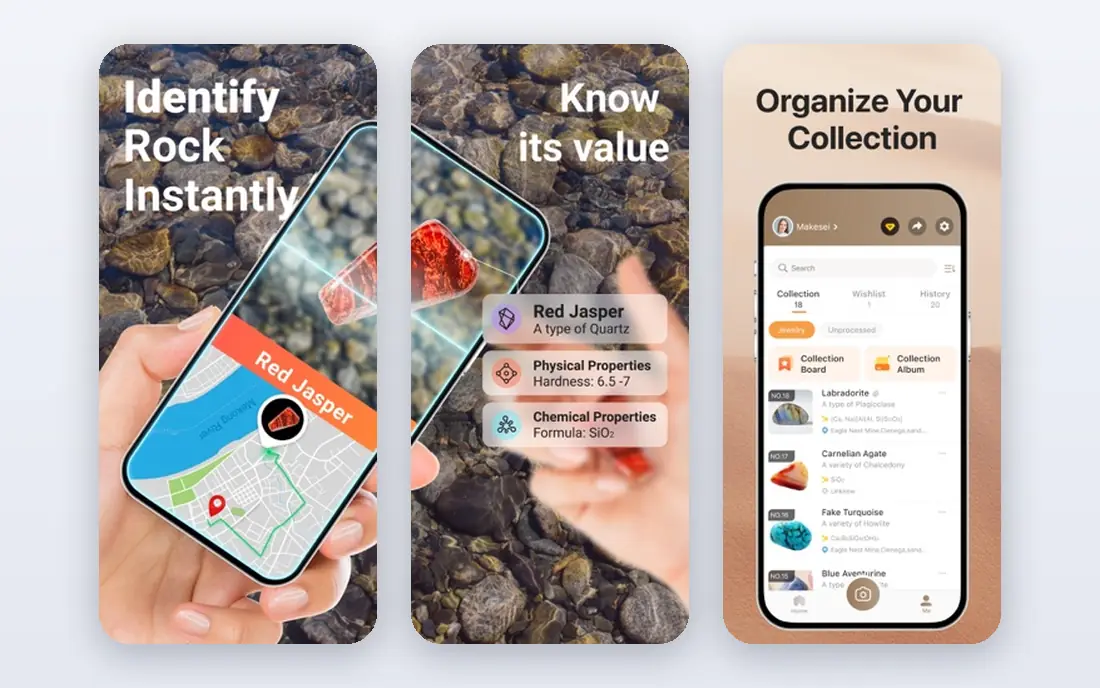
Rock Identifier: Stone ID is the most widely used photo-first option in this list. You photograph a stone or upload an image, and the app returns a likely match with reference detail you can save for later. That history is useful for collectors who revisit finds and compare similar stones over time.
The catch is cost and certainty. The free trial is short, and a photo match can be wrong when lighting, background or a polished surface hides key traits. Use it as a first guess, then check hardness, streak and other traits before you label a find with confidence.
- Photo or library image identification
- Saved identification history
- Full reference database for paid users
- Core identification sits behind a paid plan
- Weekly pricing adds up fast if you keep it all year
Rock ID takes a different and, for learning, better route. Instead of only returning a name from a photo, it asks what you can see and what simple tests you can run, such as a scratch test, a magnet check or a vinegar test. That guided flow teaches the traits that actually separate lookalikes, which is why we rate it highly for beginners.
Photo scans are available too, with ads on the free tier and unlimited scans on the paid tier. The honest framing matters here: when a result is uncertain, the app says so and shows close alternatives. That is far more useful than a confident wrong answer.
- Free hand identification with no account needed
- Shows uncertainty and lookalikes
- Works offline for hand identification
- Photo scans need a connection and use ads on the free tier
- New app with fewer store ratings
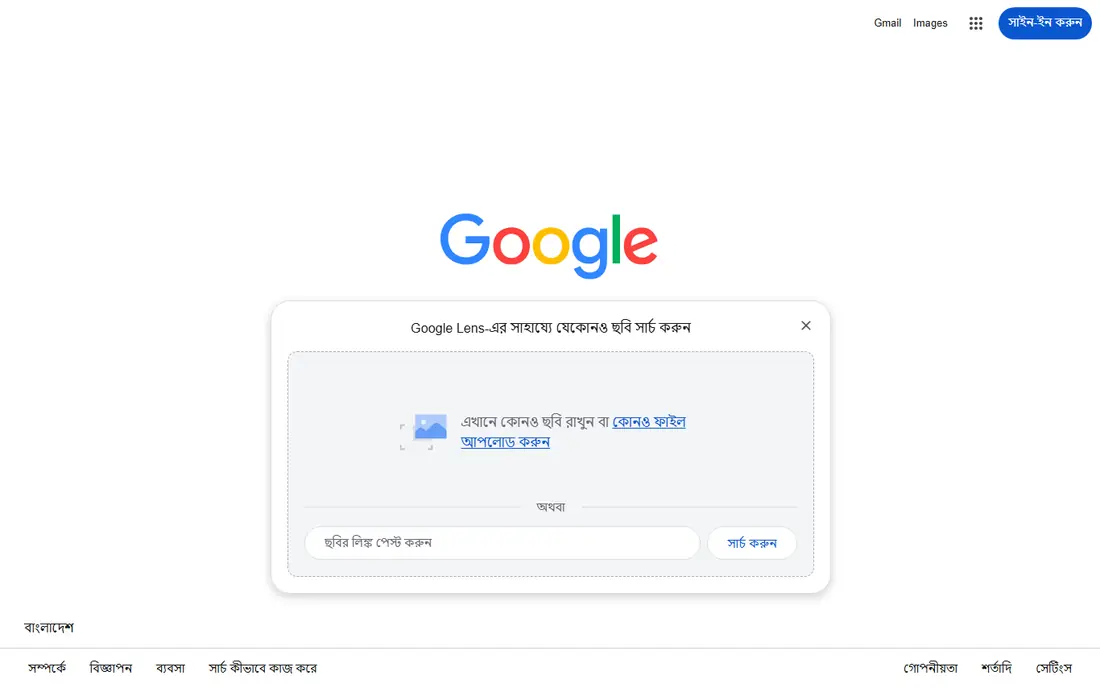
Google Lens is the best free rock identification app for a quick first check. Point it at a stone and it finds visually similar images and web pages, which can point you to a mineral name, a shop listing or a geology page. For a common stone in good light, that is often enough to start your own research.
It is not a geology tool, so it will not walk you through hardness or streak tests, and it will not keep a neat collection log. Treat Lens as a search shortcut, then confirm the match with a reference app or a field guide before you record it as identified.
- Free on Android and inside the Google app on iPhone
- Links to web pages and images
- No new subscription
- Not built as a rock guide
- Results can be broad and need manual checking
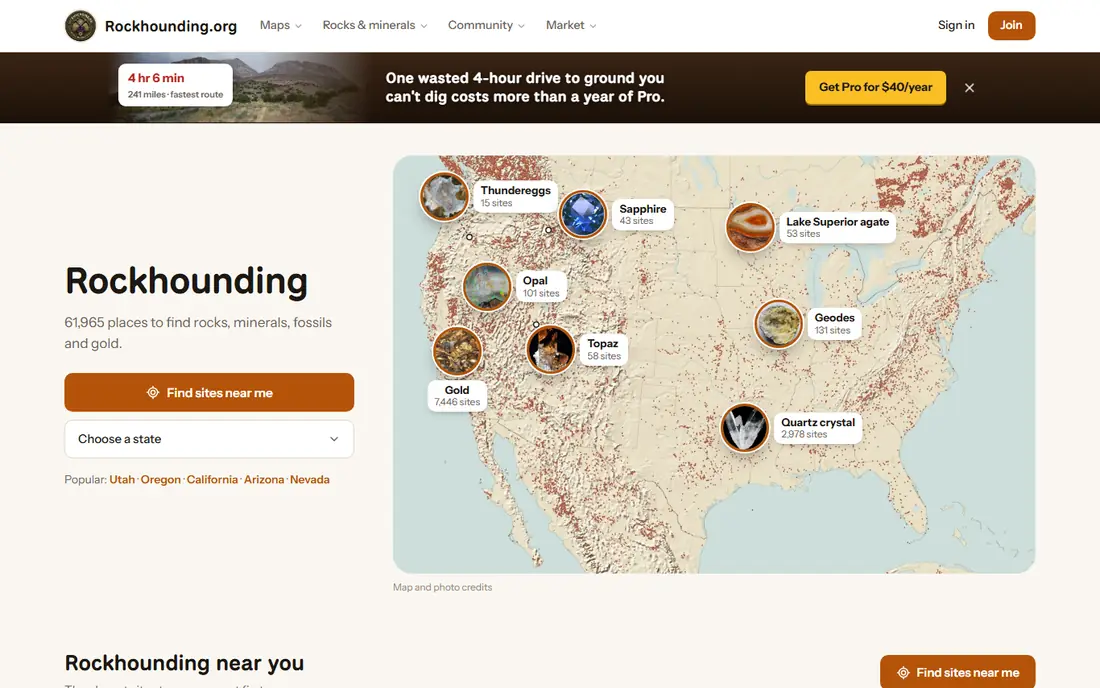
Rockd belongs in this list for a different reason: context. It shows geological maps and nearby data, so you can see what rock units occur where you found a specimen. That context often narrows the options more than a photo alone, and it helps you learn why certain stones appear in certain places.
Do not pick Rockd if you only want a photo answer, because that is not its job. Pair it with a photo app or a guide, and use the map to test whether a suggested name even makes sense for the ground you were standing on.
- Free maps and geological data
- Useful for field trips and learning local geology
- No photo paywall
- Not a photo identification app
- Value depends on map coverage for your area
Crystalyze suits collectors who care about crystals and gemstones as much as rocks. It identifies stones from a photo, keeps owned, favourite and wishlist lists, and adds guides on care, meaning and related topics. That mix makes it a pleasant collection companion for hobbyists.
The honest limit is the same as every photo app, plus a content warning: crystal meaning and energy claims are not geology. Enjoy the guides for what they are, but verify hardness, composition and origin from a geological source before you treat a result as a firm identification.
- Photo identification plus crystal guides
- Collection lists for owned and wanted stones
- Moon and care guides for enthusiasts
- Crystal lore sits beside geology, so check factual claims separately
- Paid features add cost
Rock and Crystal Identifier is a straightforward iPhone option for quick photo checks. It returns a likely match, lets you save results and gives reference detail for the stones it suggests. For a casual collector who wants one simple app on an iPhone, that simplicity is the appeal.
As with other photo tools, results are estimates. A polished, dyed or coated stone can fool a camera, and similar minerals can look alike in a photo. Use the app to start a shortlist, then run a physical test or ask a local rock club before you label a prized find.
- Simple photo flow on iPhone
- Collection and history features
- Clear stone reference pages
- IPhone focus limits Android users
- Paid tiers vary by store listing, so check before you buy
Geology Toolkit Premium is the reference-heavy pick in this list. It offers a large handbook of minerals and rocks, a virtual microscope view, crystal data, field tools and quizzes, all for a one-time price. Students and serious rockhounds who want to learn the science behind a name will get more from it than from a photo-only app.
It is not the best first app for a child or a casual finder, because the depth takes time to use well. It also costs upfront, so try the free identification options first if you only need an occasional answer. For study and field reference, the one-time model is a clear plus.
- One-time purchase with no subscription
- Large mineral and rock databases
- Field tools and quizzes
- Paid upfront with no free plan
- Depth can overwhelm a casual user
AI Rock ID is a fast, simple photo identifier aimed at crystal and rock fans. Photograph a stone, get a likely name with basic detail, and save it to a collection. That speed suits a market stall, a beach walk or a classroom demo where you want a quick starting point.
Speed is also the risk. A quick answer can feel final when it is only a probability, so keep the same rule as for every app here: confirm with a test, a guide or an expert before you buy, sell or label based on an app result alone.
- Fast photo identification
- Collection features
- Simple interface for crystal and rock fans
- Identification is an estimate only
- Paid plans vary, so check the store listing
How we picked these
We compared official app listings, developer pages and geology guidance, and we kept only apps that are available in October 2026 and truly identify rocks, minerals or crystals. We favoured apps that show uncertainty, support physical tests or add map and reference context, and we noted where a photo result should be treated as a guess. Prices are from app store listings and developer pages; where a store listing shows several tiers, we say so and point you to check the listing before purchase.
How to use a rock identification app well
Start with a clean, well-lit photo on a plain background, and photograph more than one side if the stone has veins, crystals or a broken face. A photo app can only use what the camera sees, so a dark, blurry or polished-only shot will push it toward a generic answer. Add notes on where you found the stone, because location often rules out names that look similar.
Run a simple physical test next. A scratch test with a fingernail, a coin or a steel blade, a streak test on unglazed tile, a magnet check and a drop of vinegar each rule out whole groups of minerals. Record the test results beside the app suggestion, and keep the app result as a hypothesis until the tests point the same way.
When to ask a human
Ask a local rock club, a museum or a university geology department when a find may have value, when you plan to sell it, or when tests disagree with the app. Experts can test in person, and that in-person check is the standard the US Geological Survey points to for accurate identification. An app is a learning aid, not a certificate.
A note on safety and value
Do not rely on an app value estimate to price a stone, and do not collect in protected areas, private land without permission or sites with posted rules. Wash hands after handling unknown stones, keep unknown finds away from children who might mouth them, and store any stone you suspect may be hazardous in a sealed container until an expert can advise.
Frequently asked questions
What is the best free rock identification app?
Google Lens is the best free starting point for a quick visual match, and Rock ID offers free guided identification without an account. Rockd is also free, but it gives map context rather than a photo answer, so pair it with a photo app for a full check.
How accurate are rock identification apps?
They are estimates, not guarantees. A photo cannot measure hardness, streak, density or chemical reaction, and lighting and surface finish can mislead the model. Treat every result as a shortlist, then confirm with physical tests or an expert.
Can a rock identification app identify any rock from a photo?
No. It can suggest likely matches for common, well-photographed stones, but lookalikes, dyed stones, slag and polished material often confuse photo models. A clear photo plus location and test notes gives a much better result than a photo alone.
What is the best app for rock identification for beginners?
Rock ID is our pick for beginners because it teaches the traits behind the answer and states its uncertainty plainly. A photo-only app is faster, but a guided app builds skill you can use even when your phone has no signal.
Do I need to pay for a good rock identification app?
No, for casual use. Free options cover quick matches and guided identification, while paid plans mainly add unlimited scans, history or deeper guides. Pay only if you identify often and the free limits actually block your use.
Sources
See where you really rank - block by block
ProMapRanker scans Google Maps across a grid of your service area. Simple monthly plans from $19, white-label on every plan.
Start freeKeep reading
 zoro.to alternatives
Best Zoro.to Alternatives in 2026
We compare the best zoro.to alternatives in 2026, listing only legal licensed anime streaming services, from Crunchyroll to free options for fans today.
Read → zip alternatives
Best Zip Alternatives in 2026
We compare the best zip alternatives for buy now, pay later in 2026, covering pay-in-4 plans, fees, spending limits, and credit reporting options today.
Read → yesware alternatives
Best Yesware Alternatives in 2026
Compare the best yesware alternatives for sales email tracking, templates, and sequences, with current pricing and honest tradeoffs for small sales teams.
Read →