 ProMapRanker
Best Road Trip Apps in 2026: 8 Apps Compared

Key takeaways
- Google Maps is the best road trip planning app for most drivers, with reliable navigation, offline maps, and multi-stop routes in one free app.
- Roadtrippers is our pick for planning the trip itself, because it surfaces stops, attractions, and places to stay along your route.
- GasBuddy pays for itself on long drives by finding cheaper fuel nearby and along your route, especially when prices vary by state.
- Waze is the best backup for live traffic, hazards, and police alerts, while iExit answers the simple question of what is at the next exit.
- Download offline maps and playlists before you leave, since the best routes often pass through areas with weak mobile signal.
Quick comparison
| Pick | Great for | Pricing starts at | Free tier | |
|---|---|---|---|---|
 Google Maps Google Maps | Navigation and offline maps | Free | Yes | Visit |
 Roadtrippers Roadtrippers | Trip planning and stops | Free | Yes | Visit |
 Waze Waze | Live traffic and alerts | Free | Yes | Visit |
 GasBuddy GasBuddy | Cheapest fuel nearby | Free | Yes | Visit |
 iExit iExit | Interstate exit guide | Free | Yes | Visit |
 Wanderlog Wanderlog | Group trip planning | Free | Yes | Visit |
 Campendium Campendium | Campsites and RV stops | Free | Yes | Visit |
 Recreation.gov Recreation.gov | National park bookings | Free | Yes | Visit |
The best road trip apps for planning and driving
No single app does every road trip job well. The best setup is a small kit: one planner, one navigator, one fuel finder, and one backup for campsites or park bookings, all set up before you leave home.
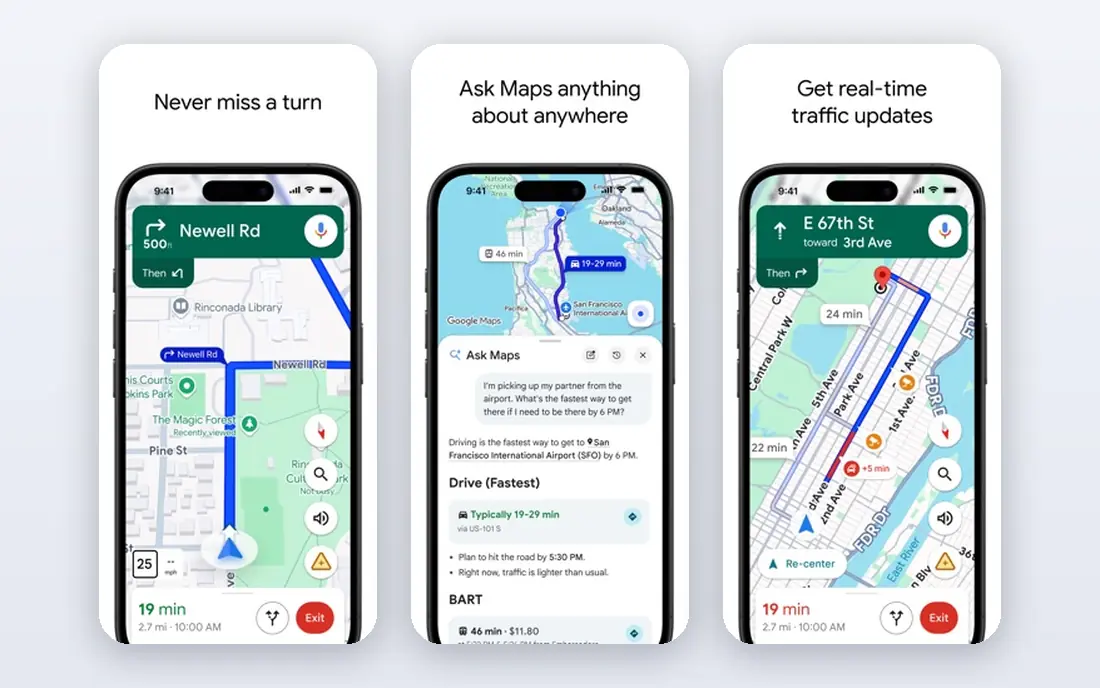
Google Maps remains the default navigator for good reason. It handles multi-stop routes, reroutes around traffic, estimates arrival times well, and works with CarPlay and Android Auto. For most drivers, it is the one app that must be installed, charged, and tested before departure.
Offline maps are the feature too many travellers skip. Download map areas for your whole route over Wi-Fi before you leave, so navigation keeps working through national parks, mountain passes, and rural stretches. Google Maps is less inspiring as a discovery tool, so pair it with Roadtrippers when the stops matter as much as the destination.
- Reliable turn-by-turn navigation
- Offline maps for weak-signal areas
- Multi-stop routes and live traffic
- Discovery of quirky stops is weaker than Roadtrippers
- Route options can favour speed over scenery
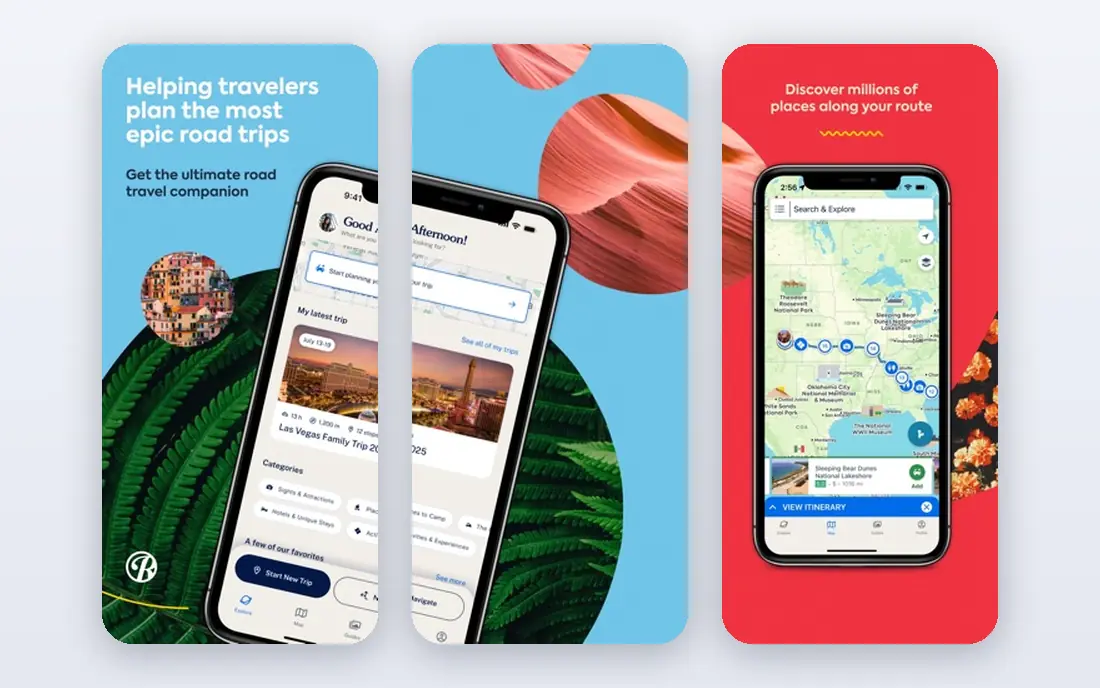
Roadtrippers is where a road trip starts to feel like a trip rather than a drive. You set a start, an end, and a route, then browse attractions, natural wonders, restaurants, and places to stay near that line. That visual, map-first planning helps you spot detours worth taking and avoid days that are only long highway stretches.
The free tier covers basic planning, while longer routes and extra features sit behind a paid plan, so check the current limits before planning a multi-week tour. For driving itself, export or follow the route in your navigator of choice. Roadtrippers plans the journey, Google Maps or Waze drives it, and that split plays to both apps strengths.
- Excellent route planning with stops
- Large database of attractions, restaurants, and stays
- Easy sharing and collaboration
- Full features and longer trips need a paid plan
- Navigation is better handled in Google Maps or Waze
Waze is the app to open when traffic gets messy. Its community reports flag jams, crashes, road hazards, and police presence in real time, often before a standard navigator reroutes you. On unfamiliar city approaches and congested holiday routes, that early warning can save a frustrating hour.
The style is not for everyone. Waze routes can take smaller roads to save a few minutes, and the map can feel busy with icons and reports. Use it as a second opinion: keep Google Maps for the main route, check Waze before city sections, and let a passenger handle reports and reroutes while you drive. Never enter destinations or read reports while driving.
- Community reports on traffic, hazards, and police
- Fast rerouting
- Fuel prices along the route
- Interface is busier than Google Maps
- Routing can favour shortcuts some drivers dislike
GasBuddy earns its place on every long drive because fuel is often the largest variable cost. The app shows reported prices near you or along a route, so you can skip an expensive highway exit and fill up a few miles away for less. Over a multi-state trip, those small savings add up, especially when state prices differ sharply.
Treat prices as a guide, not a guarantee. Reports can lag, particularly in rural areas, and a station can change its price between your check and your arrival. Check again as you approach a stop, and combine GasBuddy with your car fuel range so you never chase a saving past a safe reserve. A short disclaimer on safety: pull over fully before using the app, and never handle a phone while driving.
- Community-reported fuel prices
- Trip cost estimates
- Station search along a route
- Prices depend on user reports and can be out of date
- Coverage varies in rural areas
iExit answers one question brilliantly: what is at the next exit. Instead of guessing from highway signs, you see fuel, food, lodging, rest areas, and other services exit by exit along your interstate route. For families, that clarity prevents missed fuel stops and arguments about whether to exit now or wait.
Its scope is narrow by design. iExit covers US interstates, so it will not help much on scenic state highways, back roads, or outside the United States. Within its scope, though, it is the most practical passenger app on this list, and it pairs naturally with Google Maps for navigation and GasBuddy for prices.
- Clear list of services at upcoming interstate exits
- Covers fuel, food, lodging, and rest areas
- Simple to scan at a glance
- US interstates only
- Less useful on state highways and rural roads
Wanderlog suits trips planned by a group rather than a single driver. Friends or family can add places, vote on stops, leave notes, and see the whole itinerary on a shared map. That shared view prevents the usual mess of scattered links, screenshots, and group chat plans that nobody can find on departure day.
It is a planner, not a navigator, so you will still drive with Google Maps or Waze. Place coverage is also less deep than Roadtrippers in some regions, so cross-check key stops before you rely on them. For a friend-group road trip, a family tour, or a trip where several people are choosing stops, Wanderlog keeps planning simple and visible to everyone.
- Easy collaborative itineraries
- Maps, places, and notes in one plan
- Good free tier for group trips
- Navigation still needs a separate app
- Newer than Roadtrippers, so place coverage varies
Campendium is the overnight app for campers and RV travellers. It lists campgrounds, RV parks, and free camping spots with reviews, photos, and practical filters for rig size, hookups, price, and cell signal. That last filter matters, since remote sites can leave you without signal for work or navigation the next morning.
Free access covers the core search well, while a paid tier adds extra filters and tools. Always confirm availability and rules with the campground itself, since seasonal closures and first-come rules change. For tent campers, Campendium still helps, but Recreation.gov matters more when the site is inside a national park or federal area.
- Large campsite database with reviews
- Filters for RV size, hookups, and cell signal
- Useful for overnight planning
- Some detailed features need a paid tier
- Coverage is strongest in the United States
Recreation.gov is the official route into many of the places road trips are built around. It handles campgrounds, permits, timed-entry reservations, and tours on US federal lands, including national parks and forests. If your route includes a popular park, this app is not optional, it is where the booking actually happens.
Competition is the catch. Popular campgrounds and timed-entry slots can sell out within minutes of release, so set reminders for release dates and have backup dates ready. The app is free to use, though reservations themselves carry fees set by the managing agency. Book early, save confirmations offline, and check entry rules before you arrive at the gate.
- Official booking for federal campgrounds and permits
- Timed-entry and tour reservations
- Search by date and site type
- Popular sites sell out fast
- App and website can be slow at release times
- US federal lands only
How we picked these
We compared official feature pages, pricing pages, and app store listings, along with public reviews and coverage notes. We favoured apps that are still maintained, that offer a usable free tier, and that solve a distinct road trip job rather than duplicating navigation. We did not claim hands-on testing, and we treated fuel prices and campsite availability as changing facts to check on the day, not as fixed promises.
We also kept safety in the method. An app that encourages phone handling while driving would be a poor pick, however clever its features. The kit above works best when a passenger handles planning apps, or when the driver sets everything up before departure and relies on voice directions on the road.
Building your road trip app kit
Before you leave
Install your planner, navigator, fuel app, and booking app, then sign in and test them over Wi-Fi. Download offline maps for the full route in Google Maps, download playlists or podcasts for offline listening, and save campground and park confirmations where you can open them without signal. Charge a car charger and a phone mount, since navigation drains batteries fast.
On the road
Let the driver drive. A passenger should handle GasBuddy checks, iExit scans, and itinerary changes, while the driver follows voice directions. Set fuel stops by range, not by price alone, and keep a reserve for rural stretches where stations close early. If signal drops, offline maps and saved confirmations keep the trip moving.
If plans change
Road trips rarely follow the plan exactly, so keep one backup for each critical need: a second navigator, a second fuel app check, and a backup overnight option. Wanderlog and Roadtrippers make it easy to move stops, while Campendium and Recreation.gov help you find a new site without a long search. Flexibility, plus saved offline material, turns a detour into part of the trip.
Frequently asked questions
What is the best road trip planning app?
Roadtrippers is our pick for planning, because it builds routes around stops, attractions, and stays rather than only the fastest drive. Google Maps is the best road trip planning app for drivers who want navigation, traffic, and offline maps in one free tool. Use Roadtrippers to plan and Google Maps to drive, and you get the strengths of both.
Do I need paid road trip apps?
Most travellers do not, at least to start. Google Maps, Waze, GasBuddy, iExit, Wanderlog, and Campendium all offer free tiers that cover core road trip needs. Paid tiers help for very long trips, extra planning features, or detailed campsite filters, but test the free tier on a short trip first and upgrade only if a limit actually blocks you.
Which app finds the cheapest gas on a road trip?
GasBuddy is the most focused fuel-price app here, with community reports and route-based station search. Waze also shows fuel prices during navigation, which helps when you are already driving. Check prices again near your stop, since reports can lag and stations can change prices during the day.
Can road trip apps work without internet?
Partly. Google Maps offline maps cover navigation in downloaded areas, and saved playlists and confirmations work offline too. Live traffic, fresh fuel prices, and new campsite availability need signal, so download everything important before leaving. Carry a paper backup for remote park areas if your route goes well beyond coverage.
What is the best app for interstate exits?
iExit is the best dedicated choice for US interstate exits, showing fuel, food, lodging, and rest areas exit by exit. Google Maps can show nearby services, but it does not present the upcoming exit list as clearly. iExit works best as a passenger app, so the driver can focus on the road while someone else scans ahead.
How do I plan a road trip with friends?
Wanderlog is built for group planning, with shared maps, places, and notes that everyone can edit. Roadtrippers also supports sharing and collaboration for route-based plans. Agree on must-see stops early, set a daily driving limit everyone accepts, and keep the shared itinerary updated as plans change.
Sources
See where you really rank - block by block
ProMapRanker scans Google Maps across a grid of your service area. Simple monthly plans from $19, white-label on every plan.
Start freeKeep reading
 youtube alternatives
Best YouTube Alternatives in 2026
Looking for youtube alternatives in 2026? We compare Vimeo, Dailymotion, Twitch, Rumble, and more on price, audience, monetization, control and privacy.
Read → what's the best ai tool for photo editing
What Is the Best AI Tool for Photo Editing in 2026
What is the best AI tool for photo editing? We compare ten tools for 2026, from Photoshop and Lightroom to Luminar, Topaz, Canva and mobile editors today.
Read → twitter alternatives
Best Twitter Alternatives in 2026
Compare the best twitter alternatives for 2026, from Bluesky, Threads, and Mastodon to Reddit, Tumblr, and Micro.blog, with free plans and audience notes.
Read →