 ProMapRanker
Best Reviewed PDF Splitter Tools in 2026

Key takeaways
- PDFsam Basic is our pick for free offline splitting, since it runs on your own computer and does not cap file size on its free version.
- PDF24 Tools is the simplest browser option for a quick split, with no account needed for its free tools.
- iLovePDF and Smallpdf suit people who want a full set of PDF tools in one place, but their free plans limit how much you can do each day.
- Sejda is a good middle ground for occasional browser use, with clear split-by-range and split-by-page options.
- Adobe Acrobat is the best choice when splitting is part of a wider paid document workflow, rather than a one-off task.
Quick comparison
| Pick | Great for | Pricing starts at | Free tier | |
|---|---|---|---|---|
 PDFsam Basic | Free offline splitting | Free | Yes | Visit |
 PDF24 Tools | Quick browser splits | Free | Yes | Visit |
 iLovePDF | A broad online toolkit | Free | Yes | Visit |
 Smallpdf | A polished online toolkit | Free | Yes | Visit |
 Sejda | Occasional online splitting | Free | Yes | Visit |
 Adobe Acrobat | Paid document workflows | See website | Free trial | Visit |
 Foxit PDF Editor | Office-style PDF editing | See website | Free trial | Visit |
 Soda PDF | Online and desktop editing | See website | Yes | Visit |
 PDF Candy | Simple online tools | Free | Yes | Visit |
The best reviewed pdf splitter tools
We compared these tools on split options, free limits, privacy, platform support and whether the output keeps the original quality. The list mixes free desktop tools, free browser tools and paid editors, so you can pick based on how often you split files and how sensitive the documents are.
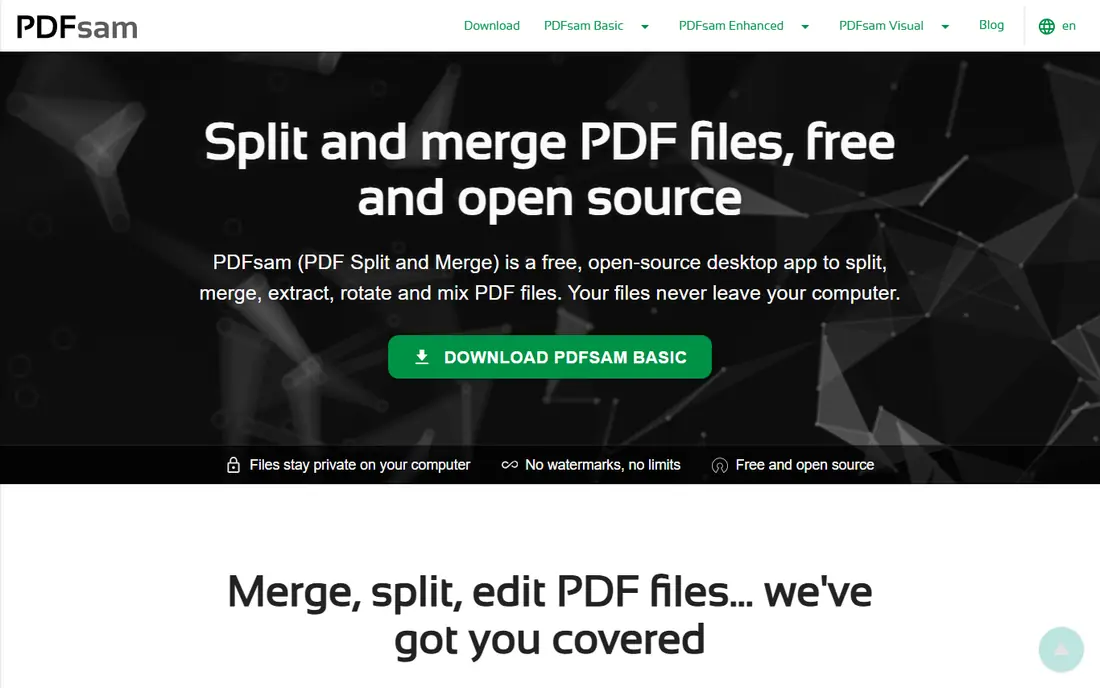
PDFsam Basic is the tool we would start with for regular splitting on a desktop computer. It splits a PDF into single pages, by page ranges, by bookmarks, or by a target file size, which covers most real jobs, from pulling one chapter out of a report to breaking a large scan into smaller parts. Because it runs locally, your file never leaves your computer, which matters for contracts, medical forms and other private documents.
The trade-off is polish. The interface is functional rather than pretty, and PDFsam Basic is not a full editor, so you will not rewrite text inside a PDF here. For splitting alone, though, that focus is a strength. It is free and open source, it works on Windows, Mac and Linux, and it avoids the daily task limits that shape most free browser tools.
- Runs offline with no upload
- Split by page, range, size and bookmarks
- No file size cap on the free version
- The interface looks plain
- It does not include full PDF text editing
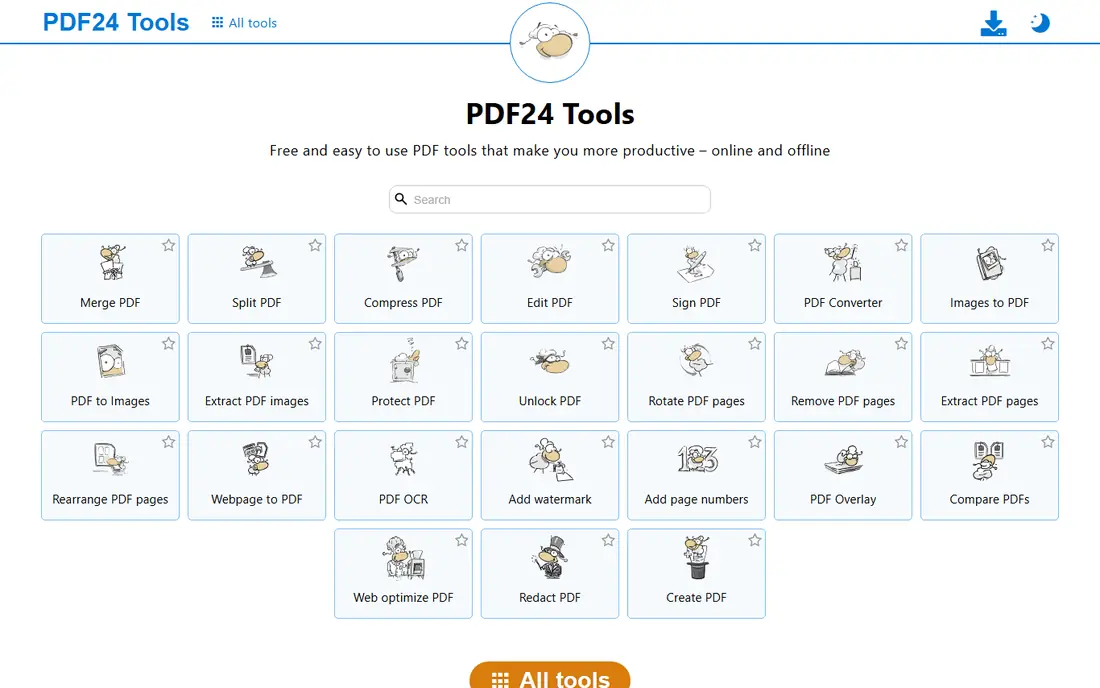
PDF24 Tools is the fastest route when you need one split and you do not want to install anything. Open the split tool, drop in the file, pick the pages or ranges, and download the result. The browser tools are free, and the wider PDF24 set covers merging, compressing, converting and signing, so a split rarely has to be your only job.
The honest catch is privacy. Browser processing means the file is uploaded to PDF24 servers, so avoid it for highly sensitive documents. If that matters, use PDFsam Basic instead. For ordinary files, though, PDF24 is hard to beat for speed, and its desktop app adds an offline option for Windows users.
- No account needed for most tools
- Split by page or range in the browser
- A wide set of other PDF tools
- Files are uploaded for processing
- Desktop app is Windows only

iLovePDF has built its name on doing many PDF jobs well in one place, and splitting is one of its cleanest tools. You can split by range, extract selected pages, or split every page into its own file, and the layout makes each choice easy to follow. That clarity helps when you are working with a long report and only need a few sections.
Free use comes with limits, so heavy users will hit a wall during a busy day. The paid plan lifts those limits and adds desktop and mobile apps, OCR and larger file handling. Pick iLovePDF when you want one account for splitting, merging, compressing and converting, and you are happy to pay if your volume grows.
- Clear split options including ranges and bookmarks
- Apps for desktop and mobile
- A large toolkit beyond splitting
- Free use has task limits
- Full features need a paid plan
Smallpdf suits people who value a calm, simple interface over a long feature list. Its split tool walks you through choosing pages or ranges, and the result downloads quickly. The same account also handles compression, conversion and e-signing, which makes it a sensible home base for everyday document work.
The free plan is the main limit. It allows only a small number of tasks per day, so Smallpdf is best for occasional use unless you pay. If you split files every day, PDFsam Basic or PDF24 will cost less in time and money. If you split a few times a week and like a polished tool, Smallpdf is a comfortable pick.
- Very easy interface
- Split, extract and merge in one workflow
- Desktop and mobile apps
- Free plan allows only a limited number of tasks per day
- Paid plan is needed for regular use
Sejda is a strong browser choice for people who split PDFs now and then and want clear controls. Its split options include every page, selected ranges, and splits at bookmarks or outline levels, which is useful for books, manuals and long reports. The site states that uploaded files are deleted after processing, which is a plus for moderately sensitive work.
Free use is limited by pages and by the number of tasks per day, so it is not built for bulk work. The paid plan lifts those caps and adds larger file support. Choose Sejda when you want a capable browser splitter without signing up, and you only need it a few times a week.
- Split by page, range, outline and bookmarks
- No account needed for basic use
- Files are deleted after processing
- Free plan limits pages and tasks per day
- Larger files need a paid plan
Adobe Acrobat is the obvious pick when splitting is one small part of a larger document job. The desktop app splits by page count, file size or bookmarks, and then lets you edit, sign, redact or combine the result without switching tools. That continuity matters in an office where PDFs move between people all day.
The catch is price. Acrobat is a full editor, not a splitter, and its subscription reflects that. The free online tools cover a basic split, but regular users will need a paid plan. Pick Acrobat when your team already uses it, or when you need editing and signing alongside splitting. For splitting alone, a free tool will do the same job for less.
- Reliable splitting inside a full PDF editor
- Strong editing, signing and form tools
- Widely used in offices
- Paid plans cost more than splitter-only tools
- Online free tools are limited
Foxit PDF Editor appeals to people who like a Microsoft Office style layout. Page tools let you split, extract, delete, rotate and reorder pages, and the same app handles text editing, forms and signatures. That makes it a practical single app for a small office that handles PDFs daily.
As with Acrobat, the price only makes sense when you use more than splitting. A free trial lets you check whether the interface suits you before paying. Choose Foxit when you want a full editor with a familiar layout and you already plan to edit and sign documents, not just split them.
- Familiar ribbon-style interface
- Split, extract and organize pages
- Good form and signing tools
- Splitting alone does not justify the price
- Some advanced features sit on higher tiers
Soda PDF gives you a choice between working in the browser and installing a desktop app, which suits mixed teams. Its split tool covers page ranges and single-page extraction, and the wider toolkit adds editing, conversion and e-signing. That range makes it a decent all-round option for a small business.
The free version covers basic use, but regular splitting and editing push you toward a paid plan, and comparing those tiers takes care. Soda PDF is best when you want both browser and desktop access from one vendor. If you only split files, a free specialist tool remains the simpler choice.
- Browser and desktop versions
- Split, merge and convert tools
- Form and signing features
- Free version is limited
- Paid tiers can be confusing to compare
PDF Candy is a straightforward browser toolkit that keeps splitting simple. You upload a file, choose the pages or ranges, and download the split files. The wider set includes merging, compressing and converting, so it can cover most everyday PDF jobs from one site.
Like other browser tools, it requires an upload, so keep sensitive files offline with PDFsam Basic instead. Free use also has limits, though they are generous enough for occasional work. Pick PDF Candy when you want a no-install tool that is easy to explain to a colleague, and you split files only a few times a month.
- Simple split and extract tools
- No install needed
- A large set of free PDF tools
- Free use has limits
- Uploads are needed for browser processing
How we picked these
We compared official feature pages, pricing pages and public reviews for PDF tools that split files in October 2026. We kept only tools that exist and work today, that offer a real split function rather than a simple page deletion, and that produce standard PDF output. We favored a mix of free offline tools, free browser tools and paid editors, and we noted free limits and privacy handling where they change the choice.
What to check before you split a PDF
Start with privacy. If the document contains personal, financial or legal details, split it offline with a desktop tool, since browser tools upload the file for processing. Then check the split mode you need. Splitting every page suits scanned forms and single-page handouts, while ranges suit chapters, invoices and sections of a report. Bookmarks help when a long document already has a clear structure.
Next, check the free limits before you start a big job. Browser tools often cap pages, file size or tasks per day, and hitting a cap halfway through a batch wastes time. Finally, open the output and check page order, quality and file names. A quick check now avoids sending a client a file with pages in the wrong order or a missing section.
Frequently asked questions
What is the best reviewed pdf splitter tool for free use?
PDFsam Basic is our free pick for regular use, since it runs offline and does not cap file size on its free version. PDF24 Tools is the best free browser option for a quick one-off split, while Sejda suits occasional browser use with clear range and bookmark options.
Can I split a PDF without uploading it?
Yes. PDFsam Basic runs on your computer and never uploads the file, and PDF24 and Soda PDF offer desktop apps for Windows. Browser tools are faster for a single file, but they upload the document for processing, so use an offline tool for sensitive files.
How do I split a PDF by page range?
Open the split tool, upload or open the file, and choose the split by range option. Enter the page numbers for each part, for example pages 1 to 10 and pages 11 to 20, then download each resulting file. Most tools in this list also let you split every page into its own file.
Does splitting a PDF reduce its quality?
Splitting alone should not change the content or quality of the pages, since it rearranges pages rather than recompressing them. Quality can change if you also compress the file or convert it to another format, so check the output before you share it.
What is the best PDF splitter for a large file?
PDFsam Basic handles large files well on a desktop computer, since it has no free file size cap and works offline. Browser tools often cap file size on free plans, so check the limit before uploading a very large document.
Is Adobe Acrobat worth it just for splitting PDFs?
No, not for splitting alone. Acrobat is worth the price when you also need editing, signing, forms and redaction in one app. For splitting only, PDFsam Basic, PDF24 Tools or Sejda will do the job for free.
Sources
See where you really rank - block by block
ProMapRanker scans Google Maps across a grid of your service area. Simple monthly plans from $19, white-label on every plan.
Start freeKeep reading
 zscaler alternatives
Best Zscaler Alternatives in 2026
Looking for zscaler alternatives? We compare 9 SASE and zero trust platforms on architecture, data protection, pricing, and fit for your network and team.
Read → zapier alternatives free
Best Zapier Alternatives Free in 2026
Nine automation tools for zapier alternatives free in 2026, all with genuinely free tiers, plus free plan limits, starting prices and upgrade paths explained.
Read → which platform is best for online reputation
Which Platform Is Best for Online Reputation in 2026
Wondering which platform is best for online reputation? We compare 8 review, listing, and response tools for small and multi-location businesses and agencies.
Read →