 ProMapRanker
Best Review Request Software for Chess Clubs in 2026
Direct answer
Signpost is my first pick for most chess clubs because it handles review requests, customer records and simple follow-up in one place, which suits a club that collects members and parents at the door. Pricing is quote-based, so check its pricing page. Trustpilot fits clubs that want a public review profile, and Partoo fits clubs that also need to keep their Google Business Profile and directory listings accurate.
I compared these tools from vendor documentation and public sources, not from hands-on tests. I looked at how each one collects contacts, sends review requests and connects to a Google Business Profile, then judged which fits the way a chess club actually operates: a small team, a mix of adults and children, and a calendar built around terms, tournaments and camps.
Key takeaways
- A chess club gets reviews from two groups: adult members who join evening sessions and parents who enrol children in classes or camps, and each group needs a different message.
- The best time to ask is right after a tournament, a term of classes or a holiday camp, when the experience is fresh and the person has a clear reason to write.
- Review request software only helps if your Google Business Profile is verified and your club name, address and hours are correct, so fix those first.
- Short, personal requests sent by text or email get more responses than bulk blasts, and asking every member at once looks automated to readers.
- Never offer prizes, discounts or free entries in exchange for a review, because Google's guidelines prohibit incentivised reviews.
Quick comparison
| Pick | Great for | Pricing starts at | Free tier | |
|---|---|---|---|---|
 Signpost | Review requests plus member records | See website | Not stated | Visit |
 Trustpilot | A public review profile | See website | Free plan | Visit |
 Partoo | Google Business Profile and listings | See website | Not stated | Visit |
 Localo | Small clubs checking local visibility | See website | Free trial | Visit |
 SE Ranking | Local rank tracking with review tools | See website | Free trial | Visit |
 Weave | Clubs that handle calls and bookings | See website | Not stated | Visit |
 Broadly | Review requests with web chat | See website | Not stated | Visit |
The best review request software for chess clubs compared
Signpost is a customer communication tool built around capturing a contact, sending messages and asking for reviews. For a chess club it maps well to how people arrive: a parent signs a child up for a term of classes, an adult pays a membership fee, or a player registers for a weekend tournament. Each of those is a contact you can tag and follow up with.
In practice you would add a new member or parent to Signpost when they register, tag them by group, and set a request to go out after their first month or after a tournament finishes. The request can point straight to your Google review page. Because it also handles reminders and simple messages, you can use the same record to send term dates and event notices, which keeps the club in front of people between requests.
The limit is that Signpost is priced for businesses with a steady flow of customers, and a small club with a few dozen members may find the quote hard to justify. It also needs someone to keep records tidy. If your membership list lives in a spreadsheet and nobody wants to maintain it, a simpler tool will serve you better.
- Sends review requests by text and email
- keeps customer and member details in one place
- handles follow-up messages automatically
- Pricing is quote-based
- setup takes a short call with sales
Trustpilot gives your club a public review page that sits alongside your Google reviews. That matters if you run a club website and want visible proof of quality on it, or if you deal with parents who ask whether the club is any good before signing a child up. You can link the profile from your registration page and add a widget that shows recent reviews.
For review requests, Trustpilot sends invitations by email to the addresses you upload. A chess club could upload the parent emails from a term's class list after the last session and invite them to review. The reviews collect on Trustpilot, not on your Google Business Profile, so treat it as a second channel rather than a replacement for Google.
The free plan is real but limited, and the paid tiers are aimed at businesses that want automation and analytics. A club that only wants more Google reviews should put its effort into a tool that sends people to Google directly. Use Trustpilot if a public profile is part of how you present the club.
- Public profile page you can link from your site
- review invitations by email
- widgets to show reviews on your club website
- Reviews live on Trustpilot rather than Google
- free plan limits invitation features
Partoo is a local presence management tool. It keeps your business information consistent across Google, Apple Maps, Facebook and a long list of directories, and it lets you manage reviews from the same dashboard. For a chess club, the value is in getting the basics right: the correct address for the venue you hire, accurate opening hours that match your session times, and a description that says what the club actually does.
That foundation matters for review requests. If your Google Business Profile lists the wrong hours or an old venue, a new member who checks it before visiting may not turn up, and a review request sent afterwards lands with someone who never came. Partoo helps you avoid that by keeping the profile and listings in step.
The review request side is lighter than a dedicated tool. You can monitor and respond to reviews, but the automated ask-and-follow-up flow is not what Partoo is built around. A single club with one venue may also find the multi-location pricing hard to justify. It suits a club that runs several venues or wants its listings cleaned up first.
- Manages Google Business Profile details from one place
- keeps directory listings consistent
- review monitoring in the same dashboard
- Built for multi-location brands
- review requests are not the core feature
Localo is a local SEO tool aimed at small businesses that want a plain dashboard rather than a full agency platform. It walks you through Google Business Profile tasks, shows how your profile performs and gives you a list of things to fix. For a chess club volunteer who has never touched local search, that structure is easier than a blank analytics screen.
Where it touches reviews is indirect. A better profile, more photos of sessions and tournaments, and accurate categories all make the club easier to find, which in turn brings more people through the door and more people you can ask for a review. Localo helps with that groundwork but does not run the request campaign itself.
If your main goal is to send review requests after events, Localo is not the tool for that job. It fits a club that wants to understand why it does not show up when parents search for chess classes in the area, and is willing to work through a task list to fix it.
- Simple dashboard for local SEO tasks
- helps track Google Business Profile performance
- guided tasks for people new to local search
- Review requests are not its focus
- limited use if you already have a rank tracker
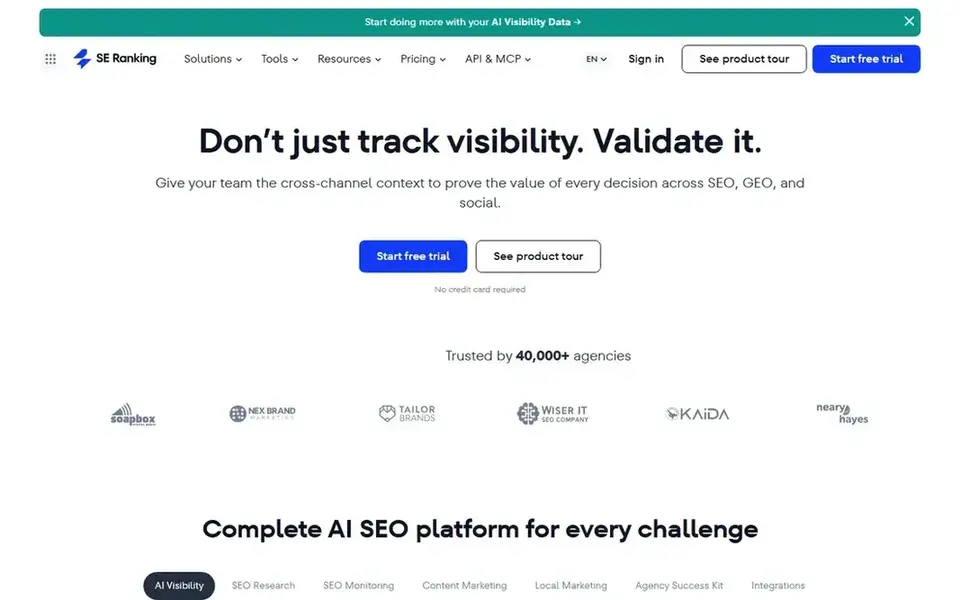
SE Ranking is an SEO platform with a local pack. You can track where your club appears for searches like chess club plus your town, or chess classes for kids nearby, and see how that changes over time. It also includes review management, so you can keep an eye on new reviews and respond from the same place.
For a club, the useful angle is evidence. If you are trying to grow a junior section, knowing whether you appear for the searches parents use tells you where to put effort. The review features let you monitor what people say and reply, which matters when a parent leaves a comment about coaching or safety.
The trade-off is complexity. SE Ranking is a full SEO suite, and a club that only wants to ask members for reviews will be paying for a lot of features it never opens. It suits a club with a volunteer who enjoys the analytics side, or one working with an agency that already uses the platform.
- Tracks local map rankings for chosen keywords
- includes review management features
- reports you can share with a committee
- Broad suite with a learning curve
- review requests are one part of a larger product

Weave is a communications platform for small service businesses. It covers phone calls, text messaging, scheduling and review requests, with the idea that a customer interaction ends with an ask for feedback. A chess club that takes bookings by phone for tournaments or holiday camps, or that runs a phone line for parents, would recognise the pattern.
The review request side works by triggering a message after a call or appointment. In club terms, you could treat a tournament entry or a block of classes as the interaction, then send the request once it is done. The contact history means a parent who calls twice about a camp gets one coherent thread rather than duplicate messages.
Weave is built around a front desk, though, and a club run by volunteers on a Tuesday evening does not have one. The setup and the price reflect a business with staff answering calls all day. Skip it unless your club already has a phone workflow worth organising, or runs enough paid activity to justify the system.
- Combines phone, messaging and review requests
- sends requests after an interaction
- keeps contact history in one place
- Designed for clinics and service businesses
- setup assumes a front desk workflow
Broadly is a customer interaction tool that combines review requests, messaging and web chat. Its approach is to ask customers how things went first, then route happy ones towards a public review. For a chess club, that could mean a short message after a term of junior classes asking a parent how it went, with a follow-up for those who are positive.
The messaging side is useful for a club that gets questions through its website: parents asking about age groups, session times or whether a child needs prior experience. Handling those questions in one inbox and then asking for a review once the child has attended a few sessions is a sensible sequence.
One limitation is that Broadly is sold to businesses with a steady stream of customers, and a club with seasonal peaks around tournaments and camps may not generate enough volume to make the cost make sense. There is no simple self-serve plan for a volunteer to try on a Saturday morning.
- Sends review requests by text and email
- includes web chat and messaging
- collects feedback before directing people to review sites
- Priced for businesses with steady customer volume
- no simple self-serve entry point
How I chose
I started from vendor documentation and public sources, then narrowed the list by asking what a chess club actually needs. That means a way to collect member and parent contacts, a way to send a short request at the right moment, and a link that takes people to the club's Google Business Profile. Tools that only monitor reviews, or that only fix listings, were kept but ranked lower for the review request job.
I also weighed the shape of a club: small volunteer teams, seasonal activity around terms and tournaments, and a mix of adult members and parents acting for children. Tools built for a busy front desk or a multi-location retail brand are included where they solve a real problem, but I have said plainly when they are more than a club needs. I did not run hands-on tests, and I have not quoted prices, because vendor pages change and a quote depends on your situation.
What to check before you buy
- Confirm your Google Business Profile is verified and lists the correct venue, hours and category before you send a single request.
- Check whether the tool can send by text as well as email, since many parents read texts faster than inboxes.
- Ask how contacts are imported, and whether you can tag adults and parents separately so messages read naturally.
- Make sure the review link goes to your Google review form, not a generic page that makes people search for the club.
- Check that the tool lets you send one request per person and does not keep chasing after a review is left.
- Read the vendor's terms on incentives and filtering, and keep your own process inside Google's review guidelines.
Frequently asked questions
How do I ask chess club members for Google reviews without being pushy?
Ask once, personally, at a moment when the person has just had a good experience: the end of a tournament, the last session of a term, or after a child's first month of classes. A short message that names the club and links straight to the review form works better than a long email. Do not chase repeatedly, and never offer anything in return.
Should I ask parents or the children for reviews?
Ask the parent. A parent chooses the club, pays the fees and writes the review, even though the child plays. Address the message to the parent by name and mention the child's group or class, which makes the request feel specific rather than automated. Adult members can be asked directly after a session or event.
Can I offer a free entry or discount for leaving a review?
No. Google's guidelines prohibit offering incentives in exchange for reviews, and reviews that mention a reward can be removed. The same applies to asking only happy members to review or setting up a tablet at the door that filters out negative feedback. Ask everyone the same way and let the reviews be honest.
Do I need review software if my club only has a few dozen members?
Not necessarily. A small club can send personal messages by hand after each term and still collect a steady set of reviews. Software starts to pay off when you have several classes, camps and tournaments running at once, or when the same volunteer is managing sign-ups, payments and messages and needs the asking to happen automatically.
Where should review requests point: Google or a third-party site?
Point them at your Google Business Profile first, because that is where people searching for a chess club in your area will look. A third-party profile such as Trustpilot can sit alongside it if you want reviews displayed on your own website. Splitting requests between several sites usually produces fewer reviews on each, so pick one main destination.
Sources
See where you really rank - block by block
ProMapRanker scans Google Maps across a grid of your service area. Simple monthly plans from $19, white-label on every plan.
Start freeBrowse all guides
← Best Review Management Software for Water Heater Installers (2026)Best Review Request Software for Garage Builders in 2026 →
 best review management software for skylight installers
Best Review Management Software for Skylight Installers in 2026
A practical guide to the best review management software for skylight installers in 2026, compared from vendor documentation and public sources.
Read → best review management software for sign language classes
Best Review Management Software for Sign Language Classes in 2026
A practical guide to review management software for sign language classes, comparing request tools, review platforms and local listing tools.
Read → best review management software for screen repair companies
Best Review Management Software for Screen Repair Companies (2026)
A practical guide to review management software for screen repair shops, covering review requests, replies, widgets and Google Business Profile workflows.
Read → local seo for martial arts studios
Local SEO for Martial Arts Studios
A local SEO guide for martial arts studios: Google Business Profile setup, reviews, and youth-program-focused local search visibility.
Read → google business profile messaging
Google Business Profile Messaging: Setup and Best Practices
How to set up and use Google Business Profile messaging to convert more local searchers into customers.
Read → duplicate google business profile fix
How to Manage Duplicate Google Business Profiles
How to find, merge, and remove duplicate Google Business Profiles before they hurt rankings.
Read →More in Local SEO & Google Maps · All guides A to Z by date · Latest guides