 ProMapRanker
Best Retail Software for Small Business in 2026

Key takeaways
- Square for Retail is the easiest low-cost start for a single shop, with a free plan and paid tools that grow with sales volume.
- Lightspeed Retail suits shops with many variants, sizes and colours, while simpler shops may pay for depth they never use.
- Shopify POS makes most sense for retailers who already sell online through Shopify and want one stock count across channels.
- Zoho Inventory and Sortly give small teams a cheaper way to track stock without buying a full point of sale system first.
- Card processing fees, hardware and add-on modules often matter more than the monthly software price, so check the full bill before signing up.
Quick comparison
| Pick | Great for | Pricing starts at | Free tier | |
|---|---|---|---|---|
 Square for Retail | Single shops starting fast | Free | Yes | Visit |
 Shopify POS | Online and in-store Shopify sellers | See website | Free trial | Visit |
 Lightspeed Retail | Variant-heavy specialty retail | $89 per month | Free trial | Visit |
 Zoho Inventory | Budget multichannel sellers | $29 per month | Yes | Visit |
 Cin7 | Growing multichannel brands | $349 per month | Free trial | Visit |
 inFlow Inventory | Product businesses wanting clear workflows | See website | Free trial | Visit |
 Sortly | Visual stock tracking from a phone | $24 per month | Yes | Visit |
 Clover | Shops wanting flexible hardware choices | See website | No | Visit |
 KORONA POS | Shops wanting processor choice | $59 per terminal per month | Free trial | Visit |
The best retail software for small business
We compared retail point of sale systems and inventory tools on price, stock control, sales channels, hardware needs and how easy each one is to run day to day. The list below covers the best software for retail business owners who sell in a shop, online, or both, plus the best retail software for small businesses that mainly need stock control.
Square for Retail gives a small shop a working checkout, a product catalogue and basic stock tracking without a monthly fee at the entry level. That low barrier matters for a new boutique, gift shop or market stall that needs to take cards this week, not after a long setup project. The paid Plus plan adds stronger inventory features, purchase orders and reporting for shops that have outgrown the free tools.
The catch is the total cost at scale. Card processing fees stay in place on every sale, and a busy shop may find a lower processing rate elsewhere saves more than a free software plan. Hardware is also a separate cost, from a simple reader to a full register setup. Still, for a first shop, Square is our pick for most people because setup is quick and the core tools are clear.
- Free starting plan
- Simple checkout and inventory in one place
- Wide hardware range
- Processing fees add up at higher volume
- Advanced inventory sits on paid plans

Shopify POS links a physical shop to a Shopify online store, so a sale in either place updates the same inventory count. That single count prevents the common problem of selling an item online that was already sold in the shop that morning. Staff can also look up customer orders, apply discounts and handle returns across channels from the same system.
The weakness is dependence on one platform. A retailer who does not use Shopify for online sales gets less benefit, and the full cost includes a Shopify plan plus POS hardware and any paid apps. For a retailer already committed to Shopify, though, the joined-up stock, customer and order data is hard to beat. It suits clothing, home goods and specialty shops that treat the shop floor and the website as one business.
- One stock count for online and in-store sales
- Strong online store tools
- Wide app store
- Best value only inside the Shopify system
- Hardware and plan costs vary by setup
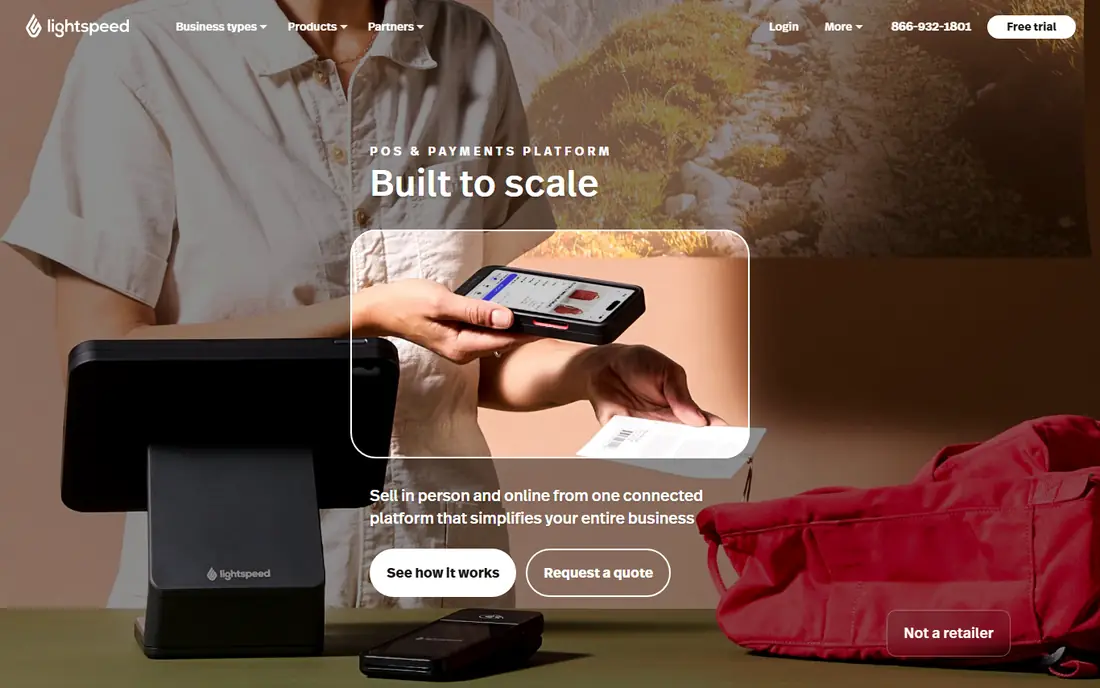
Lightspeed Retail is built for shops where one product means dozens of variants. Apparel, footwear, bike shops and sporting goods stores can track size, colour and style combinations, move stock between locations and manage special orders without spreadsheets. Purchase orders, supplier records and staff performance reports add depth that simple checkout tools lack.
That depth comes at a price, and the entry plan does not include every reporting or integration feature a larger shop may want. A small gift shop with a short product list will likely find Square or Shopify cheaper and simpler. For a specialty retailer with thousands of variant SKUs, Lightspeed earns its fee by keeping stock counts accurate across locations and channels.
- Strong matrix inventory for sizes and colours
- Multi-store transfers
- Built-in online selling
- Higher starting price
- Best reporting sits on higher tiers
Zoho Inventory is a strong choice for sellers who need stock control across online marketplaces and a website without paying for a full point of sale system. The free plan covers a small number of orders each month, which suits a side business or a new store testing demand. The paid Standard plan raises order, user and warehouse limits while keeping pricing per organisation rather than per seat.
Growth is where the limits show. Order volume, user count and warehouse count all climb with the plan, so a fast-growing seller moves to a higher tier sooner than expected. Automation and fulfilment features also sit on higher plans. Even with those limits, Zoho Inventory offers good value for small sellers who want order, shipment and stock data in one place.
- Low paid starting price
- Free plan for small order volumes
- Links to Zoho Books and CRM
- Order and user caps rise with plan tiers
- Advanced automation needs higher plans
Cin7 suits brands that have outgrown a basic POS inventory system and now sell through several channels at once. It centralises stock, orders, warehousing and fulfilment, and its automation rules can route orders and update stock without manual work for each sale. That matters when a brand sells through its own site, marketplaces and wholesale accounts at the same time.
The price and setup effort rule it out for most single shops. A small retailer with one location and a modest catalogue will not use much of what Cin7 offers. For a scaling brand with complex stock, multiple warehouses or wholesale orders, Cin7 is a step up that can replace several disconnected tools.
- Deep multichannel inventory and order tools
- Automation for larger catalogues
- Wide integrations
- High entry price
- More setup than a simple POS needs
inFlow Inventory focuses on the daily work of a product business: raising purchase orders, receiving stock, picking orders and tracking what is left. The layout is plain and practical, which helps teams that found other inventory tools either too simple or too cluttered. Wholesale features, including customer pricing and showroom-style ordering, make it useful for B2B sellers as well as retailers.
The trade-off is cost and setup. Small shops with a handful of products may find a free POS inventory tool enough, and inFlow rewards a careful initial import of products, suppliers and locations. Once that work is done, though, the system gives a clear picture of stock on hand, stock on order and sales by product.
- Clear order, purchase and stock workflows
- Good for wholesale and B2B sellers
- Barcode support
- Pricing is not the cheapest for tiny shops
- Setup takes time for larger catalogues
Sortly takes a different approach to inventory: each item gets a photo, a barcode and a folder, and staff can count and move stock from a phone. That visual method suits teams tracking equipment, supplies, parts or small product ranges where a photo is faster to recognise than a SKU code. It also works well for businesses that need stock checks away from a desk.
Sortly is not a point of sale system, so a shop still needs a separate checkout tool. High-volume sellers who process many orders a day may also find its order tools lighter than Cin7 or Zoho Inventory. For visual tracking, audits and small-team stock control, it is simple, quick to learn and easy to keep up to date.
- Photo-based item records
- Easy mobile stock counts
- Simple folder structure
- Not a full checkout system
- Weaker for high-volume order processing
Clover offers a family of hardware devices, from a compact handheld to a full countertop station, all running the same checkout software. That range helps shops that want a tidy counter setup, tableside payment or a mobile register for events. The app marketplace adds loyalty, gift cards, scheduling and other tools on top of core payments and inventory.
Pricing is the main caution. Clover is sold through banks and resellers, so monthly costs, processing rates and contract terms can differ for the same plan. Hardware is also proprietary, which limits switching later. Read the full contract, confirm the monthly fee and processing rate in writing, and compare the total cost with Square and Lightspeed before committing.
- Wide hardware range from countertop to handheld
- Large app marketplace
- Familiar checkout layout
- Pricing varies by reseller and contract
- Hardware can be costly
KORONA POS appeals to retailers who want to choose or change their payment processor without changing their whole point of sale system. That freedom can save money for shops with higher card volume, and it avoids being tied to one processor rate for years. The system also handles retail checkout, inventory, customer records and ticketing for venues and attractions.
Per-terminal pricing means a shop with several registers pays for each one, so the bill grows with the shop floor. The interface is functional rather than polished, and staff used to a modern tablet checkout may need a short adjustment period. For a retailer who values processor freedom and solid retail features over a sleek look, KORONA POS is worth a demo.
- Works with more than one payment processor
- Strong retail and ticketing features
- No forced hardware lock-in
- Per-terminal pricing adds up with many registers
- Interface feels dated next to newer rivals
How we picked these
We compared official feature pages, pricing pages and app store listings for retail point of sale and inventory tools, and we checked that each product is still offered in October 2026. We favoured tools that cover checkout, stock control or both, that serve small shops rather than only large chains, and that publish clear pricing or a free starting option where possible. Where a price could not be verified on the vendor site at the time of writing, we wrote See website rather than guessing.
We also weighed the full cost of ownership, including processing fees, hardware and plan limits, because a low monthly fee can hide a higher total bill. Products that only served restaurants, only served large enterprises, or that had no clear retail use were left out.
What to check before you buy retail software
Start with your sales channels. A shop that only sells in person needs a strong checkout and stock count, while a shop that also sells online needs stock that updates across every channel at once. List where you sell today and where you plan to sell in the next year, then shortlist only tools that cover all of those channels.
Count the full cost
Add the monthly software fee, card processing fees, hardware, extra registers and paid add-ons. Ask for the processing rate in writing and check whether it changes with sales volume. A free plan can be the cheapest start, but a busy shop should compare the total monthly bill, not just the headline software price.
Test stock the way you actually sell
If you sell variants, test size and colour tracking, not just single products. If you sell in more than one location, test transfers and low-stock alerts across sites. Bring a real product list to the trial and run a full day of sales, returns and stock counts before you decide.
Check staff and support needs
A system your team finds confusing will create errors at the till. Give front-line staff time on the trial, check how quickly support answers, and confirm training help is included. Also confirm how you can export your product, customer and sales data, so you are not locked in if you switch later.
Frequently asked questions
What is the best retail software for a small business just starting out?
Square for Retail is a strong starting point because the free plan covers checkout and basic inventory, and hardware is available at a range of prices. A shop that already sells online through Shopify may prefer Shopify POS instead, since it keeps online and in-store stock in one count.
Is free retail software really free?
The software plan can be free, but card processing fees still apply to every card sale, and hardware may cost extra. Paid plans usually add inventory depth, reporting or lower processing costs, so compare the full monthly bill rather than the software fee alone.
Do I need separate inventory software if I have a POS system?
Many POS systems include basic inventory, which is enough for a single shop with a short product list. Separate inventory software such as Zoho Inventory or Cin7 makes sense when you sell across many channels, hold stock in several warehouses, or need wholesale and purchase order depth.
What is the best software for retail business owners with several locations?
Lightspeed Retail and Cin7 both handle multi-location stock, transfers and reporting, with Lightspeed suiting specialty retail and Cin7 suiting larger multichannel brands. Check per-location and per-register pricing carefully, since those fees can change the total cost.
How much does retail POS software cost per month?
Entry costs range from free on Square for Retail to $89 per month for Lightspeed Retail and $349 per month for Cin7 in this list, before processing fees and hardware. Always confirm the current price on the vendor site, since plans and rates change.
Sources
See where you really rank - block by block
ProMapRanker scans Google Maps across a grid of your service area. Simple monthly plans from $19, white-label on every plan.
Start freeKeep reading
 zscaler alternatives
Best Zscaler Alternatives in 2026
Looking for zscaler alternatives? We compare 9 SASE and zero trust platforms on architecture, data protection, pricing, and fit for your network and team.
Read → zapier alternatives free
Best Zapier Alternatives Free in 2026
Nine automation tools for zapier alternatives free in 2026, all with genuinely free tiers, plus free plan limits, starting prices and upgrade paths explained.
Read → which platform is best for online reputation
Which Platform Is Best for Online Reputation in 2026
Wondering which platform is best for online reputation? We compare 8 review, listing, and response tools for small and multi-location businesses and agencies.
Read →