 ProMapRanker
Best Restaurant Inventory Software in 2026

Key takeaways
- MarketMan and MarginEdge lead for single sites and small groups that want clear food cost numbers without a large back office system.
- Restaurant365 and Crunchtime fit multi-unit groups that want accounting, labor, and inventory in one connected place.
- Invoice scanning is the feature that saves the most weekly admin time, so check scan limits before you buy.
- The cheapest starting price is not always the cheapest total cost, since per location pricing adds up fast across sites.
Quick comparison
| Pick | Great for | Pricing starts at | Free tier | |
|---|---|---|---|---|
 MarketMan | Purchasing and recipe costing | $249 per month | No | Visit |
 MarginEdge | Invoice automation and live food cost | $350 per month | No | Visit |
 Restaurant365 | Multi-unit accounting and inventory | See website | No | Visit |
 xtraCHEF by Toast | Toast POS users | See website | No | Visit |
 Crunchtime | Large multi-unit operations | See website | No | Visit |
 Apicbase | Menu engineering and back of house control | $149 per month | Free trial | Visit |
 Craftable | Bars and beverage cost control | See website | No | Visit |
 Wisk | Bars and fast-moving drink stock | See website | No | Visit |
The best restaurant inventory software
These eight tools cover different kinds of restaurants, from a single cafe to a large group. We compared official feature pages, pricing pages, and public reviews, and we focused on inventory accuracy, invoice handling, recipe costing, and POS links.

MarketMan suits restaurants where buying is the main problem. It links purchase orders, supplier prices, and stock counts to recipe costs, so a price change from a supplier shows up in menu margins without manual recalculation. The Starter plan includes real time recipe costing, actual versus theoretical reporting, waste tracking, and a set number of invoice scans each month.
The trade off is setup effort. Item catalogs, recipes, and supplier prices need care at the start, and teams that skip that work get weaker reports later. Still, for operators who want buying discipline and clear cost of goods sold, MarketMan gives a focused toolset without the weight of a full accounting suite.
- Strong purchasing controls
- Live recipe costing
- POS and accounting links
- No free plan
- Price rises with higher tiers and add-ons

MarginEdge is built around a simple idea: invoices should update costs by themselves. You forward or photograph invoices, the system pulls line item prices, and food cost updates as new prices land. That makes it a good fit for owners who lose hours keying in supplier paperwork and then find their costs are already out of date.
It also includes bill pay and budgeting tools, plus alerts when an invoice price moves past a threshold you set. The flat per location price keeps budgeting simple, though a single location restaurant should compare that monthly cost against the hours it actually saves before signing up.
- All-inclusive monthly price per location
- Bill pay included
- Price alerts on invoices
- No free plan
- Monthly cost can feel high for a single small site
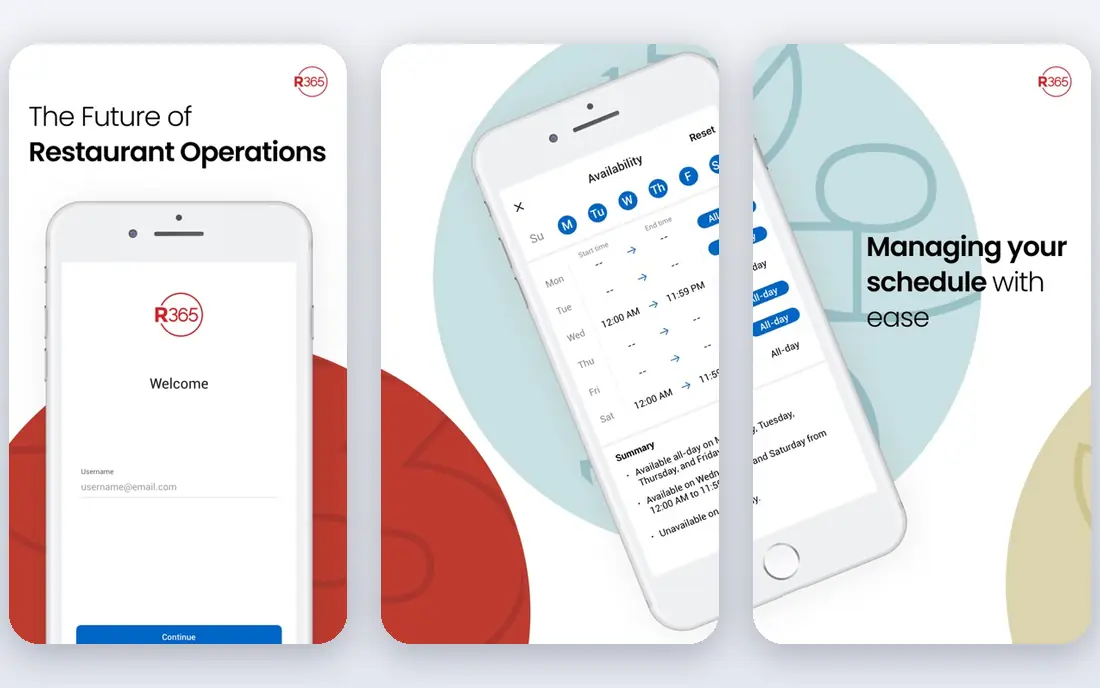
Restaurant365 suits groups that want one back office rather than several linked tools. Accounting sits inside the platform next to inventory, vendor management, and labor scheduling, which helps finance teams compare profit and loss across sites from the same data. That breadth is the main reason larger groups choose it over a narrower inventory app.
The cost of that breadth is complexity. Staff need training, and the rollout takes longer than a simple counting app. Pricing is quote based, so get a written quote that covers every location and module before you compare it with per location tools.
- Accounting, inventory, and scheduling in one system
- Strong multi-location reporting
- Quote based pricing
- Steeper learning curve than focused inventory tools
xtraCHEF by Toast is the natural first look for restaurants already running Toast. Because sales data flows from the POS, theoretical usage and recipe costs can be tracked without re-entering sales figures by hand. Invoice processing and purchasing tools sit alongside that costing, which helps managers spot waste and price drift.
The catch is fit. If you use a different POS, the main advantage weakens, and you should test how well your own sales and supplier data connect before committing. Some public reviews also raise support and data accuracy concerns, so ask for references from restaurants with a similar menu and volume.
- Close link to Toast POS
- Recipe costing and invoice tools
- Familiar setup for Toast users
- Less appealing outside the Toast system
- Public reviews are mixed on support
Crunchtime is aimed at operators with many sites, where head office needs one view of sales, labor, inventory, and task completion. It connects those areas so a manager can see which locations are drifting on food cost, labor, or task completion without pulling separate reports. That scale is where it earns its price.
Smaller operators will likely find it too large and too slow to set up. Implementation is a project, not a quick install, and pricing is quoted. For a group with dozens of sites, that effort can pay off. For a single restaurant, a lighter tool will usually do the job faster.
- Built for large networks
- Sales, labor, inventory, and tasks in one view
- Strong forecasting tools
- Quote based pricing
- Implementation can take months
Apicbase gives food service teams a full back of house view, from ingredient lists to bills of materials, procurement, and menu planning. It suits hotels, catering teams, and multi-unit groups that need tight control over recipes and production, not just stock counts. Menu engineering tools help teams see which dishes earn their place and which ones drag margins down.
The platform grew in Europe, so US buyers should check supplier and POS links for their own vendors before buying. Pricing starts lower than several rivals, and a trial helps you test whether the module set matches your kitchen workflow.
- Clear food management modules
- Menu engineering and procurement in one place
- Trial available
- Feature depth varies by module
- Smaller US presence than US based rivals
Craftable focuses on the part of inventory many general tools handle weakly: drinks. It tracks beverage stock, pour costs, and supplier invoices, and it links those numbers to recipes and sales. Bars, breweries, and restaurant bar programs get a clearer view of shrinkage and overpouring than a food only system usually gives.
Food heavy restaurants may still need a second tool for kitchen stock, so judge Craftable on how much of your cost sits behind the bar. If drinks drive a large share of margin, its focus is a strength. If food dominates, a broader inventory platform may serve you better.
- Strong beverage inventory focus
- Invoice and recipe tools for bars
- Multi-location views
- Quote based pricing
- Less suited to food heavy kitchens as a sole system
Wisk is a practical pick for bars that count stock often and want that count to take minutes, not an evening. Barcode scanning speeds up bottle counts, and the reporting focuses on variance, pour cost, and supplier prices. That narrow focus keeps daily use simple for bar staff who do not need full kitchen software.
The limit is scope. Wisk will not replace a full back office system for a food led restaurant, and pricing is quoted rather than published. For a bar led venue, though, speed of counting and clarity on drink margins can justify a dedicated tool.
- Barcode scanning for fast counts
- Beverage focused reporting
- Built for bar teams
- Quote based pricing
- Narrow focus compared with full restaurant suites
How we picked these
We compared official vendor feature pages and pricing pages, plus public review sites and comparison guides, for tools that are live and sold in October 2026. We kept only tools with a clear restaurant inventory function, real POS or supplier links, and a current public presence. We left out general stock apps that do not handle recipes, ingredients, or food cost, since those miss the core need for restaurants.
What to check before you buy restaurant inventory software
Start with your biggest leak. If invoices eat your week, put invoice scanning and price alerts first. If waste or theft is the issue, put variance reporting and fast counts first. If you run several sites, put central control and transfer tracking first. A tool that excels at one of these may be average at the others, so rank your own pain before you watch demos.
Count the total cost
Check whether pricing is per location, per user, or per site plus add-ons. Ask about invoice scan limits, onboarding fees, and contract length. A low starting price with a tight scan limit can cost more in practice than a higher flat price that includes unlimited scans and bill pay.
Test your real data
Run a trial with your own supplier invoices, recipes, and POS sales. Check that ingredient units match how you buy and store items, and that recipe costs update when supplier prices change. If the trial uses only demo data, you will not learn whether counts, transfers, and waste entries fit your kitchen routine.
Plan the rollout
Assign one owner for item setup and recipe building, and train the team that counts stock, not just managers. Counts fail when units, pack sizes, and storage locations are unclear. A short pilot in one site, with a full month of invoices and sales, gives a fair test before you roll the system out to every location.
Frequently asked questions
What is the best inventory app for restaurants?
The best fit depends on size and need. MarketMan suits purchasing led restaurants, MarginEdge suits invoice heavy teams, and Restaurant365 suits multi-unit groups that want accounting included. Start from your biggest cost leak, then shortlist two tools and trial them with real data.
How much does restaurant inventory software cost?
Published starting prices in this guide run from $149 per month for Apicbase to $350 per location per month for MarginEdge, while several enterprise tools are quote based. Total cost depends on locations, scan limits, and modules, so ask for a written quote for your exact footprint.
Does restaurant inventory software work with my POS?
Most leading tools link to major POS systems, including Square, Toast, and Lightspeed, but the depth of the link varies. Check whether sales, menu changes, and theoretical usage update by themselves, and test that link in a trial before you sign a contract.
Is restaurant inventory software worth it for a single restaurant?
It can be, if food cost is a large share of sales or invoice admin eats several hours a week. A single site should favor a focused tool with a clear monthly price and a trial, and should measure time saved and food cost change in the first two months.
What is actual versus theoretical food cost?
Actual food cost comes from purchases and stock counts. Theoretical food cost comes from recipes and sales. The gap between them points to waste, portion drift, or theft, which is why strong variance reporting matters more than a simple stock list.
Sources
- https://www.marketman.com/pricing-for-restaurant-inventory-management-system
- https://www.marginedge.com/pricing/
- https://www.restaurant365.com
- https://www.xtrachef.com
- https://www.crunchtime.com
- https://get.apicbase.com
- https://www.craftable.com
- https://www.wisk.ai
- https://www.guideflow.com/blog/food-cost-management-software
- https://operandio.com/restaurant-inventory-software/
See where you really rank - block by block
ProMapRanker scans Google Maps across a grid of your service area. Simple monthly plans from $19, white-label on every plan.
Start freeKeep reading
 zscaler alternatives
Best Zscaler Alternatives in 2026
Looking for zscaler alternatives? We compare 9 SASE and zero trust platforms on architecture, data protection, pricing, and fit for your network and team.
Read → zapier alternatives free
Best Zapier Alternatives Free in 2026
Nine automation tools for zapier alternatives free in 2026, all with genuinely free tiers, plus free plan limits, starting prices and upgrade paths explained.
Read → which platform is best for online reputation
Which Platform Is Best for Online Reputation in 2026
Wondering which platform is best for online reputation? We compare 8 review, listing, and response tools for small and multi-location businesses and agencies.
Read →