 ProMapRanker
Which Resource Scheduling Software Fits You? 6 Tools Compared


Professional services businesses that want resourcing tied to finances · Pricing starts at: $29 per seat a month (Lite, billed yearly)
Direct answer
Start with Forecast if you need professional services businesses that want resourcing tied to finances. Look at Resource Guru for teams that want straightforward people scheduling at the lowest price, and at Ganttic for teams that want per-resource billing and unlimited users. The remaining 3 options are covered below with prices and limits.
Key takeaways
- Forecast sits first on this list: professional services businesses that want resourcing tied to finances.
- Forecast comes with a trade-off: the per-seat minimum of 10 seats on Lite means a high floor for small teams.
- Resource Guru is the lowest-priced starter here at $5 per person per month.
- Free plans exist at 2 of 6 tools (Ganttic, Runn).
Quick comparison
| Pick | Great for | Pricing starts at | Free tier | |
|---|---|---|---|---|
| Forecast | Professional services businesses that want resourcing tied to finances | $29 per seat a month (Lite, billed yearly) | Free trial (14 days) | Visit |
 Resource Guru | Teams that want straightforward people scheduling at the lowest price | $5 per person a month (Grasshopper, billed monthly) | Free trial (30 days) | Visit |
 Ganttic | Teams that want per-resource billing and unlimited users | $25 per month (Pro 20, up to 20 resources) | Yes | Visit |
 Runn | Small and mid-sized teams wanting capacity plus revenue forecasts | $7 per resource a month (Lite) | Yes | Visit |
 Float | Creative and marketing teams wanting visual scheduling | $7 per scheduled person a month (Starter, billed annually) | Free trial (30 days) | Visit |
 Hub Planner | Mid-sized teams needing scheduling, leave and timesheets together | $7 per resource a month (Plug & Play) | Free trial (60 days) | Visit |
Tool-by-tool breakdown
ProMapRanker put together this guide to resource scheduling software for readers who want a clear shortlist without reading every vendor page. It compares 6 tools on starting price, free plans, who each one suits and where each one falls short.
Forecast
Great for: Professional services businesses that want resourcing tied to finances

Think of Forecast for professional services businesses that want resourcing tied to finances. Pro at $49 layers on the deeper financial and operational controls. As for the details, the price floor is the honest problem.
For everyday use, AI features suggest roles and assignees, flag at-risk budgets, and help with scoping, which matters when a 50-person consultancy is juggling 30 concurrent projects. Lite needs a minimum of 10 seats, so the smallest possible annual commitment runs close to $3,500 per year, and virtual seats for non-billable staff add $4.99 each. That is plenty of money if you only need a shared calendar. From a buyer's view, Forecast earns it back for businesses that currently run scheduling, time tracking and project accounting in three separate tools, since consolidation is where the savings live. The starting price for Forecast: $29 per seat per month. Trial and free access: Free trial (14 days).
Limits to weigh: Pricing jumps steeply to Pro at $49 per seat.
- Solid Jira and accounting integrations
- AI-assisted scoping and scheduling suggestions
- The per-seat minimum of 10 seats on Lite means a high floor for small teams
Resource Guru
Great for: Teams that want straightforward people scheduling at the lowest price
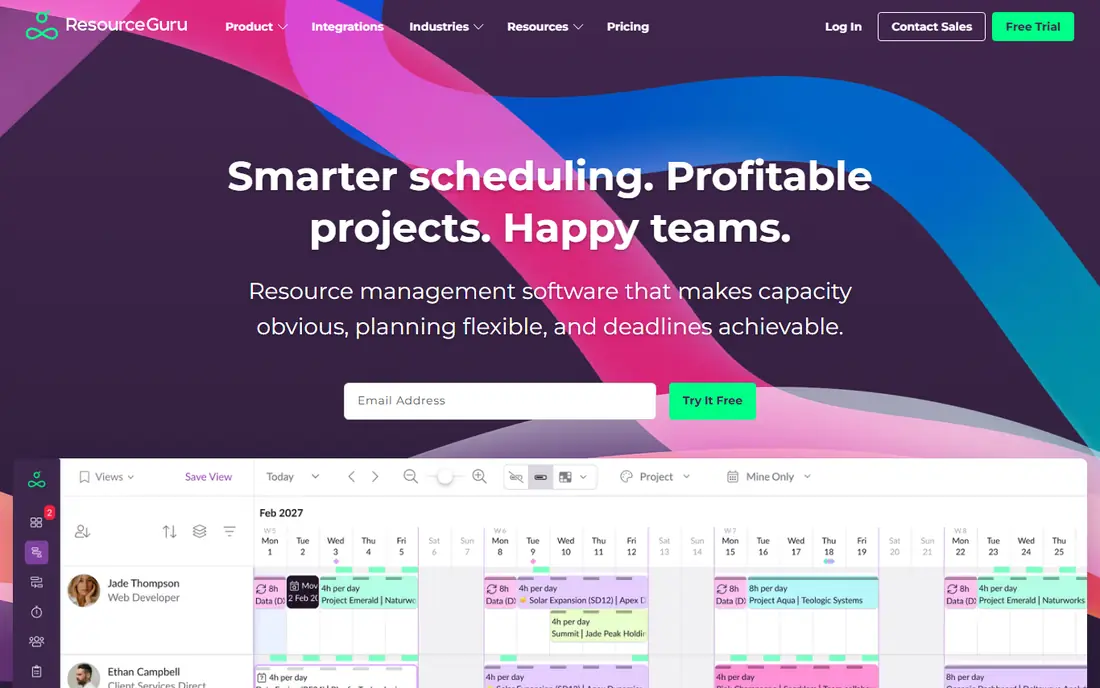
Resource Guru is aimed squarely at teams that want simple people scheduling at the lowest price. When the goal is just to know who is free on Tuesday, Resource Guru is hard to beat.
Resource Guru cost at the entry level: $5 per person per month. Trial and free access: Free trial (30 days).
Drawbacks to consider: the Master plan costs nearly three times the starter.
- Unlimited projects and clients on every plan
- The lowest starting price on this list with a genuinely straightforward interface
- No permanent free level
Think of Ganttic for teams that want per-resource billing and unlimited users. Ganttic is the odd one out, and it knows it. Rather than charging per user, it charges per resource: the Pro 20 plan at $25 a month spans up to 20 resources with unlimited users, unlimited projects and every feature included.
For everyday use, if 40 people have to view the schedule but only 15 are scheduled resources, Ganttic costs a fraction of a per-seat tool. The free level spans up to 10 resources, which is genuinely usable for a small operation. For equipment-plus-people scheduling at a fixed, predictable price, it is one of the best values here. What you pay to start with Ganttic: $25 per month. Ganttic has a free plan.
The main drawbacks: No per-seat choice, so tiny teams can find the resource levels awkward.
- You pay per resource
- Plans scale cleanly from 20 to 2,000 resources
- The Gantt-first interface feels dated next to Float or Mosaic
Runn targets small and mid-sized teams wanting capacity plus revenue forecasts. The trade-offs are around ecosystem depth. Support beyond the standard level is consultation-based, and the Advanced plan needs a custom quote.
Runn thinks in projects and money, not just people and hours. Worth adding: pricing is per resource, not per seat, with Lite at $7 and Standard at $11 per resource a month. Runn links to Harvest, WorkflowMax, Clockify and the usual calendar apps, with an API for the rest. But the integration list is shorter than Float's or Forecast's. Runn starts at: $7 per resource per month. Runn has a free plan.
Drawbacks to consider: The advanced plan is quote-based, so pricing clarity ends at Standard.
- Scenario planning lets you model tentative projects before committing
- Free level for very small teams
- Integrations are thinner than the larger systems
Float is built with creative and marketing teams wanting visual scheduling in mind. Float is the scheduling tool agencies reach for when the spreadsheet stops working. The one-way Jira integration also deserves a mention: tasks import from Jira into Float, but changes made in Float do not write back.
Also, time off, public holidays and part-time availability sit in the same view, so over-allocation presents up before it becomes a missed deadline. Also, the Pro plan at $12 per scheduled person a month brings project estimates, actuals tracking, a finance dashboard and SSO, which handles most of what a 20 to 100 person firm needs. If Jira is your system of record and priorities shift weekly, budget time for keeping both sides current. Float starts at: $7 per scheduled person per month. Free access: Free trial (30 days).
What to check first: Financial reporting is lighter than true PSA tools.
- Budget tracking and integrations included on every premium plan
- Utilization and availability reports built in
- You pay only for scheduled people, which is fair until contractors rotate in and out
Hub Planner
Great for: Mid-sized teams needing scheduling, leave and timesheets together
For mid-sized teams needing scheduling, leave and timesheets together, Hub Planner is a natural candidate. Hub Planner grew out of a Swedish consultancy and still presents it: the tool is practical, unglamorous and built around the realities of staffing client work. Like Ganttic, pricing is per resource with unlimited users, so stakeholders can view without costing you anything.
Trade-offs to know: The interface is competent but not modern, mobile is entry-level.
In daily use, the weakness is ecosystem. Native integrations are restricted, with Zapier and a small set of direct connections carrying most of the load. The mobile experience is functional at best. Premium at $18 layers on timesheets with approvals, vacation and leave management, and financial budgets, which is the plan most services businesses actually need. Entry price for Hub Planner: $7 per resource per month. Free access: Free trial (60 days).
- Timesheets
- Per-resource pricing keeps viewer costs at zero
- Integrations are restricted compared with Float or Forecast
What went into this list
We compared the tools on published pricing, free plan or trial availability, feature coverage for resource scheduling software, and the limits each vendor documents. Plan names, prices and limits change often. Treat the figures here as a starting point and verify them with the vendor. Tools are placed by general fit for resource scheduling software, with price clarity and free access as tie-breakers. A different team can reasonably rank them differently.
Pre-purchase checklist
- Check the vendor page for the current price: Resource Guru starts at $5 per person per month here, and seats or billing terms can move it.
- Look at free plan limits closely: Ganttic and Runn have one, and the caps decide whether it is usable for real work.
- Run a trial of Forecast, Resource Guru, Float and Hub Planner with real work before paying for a year; your own workflow is the best test.
- Before choosing Forecast, weigh its main limit: the per-seat minimum of 10 seats on Lite means a high floor for small teams.
- Let daily users try Resource Guru on real work; their feedback beats any feature checklist.
- Before rolling out Runn, verify the integrations your workflow depends on.
Frequently asked questions
How are the tools for resource scheduling software ordered?
The order follows typical fit for resource scheduling software, with Forecast first and Hub Planner last, then price clarity and free access. It is editorial judgement, not a score, so another team could rank the tools differently.
Is Forecast the right pick for everyone comparing resource scheduling software?
No single tool suits every team. Forecast comes first because it fits professional services firms that want resourcing tied to finances, while Resource Guru suits teams that want simple people scheduling at the lowest price and Ganttic suits teams that want per-resource billing and unlimited users. Match the tool to your own size, budget and workflow before deciding.
What is the cheapest option for resource scheduling software in this list?
On published monthly entry prices, Resource Guru is the lowest here at $5 per person per month. Entry price is only part of the cost, because seats, add-ons and billing terms can change the total.
Can I try these options before paying?
Often, yes. Ganttic and Runn have a free plan and Forecast, Resource Guru, Float and Hub Planner offer a free trial. Use your own data and a real task during the test, and check what the free tier or trial limits before you rely on it.
Sources
See where you really rank - block by block
ProMapRanker scans Google Maps across a grid of your service area. Simple monthly plans from $19, white-label on every plan.
Start freeKeep reading
 zoho inventory alternatives
6 Alternatives to Zoho Inventory, Compared on Price and Fit
Zoho Inventory alternatives: 6 tools compared on price, free plans and fit. Katana leads the list for manufacturers. Fit and flaws are laid out for each entry.
Read → zoho crm alternatives
Best Zoho CRM Alternatives (2026)
Need Zoho CRM alternatives? We compare 7 tools on cost, free access and who each suits. Every pick gets a straight assessment. Built for quick decisions.
Read → zelle alternatives
Best Zelle Alternatives in 2026
Compare the best Zelle alternatives for sending money to friends, paying sellers and moving funds abroad, with honest notes on fees, speed and safety in 2026.
Read →