 ProMapRanker
Best Residential Construction Estimating Software in 2026

Key takeaways
- Residential estimating splits into two jobs: measuring from plans, and pricing labour and materials accurately, and the best tool for you depends on which job eats more time.
- Buildxact and Buildern suit small residential builders who want takeoff, estimating, and job tracking in one place, while STACK and PlanSwift suit takeoff-heavy work.
- Clear Estimates and Jobber suit small remodelers and service contractors who need fast quotes without a full project management suite.
- Prices vary from free starter tiers to several hundred dollars a month, and most vendors quote by user, seat, or project volume, so compare the annual total.
- Our pick for most small residential builders is a cloud tool with plan takeoff, a live price library, and a clean client quote, rather than the cheapest takeoff-only app.
Quick comparison
| Pick | Great for | Pricing starts at | Free tier | |
|---|---|---|---|---|
 Buildxact | Small residential builders | See website | Free trial | Visit |
 Buildertrend | Client-facing residential builders | See website | Free trial | Visit |
 Buildern | Custom home builders and remodelers | See website | Free trial | Visit |
 STACK | Cloud takeoff and estimating teams | See website | Yes | Visit |
 PlanSwift | Desktop takeoff power users | See website | Free trial | Visit |
 Clear Estimates | Fast residential remodel quotes | See website | Free trial | Visit |
 Houzz Pro | Design-build remodelers | See website | Free trial | Visit |
 Contractor Foreman | Small contractors on a budget | See website | Free trial | Visit |
 Jobber | Small crews that also schedule work | See website | Free trial | Visit |
The best residential construction estimating software
A good residential estimate has to be fast enough to win the job and accurate enough to protect your margin. The nine tools below help builders and remodelers measure plans, price work, and send professional quotes, but they differ in whether they focus on takeoff, full project management, or quick quoting for small jobs.

Buildxact is the most focused residential pick on this list, because it was built for builders and renovators rather than adapted from commercial software. You can upload plans, measure rooms and materials, build an estimate from assemblies and supplier prices, and send a client-ready quote without exporting to a spreadsheet. That closed loop saves time on the small and mid-size jobs that make up most residential work.
The drawback is that the fuller tiers cost more, and the project management side is lighter than Buildertrend. If you need deep scheduling, client selections, and change order control across many concurrent custom homes, you may need a second tool or a higher tier. For a builder doing a steady run of remodels and new homes, Buildxact hits the balance between power and simplicity.
- Built for residential builders and remodelers
- Plan takeoff plus estimating in one tool
- Supplier price lists and quote sending
- Pricing is tiered and rises with features
- Larger commercial firms may outgrow its project tools
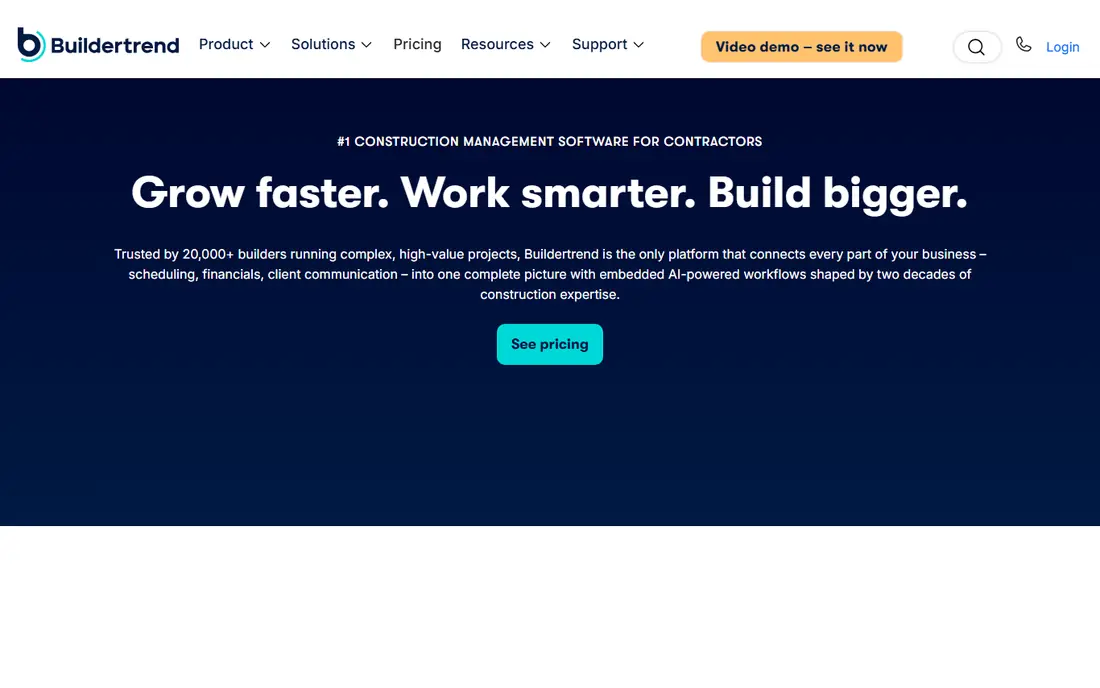
Buildertrend suits a residential builder who wants estimating to feed straight into the rest of the job. An estimate can become a budget, a schedule, and a client portal where homeowners approve selections and change orders. That continuity reduces retyping and keeps the client informed, which matters on custom homes where choices change weekly.
Buildertrend is a platform, not just an estimating app, so expect a longer setup and a quote-based price that reflects your volume. Small remodelers who only need fast quotes may find it heavier than Clear Estimates or Buildxact. For builders managing several homes at once with clients who expect online updates, the extra scope pays for itself in fewer phone calls and clearer approvals.
- Estimating plus scheduling, client portal, selections, and change orders
- Strong QuickBooks and Xero links
- Well established in residential building
- Pricing is quote based
- The full platform takes time to set up and learn
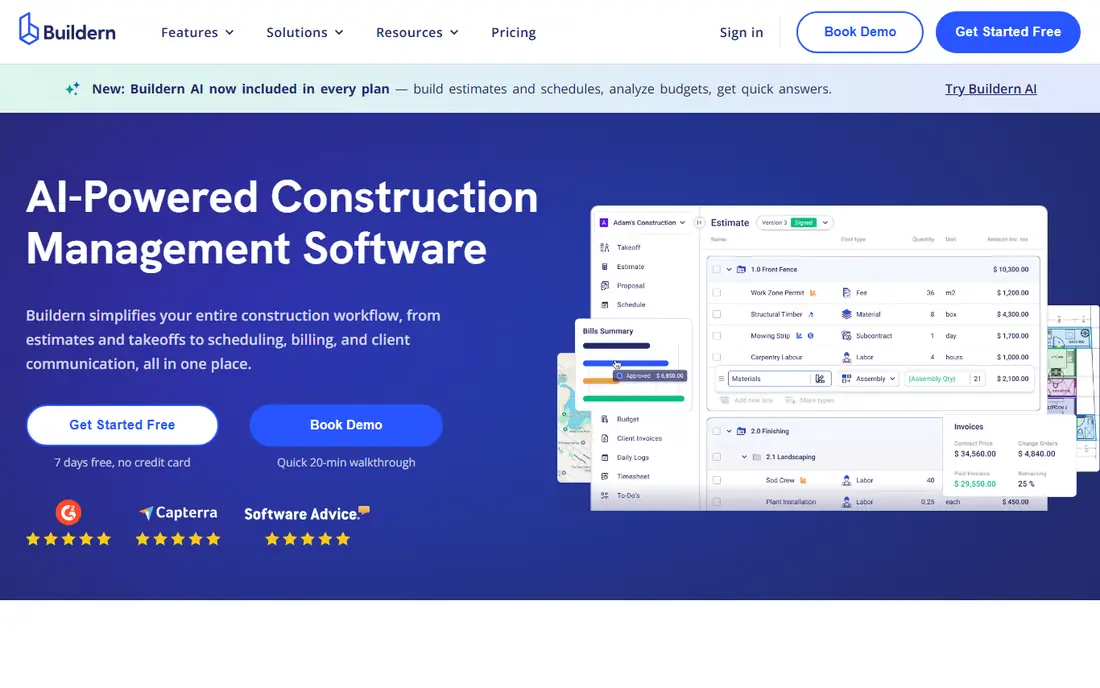
Buildern targets custom home builders, general contractors, and remodelers who want estimating tied to budgets and job costs from the start. You can take off quantities, build estimates, track actual costs against the budget, and manage the project in the same system. That link between estimate and actual spend is where many residential builders lose margin, because a quote that never gets compared with real costs hides overruns until the job ends.
The cost and scope are the trade-offs. Buildern is priced for firms, not for a solo handyman, and setting up cost codes and templates takes care up front. If you are willing to invest that setup time, the payoff is estimates that stay connected to the job all the way to final invoice.
- Estimating, takeoff, budgeting, and project tracking for custom builders
- QuickBooks and Xero integration
- Modern cloud interface
- Pricing rises with user count
- Smaller one-person firms may not need the full suite
STACK is the takeoff-first choice for teams that live in plan sets. You upload drawings, measure areas, lengths, and counts in the cloud, and turn those quantities into estimates that the whole team can see. Because it runs in a browser, an estimator in the office and a project manager on site can work from the same current plans without passing files back and forth.
STACK does less job management than Buildertrend or Buildern, so you will still need accounting and scheduling tools alongside it. The free tier helps you test takeoff on a real plan before paying, but check the paid tier limits for users and projects, because a busy bid season can push a team into a higher tier quickly.
- Cloud plan takeoff and estimating
- Free tier to start
- Collaboration for teams working from the same plans
- Paid tiers cost more per user
- Accounting links are more limited than full project platforms
PlanSwift remains popular with estimators who want speed on a desktop and a deep library of assemblies for different trades. You point, click, and drag over a digital plan to measure, then push quantities into an estimate and export to Excel for pricing or presentation. Estimators who have used it for years often measure faster in PlanSwift than in any cloud tool.
The limits are collaboration and cost structure. PlanSwift is not built as a cloud-first team workspace in the way STACK is, and per-seat pricing means a growing estimating team pays for each seat. It fits a dedicated estimator or a small estimating desk well, but a builder who wants clients and site staff in the same system should look at Buildertrend or Buildern instead.
- Fast desktop takeoff with a large trade library
- Strong Excel export
- Long track record with estimators
- Desktop focus means less cloud collaboration
- Pricing is per seat and adds up for teams
Clear Estimates is built for the remodeler who needs a professional quote today, not a month-long software rollout. You build estimates from templates for kitchens, bathrooms, and common remodel scopes, adjust labour and material lines, and send a clean proposal to the homeowner. That speed matters when you are pricing several small jobs a week and the homeowner is comparing three bids.
Clear Estimates does not try to run your whole business, so scheduling, selections, and job costing are thinner than in Buildertrend or Buildern. If most of your work is small remodels and repairs, that focus is a strength. If you are building custom homes with long selections and change orders, pair it with a project tool or choose a fuller platform.
- Fast quote building for remodel work
- Simple interface for small remodelers
- Proposal and client presentation tools
- Less full project management than Buildertrend
- Takeoff from plans is lighter than STACK or PlanSwift
Houzz Pro suits a design-build remodeler who already finds clients through Houzz and wants estimating in the same place as marketing and client messaging. You can build estimates, create proposals, track leads, and share designs with homeowners without juggling separate tools for each step. For firms where design presentation wins jobs, that combination is hard to match.
The price and tier structure need care. Entry plans are more limited, and fuller estimating and accounting links sit on higher tiers, so the total cost can climb. Check which estimating features your tier actually includes, and compare the annual total with Buildxact or Buildertrend for the same team size before committing.
- Estimating plus lead generation, design tools, and client communication
- Strong fit for design-build remodelers
- QuickBooks links on higher tiers
- Paid plans can be costly
- Estimating depth varies by tier and some features sit behind higher plans
Contractor Foreman is a strong value option for a small contractor who wants estimating alongside scheduling, daily logs, and time tracking without paying platform prices. You can build estimates, convert them to projects, schedule crews, and track costs in one account, which suits firms that are moving off spreadsheets and paper for the first time.
The breadth is also the weakness, because no single feature is as deep as a specialist tool. Takeoff is lighter than STACK, and client selections are lighter than Buildertrend. For a small firm that needs good-enough coverage across the board at a fair price, Contractor Foreman is a sensible pick, but a takeoff-heavy estimator should test it against STACK first.
- Estimating plus scheduling, time tracking, and project tools at a lower price point
- Broad feature set for small firms
- Interface covers many features and can feel busy
- Takeoff tools are lighter than STACK or PlanSwift
Jobber fits small crews doing repair, remodel, and service work where quoting, scheduling, and invoicing matter as much as the estimate itself. You can create a quote on site, get client approval, schedule the job, and invoice from the same app, which keeps admin time low for a one- to five-person team. The mobile experience is a real strength for crews who work from a truck rather than a desk.
Jobber is not a takeoff tool for plan-heavy custom homes, and its estimating templates are simpler than Buildxact or Buildern. If your jobs start as a photo or a site visit rather than a full drawing set, Jobber may be all you need. If they start as architectural plans, choose a takeoff tool and use Jobber only for scheduling if you still want it.
- Simple quoting and invoicing
- Scheduling and client reminders built in
- Easy start for small crews
- Estimating is simpler than specialist construction tools
- No full plan takeoff for large residential builds
How we picked these
We compared official product pages, pricing pages, and public documentation for residential construction estimating tools operating in October 2026, keeping only tools that support residential estimating, takeoff, or quoting for builders and remodelers. We weighed takeoff quality, price libraries, quote presentation, accounting links, and fit for small residential firms over enterprise commercial features. We did not claim hands-on testing, and where vendors quote rather than publish a price, we wrote See website rather than inventing a figure.
How to choose estimating software for residential work
Start with how your jobs actually arrive. If work starts with architectural plans, takeoff speed and accuracy should lead your choice, and STACK or PlanSwift deserve the first trial. If work starts with a site visit and a homeowner conversation, quote speed and presentation matter more, and Clear Estimates or Jobber may win. If you manage several custom homes with selections and change orders, estimating alone is not enough, and Buildertrend or Buildern should lead.
Next, test your real price data, not the demo data. Load a recent job, enter your actual labour rates and supplier prices, and see how close the tool gets to the quote you already sent. A tool with a generic national price library can mislead you if your local material costs differ, so check whether you can import supplier lists or adjust assemblies easily. Also confirm how estimates convert to budgets, invoices, and accounting, because retyping numbers between systems is where errors creep in.
Finally, price the tool at your real team size for a full year, including any per-seat or per-project charges, and check the trial limits for plans and users. Ask how support works during bid season, when a takeoff problem on deadline day is costly. The best estimating software for residential work is the one your team will actually use on every bid, with prices you trust and quotes clients can read without a follow-up call to explain them.
Frequently asked questions
What is the best estimating software for residential construction?
For most small residential builders, Buildxact is the strongest all-round pick because it combines plan takeoff, estimating, and quoting in a tool built for residential work. Buildertrend suits larger client-facing builders, while STACK suits takeoff-heavy teams. Match the tool to whether your jobs start with plans, site visits, or a full custom-home workflow.
What is the best residential construction estimating software for remodelers?
Clear Estimates suits remodelers who need fast, professional quotes for kitchens, bathrooms, and common scopes, while Houzz Pro suits design-build remodelers who also need leads and design presentation. Buildxact also works well for remodelers who want takeoff from plans. Choose based on job size and whether design presentation or quote speed matters more.
How much does residential estimating software cost?
Costs range from free starter tiers to several hundred dollars a month, depending on users, features, and project volume. Small quoting tools cost less, while full project platforms with estimating, scheduling, and client portals cost more. Compare the annual total at your team size, not just a monthly headline, and check for per-seat charges.
Do I need takeoff software or just an estimating spreadsheet?
A spreadsheet works until plan changes, price updates, and version control start causing errors. Takeoff software measures directly from plans and links quantities to prices, so a plan revision updates the estimate instead of forcing a manual recount. If you bid from plans more than a few times a month, takeoff software usually pays for itself in time saved and errors avoided.
Can estimating software connect to QuickBooks?
Many tools on this list connect to QuickBooks or Xero, including Buildertrend, Buildern, Buildxact, and Houzz Pro on higher tiers, though the depth of the link varies. Check whether estimates, invoices, and job costs sync both ways or only export one way. A one-way export still beats retyping, but a two-way link keeps budgets and actuals aligned.
Should a small builder choose a full platform or a quoting tool?
A quoting tool wins when you do a few small jobs a week and need speed above all else. A full platform wins when you manage several jobs at once, with clients who expect updates, selections, and change orders. Start with the quoting tool if you are moving off spreadsheets, and move to a platform when client communication and job tracking start taking more time than estimating itself.
Sources
See where you really rank - block by block
ProMapRanker scans Google Maps across a grid of your service area. Simple monthly plans from $19, white-label on every plan.
Start freeKeep reading
 zoro.to alternatives
Best Zoro.to Alternatives in 2026
We compare the best zoro.to alternatives in 2026, listing only legal licensed anime streaming services, from Crunchyroll to free options for fans today.
Read → zip alternatives
Best Zip Alternatives in 2026
We compare the best zip alternatives for buy now, pay later in 2026, covering pay-in-4 plans, fees, spending limits, and credit reporting options today.
Read → yesware alternatives
Best Yesware Alternatives in 2026
Compare the best yesware alternatives for sales email tracking, templates, and sequences, with current pricing and honest tradeoffs for small sales teams.
Read →