 ProMapRanker
Best Reputation Management Software for Daycares in 2026

Text-first parent conversations and reviews · Pricing starts at: See website
Direct answer
Podium is my top pick for daycares because it is built around text-message conversations with parents, which is how most daycare offices already communicate about tours, waitlists and daily updates. Pricing is quote-based, so you have to request a quote from its sales team. NiceJob is a strong second for simple review requests on a budget, and GatherUp fits daycares that want private parent feedback before it turns into a public review.
I put this comparison together from vendor documentation and public sources rather than hands-on testing. I looked at how each tool handles review requests, private feedback, Google Business Profile connections and multi-location setups, then matched those features to how a daycare actually runs its front office.
Key takeaways
- Daycares get the most from tools that send review requests by text, since parents rarely check email during pickup and drop-off.
- Private feedback capture matters more for childcare than for most local businesses, because a frustrated parent often wants to talk to the director rather than post publicly.
- Review software should connect to your Google Business Profile so new reviews land on the listing parents see in Maps.
- Multi-location tools help daycare groups keep review replies and listings consistent across every center.
- No tool replaces a real response policy: reply to every review, keep requests neutral, and never filter or gate reviews.
Quick comparison
| Pick | Great for | Pricing starts at | Free tier | |
|---|---|---|---|---|
| Podium | Text-first parent conversations and reviews | See website | No free plan | Visit |
 NiceJob | Straightforward review requests for one center | See website | No free plan | Visit |
 GatherUp | Private parent feedback before public reviews | See website | Free plan | Visit |
 Birdeye | Multi-channel reviews and parent messaging | See website | No free plan | Visit |
 Grade.us | Agencies managing daycare client reviews | See website | Free trial | Visit |
 Local Falcon | Checking Maps visibility around each center | See website | Free trial | Visit |
 Uberall | Daycare groups with many locations | See website | No free plan | Visit |
The best reputation management software for daycares compared
Podium is a messaging and reputation platform built around text messages. For a daycare, that matters because parents text about late pickups, sick days and tour requests far more often than they send email. The review request goes out through the same channel parents already use, which tends to get a faster response than an email blast.
In practice, a director can send a review invitation after a good week, answer a parent's question in the same thread, and keep a record of the conversation. Reviews flow back to your Google Business Profile, and you can reply from the Podium inbox. For centers with several classrooms or locations, the shared inbox keeps staff from stepping on each other.
The limits are mostly about size and budget. Pricing is quote-based, so a small home-based daycare should ask for a quote before assuming it fits. Centers that only want review requests and nothing else may find it heavier than needed.
- Text messaging built into the core product
- review requests sent by SMS
- inbox that keeps parent threads in one place
- Quote-based pricing
- more features than a single small center needs
NiceJob focuses on getting more reviews and referrals without a complicated setup. A daycare owner can add parent contacts, pick a request template, and let the tool send invitations by text or email. The dashboard shows which parents opened the request and which ones left a review.
The workflow suits a single center where the director handles marketing between drop-off and nap time. You can set requests to go out after a set period, which fits a daycare's rhythm better than an instant request right after enrollment. It also supports review monitoring so replies do not pile up.
Skip it if you need a full parent messaging inbox or a detailed private feedback system. NiceJob is a review tool first, and centers that want two-way texting will outgrow it.
- Simple review request campaigns
- text and email options
- easy for non-technical staff
- Fewer messaging features than Podium
- limited private feedback workflow
GatherUp sends a short survey first and routes happy parents toward a public review while sending unhappy ones to a private feedback form. That structure fits childcare well, because a parent with a concern about a teacher or a billing issue usually wants the director to hear it, not a public audience.
The tool also handles review monitoring and reply drafting, and it connects to Google Business Profile so new reviews appear in one feed. A center can track review volume by month and see which request messages get responses. The free plan is useful for a small daycare testing the waters.
The interface is functional rather than polished, and it is not a parent communication platform. Centers that want texting and payments in one place should look elsewhere.
- Feedback funnel that catches unhappy parents privately
- review requests by email and SMS
- simple reporting
- Dated interface in places
- fewer messaging features
Birdeye is a broad reputation and customer experience platform. For a daycare group, the appeal is that review requests, messages and business listings sit in one account, so each center's Google Business Profile stays consistent. Parents can be reached by text or email, and replies are handled from a shared inbox.
The private feedback side lets a director catch a complaint before it becomes a one-star review. Reporting shows review trends across locations, which helps a regional manager spot a center that needs attention. Listings sync keeps hours and address details correct on Maps and other directories.
The trade-off is setup effort. A single small center will spend more time configuring Birdeye than it would with a simpler tool, and pricing is quote-based. Groups with several locations get the most value.
- Review requests across text, email and social
- unified inbox
- listings management
- Setup takes time
- pricing is quote-based
Grade.us is built with agencies in mind, which makes it a fit if a marketing consultant handles reviews for several daycare clients. Each client gets its own review funnel, and the agency works from one dashboard. The funnel sends happy parents to a public review and unhappy ones to a private form.
For a daycare, that means the director still sees concerns directly while the agency manages the request campaigns. Review monitoring and reply tools cover Google and other platforms, and reports can be shared with the client each month.
A daycare owner running marketing alone may find the agency framing unnecessary. It is also not a messaging platform, so parent texts stay in whatever system the center already uses.
- White-label options for agencies
- review funnels with private feedback
- multi-client dashboard
- Less familiar to daycare owners
- not a parent messaging tool
Local Falcon measures where a daycare shows up in Google Maps across a grid of points around its address. That is useful because parents search from home, from work and from the road, and a center may rank well in one area and poorly in another. The reports show those patterns clearly.
For reputation work, Local Falcon is a supporting tool rather than the main one. It helps you see whether review growth and profile updates are moving Maps visibility in the neighborhoods you serve. Pair it with a review request tool and check the grid monthly.
It does not send review requests or manage parent feedback. A center that only wants more reviews should start elsewhere and add Local Falcon later.
- Grid-based Maps ranking reports
- shows where a center is visible
- useful for tracking changes over time
- Not a review request tool
- needs a separate review workflow
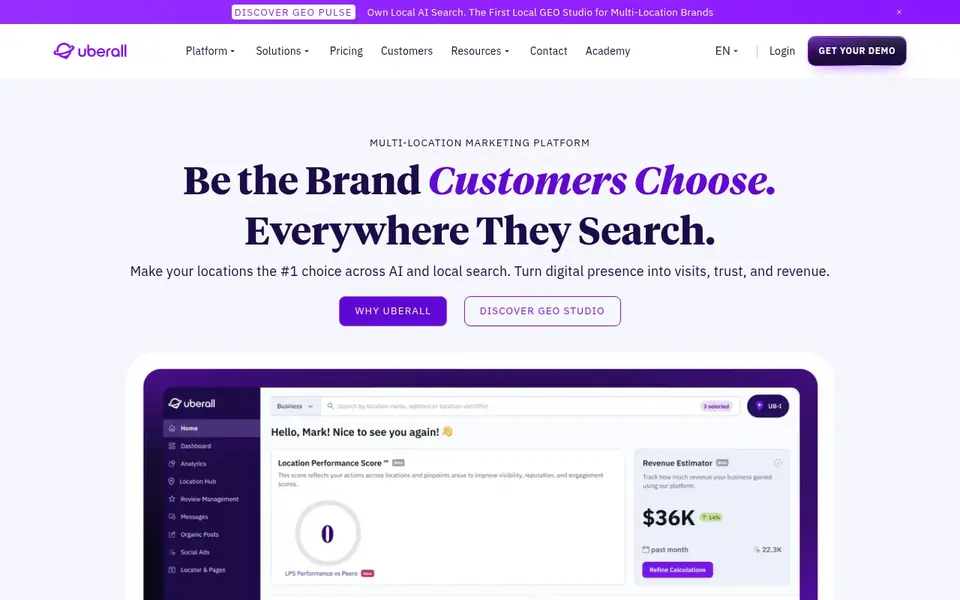
Uberall manages business listings and reviews for companies with multiple locations. A daycare group with centers in several cities can keep name, address, hours and category details consistent everywhere, which matters because parents often find a center through a directory rather than a direct search.
Reviews from Google and other platforms land in one inbox, and managers can reply or assign replies to each location. Reporting compares centers, so a regional director can see which one is falling behind on responses. The listing sync also reduces the chance of an old address showing up on Maps.
The platform is designed for larger organizations, and pricing is quote-based. A single center or a two-location operator will usually do better with a simpler review tool.
- Listings management across many directories
- review monitoring and replies
- location-level reporting
- Built for larger organizations
- quote-based pricing
How I chose
I started with vendor documentation and public sources for each tool, then checked how the features map to a daycare's daily routine. The questions I asked were practical: can it send a review request by text, does it capture private feedback, does it connect to Google Business Profile, and can it handle more than one center without confusion? I did not run hands-on tests, so treat the notes as a starting point for your own trial.
I also weighed limits. Some tools are built for agencies, some for large multi-location brands, and some for a single owner. A daycare with one location and a director who handles marketing between classes does not need the same stack as a group with ten centers and a regional manager. Where a tool's pricing is quote-based, I say so rather than guessing at a figure.
What to check before you buy
- Confirm the tool can send review requests by text message, since parents often ignore email during the workday.
- Check whether it captures private feedback before a parent posts a public review, and where that feedback goes.
- Make sure it connects to your Google Business Profile and lets you reply to reviews from one inbox.
- Ask how it handles multiple centers if you run more than one location, including separate review feeds and reporting.
- Read the vendor's policy on review requests and confirm it does not filter or gate reviews by rating.
- Test the setup with a small group of parents first, and check that request timing fits your enrollment cycle.
Frequently asked questions
Do daycares need reputation management software?
Not strictly, but it helps. Most centers get reviews slowly because parents are busy and requests are easy to forget. Software sends requests at the right moment, keeps reviews in one place, and makes replying a routine instead of an afterthought. A center with very few families can start with a simple manual process and add software as it grows.
Is it okay to ask parents for reviews?
Yes, as long as you ask everyone the same way and do not offer incentives or screen parents by how happy they are. Google's guidelines prohibit review gating, so a tool that only asks satisfied parents for a public review is a problem. Use a neutral request and let parents decide what to write.
How should a daycare reply to a negative review?
Reply calmly, thank the parent for the feedback, and invite them to continue the conversation offline through a phone call or a meeting. Do not argue about details or mention a child by name. Keep the reply short and professional, since other parents reading the review are your real audience.
Can one tool handle reviews for several daycare locations?
Yes. Birdeye, Uberall and Grade.us are built with multiple locations or clients in mind, and each keeps review feeds and reporting separate. Podium also supports multi-location setups. Confirm the details with the vendor before you commit, since plan features vary.
Does review software improve Google Maps rankings?
Reviews are one of many signals, and no tool guarantees a ranking. What software does is make review collection consistent and keep your profile active, which supports visibility over time. Pair it with accurate listing details and check your Maps presence around each center with a tool like Local Falcon.
Sources
See where you really rank - block by block
ProMapRanker scans Google Maps across a grid of your service area. Simple monthly plans from $19, white-label on every plan.
Start freeBrowse all guides
← Best Reputation Management Software for Coffee Shops in 2026Best Reputation Management Software for Dermatologists in 2026 →
 best local rank tracking tools for veterinarians
Best Local Rank Tracking Tools for Veterinarians in 2026
A practical guide to the best local rank tracking tools for veterinarians in 2026, compared from vendor documentation and public sources.
Read → best local rank tracking tools for small business
Best Local Rank Tracking Tools for Small Business in 2026
A practical guide to the best local rank tracking tools for small business in 2026, compared from vendor documentation and public sources.
Read → best local rank tracking tools for physical therapists
Best Local Rank Tracking Tools for Physical Therapists in 2026
A practical guide to the best local rank tracking tools for physical therapists, covering grid maps, review signals and Google Business Profile tracking.
Read → local marketing strategy
Local Marketing Strategy: A Complete Guide
Everything you need to know about local marketing strategy: what it is, why it matters for local SEO, and exactly how to act on it.
Read → local citations service
Local Citations Service: When to DIY and When to Outsource
Should you use a local citations service or build them yourself? A clear decision framework.
Read → local seo for dentists
Local SEO for Dentists: A Patient-Generating Playbook
A local SEO playbook for dentists to win the map pack and book more new patients.
Read →More in Local SEO & Google Maps · All guides A to Z by date · Latest guides