 ProMapRanker
Best Remote Monitoring and Management Software in 2026

Key takeaways
- Per-technician pricing suits small MSPs with many endpoints, while per-device pricing suits teams that want costs tied to the machines they manage.
- Patch management, remote access and automation are now standard, so the real differences sit in ease of setup, reporting depth and support quality.
- NinjaOne and Atera are the easiest starting points for most small and mid-size teams, while ConnectWise Automate and Kaseya VSA fit larger MSPs with dedicated admins.
- Always confirm pricing with a quote, since many RMM vendors do not publish a single public rate and costs vary by endpoint count and add-ons.
Quick comparison
| Pick | Great for | Pricing starts at | Free tier | |
|---|---|---|---|---|
 NinjaOne | Fast setup for MSPs and internal IT | See website | Free trial | Visit |
 Atera | Small MSPs on per-technician pricing | $129 per technician per month | Free trial | Visit |
 ConnectWise Automate | Large MSPs needing deep automation | See website | Free trial | Visit |
 Datto RMM | MSPs in the Kaseya and Datto stack | See website | Free trial | Visit |
 N-able N-central | Mature MSP operations at scale | See website | Free trial | Visit |
 Pulseway | Mobile-first IT management | See website | Free trial | Visit |
 Syncro | Small MSPs wanting RMM plus PSA | $129 per technician per month | Free trial | Visit |
 SuperOps | Modern MSPs wanting AI-assisted workflows | See website | Free trial | Visit |
 Kaseya VSA | MSPs standardising on Kaseya tools | See website | Free trial | Visit |
The best remote monitoring and management software
Remote monitoring and management software, usually called RMM, lets an IT team watch devices, push patches, run scripts and fix problems without visiting each machine. We compared official feature pages, pricing pages and public documentation for the tools below, with a focus on what each one does best and where it falls short.
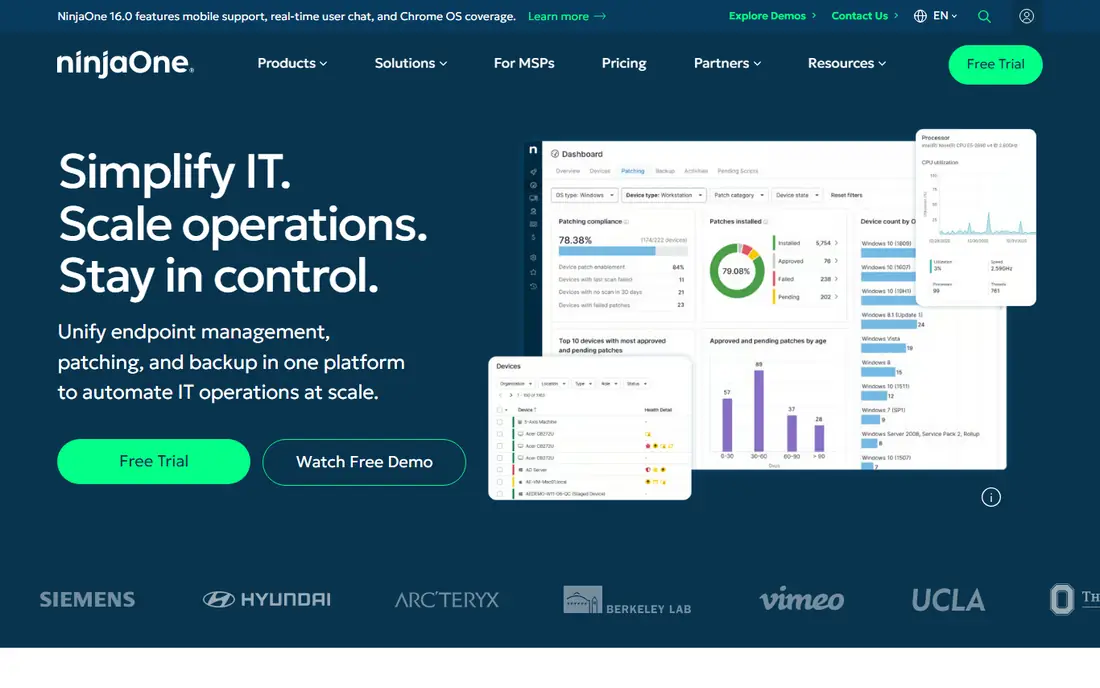
NinjaOne is our pick for most teams that want to get running quickly. Its dashboard brings endpoints, patch status, alerts and remote access into one place, and new technicians tend to learn it faster than older, menu-heavy RMM tools. Patching covers major operating systems and common third-party apps, which removes a large share of routine maintenance work.
The catch is pricing transparency. NinjaOne does not publish one simple public rate, so budgeting means getting a quote based on endpoint count and the modules you need. Teams with very complex conditional automation may also find its scripting ceiling sooner than they would with ConnectWise Automate. For day-to-day endpoint care, though, the balance of speed and depth is hard to beat.
- Cloud-native dashboard
- Strong patching and automation
- Broad device coverage
- Pricing requires a quote
- Advanced automation can need workarounds
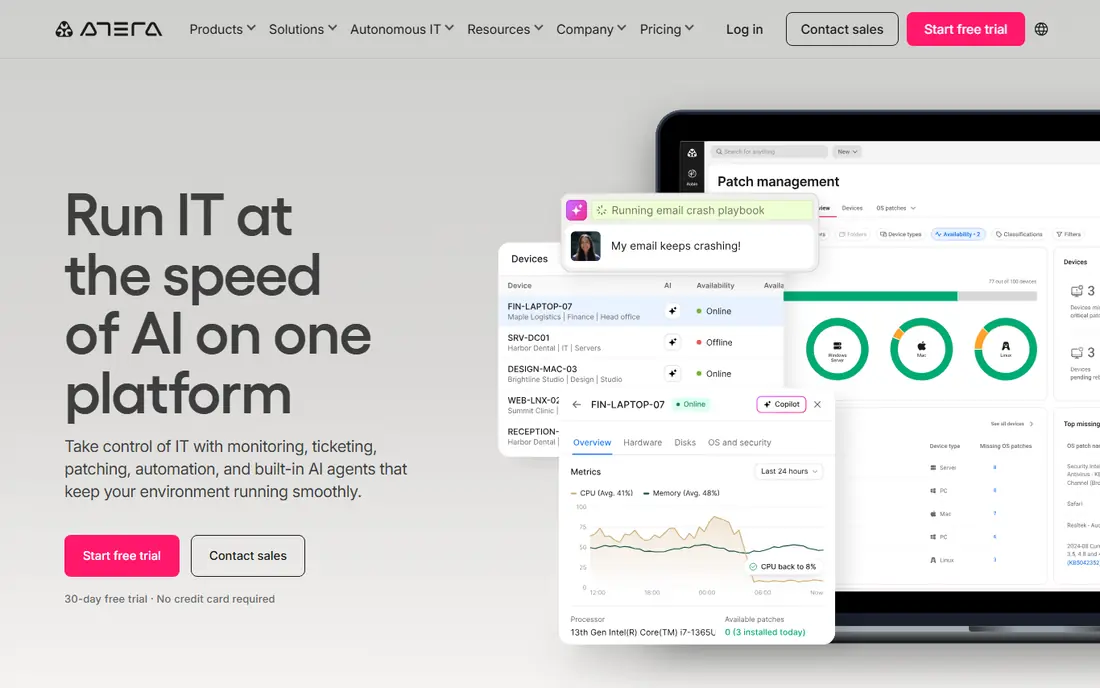
Atera charges per technician rather than per device, which changes the maths for an MSP with many endpoints and a small team. The platform combines RMM with helpdesk, billing and remote access tools, so a small firm can run much of its operation from one login. Its interface is plain and direct, and that simplicity helps during onboarding.
The trade-off shows up at scale. Larger MSPs may want deeper reporting, more granular automation and a wider integration set than Atera offers. Its AI assistant helps with routine tickets and summaries, but it does not replace a well-built automation library. For a team of a few technicians, the value is clear.
- Unlimited endpoints on paid plans
- Built-in PSA features
- Simple pricing model
- Reporting depth trails larger platforms
- Scripting is functional rather than deep
ConnectWise Automate is the automation-heavy choice in this list. It can run detailed, multi-step workflows across endpoints, tie into ConnectWise Manage for tickets and billing, and connect with documentation tools such as IT Glue. Large MSPs that have standardised on ConnectWise gain a lot from that shared ecosystem.
That power comes with a learning curve. Smaller teams often find the setup and upkeep heavy, and losing the person who built the automation library can hurt. Pricing is quote-based, so total cost depends on endpoints, modules and implementation help. Choose Automate when you have the staff to run it properly, not just to tick a feature box.
- Very deep automation and scripting
- Large integration set
- Mature MSP ecosystem
- Needs a dedicated admin at scale
- Setup takes time
Datto RMM, now part of Kaseya, focuses on policy-driven monitoring and automation for MSPs. You set policies once, apply them to client groups, and let the system watch for patch gaps, security issues and device health problems. Its ransomware detection and Microsoft 365 management tools add weight for MSPs that handle security-conscious clients.
Outside the Kaseya and Datto stack, the case weakens, since some of the benefit comes from pairing it with Autotask PSA and Datto backup products. Pricing is also quote-only, which makes early comparison harder. Inside that stack, it is a solid, security-minded option.
- Policy-based monitoring
- Ransomware detection features
- Strong Microsoft 365 management
- Quote-only pricing
- Best value inside its own ecosystem
N-able N-central is a long-standing MSP platform built for teams managing many clients and endpoints. It offers detailed monitoring, patching, automation rules and integrations with backup and security products. MSPs that already use N-able tools will find the shared workflows useful, and its multi-tenant design suits firms with distinct client environments.
New users should expect a longer setup period than with NinjaOne or Atera. The interface carries years of added features, and not every screen feels modern. Pricing is quote-based. For a mature MSP that values depth over a slick first week, N-central still earns its place.
- Deep monitoring and automation
- Broad security integrations
- Enterprise-grade controls
- Interface feels dated in places
- Onboarding takes effort
Pulseway stands out for teams that work away from a desk. Its mobile app lets technicians see alerts, restart services, run scripts and approve actions from a phone, which suits on-call work and small teams covering many sites. Real-time notifications help catch outages early, before clients report them.
On a desktop, Pulseway is capable but not as deep as ConnectWise Automate or N-central for complex automation. Pricing requires a quote, so compare it against a per-technician option if your endpoint count is high. If mobile response time matters most to your team, Pulseway deserves a trial.
- Strong mobile app
- Real-time alerts
- Remote commands from a phone
- Pricing is quote-based
- Desktop workflow is less deep than larger rivals
Syncro pairs remote monitoring with a professional services automation side, covering tickets, billing and a client portal. That combination suits small MSPs that do not want to pay for, and learn, two separate systems. Its per-technician price is published, which makes budgeting simpler than with quote-only rivals.
The limits appear when automation needs grow complex. Syncro handles common workflows well, but it does not match the scripting depth of Automate or N-central. Support quality and feature pace are common talking points in public reviews, so test ticket handling during the trial. For a small, cost-conscious MSP, it remains a practical all-in-one pick.
- RMM and PSA in one plan
- Clear per-technician price
- Client portal included
- Automation depth is moderate
- Larger MSPs may outgrow it
SuperOps is a newer MSP platform that combines RMM and PSA in a clean, modern interface. It aims to reduce clicks for everyday tasks, from patching and alerts to tickets and billing, and its AI features help draft responses and surface next steps. Small and mid-size MSPs that dislike dated interfaces often warm to it quickly.
Being younger has a cost. Some edge-case features and integrations are still maturing compared with N-able or ConnectWise, and public pricing details change, so confirm the current plan before budgeting. If you value a modern workflow and can accept a platform still building depth, SuperOps is worth a close look.
- Modern interface
- RMM plus PSA
- AI-assisted ticket and workflow features
- Younger platform than rivals
- Some advanced features still maturing
Kaseya VSA is the endpoint management arm of the wider Kaseya IT Complete stack, which also covers PSA, backup, security and documentation. For MSPs already using those products, VSA fits naturally, with shared client data and cross-product workflows. It handles patching, remote control, monitoring and automation across many tenants from one console.
Standalone buyers get less of that benefit, and pricing is quote-based. The interface is functional rather than pretty, and new teams may prefer a faster setup elsewhere. Choose VSA when the Kaseya stack is already your home, or when you plan to standardise on it.
- Multi-tenant endpoint management
- IT documentation links
- Broad Kaseya integrations
- Quote-only pricing
- Interface can feel dated
How we picked these
We compared official product pages, pricing pages and public documentation for established RMM platforms, and we left out tools that are only remote access apps or only network monitors. Each product here manages endpoints, handles patching or monitoring, and serves MSPs or internal IT teams in the United States. We favoured tools with current, maintained product pages and a clear MSP or IT focus, and we noted where pricing is quote-only instead of inventing a rate.
What to check before you buy
Pricing model
Work out whether per-technician or per-device pricing fits your shape. A team with 1,000 endpoints and three technicians usually saves with per-technician pricing, while a team with many technicians and few endpoints may pay less per device. Ask what counts as a billable endpoint, and whether servers, mobile devices and add-on modules cost extra.
Automation and patching
List the tasks you repeat each week, such as patch approval, disk cleanup, software installs and user onboarding, then test those exact tasks in a trial. Check patch coverage for your operating systems and key apps, and confirm how approvals, reboot windows and failed-patch alerts work. A tool that patches well but wakes users at the wrong hour will cost you goodwill.
Security and support
Confirm multi-factor authentication, role-based access, audit logs and data handling, since an RMM tool holds deep access to client machines. Ask about support hours, response times and onboarding help, and read the contract for minimum terms and renewal rules. A trial that covers a real client group, not just a demo tenant, tells you far more than a sales call.
Frequently asked questions
What is remote monitoring and management software?
RMM software lets IT teams watch, patch and fix computers and servers from a central console. It collects health and security data, sends alerts when something fails, and lets technicians run scripts or take remote control. MSPs use it to serve many clients, while internal IT teams use it for their own staff machines.
What is the best remote monitoring management software for a small MSP?
For most small MSPs, Atera or Syncro are strong starting points because per-technician pricing is simple and both include PSA features. NinjaOne is a good alternative when ease of setup and patching matter most. The right choice depends on endpoint count, technician count and how much automation you plan to build.
Is there free remote monitoring and management software?
Fully free, maintained RMM platforms for business use are rare, and most tools here offer a free trial rather than a permanent free plan. Some vendors offer limited free tiers for personal or very small use, but business features, support and patching usually sit behind paid plans. Treat a trial as the real test, and confirm what happens to your data if you do not continue.
How much does RMM software cost?
Costs vary widely because vendors use per-device, per-technician and quote-based models. Published per-technician plans in this list start at 129 dollars per month, while per-device and quote-based plans depend on endpoint count and modules. Always add the cost of add-ons, backup and security modules before comparing totals.
Do I need RMM software if I already use remote access tools?
Remote access alone lets you fix a machine when someone reports a problem, while RMM watches machines all the time and acts before problems reach users. If you manage more than a handful of devices, patching, alerting and automation usually save more time than ad-hoc remote sessions. Smaller teams with few machines may manage without it for longer.
Sources
See where you really rank - block by block
ProMapRanker scans Google Maps across a grid of your service area. Simple monthly plans from $19, white-label on every plan.
Start freeKeep reading
 zscaler alternatives
Best Zscaler Alternatives in 2026
Looking for zscaler alternatives? We compare 9 SASE and zero trust platforms on architecture, data protection, pricing, and fit for your network and team.
Read → zapier alternatives free
Best Zapier Alternatives Free in 2026
Nine automation tools for zapier alternatives free in 2026, all with genuinely free tiers, plus free plan limits, starting prices and upgrade paths explained.
Read → which platform is best for online reputation
Which Platform Is Best for Online Reputation in 2026
Wondering which platform is best for online reputation? We compare 8 review, listing, and response tools for small and multi-location businesses and agencies.
Read →