 ProMapRanker
Best Remote Employee Monitoring Software in 2026

Productivity trends for larger teams · Pricing starts at: $10 per user per month
Key takeaways
- ActivTrak is our pick for teams that want trend reports rather than constant screen watching, with a free plan for up to 3 users.
- Hubstaff and Time Doctor are the strongest choices when tracked time must turn into payroll or client billing.
- Teramind is the security-led option, with controls for sensitive data and risky behaviour, but it costs more and needs careful setup.
- Insightful, DeskTime, Monitask and CleverControl cover the middle ground, from automatic tracking to proof of work for freelancers.
Quick comparison
| Pick | Great for | Pricing starts at | Free tier | |
|---|---|---|---|---|
| ActivTrak | Productivity trends for larger teams | $10 per user per month | Yes | Visit |
 Teramind | Security and insider risk controls | $14 per seat per month | Free trial | Visit |
 Hubstaff | Remote teams that need payroll links | $4.99 per user per month | Free trial | Visit |
 Time Doctor | Detailed time records for distributed teams | $6.67 per user per month | Free trial | Visit |
 Insightful | Workforce analytics with privacy controls | $6.40 per seat per month | Free trial | Visit |
 DeskTime | Automatic tracking with no timers | $6.42 per user per month | Free trial | Visit |
 Monitask | Transparent proof of work | $6.49 per user per month | Free trial | Visit |
 CleverControl | Small teams on a tight budget | $5.30 per computer per month | Free trial | Visit |
The best remote employee monitoring software
These tools differ far more in intent than in price. A note before you buy: use them only for lawful, disclosed monitoring, tell staff in writing what is collected, get consent where required, and check local law before you switch anything on. Covert tracking can break trust and, in many places, the law as well.
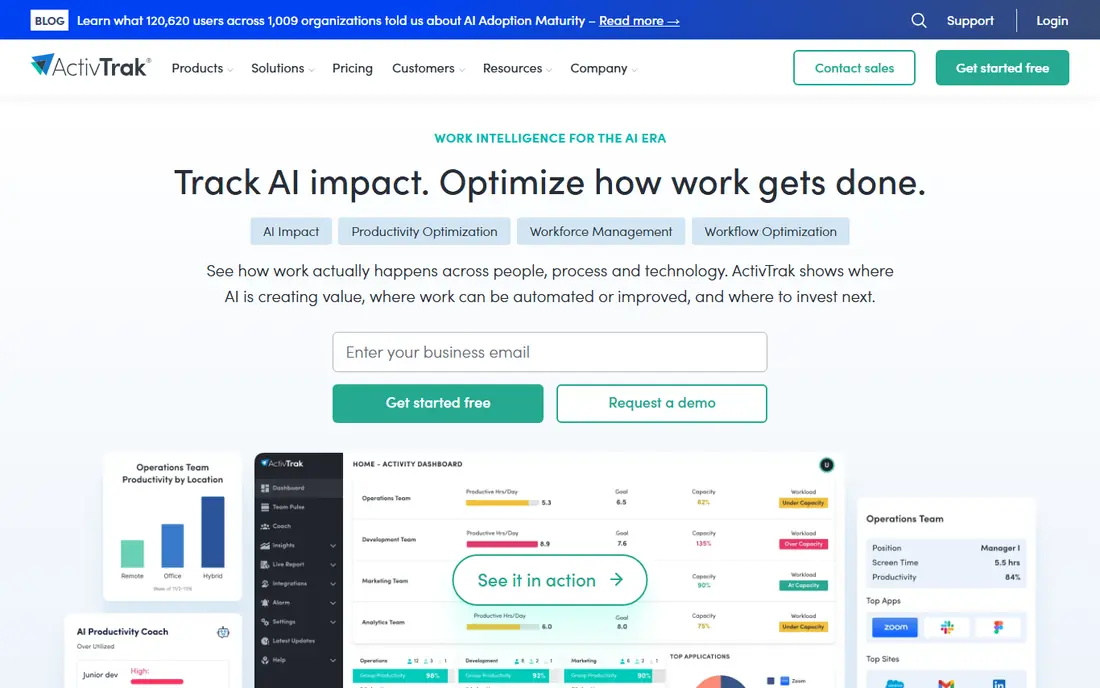
ActivTrak suits managers who want to know how work patterns are changing, not what one person did at 10:14 on a Tuesday. Its dashboards group apps and sites into productive and unproductive categories, then show focus time, workload balance and burnout risk across a team. That framing makes it easier to have a conversation about staffing and habits than about single screenshots.
The catch is that the base plan is deliberately light. Features such as alarm-triggered screenshots and deeper analytics sit in add-ons or higher tiers, so the price you budget should reflect the reports you actually need. Small teams can start free, but larger teams should trial the paid tier with real data before committing for a year.
- Clear team trends
- Free plan for up to 3 users
- Coaching and workload views
- Paid add-ons raise the real cost
- Screen detail is limited on the base plan
Teramind is built for regulated work where a data leak or an insider incident would be costly. It can flag risky behaviour, block unauthorised transfers, mask personal data in recordings and limit what each manager can see. Those controls matter in finance, health care and outsourcing, where audit trails are part of the job rather than a nice extra.
That power is also its main risk. If you turn every feature on at once, staff will feel watched rather than supported, and you may collect more than you need. We recommend starting with a narrow policy, written notice to staff, and a review date for each rule. Used that way, Teramind gives security teams evidence they can act on without turning every laptop into a camera.
- Behaviour rules and alerts
- Data loss controls
- Detailed session playback
- Highest starting price here
- Setup takes care to avoid over-collection
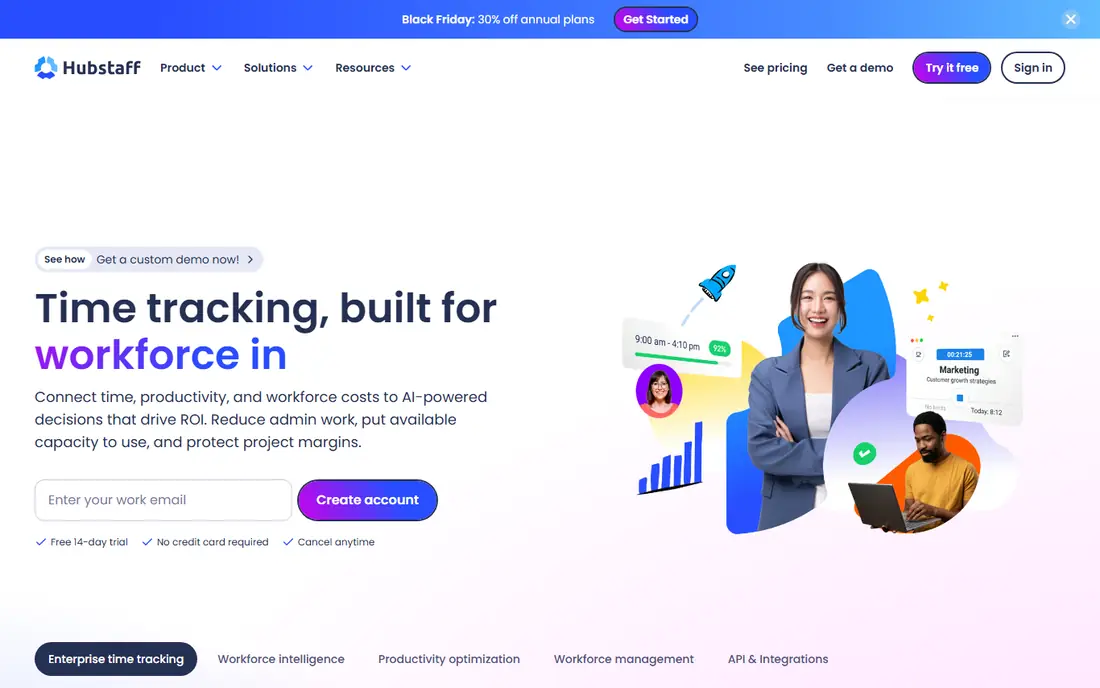
Hubstaff is the practical choice for agencies, contractors and field teams. Staff start a timer, the tool records time against a project, and managers can turn that time into invoices or payroll runs. GPS tracking helps for field roles, and the mobile apps mean the system still works away from a desk.
Its weakness is depth. The reports answer how long work took and what was billed, but they say less about workload balance or focus patterns than a dedicated analytics tool. If your main question is whether hours are accurate and billable, that trade is fine. If you want coaching insight, pair it with regular one-to-one conversations rather than expecting the dashboard to do that work.
- Low entry price
- Timers, GPS and invoicing
- Payroll integrations
- Screenshot features can feel intrusive
- Reporting is less deep than ActivTrak
Time Doctor appeals to distributed teams that need a defensible record of hours. It tracks time by task, flags idle periods and distracting sites, and feeds payroll tools so managers spend less time chasing timesheets. For clients who ask for proof of hours, the reports are straightforward to share.
The trade is that it leans toward accountability rather than light-touch analytics. Teams that dislike timers may push back, and screen features should be switched on only with clear notice. We found its strength is consistency: the same record, the same categories and the same export every week, which makes month-end work far less painful.
- Structured timesheets
- Payroll features
- Distraction alerts
- No free plan
- Screen monitoring needs a clear policy
Insightful sits between simple time tracking and full surveillance. It shows live activity, time on apps and sites, attendance and productivity trends, with controls that let managers see team patterns rather than personal detail. That balance is useful for hybrid teams where some staff are in an office and some are remote.
The 7-day trial is short, so plan the test in advance and import a real week of work if you can. Higher tiers add project time and automatic time mapping, which smaller teams may not need. For mid-sized companies that want monitoring plus time tracking in one place, Insightful is a solid, middle-priced option.
- Real-time dashboards
- App and website usage
- Attendance views
- Short 7-day trial
- Deeper features sit on higher tiers
DeskTime is for teams that will not use timers reliably. It starts automatically, records app and site use, and builds daily reports without staff remembering to press anything. Managers get a clean view of productive time, breaks and offline periods, and staff get a record they did not have to maintain by hand.
That simplicity has limits. Project billing and client invoicing are less central here than in Hubstaff, and security controls are thinner than in Teramind. If your team mainly needs honest, low-friction time records and a weekly summary, DeskTime fits well. If you need forensic detail, look higher up this list.
- Automatic time capture
- Simple reports
- Low effort for staff
- Less control for project billing
- Fewer security features than Teramind
Monitask is a good fit for freelancers, small agencies and remote teams that want visible proof of work without keystroke logging. It captures activity levels, screenshots and time against tasks, then rolls them into live dashboards and reports that managers can check from a browser. The emphasis on transparency helps: staff can see what is recorded, which reduces suspicion.
It is not a security platform. There is no data loss prevention or behaviour analytics of the kind Teramind offers, so regulated teams should not rely on it for that job. For day-to-day accountability, though, Monitask is easy to set up, fairly priced and clear about what it does and does not record.
- Screenshots and timesheets
- Project tracking
- No keystroke logging
- Short 10-day trial
- Less suited to insider-threat work
CleverControl is the budget pick for small businesses that need the basics covered in one dashboard. It records app and website use, screenshots and attendance, and it does so at a lower annual price than most tools here. For a team of a handful of people, that combination is hard to beat on cost alone.
The compromise is polish. The interface and reporting feel less modern than ActivTrak or Insightful, and advanced analytics are thinner. That matters less if you check reports weekly rather than living in them daily. We would shortlist CleverControl when budget is tight and the goal is simple oversight, not deep workforce analytics.
- Low annual price
- Apps, sites, screenshots and attendance in one view
- Simple setup
- Interface feels dated next to newer tools
- Support depth varies by plan
How we picked these
We compared official feature pages, pricing pages and public reviews for tools that are live in October 2026 and built for remote staff, not just office time clocks. We favoured tools with clear pricing, a trial or free plan, and controls that let employers limit collection to what the job needs. We left out tools that were only timers with no monitoring, and tools whose pricing could not be checked at all.
What to check before you switch monitoring on
Start with a written policy, not a purchase. List what you collect, why you collect it, who can see it, and how long you keep it. Share that policy with staff, get consent where your state or country requires it, and keep a copy with your employment records. Check rules for works councils, union agreements and state privacy laws before you roll anything out, because those rules change the answer more than any feature list will.
Then run a short, honest trial with one team. Turn on only the features you plan to keep, review the reports together, and ask staff what felt fair and what felt excessive. A tool that survives that conversation is far more likely to survive the first quarter. Finally, set a review date for screenshots, keystroke features and data retention, and switch off anything you are not actively using.
Frequently asked questions
Is employee monitoring legal for remote workers?
It depends on where staff live and work, and on what you collect. Many US states require notice, some require consent, and other countries set stricter limits. Tell staff in writing, collect only what the job needs, and check local law or get legal advice before you deploy.
Do I need screenshots, or is time tracking enough?
Time tracking is enough for most payroll and billing needs. Screenshots help when clients ask for proof of work or when disputes arise, but they also raise privacy concerns. Start without them, and add them only for roles where the benefit is clear and disclosed.
Can staff see what is being recorded?
That depends on the tool and its settings. Monitask and Insightful stress transparency, while some tools offer a mode that hides the agent. We recommend visible tracking with a clear policy, because hidden tracking damages trust and may be unlawful in some places.
How much should a small team budget?
Entry prices here run from about $5 to $14 per user per month on annual billing, plus any add-ons. A team of ten should budget roughly $50 to $140 per month before add-ons, and should check whether screenshots, payroll or analytics sit on a higher tier.
What is the difference between monitoring and workforce analytics?
Monitoring records what individuals do, often in detail. Workforce analytics looks at team patterns, such as focus time, workload and app use, to improve how work is organised. Many tools do both, but the balance between them is the most important thing to check in a trial.
Sources
See where you really rank - block by block
ProMapRanker scans Google Maps across a grid of your service area. Simple monthly plans from $19, white-label on every plan.
Start freeKeep reading
 worlds best local seo company
8 Worlds Best Local SEO Companies for Map Pack Growth in 2026
Compare the worlds best local seo company options for Google Business Profile work, citations, reviews, and multi-location rankings and reporting in 2026.
Read → world's best web hosting company
World's Best Web Hosting Company in 2026
Searching for the world's best web hosting company? We compared 10 hosts on price, renewal rates, speed, and support to help you choose well today in 2026.
Read → who's got the best nanny tax services
Who's Got the Best Nanny Tax Services in 2026
We answer who's got the best nanny tax services, comparing full filing, back taxes, software, and pricing so families can handle nanny taxes correctly.
Read →