 ProMapRanker
Best-Rated Software for Legal Process Management in 2026


Firms wanting the largest ecosystem · Pricing starts at: $49 per user per month
Key takeaways
- Clio and MyCase suit the widest range of firms, while PracticePanther stands out for firms that want automation without heavy setup.
- CosmoLex is the strongest pick when legal accounting and trust compliance sit at the center of daily work.
- Filevine fits litigation and personal injury work better than general practice tools, but it is priced by quote and needs a longer setup.
- Most entry prices cluster between $39 and $59 per user per month, yet payment processing, add-ons and tier jumps change the real bill.
- No tool here offers a permanent free plan, so use the trial period to test intake, billing and trust reports on real matters.
Quick comparison
| Pick | Great for | Pricing starts at | Free tier | |
|---|---|---|---|---|
| Clio | Firms wanting the largest ecosystem | $49 per user per month | Free trial | Visit |
 MyCase | Solo and small firms wanting one predictable bill | $39 per user per month | Free trial | Visit |
 PracticePanther | Firms wanting code-free automation | $49 per user per month | Free trial | Visit |
 CosmoLex | Firms where accounting comes first | $49 per user per month | Free trial | Visit |
 Filevine | Litigation and personal injury teams | See website | Free trial | Visit |
 Smokeball | Document-heavy firms tracking billable time | See website | Free trial | Visit |
 Rocket Matter | Firms wanting a short learning curve | $39 per user per month | Free trial | Visit |
 LEAP | Firms wanting built-in legal forms and content | $129 per user per month | Free trial | Visit |
The best software for legal process management
Legal work creates a long chain of tasks, from first contact and conflict checks to deadlines, documents, billing and trust accounting. These eight tools cover that chain in different ways, and the right choice depends on firm size, practice area and how much accounting the firm wants inside one system.

Clio is the safe default for firms that want one system to carry intake, matters, documents, time tracking and billing. Its family of products covers the full path from a new inquiry to a paid invoice, and its client portal cuts down on status calls by keeping matter messages and shared documents in one place. For a firm that plans to add staff or practice areas, that breadth matters, because a new workflow does not usually mean a new vendor.
The catch is price clarity. The entry price gives a starting point, but higher tiers and add-ons are quote-led, so a firm should ask for a written quote that lists every user, add-on and payment fee. Smaller firms may also find some features more than they need at first. Still, if the priority is a mature platform with many integrations and a clear upgrade path, Clio is hard to beat.
- Broad matter, billing and client portal features
- Large integration ecosystem
- Separate intake product for growing firms
- Higher tiers are quote-led, so budgeting takes more work
- The breadth can feel large for a solo practice
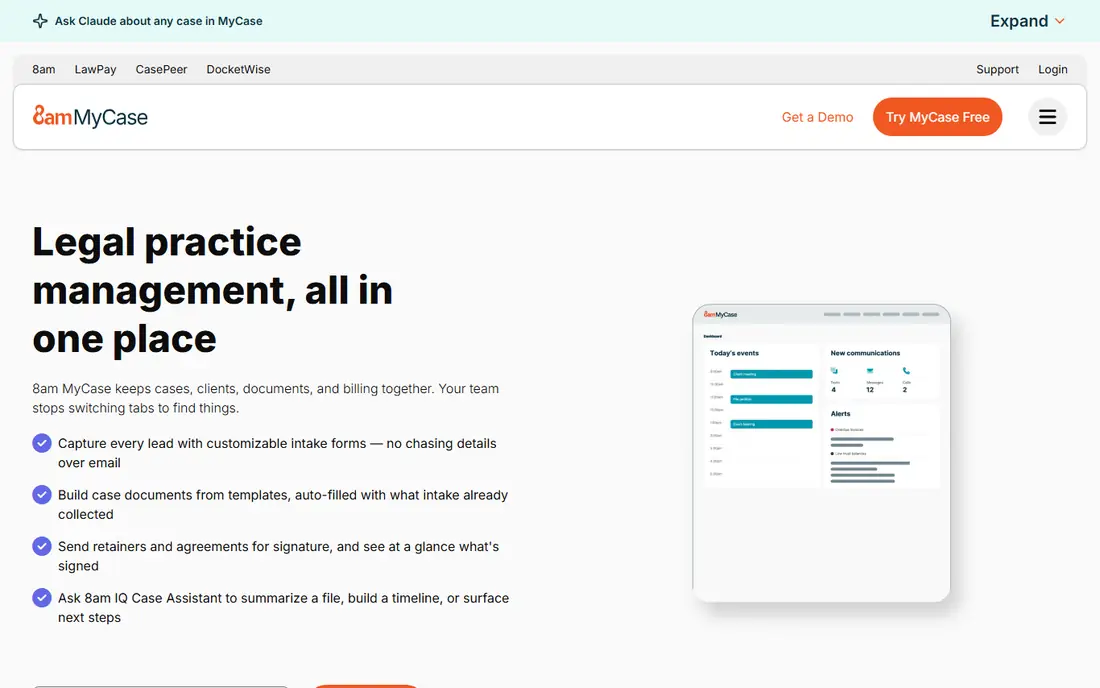
MyCase earns its place with simplicity. A solo attorney or a small team can run matters, calendars, documents, billing and client messages without stitching several tools together. The client portal is a genuine strength, since clients can see case updates and pay invoices without repeated phone calls. For firms moving away from spreadsheets, that single workspace often brings the biggest immediate gain.
The trade-off appears as the firm grows. Moving from one tier to the next can raise the per-user price by a large step, and firms that need deep workflow customization may hit limits sooner than they would with Filevine or PracticePanther. Even so, for a small firm that values a clean interface and a price it can plan around, MyCase is one of the best starting points in this list.
- Clear published pricing tiers
- Strong client communication tools
- Billing and case work in one place
- Tier jumps are large when moving to higher plans
- Customization is lighter than specialist tools
PracticePanther suits billing-heavy firms that want routine work handled by rules rather than reminders. Staff can set up workflows for intake, tasks, reminders and follow-ups, and the higher tiers add native eSignature, two-way texting and stronger reporting. The published pricing makes comparison easier than with quote-only rivals, and the Solo tier gives a small firm a clear entry point.
The honest catch is scale. Because pricing is per user, a tier upgrade applies to the whole team, not just the people who need the new feature. Payment processing also adds a separate cost, with card and eCheck rates to check before signing. Firms that use its automation well tend to get the most value, while firms that only need basic matter tracking may find a cheaper tool does the same job.
- Four published pricing tiers
- Native eSignature and two-way texting on higher tiers
- Automation without coding
- Costs rise across every seat when upgrading tiers
- Payment processing fees sit on top of the subscription
CosmoLex takes a different angle from most rivals by putting accounting at the center. Instead of pairing a practice tool with separate accounting software, a firm gets matter management, billing, trust accounting and reporting in one subscription. That matters for firms that hold client funds, because three-way trust reconciliation and clean operating accounts are not optional extras. They are daily compliance work.
The learning curve is real, especially for staff who have never worked with legal accounting. The higher tiers also raise the monthly bill sharply, so a firm should check which accounting features sit on each tier before choosing. For firms where trust compliance is the main worry, though, CosmoLex removes a whole layer of reconciliation work that other tools leave to a second system.
- Legal accounting and practice management in one product
- Trust accounting and reconciliation included
- Clear tier structure
- Higher tiers cost much more per user
- Accounting depth takes time to learn
Filevine is the specialist in this group. Where general tools treat every matter much the same way, Filevine lets a litigation team build detailed workflows, track case stages, manage large document sets and handle high-volume intake. Personal injury, mass tort and immigration practices are the natural audience, because those practices live or die on consistent process across many similar cases.
That depth comes with a cost in time and money. Pricing is by quote, and a firm should expect implementation work to shape workflows and train staff. A small general practice may find the platform more than it needs. For a litigation team that has outgrown a general tool, however, Filevine offers control that the simpler options cannot match.
- Highly customizable case workflows
- Strong fit for litigation, personal injury and mass tort work
- Intake and document tools built for volume
- Quote-based pricing makes budgeting harder
- Setup and customization take longer than simpler tools
Smokeball focuses on a problem many firms underestimate, which is time that never gets billed. Its automatic time capture records work done in documents and related tasks, so fee earners spend less time reconstructing their day at the end of the week. Document automation adds to that gain, since standard letters and forms can be generated from matter data instead of retyped.
The main drawback is transparency. Without a published starting price, a firm must go through a sales process to learn the real cost, and add-ons can change the total. Smaller firms with light document needs may also find the platform heavier than necessary. For document-heavy practices that lose billable hours to manual time entry, Smokeball addresses a specific pain point better than most general tools.
- Automatic time capture from document work
- Strong document automation
- Close Microsoft Office integration
- Pricing is quote-based
- May be more than a small firm needs for simple matters
Rocket Matter is built for firms that want to get going fast. The interface is direct, the core features cover matters, calendars, tasks, documents, billing and trust accounting, and staff can usually learn it without long training sessions. That simplicity is a real advantage for a firm that has limited time for implementation and wants a tool the whole team will actually use.
The compromise is depth. Firms that need complex automation or highly customized case stages may outgrow Rocket Matter sooner than they would Filevine or PracticePanther. Higher tiers also add fuller features, so the entry price is only part of the story. As a first practice management system, or as a replacement for a tool the team found too complex, Rocket Matter is a sensible and affordable choice.
- Straightforward interface
- Matter, billing, trust accounting and payments in one place
- Published entry price
- Fewer advanced workflow options than Filevine
- Higher tiers needed for fuller feature sets
LEAP appeals to firms that spend a large share of their time producing standard legal documents. Its built-in forms and legal content reduce the need to hunt for templates or maintain a separate library, and the platform pairs that content with matter management, document handling, accounting and billing. For practices that run on repeatable document work, that combination can save hours each week.
The price is the clear barrier. At $129 per user per month, LEAP costs far more than the entry tiers from Clio, MyCase, PracticePanther or Rocket Matter, so a firm should be sure it will use the forms and content enough to justify the gap. A firm that rarely uses standard forms will get better value elsewhere. For document-driven practices, the built-in library is the reason to pay more.
- Built-in legal forms and content libraries
- Combined matter, document, accounting and billing tools
- Guided trial
- Highest published entry price in this list
- May be more than a general small firm needs
How we picked these
We compared official feature pages, published pricing, trial terms and public reviews for legal practice tools that cover matters, calendars, documents, billing and client communication. We favored tools that are live and actively sold in October 2026, that publish clear information about trust accounting where relevant, and that serve a distinct firm size or practice area. We left out tools that only handle one narrow task, such as eSignature alone, because the keyword calls for software that manages the legal process as a whole.
What to check before you sign up
Start with trust accounting if your firm holds client money. Ask each vendor to show three-way reconciliation, trust reporting and how it handles operating and trust transfers, and check the result against your state rules. A tool that looks fine for billing can still fall short on trust work, and fixing that gap after migration is painful.
Next, run a real matter through the trial, not a demo matter. Create a client, open a matter, set deadlines, generate an invoice, take a test payment and run a trust report. That short exercise reveals more than a feature list, because it shows how many clicks each daily task takes and where staff will get stuck. Also ask for the full cost in writing, including per-user fees, payment processing, onboarding and any add-on that the trial did not include.
Finally, plan the move. Ask how data imports work, how long migration usually takes, and what training is included. A firm that switches in the middle of active cases needs a clear cutover plan, with old files still accessible until the new system is proven. The cheapest tool is rarely the cheapest choice if migration drags on or staff avoid using it.
Frequently asked questions
What is the best-rated software for legal process management?
There is no single winner for every firm. Clio suits firms that want the broadest ecosystem, MyCase suits small firms that want simplicity, PracticePanther suits firms that want automation, and CosmoLex suits firms where accounting comes first. The best choice follows firm size, practice area and trust accounting needs.
What is best-rated legal process management software for a solo attorney?
MyCase and Rocket Matter are strong solo picks, because both start at $39 per user per month and cover matters, billing and client communication without enterprise complexity. Clio is the alternative if a solo attorney wants a larger integration ecosystem and a clear path to grow into higher tiers.
How much does legal process management software cost?
Most firms in this list pay $39 to $129 per user per month on published entry tiers, with Filevine and Smokeball priced by quote. Payment processing, onboarding and higher-tier features sit on top of the subscription, so a firm should ask for a written total before signing.
Does legal process management software include trust accounting?
Clio, MyCase, PracticePanther, CosmoLex and Rocket Matter all include trust accounting in their broader feature sets, but depth varies by tier. Firms that hold client funds should test reconciliation and trust reporting during the trial and confirm the features match their state requirements.
Can I switch from spreadsheets to one of these tools?
Yes, and MyCase, Rocket Matter and PracticePanther are the easiest starting points for that move, because their core workflows are straightforward. Plan the migration around live matters, import contacts and documents in stages, and keep the old records accessible until the new system has handled a full billing cycle.
Sources
See where you really rank - block by block
ProMapRanker scans Google Maps across a grid of your service area. Simple monthly plans from $19, white-label on every plan.
Start freeKeep reading
 zscaler alternatives
Best Zscaler Alternatives in 2026
Looking for zscaler alternatives? We compare 9 SASE and zero trust platforms on architecture, data protection, pricing, and fit for your network and team.
Read → zapier alternatives free
Best Zapier Alternatives Free in 2026
Nine automation tools for zapier alternatives free in 2026, all with genuinely free tiers, plus free plan limits, starting prices and upgrade paths explained.
Read → which platform is best for online reputation
Which Platform Is Best for Online Reputation in 2026
Wondering which platform is best for online reputation? We compare 8 review, listing, and response tools for small and multi-location businesses and agencies.
Read →